AULA F99 Wireless Mechanical Keyboard is our pick for the Best Programming Keyboards because its gasket-mounted structure and pre-lubed linear switches provide a refined, quiet typing experience essential for long coding sessions.
When selecting a keyboard for development, the priority shifts toward sustained comfort, reliable connectivity, and the ability to map complex shortcuts. Features like hot-swappable switches allow developers to tailor the tactile feedback to their specific typing style, while high-capacity batteries ensure the device remains functional during extended project cycles.
For those who frequently switch between multiple machines, tri-mode connectivity offers the flexibility to maintain a clean desk setup without sacrificing performance. Whether you prioritize a compact 96% layout that retains a full number pad or a more minimalist design, the right hardware can significantly reduce fatigue and improve input precision during repetitive tasks.
If you are looking for more specialized hardware, our guide to Best Programmer Keyboards offers deeper insights into selecting the right layout for your specific coding environment. For those who rely heavily on automation, we also cover the Best Programmer Keyboards with Macros to help you streamline your development workflow.
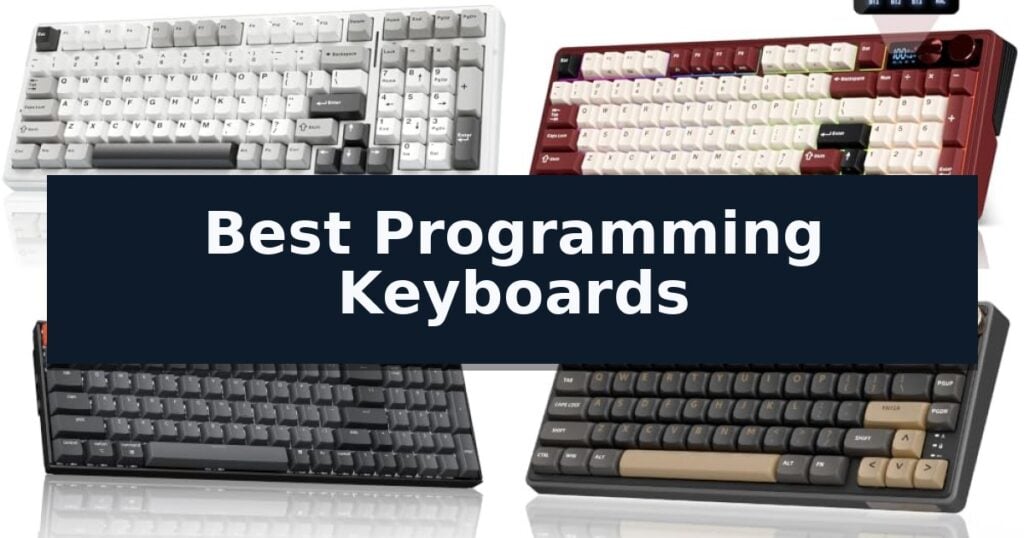
10 Best Programming Keyboards in 2026 Reviews
Quick Comparison
| Product | Best For | Key Strength | Score |
|---|---|---|---|
| AULA F99 Wireless Mechanical Keyboard | Best Overall | Tri-mode connectivity allows for flexible integration with up to five devices. | 4.9 |
| RK ROYAL KLUDGE M100 Mechanical Keyboard | Full-Size with Integrated Smart Display | Tri-mode connectivity with a dedicated knob for quick device switching. | 4.9 |
| Keychron K4 Wireless Mechanical Keyboard | Productivity Focused 96% Layout | 96% compact layout includes a number pad in a small footprint. | 4.8 |
| RK ROYAL KLUDGE R75 Mechanical Keyboard | Gasket-Mounted 75% Design | Gasket-mount design with triple-layer sound absorption for a refined typing feel. | 4.6 |
| YUNZII B75 PRO Mechanical Keyboard | Creamy Typing Sound Profile | Gasket mount structure with five-layer padding for a refined typing feel | 4.8 |
| AULA WIN60 HE Mechanical Keyboard | Ultra-Fast Magnetic Switches | 8000Hz polling rate for ultra-fast input response. | 4.6 |
| Redragon K671 Mechanical Gaming Keyboard | Hot-Swappable Linear Switches | Hot-swappable switches allow for easy individual key repair or replacement. | 4.7 |
| AULA S99 Wireless Membrane Keyboard | Retro Aesthetic with Numeric Pad | Tri-mode connectivity including Bluetooth, 2.4GHz, and USB-C. | 4.4 |
| Redragon K521 Mechanical-Feeling Keyboard | Budget-Friendly Multimedia Controls | 19-key anti-ghosting for accurate input registration during complex sequences | 4.3 |
| Redragon S101-3 Keyboard and Mouse | All-in-One Peripheral Starter Kit | All-in-one value combo including both keyboard and mouse. | 4.5 |
How We Chose
Evaluating the best programming keyboards requires a focus on how hardware supports deep-work environments. We analyze how specific layouts, switch profiles, and structural dampening techniques influence typing fatigue and accuracy. By prioritizing these functional attributes over aesthetic trends, we identify tools that provide the stability and customization necessary for professional software development.
- Switch type and tactile feedback consistency
- Layout efficiency and presence of dedicated navigation keys
- Connectivity reliability across multiple operating systems
- Programmability of macros and custom key functions
- Build quality and acoustic dampening features
1 AULA F99 Wireless Mechanical Keyboard — Compact Layout with Numeric Pad
The AULA F99 Wireless Mechanical Keyboard distinguishes itself with a highly efficient 96% compact layout that retains essential navigation keys and a numeric pad while minimizing desktop footprint. This design choice caters to users who require a full-sized feature set without the bulk of a traditional 104-key board.
Engineered for versatility, the device offers tri-mode connectivity via Bluetooth 5.0, 2.4GHz wireless, and USB-C wired modes. It supports simultaneous connection to up to five devices, allowing for rapid switching during complex workflows. The internal 8000mAh battery provides substantial power capacity for extended wireless operation.
Typing performance is enhanced by a gasket structure and PCB single key slotting, which work in tandem with five layers of sound-dampening material to reduce cavity noise and improve tactile resilience. The keyboard comes equipped with pre-lubed linear switches and double-shot PBT keycaps, ensuring a smooth, durable typing experience.
Customization remains a core focus, as the hot-swappable PCB allows for the installation of 3-pin or 5-pin switches without soldering. Users can further tailor their experience through macro recording and 16.8 million color RGB lighting effects, which include music-reactive modes accessible via dedicated driver software.
Best for: Users who need a space-saving, highly customizable mechanical keyboard that can seamlessly switch between multiple wireless and wired devices.
Skip if: Users who prefer a full-sized 100% layout with dedicated spacing between the function row and navigation cluster.
- Tri-mode connectivity allows for flexible integration with up to five devices.
- Hot-swappable PCB enables easy switch replacement without soldering.
- Gasket-mounted structure and multi-layer silencing provide a refined, dampened typing feel.
- High-capacity 8000mAh battery ensures long-lasting wireless performance.
- 96% compact layout may require an adjustment period for users accustomed to standard full-sized spacing.
2 RK ROYAL KLUDGE M100 Mechanical Keyboard — Full-Size with Integrated Smart Display
The RK ROYAL KLUDGE M100 Mechanical Keyboard integrates a dedicated smart display, providing immediate visual feedback on connection status, battery levels, and system settings. This feature allows users to monitor operational data without toggling windows or interrupting their workflow.
Engineered for precision and comfort, the keyboard utilizes a gasket mount structure combined with five layers of sound-dampening material. This design absorbs keystroke impact to produce a distinct, consistent sound signature while reducing fatigue during extended typing or programming sessions. The inclusion of pre-lubed Cream switches ensures a smooth linear feel, complemented by durable PBT keycaps that resist wear.
Connectivity is managed through a tri-mode system, supporting Bluetooth 5.0, 2.4GHz wireless, and USB-C wired connections. A unique left-side knob facilitates seamless switching between devices, while a right-side knob offers tactile volume control. The internal 8000mAh battery provides up to 400 hours of use, supporting long-term productivity without frequent charging.
For users requiring specialized input, the full-size layout includes a dedicated number pad. The hot-swappable PCB accommodates both 3-pin and 5-pin switches, enabling hardware customization without the need for soldering. Additionally, the keyboard supports RGB backlighting with 16.8 million colors, which can be configured alongside key macros using the proprietary software on Windows systems.
Best for: Programmers and data professionals who require a full-size layout with a number pad and the ability to switch between multiple devices seamlessly.
Skip if: Users who require a compact or tenkeyless form factor for limited desk space or those who exclusively use macOS and need full software-based macro customization.
- Tri-mode connectivity with a dedicated knob for quick device switching.
- 8000mAh battery capacity offering up to 400 hours of operation.
- Gasket mount structure with sound-dampening for a consistent typing feel.
- Hot-swappable PCB supporting 3-pin and 5-pin switches for easy customization.
- Software customization for macros and lighting is restricted to Windows environments.
- Full-size footprint may be too large for users with limited workspace.
3 Keychron K4 Wireless Mechanical Keyboard — Productivity Focused 96% Layout
The Keychron K4 Wireless Mechanical Keyboard distinguishes itself with a 96% layout that integrates a full number pad into a compact 100-key frame, providing a space-saving solution for users who require numerical input without the footprint of a traditional full-size board. This design choice balances productivity with desk real estate, making it a versatile tool for both office tasks and light gaming.
Equipped with the Broadcom Bluetooth 5.1 chipset, the device supports stable wireless connectivity across up to three devices, allowing for seamless switching between a laptop, tablet, and smartphone. For users who prefer a hardwired connection, it includes a USB Type-C interface, ensuring reliable performance with N-key rollover (NKRO) in wired mode to prevent input lag during intensive use.
The keyboard features Keychron Apex Brown switches, rated for a 50 million click lifespan, which offer a tactile typing experience suitable for diverse environments. The internal 4000 mAh battery provides significant longevity, capable of lasting up to 240 hours with the white LED backlight disabled, reducing the frequency of charging sessions.
Designed with cross-platform compatibility in mind, the unit includes a unique Mac layout while remaining fully functional for Windows users. It comes with extra keycaps to accommodate both operating systems, ensuring the function keys align with the user's specific hardware setup.
Best for: Users who need a full-size layout with a number pad in a compact form factor for multi-device workflows.
Skip if: Users who require a dedicated macro-key row or a full-size standard layout without the condensed key spacing of a 96% design.
- 96% compact layout includes a number pad in a small footprint.
- Broadcom Bluetooth 5.1 supports multi-device pairing.
- 4000 mAh battery offers up to 240 hours of use.
- Cross-platform compatibility with included Mac and Windows keycaps.
- Condensed key spacing may require an adjustment period for some users.
- 6KRO limit when operating in wireless mode.
4 RK ROYAL KLUDGE R75 Mechanical Keyboard — Gasket-Mounted 75% Design
The RK ROYAL KLUDGE R75 Mechanical Keyboard integrates a high-grade CNC aluminum volume knob, providing tactile control over audio levels directly from your desk. This 75% layout keyboard balances functionality by retaining essential arrow and function keys while minimizing its physical footprint to maximize workspace efficiency.
Engineered for a refined typing experience, the board utilizes a gasket-mount design paired with triple-layer sound absorption, including poron cotton, IXPE foam, and sponge case foam. These internal components, combined with pre-lubed stabilizers and silencer foam under the space bar, are designed to reduce vibration and produce a consistent sound profile.
The device features hot-swappable PCB compatibility for 3-pin or 5-pin switches, allowing for customization without soldering. It comes equipped with high-speed Silver Switch Pro mechanical switches, which offer a shorter travel distance for rapid response times. The keycaps are constructed from durable doubleshot PBT with an MDA profile, providing a textured finish and stepped height for improved ergonomics.
For visual customization, the keyboard includes transparent RGB backlighting with 18 distinct modes, 8 monochrome options, and adjustable brightness and speed settings. The combination of its gasket-mounted structure and high-speed switches makes it a versatile tool for both gaming and productivity tasks.
Best for: Users seeking a compact, gasket-mounted mechanical keyboard with rapid switch response and customizable RGB lighting.
Skip if: Users who require a full-sized keyboard layout with a dedicated number pad for data entry tasks.
- Gasket-mount design with triple-layer sound absorption for a refined typing feel.
- Hot-swappable PCB supports 3-pin and 5-pin switches for easy customization.
- CNC aluminum volume knob provides convenient, tactile media control.
- Durable doubleshot PBT keycaps in an ergonomic MDA profile.
- 75% layout lacks a dedicated number pad, which may limit efficiency for specific data entry workflows.
5 YUNZII B75 PRO Mechanical Keyboard — Creamy Typing Sound Profile
The YUNZII B75 PRO Mechanical Keyboard distinguishes itself through a sophisticated gasket mount structure paired with five-layer internal padding, engineered to deliver a distinctively smooth and quiet typing experience. This 75% layout keyboard balances compact desk efficiency with the inclusion of essential navigation keys, making it a versatile tool for both professional workflows and gaming sessions.
Performance is driven by pre-lubricated mechanical switches housed in a hot-swappable PCB, which supports both 3-pin and 5-pin configurations for extensive customization. The integration of a multi-function knob provides immediate tactile control over volume and RGB lighting effects, while a long-press toggle allows users to switch seamlessly between dedicated gaming and office profiles.
Connectivity is highly flexible, featuring tri-mode support that includes Bluetooth, 2.4Ghz wireless, and wired USB-C options. To sustain long-term wireless operation, the unit is equipped with a 4000mAh high-capacity battery, ensuring consistent power during extended work or gaming marathons.
Visual and software customization is supported by south-facing RGB LEDs and dedicated software that enables macro programming and key remapping. The keyboard's design is refined by double-shot keycaps and precision-tuned stabilizers, ensuring a stable and consistent feel across all keys regardless of the operating system, as it remains compatible with both Windows and MacOS.
Best for: Users seeking a compact, highly customizable keyboard with a premium, dampened typing feel and versatile wireless connectivity options.
Skip if: Users who require a full-sized keyboard layout with a dedicated number pad for heavy data entry tasks.
- Gasket mount structure with five-layer padding for a refined typing feel
- Tri-mode connectivity including Bluetooth, 2.4Ghz, and wired USB-C
- Hot-swappable PCB compatible with 3-pin and 5-pin switches
- Multi-function knob for intuitive media and lighting control
- 4000mAh battery for extended wireless usage
- 75% layout lacks a dedicated number pad
- Software customization is limited to Windows systems
6 AULA WIN60 HE Mechanical Keyboard — Ultra-Fast Magnetic Switches
The AULA WIN60 HE Mechanical Keyboard distinguishes itself through the integration of advanced, self-developed Hall Effect magnetic switches, which facilitate precise, non-contact actuation. By eliminating the physical wear associated with traditional mechanical components, this 60% layout keyboard is engineered for high-performance gaming environments where consistency and longevity are critical.
Performance is driven by a high-speed architecture capable of reaching an 8000Hz polling rate, ensuring ultra-fast response times for competitive play. The inclusion of Rapid Trigger mode allows for an ultra-low RT step distance of 0.02mm, providing a distinct advantage in FPS titles like Valorant and CS2 by enabling faster peeking and more responsive stop-shooting mechanics.
Designed with a space-saving 60% compact form factor, the unit balances functionality with a minimal desk footprint, making it suitable for both gaming setups and travel. The aesthetic is complemented by dynamic 16.8 million color RGB lighting, featuring a lower light position design that effectively illuminates the PBT keycaps for improved visibility and customization.
Usability is enhanced by a web-based driver that eliminates the need for bulky software installations. This interface allows users to remap keys, configure advanced macros, and adjust lighting profiles across different devices with internet access, ensuring a streamlined and flexible customization experience for various professional and gaming tasks.
Best for: Competitive FPS gamers who require ultra-fast actuation and a compact, space-saving keyboard layout.
Skip if: Users who require a full-sized keyboard with a dedicated number pad and function row for productivity or data entry tasks.
- 8000Hz polling rate for ultra-fast input response.
- Rapid Trigger mode with 0.02mm actuation sensitivity.
- Hall Effect magnetic switches for increased durability and precision.
- Web-based driver for convenient, software-free customization.
- 60% layout lacks dedicated arrow keys and a number pad.
- Wired-only connection limits desk placement flexibility.
7 Redragon K671 Mechanical Gaming Keyboard — Hot-Swappable Linear Switches
The Redragon K671 Mechanical Gaming Keyboard distinguishes itself through a hot-swappable switch design that allows users to replace individual components without soldering, ensuring the device remains functional even if a single switch fails. This wired keyboard integrates a linear red switch mechanism, which is engineered to require less actuation force, providing a smooth, responsive typing experience suited for high-intensity gaming sessions.
Beyond its mechanical foundation, the keyboard offers extensive customization through macro editing capabilities. Users can remap key functions, establish complex shortcuts, or combine multiple inputs into a single keystroke to streamline workflows or gaming maneuvers. The board is equipped with full-key anti-ghosting, ensuring that simultaneous inputs are registered accurately without conflict, which is essential for executing intricate command sequences.
Aesthetic and functional lighting is provided by 11 unique backlit modes, with five adjustable levels for both brightness and speed. The double-shot PBT keycaps are designed for durability and clarity, allowing the backlighting to shine through precisely. While the LED effects are software-adjustable, the color scheme itself remains fixed, a trade-off for those seeking a specific static aesthetic.
For practical utility, the unit includes 12 multimedia shortcuts, granting immediate access to volume, media playback, and system tools like the calculator. The package includes four spare switches and two replacement keycaps, reinforcing the manufacturer's focus on long-term maintenance and user-serviceability.
Best for: Gamers and power users who prioritize hot-swappable switch maintenance and macro-programmable key remapping.
Skip if: Users who require full RGB color customization or a wireless connection will find this wired, fixed-color backlit model limiting.
- Hot-swappable switches allow for easy individual key repair or replacement.
- Macro editing support enables custom key remapping and shortcut creation.
- Full-key anti-ghosting ensures reliable input during complex command combinations.
- Double-shot PBT keycaps offer high durability and clear backlight visibility.
- Fixed LED color prevents users from changing the backlight hue.
- Wired-only connection limits desk placement flexibility compared to wireless alternatives.
8 AULA S99 Wireless Membrane Keyboard — Retro Aesthetic with Numeric Pad
The AULA S99 Wireless Membrane Keyboard integrates a 96% layout that balances a full numeric keypad with a compact footprint, making it a distinct choice for users who need comprehensive input tools without sacrificing excessive desk space. This retro-styled board features a dual-mode rotary knob that allows for quick adjustments to volume, audio, and lighting, enhancing operational efficiency during both gaming and office tasks.
Connectivity is a core strength of this model, offering tri-mode flexibility through Bluetooth 5.0, 2.4GHz wireless, and USB-C wired connections. Users can switch between these modes to accommodate different setups, from mobile devices to desktop workstations. The board is also fully programmable, supporting macro customization across all keys to trigger complex command sequences with a single click, further assisted by three dedicated shortcut keys (M1/M2/M3).
Designed with ergonomics in mind, the AULA S99 Wireless Membrane Keyboard includes a foldable two-stage stand that allows for adjustable typing angles to help reduce wrist strain. The board utilizes a creamy silicone structure to provide a specific tactile feel, though it is important to note that this is a membrane-based system and does not support hot-swapping of switches.
Compatibility is broad, supporting Windows (XP/7/8/10), Mac, Android, and iOS environments. The manufacturer includes a 1-year warranty to support the hardware, ensuring that users have a direct channel for addressing potential quality or usage inquiries.
Best for: Users seeking a compact 96% layout keyboard with wireless connectivity and macro-programmable features for mixed gaming and office workflows.
Skip if: Users who prefer the tactile feedback of mechanical switches or require a hot-swappable board for custom switch configurations.
- Tri-mode connectivity including Bluetooth, 2.4GHz, and USB-C.
- Full-key macro programmability for complex command execution.
- Dual-mode rotary knob for convenient media and lighting control.
- Space-saving 96% layout with an integrated numeric keypad.
- Membrane construction lacks the hot-swappable capability found in mechanical alternatives.
9 Redragon K521 Mechanical-Feeling Keyboard — Budget-Friendly Multimedia Controls
The Redragon K521 Mechanical-Feeling Keyboard is a 104-key wired peripheral designed for users who require a responsive, tactile typing experience without the complexity of traditional mechanical switches. Its primary differentiator is an upgraded LED backlight design that enhances light penetration, providing a more vivid and uniform visual output across the keycaps. This makes it a practical choice for those who work or game in low-light environments and want clear visibility of their key legends.
Functionality is centered on efficiency and user control. The keyboard includes a dedicated one-touch lighting button, which allows for rapid toggling between three-position breathing modes and four-position brightness settings. This level of customization ensures the visual intensity can be adjusted to match the user's immediate environment, whether they are focused on intensive tasks or casual use. The inclusion of 19-key anti-ghosting technology is a critical feature for users who rely on complex key combinations, as it ensures that multiple simultaneous inputs are registered accurately, preventing missed commands during rapid typing or gaming sequences.
To further streamline daily operations, the unit is equipped with 12 integrated multimedia combination keys. These provide quick access to essential system controls, such as volume and media playback, directly from the keyboard surface, which helps maintain workflow continuity. The mechanical-feeling switches are engineered to provide satisfying tactile feedback, bridging the gap between standard membrane keyboards and high-end mechanical alternatives.
The device is built for broad compatibility and ease of use, supporting Windows operating systems from XP through 11, as well as MacOS, PS4, PS5, and Xbox consoles. Because it functions as a driver-free, plug-and-play peripheral, it is highly versatile for users who frequently switch between different computing platforms. While it remains a dedicated wired-only device, this connection method ensures consistent power and eliminates the need for battery management or wireless interference concerns.
Best for: Users seeking a budget-friendly, plug-and-play keyboard that offers tactile feedback and integrated multimedia controls for varied computing environments.
Skip if: Users who require a wireless connection for desk flexibility or those who specifically need the precise, customizable actuation points found in genuine mechanical switches.
- 19-key anti-ghosting for accurate input registration during complex sequences
- One-touch lighting control with adjustable brightness and breathing modes
- 12 multimedia combination keys for improved workflow efficiency
- Wide compatibility across PC, Mac, and major gaming consoles
- Wired-only connection limits desk placement flexibility
- Mechanical-feeling keys do not provide the same performance as true mechanical switches
10 Redragon S101-3 Keyboard and Mouse — All-in-One Peripheral Starter Kit
The Redragon S101-3 PRO Gaming Keyboard and Mouse serves as an all-in-one peripheral solution for users seeking a cohesive setup for gaming, study, or office tasks. This wired combo includes a full-size keyboard and a high-precision gaming mouse, designed to provide immediate functionality through a straightforward plug-and-play connection compatible with Windows 10 and 11.
The keyboard features soft-touch membrane keys engineered for quiet operation, making it suitable for shared environments or late-night sessions. To enhance user comfort during extended use, the kit includes an ergonomic wrist rest. For those focused on aesthetics and customization, the keyboard offers 6 vibrant backlight modes, while the mouse provides 10 lighting effects, all adjustable via dedicated software.
Performance-oriented features include 5 dedicated macro keys for recording complex command sequences and anti-ghosting technology to ensure reliable input registration during fast-paced activity. The included gaming mouse allows for on-the-fly sensitivity adjustments ranging from 800 to 7200 DPI, controlled by a dedicated button for quick transitions between tasks.
Hardware-level memory ensures that personalized lighting and DPI settings are retained even after a system restart. This kit emphasizes durability and consistent performance, offering a comprehensive and budget-conscious upgrade for those requiring a functional, feature-packed peripheral set.
Best for: Budget-conscious gamers, students, and office users who need a complete, plug-and-play peripheral set with macro capabilities.
Skip if: Users who prefer the tactile feedback of mechanical switches or those who require wireless connectivity for their workspace.
- All-in-one value combo including both keyboard and mouse.
- Hardware-level memory saves lighting and DPI settings.
- Quiet membrane keys suitable for shared spaces.
- On-the-fly DPI adjustment up to 7200 DPI.
- Wired-only connection limits cable-free desk setups.
- Membrane key switches lack the mechanical feel some users prefer.
Best Programming Keyboards Buying Guide
Layout Considerations for Developers
The physical layout of a keyboard dictates how efficiently you can access essential symbols and navigation keys. While full-size boards offer every key, compact 75% or 96% layouts are often preferred by developers to keep the mouse closer to the home row, reducing shoulder strain.
Consider whether your workflow relies heavily on the number pad for data entry or if you prefer a smaller footprint. A 96% layout is a common compromise, offering a full set of keys in a compressed form factor that saves significant desk space.
Switch Profiles and Typing Feel
Mechanical switches are the foundation of a productive typing experience. Linear switches are generally favored for their smooth, consistent feel, which can help minimize finger fatigue during rapid code entry.
Hot-swappable PCBs are a critical feature for long-term ownership. They allow you to replace individual switches if they fail or if you decide to experiment with different actuation forces or sound profiles without needing to solder.
Connectivity and Multi-Device Support
Modern development often involves working across multiple devices, such as a primary workstation, a laptop, and a tablet. Keyboards that support tri-mode connectivity—Bluetooth, 2.4GHz wireless, and wired USB-C—provide the versatility needed to switch between these systems instantly.
Look for boards that offer stable wireless protocols to ensure there is no noticeable input lag. Wired modes are also essential as a backup or for environments where wireless interference is a concern.
Programmability and Macro Support
The ability to remap keys and record macros can drastically speed up repetitive coding tasks. Software-driven customization allows you to assign complex terminal commands or IDE shortcuts to a single key press.
Check if the keyboard supports onboard memory for these profiles. This ensures that your custom key mappings remain active even when you move the keyboard to a different computer without the configuration software installed.
Acoustics and Structural Integrity
The internal structure of a keyboard, such as a gasket-mounted design, significantly impacts the sound and feel of every keystroke. These designs often include layers of foam or silicone to dampen high-pitched cavity noise.
A solid, well-dampened keyboard reduces the metallic ping often found in cheaper models. This creates a more professional, 'creamy' sound profile that is less distracting in shared office spaces or quiet home environments.
Frequently Asked Questions
Why is a 96% layout popular for programming?
A 96% layout retains the essential number pad and arrow keys while shrinking the overall footprint, allowing for a more ergonomic mouse position compared to a standard full-size keyboard.
What does hot-swappable mean for a developer?
It means you can remove and replace the mechanical switches without soldering, allowing you to customize the feel of the keyboard or replace a faulty switch easily.
Are wireless keyboards reliable for coding?
Yes, modern 2.4GHz and Bluetooth 5.0 connections provide low-latency performance that is indistinguishable from wired connections for most typing and coding tasks.
Do I need macro keys for programming?
While not strictly necessary, macro keys can automate repetitive tasks like opening specific directories, running build scripts, or inserting common code snippets.
How do gasket mounts improve typing?
Gasket mounts use flexible materials to suspend the internal plate, providing a softer, more cushioned typing feel that reduces impact on your fingers during long sessions.
Conclusion: Our Top Pick
Our top pick is AULA F99 Wireless Mechanical Keyboard. Choosing the right keyboard is an investment in your daily workflow. By focusing on structural quality, layout, and the ability to customize your inputs, you can create a setup that minimizes physical strain and maximizes your efficiency.
Prioritize features that align with your specific environment, such as quiet switches for shared offices or robust wireless connectivity for multi-device setups. The best tool is one that feels like a natural extension of your coding process.