MELOGAGA Wireless Gaming Mouse is our top choice for the Best PS5 Gaming Mouse, offering a versatile tri-mode connection and a high-polling rate that ensures responsive tracking for console gaming.
When selecting a mouse for PlayStation 5, the primary focus should be on how effectively the device bridges the gap between PC-centric hardware and console input requirements. Since the PS5 supports mouse and keyboard navigation in compatible titles, prioritizing a stable wireless connection or a reliable wired link is essential for maintaining consistent performance during gameplay.
Beyond connectivity, ergonomic design and sensor sensitivity play critical roles in how the mouse feels during extended sessions. Our selection process emphasizes models that provide adjustable DPI settings and comfortable grip profiles, ensuring that your peripheral choice enhances your control without introducing unnecessary strain or input latency.
While a mouse is excellent for specific genres, many players also look to upgrade their Best PS5 Controller for a more traditional console experience.
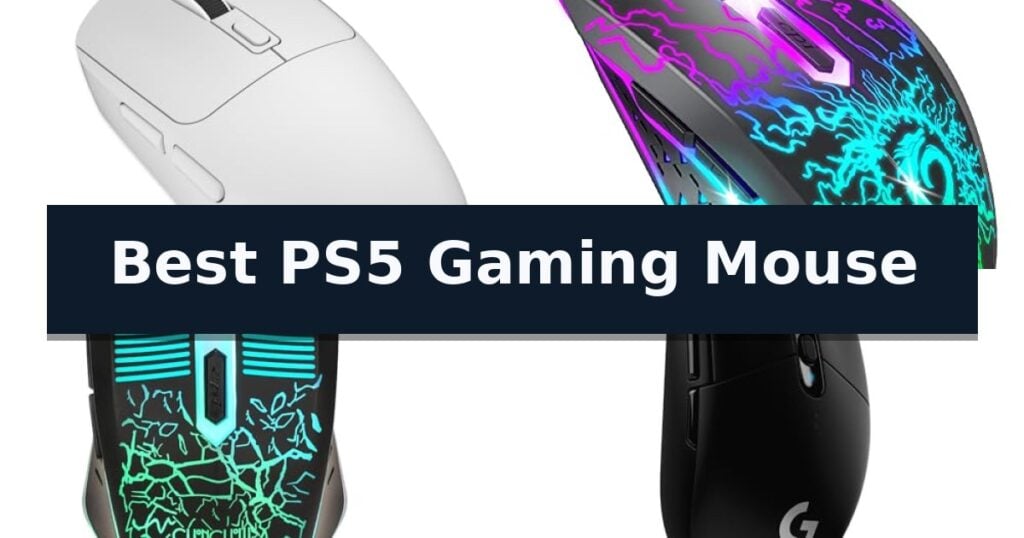
10 Best PS5 Gaming Mouse in 2026 Reviews
Quick Comparison
| Product | Best For | Key Strength | Score |
|---|---|---|---|
| MELOGAGA Wireless Gaming Mouse | Best Overall | 1000Hz polling rate for responsive, low-latency performance. | 4.9 |
| VersionTECH. Wireless Gaming Mouse | Budget-Friendly Silent Console Play | Noiseless click design for quiet operation. | 4.7 |
| CHONCHOW Wireless Gaming Mouse | Reliable Cordless Console Precision | Tactile stripe pattern on the front casing for improved finger positioning. | 4.3 |
| Logitech G305 LIGHTSPEED Gaming Mouse | Lag-Free Wireless Performance | LIGHTSPEED wireless technology ensures a 1 ms report rate. | 4.7 |
| Logitech G502 HERO Gaming Mouse | Customizable Weight and Balance | HERO 25K sensor for high-precision tracking. | 4.6 |
| Redragon M612 Wired Gaming Mouse | High-DPI Wired Console Control | 11 programmable buttons for extensive macro and keybind customization. | 4.8 |
| Redragon M810 PRO Gaming Mouse | Advanced Wireless Macro Support | Wireless 2.4Ghz connectivity for lag-free movement. | 4.4 |
| TMKB Falcon M1SE Gaming Mouse | Ultralight Honeycomb Design | Ultralight 75g honeycomb design for reduced fatigue. | 4.6 |
| Typehaven G57 Wireless Gaming Mouse | Flexible Multi-Device Switching | Tri-mode connectivity for maximum compatibility | 4.5 |
| MELOGAGA Wired Gaming Mouse | Simple Plug-and-Play Ergonomics | Adjustable DPI settings allow for quick sensitivity changes without software. | 4.7 |
How We Chose
To determine the best peripherals for the PlayStation 5, we evaluate each gaming mouse based on its compatibility with console architecture and its physical performance characteristics. We prioritize devices that offer low-latency connections and tactile responsiveness, ensuring that the hardware supports the specific demands of high-speed gaming and navigation.
- Connectivity stability and latency performance
- DPI adjustability and sensor precision
- Ergonomic design and grip compatibility
- Battery life and charging convenience
- Button layout and customization options
1 MELOGAGA Wireless Gaming Mouse — Versatile Tri-Mode Console Connectivity
Achieving consistent input responsiveness on a console requires hardware that bridges the gap between traditional PC peripherals and gaming platforms. The MELOGAGA Wireless Gaming Mouse addresses this by offering a high-performance 1000Hz polling rate, which minimizes input lag to ensure smooth, precise tracking during fast-paced gameplay.
Designed with versatility in mind, this device features triple connectivity options, allowing users to toggle between 2.4GHz wireless, Bluetooth 5.4, and a USB-C wired connection. This flexibility makes it a practical choice for users who switch between a PS5, PC, and other mobile devices, providing a stable link regardless of the setup.
The mouse prioritizes comfort during extended sessions with an ultra-light 71g ergonomic build that accommodates various grip styles, including claw, palm, and fingertip. To support marathon use, it includes a 120-hour rechargeable battery, and the play-and-charge functionality via USB-C ensures that users are never forced to stop their session when power runs low.
Precision is managed through 8 adjustable DPI levels ranging from 800 to 6400, which can be toggled via a dedicated button for on-the-fly sensitivity adjustments. With a build rated for 5 million clicks, the hardware is engineered for durability, maintaining reliable operation across diverse gaming environments.
Best for: Gamers who require a lightweight, multi-device mouse that can seamlessly switch between wireless and wired modes for console and PC play.
Skip if: Users who prefer a heavy, weighted mouse or those who require specialized software for deep macro customization beyond standard DPI adjustments.
- 1000Hz polling rate for responsive, low-latency performance.
- Triple connectivity including 2.4GHz, Bluetooth 5.4, and USB-C.
- Ultra-light 71g design to reduce hand fatigue.
- 120-hour battery life with convenient play-while-charging capability.
- 5 million click rating is lower than some high-end professional-grade switches.
- DPI range tops out at 6400, which may be limited for ultra-high sensitivity enthusiasts.
2 VersionTECH. Wireless Gaming Mouse — Budget-Friendly Silent Console Play
Maintaining a quiet environment while gaming on a console is often hindered by the audible clicks of standard peripherals. The VersionTECH. Wireless Gaming Mouse addresses this by incorporating a noiseless design for both left and right buttons, allowing for focused sessions without distracting those nearby.
This peripheral utilizes a 2.4G wireless connection to provide a stable, delay-free signal with a range of up to 10 meters. It is designed for broad compatibility, functioning with various systems and serving as a functional input device for PS4, PS5, and Xbox consoles. Users should note that for devices limited to USB-C ports, a separate USB-A adapter is necessary.
For versatility in different gaming and productivity scenarios, the mouse features 3-level DPI switching (800-1200-1600), adjustable via a dedicated button. The device includes six total buttons, including forward and backward navigation keys, to streamline workflows. Its ergonomic build has been tested to withstand over 5 million keystrokes, supporting consistent operation over time.
The VersionTECH. Wireless Gaming Mouse is powered by a built-in rechargeable battery, eliminating the need for disposable replacements. To maximize efficiency, it includes smart power-saving technology that triggers an automatic sleep mode after 8 minutes of inactivity. The aesthetic is defined by a lightning crackle pattern paired with 7-color breathing LED lights, which can be toggled off to conserve battery life.
Best for: Console gamers and desktop users who require a silent, rechargeable wireless mouse with adjustable DPI settings.
Skip if: Users who require a native USB-C connection without adapters or those seeking high-end competitive gaming sensors with higher DPI ranges.
- Noiseless click design for quiet operation.
- Rechargeable battery with auto-sleep power saving.
- 3-level adjustable DPI for varied control.
- Stable 2.4G wireless connectivity.
- Requires USB-A adapter for USB-C only devices.
- LED lighting reduces battery life when active.
3 CHONCHOW Wireless Gaming Mouse — Reliable Cordless Console Precision
The CHONCHOW Wireless Gaming Mouse offers a distinct tactile advantage with its specialized laser pattern featuring regular stripes on the front casing, allowing for precise finger placement even without visual confirmation. This design choice prioritizes ergonomic feedback for users who prefer a consistent grip during intense gaming sessions.
Equipped with 2.4GHz RF wireless technology, this mouse maintains a reliable connection up to an effective distance of 33 feet. It is powered by a 400 mAH Li-ion polymer battery, which has undergone rigorous safety testing, including drop, thermal, and input/output evaluations to ensure long-term operational stability.
For visual customization, the device features Circle RGB LED backlighting that cycles through rainbow colors. Users can toggle this lighting via an independent switch located on the bottom of the chassis, which helps conserve battery life when the aesthetic illumination is not required.
Compatibility is straightforward, as the mouse operates under the standard USB agreement without the need for additional drivers. It connects via a USB-A receiver and is designed to work across various platforms, including PC, laptop, MacBook, and console systems like the PS5, making it a versatile peripheral for diverse gaming setups.
Best for: Gamers seeking a reliable, driver-free wireless mouse with tactile grip indicators and adjustable RGB lighting for console or PC play.
Skip if: Users who require a high-precision sensor with adjustable DPI settings beyond the standard configuration or those who prefer a wired connection to eliminate battery charging requirements.
- Tactile stripe pattern on the front casing for improved finger positioning.
- Independent LED switch to manage battery consumption effectively.
- Plug-and-play compatibility via USB-A receiver with no driver installation required.
- Extensively tested battery for enhanced safety and durability.
- Battery-dependent operation requires periodic recharging.
- Fixed wireless connectivity lacks a secondary Bluetooth or wired mode.
4 Logitech G305 LIGHTSPEED Gaming Mouse — Lag-Free Wireless Performance
The Logitech G305 LIGHTSPEED Gaming Mouse utilizes proprietary LIGHTSPEED wireless technology to deliver a 1 ms report rate, providing a lag-free experience that rivals wired alternatives. This responsiveness is essential for maintaining precision during competitive play, ensuring that every movement is registered with minimal latency.
At the core of this device is the HERO sensor, which offers up to 12,000 DPI sensitivity and 400 IPS precision. This sensor is engineered for high power efficiency, allowing the mouse to operate for up to 250 hours of continuous gameplay on a single AA battery. Users can further extend this longevity to nine months by switching to Endurance mode via the Logitech G HUB software.
Designed for portability and high maneuverability, the mouse weighs only 3.4 oz. Its compact frame includes six programmable buttons and integrated storage for the nano receiver, making it a practical choice for those who switch between desktop and laptop setups. The mechanical design prioritizes both durability and a lightweight feel, reducing fatigue during extended gaming sessions.
While the device is highly efficient, its reliance on a single AA battery means users must manage battery replacements rather than using a rechargeable internal power source. The compact dimensions may also feel restrictive for users who prefer larger, ergonomic mice designed specifically for palm grips.
Best for: Gamers seeking a lightweight, lag-free wireless mouse with long battery life for both desktop and mobile use.
Skip if: Users who prefer a larger, palm-grip ergonomic design or those who strictly require a rechargeable internal battery.
- LIGHTSPEED wireless technology ensures a 1 ms report rate.
- HERO sensor provides high-precision tracking up to 12,000 DPI.
- Extended battery life lasts up to 250 hours on one AA battery.
- Lightweight 3.4 oz design enhances maneuverability.
- Requires AA battery instead of an internal rechargeable battery.
- Compact size may not suit all hand shapes or grip styles.
5 Logitech G502 HERO Gaming Mouse — Customizable Weight and Balance
Precision is the cornerstone of competitive gaming, and the Logitech G502 HERO Wired Gaming Mouse delivers this through its advanced HERO 25K sensor. This sensor provides tracking up to 25,600 DPI without the need for smoothing, filtering, or acceleration, ensuring that every movement is translated with high fidelity.
Beyond its sensor capabilities, the mouse features a highly customizable physical design. Users can adjust the weight and balance of the device by arranging up to five 3.6 g weights, allowing for a personalized feel that matches specific playstyles. The chassis is equipped with 11 programmable buttons, providing extensive control options that can be managed via on-board memory.
The build quality emphasizes tactile feedback through Mechanical Switch Button Tensioning. By utilizing a metal spring tensioning system and metal pivot hinges, the left and right buttons offer a crisp, rapid click response. Additionally, the mouse includes a dual-mode hyper-fast scroll wheel for efficient navigation during intense gameplay.
Aesthetic customization is handled via LIGHTSYNC technology, which offers fully customizable RGB lighting. This system can synchronize with in-game events, provided the Logitech Gaming Software is utilized. With its wired connection and robust feature set, this mouse is engineered for users who prioritize consistent performance and granular control over their gaming peripherals.
Best for: Gamers who require high-precision tracking and extensive button customization for complex gameplay.
Skip if: Users who prefer a wireless setup or those who find a mouse with a wired connection and adjustable weight systems too complex for their needs.
- HERO 25K sensor for high-precision tracking.
- Adjustable weight system for personalized balance.
- 11 programmable buttons for enhanced control.
- Mechanical switch tensioning for crisp click feedback.
- Wired connection limits freedom of movement compared to wireless models.
6 Redragon M612 Wired Gaming Mouse — High-DPI Wired Console Control
Precision control over input sensitivity is essential for competitive play, and the Redragon M612 Wired Gaming Mouse provides this through five redefinable DPI levels ranging from 500 to 8000. This wired peripheral ensures a stable, lag-free connection, which is a critical requirement for maintaining consistent performance during intense gaming sessions on a console.
The device features 11 programmable buttons, allowing users to map tactical keybinds and macros directly to the hardware. This remapping capability is supported by dedicated software, enabling players to customize their layout for specific game requirements. The inclusion of a rapid-fire button and two side macro buttons enhances the utility of the mouse for both gaming and productivity tasks.
Designed with a focus on long-term comfort, the mouse utilizes a streamlined, ergonomic claw-grip frame intended to reduce fatigue. The surface is finished with a skin-friendly frosted coating that resists fingerprints, while the left side incorporates a rubberized texture to improve grip and control during rapid movements.
Aesthetically, the unit includes dynamic RGB backlighting with five distinct modes, allowing for visual customization of the gaming setup. The combination of high-DPI optical tracking, extensive button programmability, and a fatigue-reducing design makes this a versatile option for users seeking a wired input solution for their console environment.
Best for: Gamers who require high-DPI precision and extensive button remapping for a stable, wired console gaming experience.
Skip if: Users who prefer a wireless setup or those who require a specialized ergonomic shape beyond a standard claw-grip design.
- 11 programmable buttons for extensive macro and keybind customization.
- 5 redefinable DPI levels adjustable up to 8000 DPI for varied sensitivity needs.
- Ergonomic claw-grip design with a frosted, fingerprint-resistant coating.
- Stable, lag-free wired connection ideal for consistent console performance.
- Wired-only connectivity limits placement flexibility compared to wireless alternatives.
7 Redragon M810 PRO Gaming Mouse — Advanced Wireless Macro Support
Precision in competitive gaming often hinges on the responsiveness of your peripherals, and the Redragon M810 PRO Wireless RGB Gaming Mouse addresses this by utilizing a 2.4Ghz nano receiver to eliminate cable-related drag. This wireless design ensures that your movements remain fluid during intense sessions, providing a reliable connection for consistent performance.
The mouse is built around the PAW3325 Optical Pixart sensor, which supports a 1000Hz polling rate for accurate tracking. Users can toggle between five on-board DPI levels, ranging from 500 to 10,000, allowing for sensitivity adjustments that match specific game requirements. The integration of software-based remapping for all 8 programmable buttons—including a dedicated rapid-fire trigger and two side macro buttons—provides significant flexibility for complex keybinds.
Power management is handled by a rechargeable battery capable of delivering up to 45 hours of operation in eco-mode. The dual-mode functionality ensures that the device remains operational during extended play, while the RGB lighting system offers customizable aesthetics through the Redragon Pro driver, featuring various modes like dynamic streaming and breathing effects.
Designed with an ergonomic grip, the Redragon M810 PRO Wireless RGB Gaming Mouse balances weight and shape to support long-term comfort. While it offers robust macro capabilities and wireless freedom, users should note that the maximum battery life is dependent on lighting settings and usage intensity, necessitating periodic recharging to maintain peak performance.
Best for: Gamers who require a wireless mouse with extensive macro customization and adjustable DPI settings for varied playstyles.
Skip if: Users who prefer an ultra-lightweight wired mouse or those who require a battery life exceeding 45 hours without needing to recharge.
- Wireless 2.4Ghz connectivity for lag-free movement.
- 8 programmable buttons with macro support for complex keybinds.
- Adjustable DPI up to 10,000 for precise tracking control.
- Ergonomic design tailored for comfortable long-term use.
- 45-hour maximum battery life requires regular recharging.
- Lighting effects can impact overall battery efficiency.
8 TMKB Falcon M1SE Gaming Mouse — Ultralight Honeycomb Design
The TMKB Falcon M1SE Gaming Mouse is built for users seeking a lightweight, responsive input device, weighing in at only 75g. Its ergonomic honeycomb shell is designed to facilitate a comfortable grip during extended gaming sessions or office tasks, balancing structural integrity with a reduced physical footprint.
Performance is driven by a high-precision optical sensor that offers an adjustable DPI range from 200 to 12800. With a polling rate configurable between 125Hz and 1000Hz, the mouse provides consistent cursor tracking. The inclusion of a drag-free paracord cable and PTFE skates aims to minimize resistance, creating a movement experience that mimics wireless operation.
Customization is a core component of this model, featuring 6 programmable buttons that support macro recording and rapid-fire functions. Users can leverage the dedicated driver software to manage four configuration editing layers and rebind button functions to suit specific workflows or gaming requirements.
Aesthetic and atmospheric control is provided by an integrated 16.8M RGB rainbow strip. This lighting system is capable of reacting to game sounds and music, allowing for dynamic visual feedback. The software interface further enables users to tailor these lighting effects alongside their button mapping preferences.
Best for: Gamers and office users who prioritize an ultralight, highly customizable wired mouse with dynamic RGB lighting.
Skip if: Users who require a wireless connection or a solid, non-honeycomb shell design for their specific tactile preference.
- Ultralight 75g honeycomb design for reduced fatigue.
- High-precision optical sensor with wide 200-12800 DPI range.
- Drag-free paracord cable and smooth PTFE skates.
- Comprehensive driver software for macro and button customization.
- Wired-only connectivity may not suit users seeking a cable-free desk setup.
9 Typehaven G57 Wireless Gaming Mouse — Flexible Multi-Device Switching
Versatility defines the Typehaven G57 Wireless Gaming Mouse, which offers a tri-mode connectivity setup allowing users to toggle between 2.4G wireless, Bluetooth, and wired modes. This flexibility ensures the device adapts to various environments, whether you are managing a professional gaming rig or a standard workstation.
Performance is driven by an adjustable DPI range from 800 to 8000, with each setting indicated by a specific color for immediate visual feedback. For those prioritizing responsiveness, the wired connection supports a 1000Hz polling rate, providing the consistent signal required for competitive play.
Design considerations focus on efficiency and multi-device utility. The mouse features simple Bluetooth pairing with support for two distinct channels, enabling quick switching between different computers. To manage power, the device includes an automatic sleep mode that activates after 15 seconds of light inactivity, moving to a deep sleep state after 20 minutes to preserve the rechargeable battery.
Maintenance and setup are straightforward with the inclusion of a USB-C charging port and real-time battery tracking via software. The mouse provides visual cues, such as a blinking light when power is low and a color-coded indicator during the charging process, ensuring you are never caught with a depleted battery during use.
Best for: Users who require a multi-device, versatile mouse that can switch seamlessly between wired, 2.4G wireless, and Bluetooth connections.
Skip if: Users who prefer a specialized, ultra-lightweight competitive mouse without the added weight of internal rechargeable batteries or multi-mode hardware.
- Tri-mode connectivity for maximum compatibility
- Adjustable DPI settings up to 8000
- Smart power saving features to extend battery life
- Cross-platform support for Windows and macOS
- Requires software for real-time battery tracking
- Weight of 80g may be heavier than some specialized gaming mice
10 MELOGAGA Wired Gaming Mouse — Simple Plug-and-Play Ergonomics
The MELOGAGA Wired Gaming Mouse provides an immediate, driver-free solution for users seeking adjustable sensitivity, offering four distinct DPI settings—1200, 1600, 2400, and 3200—that can be toggled on the fly. This plug-and-play device is designed to integrate seamlessly with both PC and Mac environments, making it a straightforward peripheral for those who prioritize ease of use over complex software customization.
Built with a focus on extended use, the mouse features an ergonomic, palm-friendly shape finished with a soft-touch coating intended to minimize fatigue during long sessions. It includes six responsive buttons, including standard navigation controls and a dedicated DPI switch, providing tactile feedback for common inputs. Note that these buttons are not programmable, which keeps the setup simple but limits advanced macro creation.
Aesthetic customization is handled through dynamic RGB lighting, which cycles through seven colors to enhance a gaming setup. Users can manually toggle this lighting on or off using a specific button combination, allowing for a personalized look without requiring additional software. The lightweight construction and reliable wired connection ensure consistent performance without the need for battery management.
This device is a practical choice for users who need a functional, ergonomic input tool that works immediately out of the box. While it lacks the advanced features found in high-end programmable gaming mice, its focus on core ergonomics and adjustable sensitivity makes it a reliable option for standard gaming and daily desktop tasks.
Best for: Users who need a simple, ergonomic, plug-and-play mouse with adjustable DPI settings for basic gaming and daily computer use.
Skip if: Competitive gamers who require programmable buttons, custom macro software, or high-end sensor precision.
- Adjustable DPI settings allow for quick sensitivity changes without software.
- Ergonomic design with soft-touch coating reduces fatigue.
- Plug-and-play compatibility with both Windows and macOS.
- Dynamic RGB lighting with an easy on/off toggle.
- Buttons are not programmable, limiting customization options.
- Wired-only connection may not suit users preferring a wireless setup.
Best PS5 Gaming Mouse Buying Guide
Connectivity and Console Compatibility
The PlayStation 5 requires reliable input methods to function effectively in supported games. Wireless models using 2.4GHz USB receivers generally provide the most stable, lag-free experience, mimicking the performance of a wired connection while maintaining freedom of movement.
Bluetooth connectivity offers additional convenience for multi-device setups, though it may introduce slight latency compared to dedicated wireless dongles. Always ensure your chosen mouse supports the specific connection type your console setup requires to avoid input delays.
Sensor Precision and DPI Settings
DPI, or dots per inch, determines how sensitive the cursor is to physical movement. A mouse with adjustable DPI allows you to fine-tune your aim, which is particularly useful when switching between different game genres that require varying levels of precision.
Look for sensors that offer a range of settings, typically between 800 and 12,000 DPI. This flexibility ensures that you can find a comfortable balance between fast, sweeping motions and slow, deliberate targeting.
Ergonomics and Build Quality
Gaming sessions on a console can last for several hours, making ergonomics a non-negotiable factor. Mice with contoured shapes that support various grip styles—such as palm, claw, or fingertip—help reduce hand fatigue over time.
Weight is another significant consideration. Ultra-lightweight designs, often weighing under 80g, allow for faster, more agile movements, while heavier mice may provide a more substantial feel that some players prefer for stability.
Battery Life and Charging
For wireless gaming mice, battery longevity is vital to prevent mid-game interruptions. Models that offer over 100 hours of use on a single charge are ideal, reducing the frequency of maintenance.
The ability to charge while playing via a USB-C cable is a major advantage. This feature effectively turns a wireless mouse into a wired one, ensuring that you are never forced to stop your session due to a depleted battery.
Programmable Buttons and Features
While console support for remapping buttons can vary by game, having extra side buttons provides additional utility for quick actions. Ensure that the mouse you choose has buttons that are easily reachable and tactile.
Additional features like RGB lighting or onboard memory can enhance the aesthetic and convenience of your setup. However, prioritize performance-based features like polling rates and sensor quality before focusing on purely cosmetic additions.
Frequently Asked Questions
Do all gaming mice work with the PS5?
Most USB-based mice are compatible with the PS5 for general navigation and supported games. However, advanced features like custom macro programming often require PC-based software and may not carry over to the console.
Is a wired or wireless mouse better for PS5?
Wired mice offer a direct, zero-latency connection, while modern 2.4GHz wireless mice provide nearly identical performance without the restriction of a cable. Both are excellent choices depending on your preference for desk cable management.
How do I connect a wireless mouse to my PS5?
For 2.4GHz wireless mice, simply plug the included USB nano-receiver into one of the PS5's USB-A ports. For Bluetooth mice, navigate to the console's Accessories settings to pair the device.
Can I adjust the DPI on my mouse while using it on a PS5?
If your mouse has a physical DPI button, you can usually change the sensitivity on the fly. Software-based DPI adjustments typically require a PC, so it is best to configure your preferred settings before connecting the mouse to the console.
Does the PS5 support all mouse buttons?
The PS5 recognizes standard left, right, and middle clicks. Support for additional side buttons depends entirely on the specific game being played, as not all titles are programmed to recognize extra mouse inputs.
Conclusion: Our Top Pick
Our top pick is MELOGAGA Wireless Gaming Mouse. Choosing the right mouse for your PS5 setup involves balancing connectivity reliability with the physical comfort required for long gaming sessions. By focusing on models that offer stable wireless performance or high-quality wired connections, you can significantly improve your precision and overall experience in compatible titles.
Ultimately, the best choice depends on your specific grip style and whether you prioritize wireless freedom or the simplicity of a plug-and-play wired device. Evaluate your desk space and gaming habits to select a peripheral that complements your console setup.