Razer BlackWidow V4 X Gaming Keyboard is our pick for the Best Razer Keyboards and Mice because its silent linear switches and dedicated macro keys provide a versatile foundation for both competitive play and daily productivity.
Selecting the right peripherals involves balancing input speed with ergonomic comfort. For those prioritizing high-speed wireless connectivity, the Razer Basilisk V3 Pro offers advanced sensor tracking and a customizable multi-button layout, while the Razer Huntsman Mini serves users who need a compact, space-saving footprint without sacrificing optical switch responsiveness.
When building a cohesive desktop environment, consider how switch types and form factors influence your specific workflow. Whether you require the tactile feedback of mechanical switches for typing or the lightweight precision of an esports-focused mouse, matching these hardware characteristics to your primary use case ensures a more consistent and reliable experience.
For those specifically looking to refine their typing experience, our guide to the Best Razer Gaming Keyboard provides detailed insights into switch types and layout options. If you are focusing on mouse precision, we also cover the Best Razer Gaming Mice to help you find the perfect sensor and shape for your grip style.
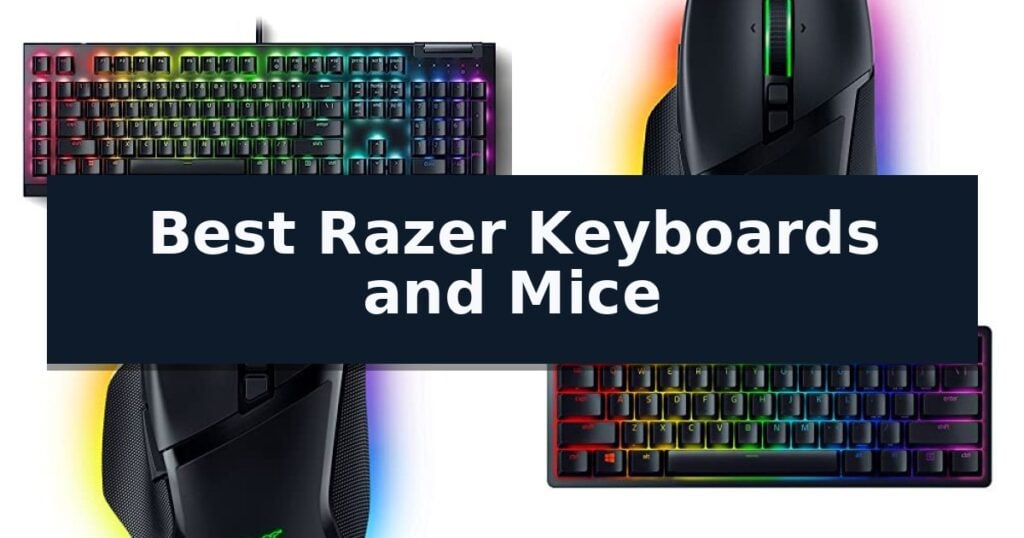
10 Best Razer Keyboards and Mice in 2026 Reviews
Quick Comparison
| Product | Best For | Key Strength | Score |
|---|---|---|---|
| Razer BlackWidow V4 X Gaming Keyboard | Best Overall | Yellow Mechanical Linear Switches provide rapid, quiet input with a 1.2mm actuation distance. | 4.9 |
| Razer Basilisk V3 Gaming Mouse | Ergonomic Shape With Thumb Rest | 11 programmable buttons for extensive macro and secondary function mapping. | 4.9 |
| Razer Basilisk V3 Pro Gaming Mouse | Advanced Wireless Precision | HyperScroll Tilt Wheel offers flexible scrolling modes | 4.4 |
| Razer Huntsman Mini Gaming Keyboard | Compact 60% Form Factor | Linear Optical switches provide a shorter actuation distance for faster input. | 4.4 |
| Razer DeathAdder Essential Gaming Mouse | Classic Ergonomic Design | High-precision 6,400 DPI optical sensor for accurate tracking. | 4.9 |
| Razer Viper V3 HyperSpeed Gaming Mouse | Lightweight Esports Performance | 82g lightweight design with mass centralization for consistent movement. | 4.4 |
| Razer Ornata V3 TKL Gaming Keyboard | Low Profile Mecha-Membrane Keys | Mecha-Membrane switches provide a unique blend of mechanical click and membrane cushioning. | 4.4 |
| Razer BlackWidow V4 Gaming Keyboard | Tactile Clicky Switch Feedback | Green Mechanical Clicky Switches offer precise tactile and audible feedback. | 4.8 |
| Razer Basilisk V3 X Gaming Mouse | Extended Wireless Battery Life | Dual-mode wireless connectivity with both HyperSpeed and Bluetooth options. | 4.9 |
| Razer Tartarus V2 Gaming Keypad | Customizable Single Handed Control | Hybrid Mecha-Membrane switches provide tactile feedback with a cushioned feel. | 4.3 |
How We Chose
Evaluating the best Razer keyboards and mice requires a focus on how hardware specifications translate into real-world input reliability. We assess these peripherals by examining switch responsiveness, the utility of programmable buttons, and the overall ergonomic design to ensure each device meets the demands of both high-intensity gaming and sustained professional use.
- Switch technology and actuation distance
- Ergonomic form factor and hand support
- Programmability and macro customization
- Wireless connectivity stability and battery life
- Build quality and keycap material durability
1 Razer BlackWidow V4 X Gaming Keyboard — Silent Linear Switch Performance
Precision and responsiveness define the Razer BlackWidow V4 X Gaming Keyboard, a mechanical peripheral engineered for users who prioritize rapid input speed. At the heart of its performance are Yellow Mechanical Linear Switches, which feature a 1.2mm actuation point and a 45g force requirement, allowing for near-instantaneous key registration during intensive gaming sessions.
Beyond its switches, the keyboard integrates 6 Dedicated Macro Keys that provide users with expanded command capabilities, programmable to suit specific playstyles. The inclusion of a Multi-Function Roller and secondary media keys offers tactile control over volume, brightness, and playback, streamlining adjustments without requiring users to exit their active applications.
The build quality emphasizes both aesthetics and longevity. It utilizes Doubleshot ABS Keycaps with thick walls to prevent label wear, while the Chroma RGB Per-Key Lighting provides deep customization across 16.8 million colors. The lighting is designed for even distribution, enhancing visibility across the board.
Acoustics were a primary design consideration, addressed through a layer of special foam placed under the circuit board and the use of lubricated stabilizers. These features work in tandem to dampen noise and provide a consistent, satisfying typing feel, ensuring that the rapid-fire performance remains quiet and stable during prolonged use.
Best for: Gamers who require rapid, silent linear switches and dedicated macro keys for complex command execution.
Skip if: Users who prefer the tactile bump and audible click of mechanical switches or those requiring a compact, tenkeyless form factor.
- Yellow Mechanical Linear Switches provide rapid, quiet input with a 1.2mm actuation distance.
- 6 Dedicated Macro Keys allow for extensive customization of in-game commands.
- Improved keyboard acoustics via internal foam and lubricated stabilizers reduce unwanted noise.
- Multi-function roller offers convenient, tactile control over media and system settings.
- Full-size layout may be too large for users with limited desk space.
- Linear switch design lacks the tactile feedback preferred by some typists.
2 Razer Basilisk V3 Gaming Mouse — Ergonomic Shape With Thumb Rest
Precision and comfort define the Razer Basilisk V3 Gaming Mouse, a peripheral engineered with an iconic ergonomic design that includes a dedicated thumb rest to support the hand during extended gaming sessions. This mouse is built for users who require both rapid response times and deep customization options to manage complex in-game actions.
At the heart of its performance is the Focus+ 26K DPI optical sensor, which provides high-accuracy tracking with zero smoothing. The device features 11 programmable buttons, allowing for the assignment of macros and secondary functions such as push-to-talk or specific skill triggers. These inputs are managed by Optical Mouse Switches Gen 2, which deliver a 0.2ms actuation speed and are rated for up to 70 million clicks to ensure consistent, crisp execution.
The HyperScroll Tilt Wheel offers versatility by allowing users to toggle between a free-spin mode for rapid scrolling and a tactile mode for precise, stepped feedback. Complementing its functional design is the 11 Razer Chroma RGB lighting zones, which provide extensive visual customization with over 16.8 million colors that react dynamically to over 150 integrated game titles.
To maintain peak performance, users can optimize the sensor via the Razer Synapse App and by disabling Windows pointer precision settings. The mouse measures 5.12 inches in length and 1.67 inches in height, providing a substantial form factor that balances weight and stability for competitive play.
Best for: Gamers who require extensive macro customization and a high-precision sensor within an ergonomic, thumb-rest supported chassis.
Skip if: Users who prefer an ultra-lightweight, minimalist design or those who require a wireless connection for their gaming setup.
- 11 programmable buttons for extensive macro and secondary function mapping.
- HyperScroll Tilt Wheel provides both free-spin and tactile scrolling modes.
- Focus+ 26K DPI optical sensor ensures high-accuracy, pixel-precise tracking.
- Optical Mouse Switches Gen 2 offer rapid 0.2ms actuation.
- Wired-only connection limits desk placement flexibility compared to wireless models.
- Larger ergonomic footprint may not suit users with smaller hands or those seeking a compact travel mouse.
3 Razer Basilisk V3 Pro Gaming Mouse — Advanced Wireless Precision
The Razer Basilisk V3 Pro Gaming Mouse distinguishes itself with a versatile HyperScroll Tilt Wheel that offers both free-spin and tactile modes, allowing users to adapt their scrolling behavior to specific tasks or gaming needs. This mouse is built upon a foundation of high-performance hardware, including the Focus Pro 30K Optical Sensor which maintains tracking accuracy across diverse surfaces, even including glass.
Engineered for reliability, the device incorporates Razer Optical Mouse Switches Gen-3, which provide a 90-million click lifecycle and a rapid 0.2ms actuation speed without the risk of debounce-related double-clicking. The ergonomic chassis features 11 programmable buttons, providing extensive customization options that can be managed through the Razer Synapse app to suit individual workflows or complex game inputs.
For visual customization and immersion, the mouse includes 13-zone Chroma lighting with full underglow, capable of displaying over 16.8 million colors. These zones react dynamically with integrated software, providing visual feedback that synchronizes with supported gaming environments.
Connectivity is handled via Razer HyperSpeed Wireless technology, which is designed to deliver ultra-responsive performance. The mouse offers flexible battery life depending on usage, reaching up to 150 hours on Bluetooth or 110 hours using the 2.4GHz wireless connection at a 1000Hz polling rate. Users seeking maximum performance can further enhance the device with optional accessories to achieve an 8KHz polling rate.
Best for: Gamers who require a highly customizable, ergonomic wireless mouse with advanced sensor precision and multi-zone lighting.
Skip if: Users who prefer a lightweight, minimalist design or those who do not require extensive button mapping and complex software integration.
- HyperScroll Tilt Wheel offers flexible scrolling modes
- Focus Pro 30K Optical Sensor tracks on glass surfaces
- Razer Optical Mouse Switches Gen-3 ensure rapid, reliable actuation
- 11 programmable buttons for extensive customization
- High-performance 8KHz polling requires additional separately sold accessories
- Weight and size may be substantial for users preferring ultra-light mice
4 Razer Huntsman Mini Gaming Keyboard — Compact 60% Form Factor
The Razer Huntsman Mini Gaming Keyboard prioritizes desk space and rapid input by utilizing a compact 60% form factor paired with proprietary optical switch technology. By eliminating the number pad and function row, this keyboard provides a streamlined layout that maximizes mouse movement area for competitive gaming scenarios.
At the core of its performance are the Linear Optical switches, which employ an optical beam-based actuation mechanism. This design allows for a 1.0 mm actuation distance, which is 15-30% shorter than traditional linear mechanical switches, facilitating faster registration of key presses. The structural integrity is supported by a matte aluminum top frame, providing a rigid base during intense use.
Customization and responsiveness are central to the user experience. The keyboard features Razer Chroma RGB lighting with support for 16.8 million colors, which can be synchronized across hardware and third-party ecosystems. For gameplay precision, the Razer Snap Tap feature—configurable via Razer Synapse 4—prioritizes the latest input between assigned keys to improve movement responsiveness. Furthermore, Razer Hypershift allows users to remap keys and execute complex macros, while the doubleshot PBT keycaps offer a textured finish designed to resist oil and grime buildup over time.
This model includes onboard memory for storing settings, ensuring that personalized configurations remain accessible without needing constant software connectivity. With a compact footprint of 11.56 x 4.07 x 1.45 inches, it is designed for users who require a minimalist setup without sacrificing the core functionality of a high-performance gaming peripheral.
Best for: Competitive gamers who require a compact 60% layout to maximize desk space and prioritize rapid switch actuation.
Skip if: Users who rely on a dedicated number pad, arrow keys, or a full function row for productivity and data entry tasks.
- Linear Optical switches provide a shorter actuation distance for faster input.
- Compact 60% form factor significantly increases available mouse space.
- Doubleshot PBT keycaps offer high durability and resistance to surface wear.
- Razer Snap Tap functionality enhances responsiveness for in-game movement.
- Lack of dedicated function keys and number pad requires reliance on secondary layers.
- 60% layout may necessitate an adjustment period for users accustomed to full-sized keyboards.
5 Razer DeathAdder Essential Gaming Mouse — Classic Ergonomic Design
The Razer DeathAdder Essential Gaming Mouse is built around a 6,400 DPI optical sensor, a specification that provides high-precision tracking for both gaming and creative workflows. This sensor allows for on-the-fly sensitivity adjustments via dedicated buttons, enabling users to switch between different DPI profiles to match specific tasks without needing to navigate through software menus.
Engineered for long-term reliability, the device utilizes durable mechanical switches rated for up to 10 million clicks. This hardware choice ensures consistent tactile feedback over extended usage periods. The mouse also incorporates a ridged, rubberized scroll wheel, which provides the necessary grip for precise control during intensive scrolling or weapon selection in high-stakes gaming scenarios.
Customization is managed through 5 programmable buttons, which support button remapping and the assignment of complex macro functions via the Razer Synapse software. This functionality allows users to tailor the peripheral to their specific workflow requirements. The inclusion of rubber side grips further assists with handling and stability during long sessions.
Measuring 5.01 inches in length and 2.86 inches in width, the mouse features a classic ergonomic shape designed to fit a variety of desktop setups. It is backed by a 2-year manufacturer warranty, which covers the primary functional components of the device, providing a standard level of support for the hardware.
Best for: Users seeking a reliable, ergonomic wired mouse with programmable buttons and high-precision sensor adjustments for gaming or creative workflows.
Skip if: Users who require wireless connectivity or a multi-button layout beyond the five provided will find this specific wired model limiting.
- High-precision 6,400 DPI optical sensor for accurate tracking.
- Durable mechanical switches rated for 10 million clicks.
- 5 programmable buttons for macro assignments.
- Rubberized scroll wheel for improved tactile accuracy.
- Wired-only connection limits desk flexibility.
- Fixed ergonomic shape may not suit all grip styles.
6 Razer Viper V3 HyperSpeed Gaming Mouse — Lightweight Esports Performance
The Razer Viper V3 HyperSpeed Gaming Mouse prioritizes competitive performance through its mass-centralized 82g lightweight design, which is engineered to provide consistent, seamless swipes during intense gaming sessions. By removing the need for an internal rechargeable battery, this model utilizes a single AA battery to deliver up to 280 hours of high-performance operation, ensuring reliability during extended tournament schedules.
Equipped with the Focus Pro 30K Optical Sensor, this mouse offers advanced tracking capabilities, including the ability to maintain accuracy on surfaces like glass. The sensor features a forward placement for improved responsiveness, while the HyperSpeed Wireless technology provides a low-latency, stable connection designed to perform even in environments with significant wireless interference.
Durability and tactile feedback are managed by the Mechanical Mouse Switches Gen-2, which are rated for a 60-million click lifespan and utilize gold-plated contact points to resist wear. Users can manage sensitivity on the fly using the on-mouse DPI control, which allows for quick toggling between five stages without needing to exit a game or access external software.
For those looking to integrate this into a broader setup, the device supports multi-device connectivity, allowing for a streamlined esports configuration. While the mouse is optimized for performance, users can further refine their experience by utilizing the Razer Synapse App to customize button mapping and adjust sensor settings to their specific preferences.
Best for: Competitive gamers who prioritize a lightweight, battery-powered wireless mouse with high-end sensor accuracy.
Skip if: Users who prefer a rechargeable internal battery or a wired connection for their gaming peripherals.
- 82g lightweight design with mass centralization for consistent movement.
- Focus Pro 30K Optical Sensor provides high accuracy and tracking on varied surfaces.
- Up to 280 hours of battery life from a single AA battery.
- Mechanical Mouse Switches Gen-2 rated for 60-million clicks.
- Requires AA battery replacement rather than internal recharging.
- Limited to 6 programmable buttons, which may not suit users needing extensive macro support.
7 Razer Ornata V3 TKL Gaming Keyboard — Low Profile Mecha-Membrane Keys
The Razer Ornata V3 TKL Gaming Keyboard utilizes a hybrid Mecha-Membrane switch design, which combines the tactile, clicky feedback of mechanical hardware with the cushioned feel of a traditional membrane keyboard. This unique construction provides a distinct typing experience that balances responsiveness with a familiar, soft actuation.
Designed for extended gaming sessions, this keyboard features low-profile keys and a slimmer keycap height. This ergonomic choice promotes more natural hand positioning, helping to reduce wrist strain during prolonged use. The inclusion of a magnetic soft-touch wrist rest further enhances comfort by providing dedicated support that snaps securely to the keyboard frame.
Durability is addressed through UV-coated keycaps, which offer increased resistance to fading and wear compared to standard finishes. The unit also includes backlit dedicated media keys, allowing users to manage volume, playback, and brightness settings without interrupting their workflow or gameplay.
Customization is handled via 8-zone Razer Chroma RGB lighting, offering access to 16.8 million colors and various dynamic effects. For competitive players, the board supports Razer Snap Tap through the Razer Synapse 4 software, which allows for prioritizing the latest input between assigned keys to improve movement responsiveness.
Best for: Gamers who prefer the tactile feedback of mechanical switches combined with the ergonomic benefits of a low-profile, compact tenkeyless design.
Skip if: Users who require a full-sized keyboard layout with a dedicated number pad or those who prefer the specific linear feel of pure mechanical switches.
- Mecha-Membrane switches provide a unique blend of mechanical click and membrane cushioning.
- Low-profile design promotes ergonomic hand positioning for long-term comfort.
- UV-coated keycaps offer enhanced durability against daily wear and legend fading.
- Magnetic soft-touch wrist rest included for improved wrist support.
- Tenkeyless (TKL) form factor lacks a dedicated number pad for data-heavy tasks.
- Spill-resistant design does not imply full waterproofing or submersion safety.
8 Razer BlackWidow V4 Gaming Keyboard — Tactile Clicky Switch Feedback
The Razer BlackWidow V4 Gaming Keyboard distinguishes itself with Green Mechanical Clicky Switches that feature a 1.9mm actuation point and require only 50g of force, providing a tactile and audible response designed for precision. This keyboard is built for intensive use, incorporating doubleshot ABS keycaps with extra-thick walls to ensure labeling remains legible despite long-term wear.
Beyond its core switch technology, the device offers extensive customization through 6 dedicated macro keys that allow users to map complex commands to their specific playstyle. The aesthetic is driven by Razer Chroma RGB lighting, which includes per-key illumination and a two-side underglow, enabling synchronization with other hardware for a unified battlestation appearance.
Comfort during extended gaming sessions is addressed by the included magnetic plush leatherette wrist rest, which snaps securely to the keyboard frame. The unit measures 18.36 inches in length and 6.01 inches in width, providing a stable footprint for desktop setups while maintaining a 1.71-inch height profile.
This keyboard is a specialized tool for users who prioritize tactile feedback and programmable inputs. While the clicky switches provide a distinct feel, they produce a notable sound profile that may not be suitable for all environments, and the macro keys add to the overall width of the unit compared to compact form factors.
Best for: Gamers who require tactile, clicky switch feedback and dedicated macro keys for complex command execution.
Skip if: Users who prefer a silent typing experience or those with limited desk space who require a compact, tenkeyless, or 60% layout.
- Green Mechanical Clicky Switches offer precise tactile and audible feedback.
- 6 dedicated macro keys provide expanded command mapping capabilities.
- Magnetic plush leatherette wrist rest enhances comfort during long sessions.
- Doubleshot ABS keycaps ensure long-term durability of key legends.
- Clicky switch design may be too loud for shared or quiet workspaces.
- Full-size layout requires significant desk real estate.
9 Razer Basilisk V3 X Gaming Mouse — Extended Wireless Battery Life
The Razer Basilisk V3 X Gaming Mouse prioritizes long-term utility by integrating a dual-mode wireless system that allows users to toggle between ultra-low-latency HyperSpeed Wireless for competitive play and Bluetooth for extended battery efficiency.
This mouse is built around the Razer 5G Advanced 18K Optical Sensor, which provides pixel-precise tracking across various game genres. The chassis features an iconic ergonomic shape equipped with 9 programmable controls, enabling users to map complex macros and shortcuts through Razer Hypershift for both gaming and productivity workflows.
Durability and maintenance are addressed through Razer Mechanical Mouse Switches Gen-2, which are rated for up to 60 million clicks and utilize gold-plated contact points to ensure consistent actuation. The base includes 100% PTFE mouse feet to facilitate smooth movement across surfaces, while the integrated Razer Chroma RGB lighting offers extensive customization options that synchronize with other compatible hardware.
Power management is a key strength, with the device delivering up to 285 hours of battery life on HyperSpeed Wireless or up to 535 hours via Bluetooth. The inclusion of onboard profile storage allows for consistent performance across different setups, making this a versatile tool for users who frequently switch between gaming and professional tasks.
Best for: Gamers and professionals who require a versatile, ergonomic wireless mouse with long battery life and extensive button customization.
Skip if: Users who prefer an ultra-lightweight mouse or those who require a wired-only connection for specific tournament environments.
- Dual-mode wireless connectivity with both HyperSpeed and Bluetooth options.
- Extended battery life reaching up to 535 hours in Bluetooth mode.
- 9 programmable controls for advanced macro and shortcut management.
- Durable mechanical switches rated for 60 million clicks.
- Battery-powered operation requires AA battery replacements rather than internal recharging.
- Heavier build compared to specialized ultra-lightweight competitive gaming mice.
10 Razer Tartarus V2 Gaming Keypad — Customizable Single Handed Control
The Razer Tartarus V2 Gaming Keypad offers a specialized approach to input by combining the tactile feedback of mechanical switches with the cushioned comfort of a membrane rubber dome. This hybrid design is engineered to provide distinct, mechanical-style actuation while maintaining a soft touch during extended use, making it a unique solution for users who want performance without the harshness of traditional mechanical boards.
Equipped with 32 fully programmable keys, this keypad allows users to map hotkeys and complex actions to suit specific creative workflows or demanding gaming requirements. The integration of Razer Hypershift technology further expands this capacity, enabling users to remap key combinations for executing advanced macros with a single press, effectively doubling the available inputs on the device.
Ergonomics remain a focal point of the device, highlighted by an 8-way directional thumbpad. This feature is designed to provide more natural movement controls, offering an alternative to standard keyboard layouts for players seeking a more intuitive, console-oriented interface. The device also includes Razer Chroma RGB lighting, which supports 16.8 million colors across individually backlit keys. The system is built for broad compatibility, syncing with popular games, Razer hardware, and third-party gear from over 30 partners to create a unified aesthetic setup.
While the Razer Tartarus V2 Gaming Keypad excels in specialized control, it is important to note the trade-off inherent in its form factor. Because it is a single-handed device, it is not intended for standard typing tasks. Users who require a full-sized layout for general computing or those who prefer the specific, consistent actuation feel of pure mechanical switches may find the hybrid mecha-membrane technology to be a departure from their preferred tactile experience.
Best for: Gamers and creative professionals who require a dedicated, programmable single-handed input device for complex macro execution and improved ergonomic control.
Skip if: Users who require a full-sized keyboard layout for standard typing or those who prefer the specific actuation feel of pure mechanical switches.
- Hybrid Mecha-Membrane switches provide tactile feedback with a cushioned feel.
- 32 fully programmable keys allow for extensive macro customization.
- 8-way directional thumbpad improves ergonomic movement control.
- Razer Chroma integration offers wide-ranging lighting synchronization.
- Single-handed design is not suitable for standard typing tasks.
- Hybrid switch technology may not satisfy users seeking traditional mechanical switch performance.
Best Razer Keyboards and Mice Buying Guide
Mechanical vs. Optical Switches
Mechanical switches rely on physical contact points to register a keystroke, offering distinct tactile or linear feedback that many users prefer for typing. These switches are durable and provide a consistent feel, making them a reliable choice for general gaming and office tasks.
Optical switches use light-based actuation, which eliminates the physical debounce delay found in traditional mechanical designs. This technology allows for faster, more precise inputs, which is particularly beneficial for competitive players who require instantaneous response times.
Ergonomics and Form Factor
The physical shape of your mouse and the layout of your keyboard significantly impact long-term comfort. Ergonomic mice with thumb rests help reduce wrist strain during extended sessions, while full-sized keyboards provide dedicated space for media controls and macro keys.
Compact form factors, such as 60% keyboards, remove the number pad and navigation cluster to save desk space. While this improves mouse maneuverability, it requires users to rely on function layers for secondary commands, which may affect productivity workflows.
Programmability and Macro Utility
Advanced peripherals often include dedicated macro keys or remappable buttons that allow users to execute complex sequences with a single press. These features are essential for streamlining repetitive tasks in software or managing complex ability rotations in games.
Software integration via configuration apps enables deep customization of lighting, button assignments, and sensitivity profiles. Ensuring your chosen device supports these software features allows for a more personalized experience that adapts to your specific needs.
Wireless Connectivity and Battery Life
Modern wireless gaming mice utilize low-latency connections that rival wired performance, providing freedom of movement without the restriction of a cable. This is ideal for clean desk setups where cable management is a priority.
Battery life remains a critical consideration for wireless users. Devices with efficient power management or the ability to switch between high-performance wireless and Bluetooth modes offer greater flexibility for balancing gaming intensity with everyday battery longevity.
Durability and Build Quality
Keycap material, such as doubleshot ABS or PBT, determines how well the legends hold up against wear and oil buildup. High-quality materials ensure that the keys remain legible and textured even after years of heavy use.
Structural integrity, including the use of aluminum top plates or reinforced chassis, protects the internal components from accidental impacts. A well-built peripheral provides a stable platform that maintains consistent performance over time.
Frequently Asked Questions
What is the benefit of a 60% keyboard?
A 60% keyboard removes the number pad and function row, providing more desk space for mouse movement, which is highly advantageous for low-sensitivity gamers.
Do I need a wired or wireless mouse?
Wired mice offer a consistent, battery-free connection, while wireless mice provide greater freedom of movement and a cleaner desk aesthetic without sacrificing performance.
How do I customize my Razer peripheral?
Most Razer devices use the Razer Synapse software, which allows you to remap buttons, create macros, and synchronize RGB lighting effects across your setup.
Are mechanical switches better than membrane switches?
Mechanical switches generally offer better durability, faster actuation, and more distinct tactile feedback compared to standard membrane switches.
What is the purpose of a thumb rest on a mouse?
A thumb rest provides ergonomic support, helping to reduce muscle fatigue in the hand and wrist during long gaming or work sessions.
Conclusion: Our Top Pick
Our top pick is Razer BlackWidow V4 X Gaming Keyboard. Choosing the right Razer keyboard and mouse depends on balancing your specific performance needs with your desk space and usage style. Prioritizing features like switch type and ergonomic shape will lead to a more comfortable and efficient setup.
By evaluating the trade-offs between wired reliability and wireless convenience, you can select the combination that best supports your daily activities. Each model offers distinct advantages designed to enhance your control and precision.