Razer Viper V3 Pro Gaming Mouse is our top choice for the Best Razer Mouse because its 54g lightweight design and 8000 Hz polling rate provide the high-speed responsiveness required for competitive esports.
Selecting a gaming mouse requires balancing technical specifications like sensor accuracy and polling rates against physical factors such as weight, shape, and button configuration. Experienced players prioritize consistent tracking and low-latency wireless performance to ensure their hardware keeps pace with rapid in-game movements.
Beyond raw performance, the choice often comes down to specific ergonomic needs. Whether you require a symmetrical shape for claw grips or an ergonomic form with additional programmable buttons for complex macro commands, Razer offers distinct models tailored to different competitive and casual gaming demands.
If you are looking to explore a broader range of options, our guide on Best Razer Mice provides a detailed breakdown of the entire current lineup. For players who need more inputs for complex games, we also cover the Best Razer MMO Mouse to help you manage your abilities more effectively.
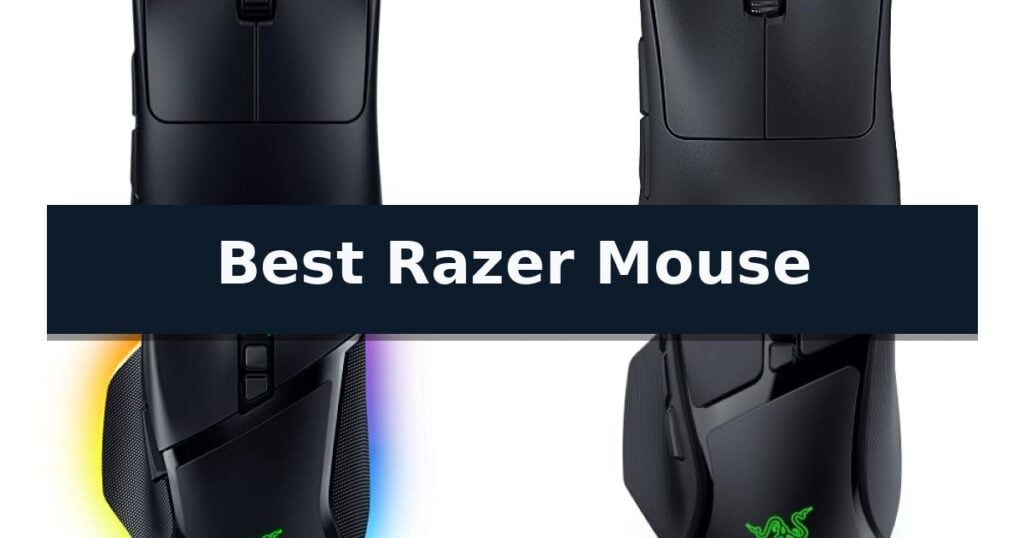
10 Best Razer Mouse in 2026 Reviews
Quick Comparison
| Product | Best For | Key Strength | Score |
|---|---|---|---|
| Razer Viper V3 Pro Gaming Mouse | Best Overall | 54g ultra-lightweight design for effortless control | 4.9 |
| Razer DeathAdder V3 Pro Gaming Mouse | Iconic Ergonomic Esports Shape | 63g ultra-lightweight construction for improved handling. | 4.9 |
| Razer Basilisk V3 Pro Gaming Mouse | Ultimate Wireless Versatility | 11 programmable buttons for extensive customization. | 4.7 |
| Razer Basilisk V4 Pro Gaming Mouse | Advanced Multi-Function Control | HyperScroll Tilt Wheel Gen-2 with adaptive Smart-Reel technology. | 4.9 |
| Razer Naga V2 HyperSpeed Gaming Mouse | Best for MMO Macros | 19 programmable buttons for extensive macro mapping | 4.5 |
| Razer Viper V3 HyperSpeed Gaming Mouse | Long-Lasting Competitive Battery | Mass-centralized 82g design for balanced, consistent handling. | 4.4 |
| Razer Basilisk V3 X Gaming Mouse | Customizable Wireless Comfort | Dual-mode wireless connectivity featuring low-latency HyperSpeed and power-efficient Bluetooth. | 4.7 |
| Razer Basilisk V3 Gaming Mouse | Premium Wired Ergonomics | HyperScroll Tilt Wheel offers both free-spin and tactile modes. | 4.6 |
| Razer Viper V4 Pro Gaming Mouse | Ultra-Lightweight Precision | 49g ultra-lightweight construction for agile control | 4.5 |
| Razer DeathAdder Essential Gaming Mouse | Budget-Friendly Ergonomic Pick | High-precision 6,400 DPI optical sensor for accurate tracking. | 4.7 |
How We Chose
To determine the best gaming mouse, we evaluate the core performance metrics that impact competitive play. We focus on sensor reliability across various surfaces, the physical weight of the chassis, and the responsiveness of switches. These criteria allow us to distinguish between models designed for high-speed twitch aiming and those built for complex, button-heavy workflows.
- Sensor precision and DPI range for tracking accuracy
- Wireless connectivity stability and polling rate performance
- Weight and physical design for grip style compatibility
- Switch durability and actuation speed
- Programmable button layout and macro customization
1 Razer Viper V3 Pro Gaming Mouse — Pro-Grade Esports Performance
Engineered for competitive gaming, the Razer Viper V3 Pro Wireless Esports Gaming Mouse centers its design around a 54g ultra-lightweight chassis developed alongside professional esports athletes. This focus on mass reduction and balance aims to facilitate rapid tracking and precise flick shots required in high-stakes FPS and battle royale environments.
At the core of its performance is the Focus Pro 35K Optical Sensor Gen-2, which supports 35,000 DPI and 1-DPI sensitivity adjustments. The mouse utilizes Gen-3 optical switches rated for 90 million clicks to ensure a 0.2 ms actuation time without the risk of double-clicking, providing consistent feedback during intense play.
Connectivity is managed via Razer HyperSpeed Wireless technology, paired with an included HyperPolling Wireless Dongle that enables a true 8000 Hz polling rate. This configuration is designed to minimize input latency and maintain a stable connection even in crowded wireless environments typical of tournament venues.
The device features a right-handed symmetrical shape with six programmable buttons and onboard memory for profile storage. Users can achieve up to 95 hours of battery life at a 1000 Hz polling rate, while the inclusion of 100% PTFE mouse feet and grip tape supports refined movement and handling.
Best for: Competitive esports players who require ultra-low latency and a lightweight, symmetrical design for high-precision aiming.
Skip if: Users who prefer a heavy, ergonomic mouse with a high button count or those who do not require tournament-grade polling rates.
- 54g ultra-lightweight design for effortless control
- True 8000 Hz wireless polling for minimal latency
- Gen-3 optical switches with 90 million click lifespan
- Focus Pro 35K optical sensor for high-precision tracking
- Limited button count compared to multi-button MMO mice
- Symmetrical shape may not suit all grip preferences
2 Razer DeathAdder V3 Pro Gaming Mouse — Iconic Ergonomic Esports Shape
The Razer DeathAdder V3 Pro Wireless Gaming Mouse prioritizes speed and precision through its 63g ultra-lightweight design, a hallmark of its development alongside professional esports athletes. This ergonomic mouse is engineered to provide a high level of control, stripping away excess weight while maintaining the iconic shape that defines the series.
At the heart of its performance is the Focus Pro 30K Optical Sensor, which delivers tracking capabilities across various surfaces, including glass. The integration of Optical Mouse Switches Gen-3 ensures a 90-million click lifecycle and a rapid 0.2ms actuation time, effectively eliminating debounce delay for consistent, reliable inputs during competitive play.
Connectivity is managed via Razer HyperSpeed Wireless technology, which maintains a stable, low-latency link even in environments crowded with other wireless signals. Power efficiency is also a key focus, with the internal battery supporting up to 90 hours of continuous play and featuring convenient USB Type-C recharging.
To maximize the capabilities of the Razer DeathAdder V3 Pro, users can utilize the Razer Synapse App for performance optimization. For the best accuracy, it is recommended to disable the "Enhance pointer precision" setting within Windows, allowing the sensor to operate with raw, unaccelerated input.
Best for: Competitive gamers seeking a lightweight, ergonomic wireless mouse with high-performance sensor tracking and low-latency connectivity.
Skip if: Users who require a high number of programmable side buttons or prefer a heavier, more substantial mouse chassis.
- 63g ultra-lightweight construction for improved handling.
- Focus Pro 30K Optical Sensor for precise tracking on diverse surfaces.
- Optical Mouse Switches Gen-3 provide fast, reliable actuation.
- 90-hour battery life supports extended gaming sessions.
- Limited to 5 programmable buttons, which may not suit all macro-heavy workflows.
3 Razer Basilisk V3 Pro Gaming Mouse — Ultimate Wireless Versatility
Precision control and ergonomic comfort define the Razer Basilisk V3 Pro Gaming Mouse, a device engineered for users who require extensive customization. Its signature shape is built to support long-term use, while the integration of 11 programmable buttons allows for significant workflow or gaming configuration adjustments.
At the core of this mouse is the Razer Focus Pro 30K Optical Sensor, which provides high-accuracy tracking across various surfaces, including glass. The device utilizes Razer Optical Mouse Switches Gen-3, which are rated for a 90-million click lifecycle and offer a 0.2ms actuation speed, effectively eliminating debounce delay for consistent responsiveness.
Versatility is enhanced by the Razer HyperScroll Tilt Wheel, allowing users to toggle between free-spin and tactile modes for different scrolling requirements. For those prioritizing a clean workspace, Razer HyperSpeed Wireless technology provides a low-latency connection, while the 13-zone Chroma lighting offers extensive aesthetic customization with over 16.8 million color options.
Battery management is balanced against performance, offering up to 150 hours of use via Bluetooth or 110 hours using HyperSpeed Wireless at 1000Hz. Users seeking even higher performance can pair the device with optional accessories like the Mouse Dock Pro to achieve an 8KHz polling rate, though this reduces battery life to approximately 32 hours.
Best for: Gamers and power users who need a highly customizable, ergonomic wireless mouse with advanced sensor tracking and multiple programmable inputs.
Skip if: Users who prefer a lightweight, minimalist design or those who do not require extensive button mapping and complex RGB lighting features.
- 11 programmable buttons for extensive customization.
- Focus Pro 30K Optical Sensor tracks reliably on glass surfaces.
- Razer Optical Mouse Switches Gen-3 offer high durability and fast actuation.
- HyperScroll Tilt Wheel provides both free-spin and tactile scrolling modes.
- Higher battery drain when utilizing the maximum 8KHz polling rate.
- Requires additional accessories to unlock the full 8KHz polling capability.
4 Razer Basilisk V4 Pro Gaming Mouse — Advanced Multi-Function Control
Precision and versatility define the Razer Basilisk V4 Pro Wireless Gaming Mouse, a peripheral engineered for users who demand granular control over their input devices. At the heart of this mouse is the Razer HyperScroll Tilt Wheel Gen-2, which offers 24-step and 48-step tactile modes alongside free-spin scrolling and Smart-Reel auto switching to adapt seamlessly between high-speed navigation and precise gaming inputs.
For competitive performance, the device utilizes the Focus Pro 50K Optical Sensor Gen-3, delivering up to 50,000 DPI and 930 IPS. This sensor is supported by Frame Sync technology to minimize input latency. The mouse is built for longevity and responsiveness, featuring Optical Mouse Switches Gen-4 rated for over 100 million clicks with a 12% lighter actuation force compared to previous generations.
Connectivity is highly flexible, offering HyperSpeed Wireless Gen-2, Bluetooth 6.2 for up to three devices, and a standard wired USB mode. Users can manage complex workflows or gaming macros via 14 customizable controls, including a multi-function trigger and dedicated side buttons. The mouse supports high-performance gaming with up to 8000Hz polling rates in both wireless and wired configurations.
The physical design incorporates a 7-zone Razer Chroma RGB underglow, allowing for extensive visual customization across thousands of supported titles. With a battery life reaching up to 200 hours at 1000Hz, the mouse balances endurance with the high-speed requirements of modern esports, ensuring consistent performance during extended sessions.
Best for: Competitive gamers and power users who require a high-polling rate sensor, extensive macro customization, and versatile scroll wheel functionality.
Skip if: Users who prefer a minimalist, lightweight mouse design or those who do not require advanced multi-function buttons and complex scroll wheel features.
- HyperScroll Tilt Wheel Gen-2 with adaptive Smart-Reel technology.
- Focus Pro 50K Optical Sensor for high-precision tracking.
- 14 customizable controls for advanced macro management.
- 8000Hz polling rate for ultra-responsive input.
- Higher complexity may be unnecessary for casual users.
- Feature-heavy design results in a larger footprint compared to ultralight mice.
5 Razer Naga V2 HyperSpeed Gaming Mouse — Best for MMO Macros
The Razer Naga V2 HyperSpeed Gaming Mouse distinguishes itself with an expansive array of 19 programmable buttons, providing a comprehensive command center for complex macro management. Designed for users who require extensive input options, this peripheral integrates advanced hardware to streamline workflows and gaming performance.
At the core of its performance is the Focus Pro 30K Optical Sensor, which ensures precise tracking across diverse surfaces, including glass. The device offers versatile connectivity through Razer HyperSpeed Wireless (2.4 GHz) for low-latency responsiveness, or Bluetooth for extended usage. Users can leverage the Razer HyperScroll Technology to switch between free-spin and tactile modes, allowing for rapid scrolling or high-precision input as needed.
Durability and longevity are addressed through the inclusion of Mechanical Mouse Switches Gen-2, which feature gold-plated contact points and are rated for up to 60 million clicks. The power management system is equally robust, supporting up to 400 hours of battery life on Bluetooth or 250 hours via the low-latency HyperSpeed connection, minimizing the frequency of battery replacements.
To achieve optimal performance, the manufacturer recommends disabling the Windows "Enhance pointer precision" setting and utilizing the Razer Synapse App for further customization. This mouse is a specialized tool for those who prioritize button density and wireless flexibility in their desktop setup.
Best for: Gamers and power users who require a high volume of programmable buttons for complex macro-heavy applications.
Skip if: Users who prefer an ultra-lightweight mouse or those with limited desk space who do not require a large, multi-button layout.
- 19 programmable buttons for extensive macro mapping
- Dual wireless connectivity with low-latency 2.4GHz and Bluetooth options
- Razer HyperScroll Technology for adaptable scrolling modes
- Long battery life up to 400 hours
- Higher weight and physical footprint compared to standard gaming mice
6 Razer Viper V3 HyperSpeed Gaming Mouse — Long-Lasting Competitive Battery
Competitive gaming demands hardware that balances rapid responsiveness with long-term reliability, and the Razer Viper V3 HyperSpeed Wireless PC Gaming Mouse is engineered to meet these specific performance requirements. By utilizing a mass-centralized design, this 82g mouse provides consistent handling for precise, rapid movements during intense gaming sessions, ensuring that players do not have to contend with the imbalance often found in battery-powered peripherals.
At the core of its performance is the Focus Pro 30K Optical Sensor, which features forward sensor placement and intelligent functions to maintain high-degree accuracy across a wide variety of surfaces, including glass. The integration of HyperSpeed Wireless technology provides a low-latency connection designed to remain stable even in environments with significant wireless interference, and it supports multi-device connectivity for a streamlined esports setup.
For endurance, the device is optimized for efficiency, delivering up to 280 hours of battery life from a single AA battery, allowing users to power through demanding tournament schedules without frequent power interruptions. The Mechanical Mouse Switches Gen-2 are rated for a 60-million click lifespan and incorporate gold-plated contact points to provide resistance against wear, ensuring crisp execution over extended periods of use.
Usability is further refined through the inclusion of 6 programmable buttons and a top-mounted on-mouse DPI control that allows for quick toggling between 5 sensitivity stages. Users can utilize the Razer Synapse App to customize button mappings and sensor settings, providing a tailored experience that can be further optimized by disabling Windows pointer precision settings.
Best for: Competitive gamers seeking a lightweight, high-performance wireless mouse with exceptional battery longevity.
Skip if: Users who prefer a rechargeable internal battery or a multi-button layout specifically designed for MMO-style gaming.
- Mass-centralized 82g design for balanced, consistent handling.
- 280-hour battery life on a single AA battery.
- Focus Pro 30K Optical Sensor for high-precision tracking.
- Low-latency HyperSpeed Wireless connectivity.
- Requires AA battery rather than an integrated rechargeable battery.
- Limited button count compared to specialized MMO gaming mice.
7 Razer Basilisk V3 X Gaming Mouse — Customizable Wireless Comfort
The Razer Basilisk V3 X HyperSpeed Customizable Wireless Gaming Mouse centers its design around a signature ergonomic shape that accommodates various grip styles while integrating nine programmable controls. This model provides users with the flexibility to map advanced macros and shortcuts, making it a versatile tool for both competitive gaming and high-demand productivity tasks.
Engineered for performance, the mouse features the Razer 5G Advanced 18K Optical Sensor, which delivers pixel-precise tracking and customizable sensitivity settings. To ensure reliable input, the device utilizes Razer Mechanical Mouse Switches Gen-2, rated for up to 60 million clicks and equipped with gold-plated contact points to maintain consistent actuation over extended use.
Connectivity options include both ultra-low-latency Razer HyperSpeed Wireless for gaming and Bluetooth for scenarios where extended battery life is the priority. Users can achieve up to 285 hours of operation on HyperSpeed or up to 535 hours on Bluetooth, supported by an included AA battery. The unit also features Razer Chroma RGB lighting, allowing for synchronization across compatible devices.
Built for long-term utility, the mouse incorporates 100% PTFE feet for smooth movement and includes onboard profile storage to save custom settings directly to the hardware. With its dual-mode wireless capability and focus on ergonomic comfort, this mouse provides a stable, customizable platform for diverse computing environments.
Best for: Gamers and professionals who require a highly customizable, ergonomic wireless mouse with long battery life and dual-mode connectivity.
Skip if: Users who prefer an ultra-lightweight wired mouse or those who require a rechargeable internal battery rather than a replaceable AA battery.
- Dual-mode wireless connectivity featuring low-latency HyperSpeed and power-efficient Bluetooth.
- Nine programmable controls that support advanced macros and custom commands.
- Long-lasting battery life reaching up to 535 hours in Bluetooth mode.
- Durable mechanical switches rated for 60 million clicks.
- Battery-powered design requires AA battery replacements rather than internal USB charging.
- Fixed weight profile due to the inclusion of a battery, which may not suit users seeking the lightest possible chassis.
8 Razer Basilisk V3 Gaming Mouse — Premium Wired Ergonomics
Precision and customization define the Razer Basilisk V3 Gaming Mouse, a wired peripheral engineered for users who demand granular control over their input devices. At the heart of its performance is the Focus+ 26K DPI Optical Sensor, which provides high-accuracy tracking without the need for smoothing, ensuring that every movement is translated with pixel-precise fidelity.
The mouse distinguishes itself with the HyperScroll Tilt Wheel, a versatile component that allows users to toggle between a free-spin mode for rapid scrolling and a tactile mode for controlled, stepped input. This mechanical flexibility is complemented by 11 programmable buttons, enabling the assignment of complex macros or secondary functions directly to the chassis for streamlined access during intensive tasks.
Durability and responsiveness are managed through the Optical Mouse Switches Gen 2, which utilize light-based actuation to achieve a 0.2ms response time. These switches are rated for up to 70 million clicks, providing a consistent feel that resists the degradation often associated with traditional mechanical contact switches.
Aesthetic and functional customization is facilitated by 11 Razer Chroma RGB lighting zones, which offer dynamic integration with over 150 supported games. The ergonomic form factor includes a dedicated thumb rest, designed to support the hand during extended sessions while maintaining optimal button placement for efficient operation.
Best for: Gamers and power users who require high-precision tracking, extensive macro customization, and a versatile scroll wheel for diverse input tasks.
Skip if: Users who prioritize a lightweight, minimalist aesthetic or those who require a wireless connection for their desk setup will find this wired, feature-heavy model less suitable.
- HyperScroll Tilt Wheel offers both free-spin and tactile modes.
- 11 programmable buttons allow for extensive macro customization.
- Optical Mouse Switches Gen 2 provide fast 0.2ms actuation.
- Focus+ 26K DPI sensor ensures high-precision tracking.
- Wired-only connection limits desk mobility compared to wireless alternatives.
- Feature-dense design may be excessive for users seeking a simple, lightweight mouse.
9 Razer Viper V4 Pro Gaming Mouse — Ultra-Lightweight Precision
Achieving precise control in competitive gaming often comes down to the weight and responsiveness of your peripherals. The Razer Viper V4 Pro Wireless Esports Gaming Mouse addresses this by utilizing a 49g ultra-lightweight design, engineered to be 9% lighter than its predecessor for more agile movement.
Performance is driven by the Focus Pro 50K DPI Optical Sensor Gen-3, which supports up to 930 IPS and 90 G acceleration. To minimize input lag, the device features Razer HyperSpeed Wireless Gen-2 technology, enabling true 8000 Hz polling rates. This high-frequency communication is paired with Frame Sync to align sensor data precisely with your PC, ensuring consistent tracking during high-speed maneuvers.
Durability and tactile feedback are managed through Gen-4 Optical Switches, rated for a 100-million-click lifespan. The inclusion of an optical scroll wheel provides consistent, tactile actuation, avoiding the potential inconsistencies of mechanical alternatives. For customization, the mouse is fully compatible with Razer Synapse 4, allowing for granular adjustments to sensitivity and 1-DPI step increments.
Battery management offers flexibility depending on your performance needs. Users can achieve up to 180 hours of use at a 1000 Hz polling rate, or switch to the 8000 Hz mode for ultra-low latency, which provides up to 45 hours of operation. The package includes a USB-C cable, wireless dongle, and grip tape to support immediate setup.
Best for: Competitive esports players who require an ultra-lightweight chassis and high-polling-rate performance for rapid, precise tracking.
Skip if: Users who prefer a heavier, more ergonomic shape or those who do not require the high-performance 8000 Hz polling capabilities.
- 49g ultra-lightweight construction for agile control
- 8000 Hz polling rate for industry-leading low latency
- Gen-4 optical switches with 100-million-click lifespan
- Focus Pro 50K DPI sensor for high-speed tracking accuracy
- Reduced battery life when utilizing the maximum 8000 Hz polling rate
10 Razer DeathAdder Essential Gaming Mouse — Budget-Friendly Ergonomic Pick
The Razer DeathAdder Essential Gaming Mouse is centered around a high-precision 6,400 DPI optical sensor, which provides the granular tracking necessary for both competitive gaming and detailed creative tasks. This sensor allows for on-the-fly sensitivity adjustments using dedicated, reprogrammable buttons, giving users the flexibility to switch between high-speed movement and pixel-perfect precision without navigating through software menus.
Built for consistent performance, the device utilizes durable mechanical switches rated for up to 10 million clicks. This mechanical architecture ensures a tactile response that remains reliable over extended periods of use. To further assist with control, the mouse features a ridged, rubberized scroll wheel designed with small tactile bumps. These bumps increase friction, allowing for more accurate scrolling and weapon selection in high-stakes gaming scenarios where every movement counts.
Ergonomics and customization are key components of the design, which measures 5.01 inches in length and 2.86 inches in width. The chassis includes rubber side grips that help maintain a secure hold during intense sessions, reducing the likelihood of slippage. Users can leverage 5 programmable buttons to remap inputs or assign complex macro functions through the Razer Synapse software, tailoring the device to specific workflow or gaming requirements.
As a wired peripheral, this model offers a consistent connection that removes the need for battery management or charging. While the wired design ensures zero latency, it does tether the user to their workstation, which is a trade-off for those who prioritize mobility. The product is supported by a 2-year manufacturer warranty, providing a clear service structure for its mechanical components.
Best for: Users who prioritize a reliable, wired ergonomic mouse with customizable macro capabilities for gaming or productivity.
Skip if: Users who require wireless freedom or a lightweight, ambidextrous shape will find this wired, right-handed design less suitable for their needs.
- High-precision 6,400 DPI optical sensor for accurate tracking.
- Durable mechanical switches rated for 10 million clicks.
- 5 programmable buttons for custom macro assignments.
- Rubber side grips for improved handling and control.
- Wired-only connection limits desk mobility.
- Right-handed ergonomic shape is not suitable for left-handed users.
Best Razer Mouse Buying Guide
Sensor Technology and Tracking
The optical sensor is the heart of any gaming mouse, dictating how accurately your physical movements translate to the screen. Modern Razer sensors, such as the Focus Pro series, offer high DPI ceilings and the ability to track reliably on difficult surfaces like glass.
For competitive players, sensor placement also matters. Forward-positioned sensors can feel more responsive during flick shots, while advanced features like Asymmetric Cut-off allow users to calibrate lift-off and landing distances to suit their specific mousepad and grip style.
Weight and Ergonomics
Weight significantly influences how quickly you can initiate and stop movements. Ultra-lightweight designs, often under 60 grams, are favored for fast-paced FPS titles where every millisecond of inertia reduction helps in tracking moving targets.
Ergonomic shape is equally vital for long-term comfort. Symmetrical mice offer versatility for various grip styles, while dedicated ergonomic contours provide better support for palm grippers, reducing wrist strain during extended gaming sessions.
Wireless Performance and Latency
Wireless technology has evolved to match the reliability of wired connections. High-performance wireless protocols ensure that data transmission remains stable even in environments crowded with other wireless signals, which is critical for tournament play.
Polling rates define how often the mouse reports its position to the computer. Moving from standard 1000 Hz to 8000 Hz polling can provide smoother cursor movement, though it requires a more powerful system and consumes battery life more rapidly.
Switch Durability and Actuation
Optical mouse switches use light beams to register clicks, which eliminates the debounce delay found in traditional mechanical switches. This results in near-instantaneous actuation and significantly higher durability, as there are no physical metal contacts to degrade over time.
When choosing a mouse, consider the tactile feel of the switches. While optical switches are generally faster, the specific implementation can vary in terms of click force and sound, which affects the overall satisfaction of rapid-fire inputs.
Customization and Programmability
The number of programmable buttons determines how much control you have at your fingertips. MMO and MOBA players often benefit from mice with side button arrays, allowing for complex macros and weapon swaps without moving their hand from the primary controls.
Software integration via platforms like Synapse allows users to remap buttons, adjust DPI stages on the fly, and synchronize lighting effects. Onboard memory is a useful feature for those who move between different PCs, as it saves your settings directly to the device.
Frequently Asked Questions
What is the benefit of 8000 Hz polling?
An 8000 Hz polling rate updates the mouse position eight times more frequently than a standard 1000 Hz mouse, which can result in smoother cursor tracking and slightly lower input latency in supported games.
Are optical switches better than mechanical ones?
Optical switches are generally considered superior for gaming because they eliminate debounce delay and are less prone to double-clicking issues, offering faster actuation and a longer lifespan.
Does sensor placement affect my aim?
Yes, a forward-positioned sensor can make small, precise movements feel more intuitive and responsive, which is why many competitive esports mice utilize this design.
How do I choose between symmetrical and ergonomic shapes?
Symmetrical mice are generally better for claw or fingertip grips where agility is key, while ergonomic shapes are designed to support the natural curve of the hand for palm grip comfort.
Can I use these mice on glass surfaces?
Many modern Razer mice equipped with the Focus Pro optical sensor are specifically engineered to track accurately on glass surfaces, unlike older optical sensors that required a mousepad.
Conclusion: Our Top Pick
Our top pick is Razer Viper V3 Pro Gaming Mouse. Choosing the right mouse depends on your specific gaming genre and physical preferences. Competitive FPS players should prioritize weight and sensor speed, while those playing MMOs or strategy games will find more value in button count and macro capabilities.
By focusing on these core performance pillars—sensor accuracy, weight, and connectivity—you can select a tool that enhances your gameplay rather than hindering it. Always consider your grip style to ensure the shape supports your hand during long sessions.