Logitech G502 LIGHTSPEED Wireless Gaming Mouse is our top choice for the Best Rechargeable Gaming Mouse, offering a highly customizable weight system and a proven sensor that delivers consistent tracking performance.
For those prioritizing a lightweight chassis, the Razer DeathAdder V3 HyperSpeed provides an esports-validated ergonomic shape that excels in fast-paced competitive environments. Alternatively, the Corsair Harpoon v2 Wireless Gaming Mouse serves as a compact, reliable option for users who prefer a smaller, asymmetrical design without sacrificing essential wireless connectivity.
Selecting a rechargeable mouse requires balancing wireless reliability with the physical demands of your preferred grip style. While some models emphasize maximum button counts for complex macros, others focus on shedding weight to improve flick-shot accuracy and reduce wrist fatigue during long sessions.
For those exploring the wider market, our guide to Best Rechargeable Gaming Mice provides additional context on how different sensor technologies perform across various surfaces.
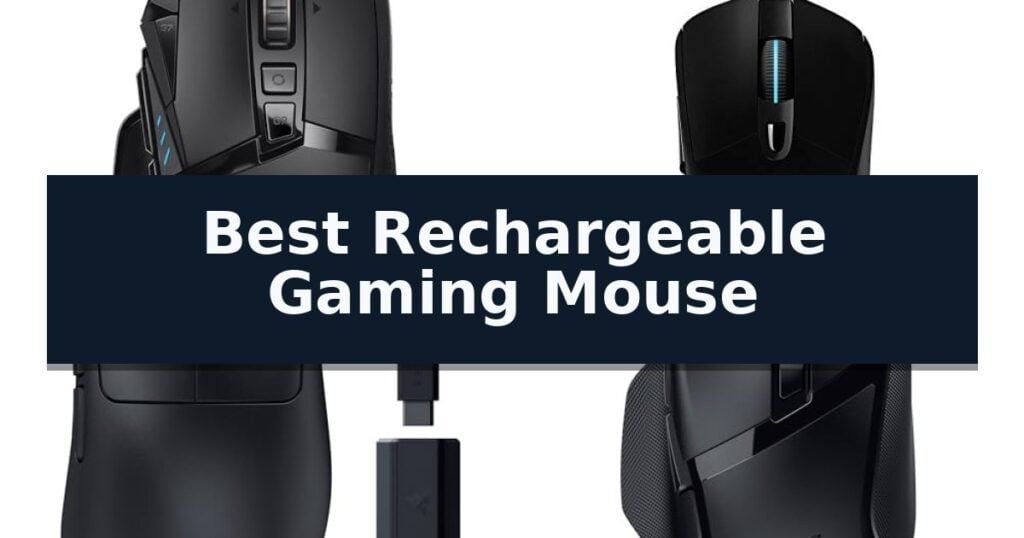
10 Best Rechargeable Gaming Mouse in 2026 Reviews
Quick Comparison
| Product | Best For | Key Strength | Score |
|---|---|---|---|
| Logitech G502 LIGHTSPEED Wireless Gaming Mouse | Best Overall | HERO 25K sensor provides high-precision tracking up to 25,600 DPI. | 4.9 |
| Logitech G703 LIGHTSPEED Wireless Gaming Mouse | Comfortable Ergonomics with PowerPlay | HERO 25K sensor provides high-precision 1:1 tracking. | 4.5 |
| Razer DeathAdder V3 HyperSpeed Gaming Mouse | Ultra-Lightweight Pro-Validated Design | 55g ultra-lightweight design for improved speed and control | 4.7 |
| Razer Basilisk V3 X HyperSpeed Gaming Mouse | Customizable Controls for Versatile Play | Dual-mode wireless connectivity featuring both low-latency HyperSpeed and power-efficient Bluetooth. | 4.8 |
| Razer Viper V3 HyperSpeed Gaming Mouse | High-Accuracy Sensor for Competitive Play | 82g lightweight design with mass centralization for consistent, rapid movement. | 4.7 |
| ASUS ROG Spatha X Gaming Mouse | Macro-Heavy Design for MMO Gamers | 12 programmable buttons for advanced macro customization | 4.4 |
| CORSAIR IRONCLAW WIRELESS SE Gaming Mouse | Ergonomic Build for Larger Hands | Ergonomic asymmetric shape specifically designed for larger hands and palm grip comfort. | 4.6 |
| Corsair Harpoon v2 Wireless Gaming Mouse | Compact Asymmetric Shape | Asymmetric ergonomic shape with thumb rest to reduce fatigue. | 4.9 |
| EPOMAKER NEX Lite Wireless Gaming Mouse | Integrated OLED Performance Screens | Integrated OLED screens for instant performance monitoring. | 4.6 |
| Redragon M810 PRO Wireless Gaming Mouse | Rapid-Fire Macro Keybinds | Wireless 2.4Ghz connectivity for unrestricted movement. | 4.7 |
How We Chose
When evaluating the best rechargeable gaming mouse, we prioritize technical specifications that directly impact competitive play. An experienced reviewer examines how sensor sensitivity, weight, and button layout translate into real-world control. We focus on these core criteria to distinguish models that provide reliable, low-latency performance from those that prioritize aesthetic features over functional gaming utility.
- Sensor accuracy and DPI range for consistent tracking
- Battery longevity and charging convenience
- Weight distribution and ergonomic shape
- Programmability of buttons and macro support
- Wireless connectivity stability and latency
1 Logitech G502 LIGHTSPEED Wireless Gaming Mouse — Iconic Shape with Adjustable Weights
The Logitech G502 LIGHTSPEED Wireless Gaming Mouse distinguishes itself through a refined internal architecture that achieves a 7-gram weight reduction while maintaining the iconic shape and layout of its predecessor. By utilizing a 1.2mm thin-wall endoskeleton, this mouse integrates advanced wireless technologies without compromising the structural integrity or ergonomic familiarity that users expect.
At the heart of its performance is the HERO 25K sensor, which delivers tracking speeds exceeding 400 IPS across a 25,600 DPI range. This sensor is engineered for high power efficiency, providing up to 10x the performance of previous generations. The mouse is designed for the LIGHTSPEED ecosystem, ensuring reliable, pro-grade connectivity for demanding gaming environments.
Customization remains a core strength, featuring 11 programmable buttons and a hyper-fast scroll wheel that toggles between free-spin and notched scrolling. The primary buttons utilize metal-spring tensioning to ensure consistent, fast actuation. For users seeking a specific tactile feel, the included six adjustable weights allow for precise balance tuning to optimize pixel tracking and targeting.
The device is fully compatible with the POWERPLAY wireless charging system, allowing for continuous play without the need for traditional cable management. Its combination of high-precision tracking, extensive button mapping, and weight-tuning capabilities makes it a versatile tool for various gaming styles.
Best for: Competitive gamers who require a high-precision sensor, extensive button programmability, and the ability to physically tune the mouse's weight and balance.
Skip if: Users who prefer an ultra-lightweight, minimalist mouse design without additional buttons or adjustable weight systems.
- HERO 25K sensor provides high-precision tracking up to 25,600 DPI.
- Adjustable weight system allows for customized balance and feel.
- 11 programmable buttons offer extensive control mapping options.
- POWERPLAY compatibility enables continuous wireless charging during use.
- Heavier build compared to ultra-lightweight competitive gaming mice.
- Complex design may be excessive for users seeking a simple, streamlined interface.
2 Logitech G703 LIGHTSPEED Wireless Gaming Mouse — Comfortable Ergonomics with PowerPlay
Precision in competitive gaming often hinges on the responsiveness of your peripherals, and the Logitech G703 LIGHTSPEED Wireless Gaming Mouse is engineered to eliminate the latency concerns traditionally associated with wireless setups. By utilizing LIGHTSPEED wireless technology, this mouse provides a pro-level connection that maintains high performance during intense gameplay sessions.
At the heart of its performance is the HERO 25K sensor, which delivers 100-25,600 DPI sensitivity with 1:1 tracking and 400+ IPS. This sensor is designed to operate without smoothing, filtering, or acceleration, ensuring that every movement is translated accurately. The mouse also features metal-spring button tensioning, which keeps the primary switches poised for consistent, responsive clicks.
The physical design prioritizes comfort and customization, featuring rubber side grips and an optional 10g weight to adjust the base 95g mass to your preference. With 6 programmable buttons, users can tailor the input layout to their specific gaming needs. The device is also compatible with the POWERPLAY wireless charging system, allowing for continuous power delivery while the mouse is in use or at rest.
For those who prefer a visual aesthetic, the mouse includes LIGHTSYNC RGB lighting, which can be synchronized with other compatible gear. While the battery life supports up to 35 hours of continuous play with default lighting enabled, the integration with the PowerPlay system effectively removes the need for manual charging cables during extended sessions.
Best for: Competitive gamers who prioritize sensor accuracy and ergonomic comfort with the option for continuous wireless charging.
Skip if: Users who require a high-button-count mouse for complex MMO macros or those who prefer a significantly lighter chassis than the 95g base weight.
- HERO 25K sensor provides high-precision 1:1 tracking.
- LIGHTSPEED wireless connectivity ensures low-latency performance.
- POWERPLAY compatibility allows for seamless, continuous charging.
- Metal-spring button tensioning improves click consistency and feel.
- PowerPlay charging system requires a separate purchase.
- Battery life is limited to 35 hours without the charging system.
3 Razer DeathAdder V3 HyperSpeed Gaming Mouse — Ultra-Lightweight Pro-Validated Design
Achieving precise control during high-stakes gaming requires hardware that minimizes physical fatigue while maximizing input speed. The Razer DeathAdder V3 HyperSpeed addresses this by utilizing a 55g ultra-lightweight chassis, specifically engineered with a mass-centralized design to ensure balanced handling during rapid, high-intensity movements.
Performance is driven by the Focus X 26K Optical Sensor, which delivers 99.6% resolution accuracy and a 26K DPI ceiling for pixel-precise tracking. Connectivity is managed via HyperSpeed Wireless technology, providing a stable, low-latency connection suitable for competitive environments. For those requiring even higher performance, the system is compatible with the Razer HyperPolling Wireless Dongle to reach 8000 Hz polling rates.
Durability and responsiveness are central to the internal architecture, featuring Optical Mouse Switches Gen-3. These switches are rated for a 90-million click lifecycle and eliminate double-clicking issues while providing a rapid 0.2 ms actuation time with no debounce delay. The exterior is finished with a smooth-touch texture designed to provide a natural, secure grip during extended sessions.
The device supports up to 100 hours of battery life on a single charge, utilizing a convenient USB-C charging interface. Users can further refine their experience through the Razer Synapse App, which allows for deep customization of settings to match specific playstyles and accuracy requirements.
Best for: Competitive esports players who prioritize an ultra-lightweight, ergonomic form factor and high-speed wireless performance.
Skip if: Users who prefer a heavier mouse with a high button count or those who require a wired-only connection for specific legacy setups.
- 55g ultra-lightweight design for improved speed and control
- Optical Mouse Switches Gen-3 for 0.2 ms actuation and 90-million click durability
- Focus X 26K Optical Sensor offering 99.6% resolution accuracy
- 100-hour battery life with USB-C charging
- Lightweight build may feel less substantial to users accustomed to heavier mice
4 Razer Basilisk V3 X HyperSpeed Gaming Mouse — Customizable Controls for Versatile Play
The Razer Basilisk V3 X HyperSpeed Gaming Mouse is defined by its versatile dual-wireless connectivity, allowing users to toggle between ultra-low-latency HyperSpeed Wireless for competitive gaming and Bluetooth for extended battery efficiency. This flexibility ensures that users can maintain a high-performance connection during intense sessions while switching to a power-saving mode for productivity tasks, effectively managing the device's longevity without sacrificing responsiveness.
At the heart of the device is the Razer 5G Advanced 18K Optical Sensor, which provides pixel-precise tracking across various gaming genres, including FPS and MOBA titles. The sensor is engineered for accuracy and customizable sensitivity, ensuring reliable performance without spinouts. Complementing this precision are the Razer Mechanical Mouse Switches Gen-2, which are rated for up to 60 million clicks. These switches utilize gold-plated contact points to reduce wear and ensure consistent actuation, providing a durable foundation for long-term use.
Ergonomics and control are central to the design, featuring the signature Basilisk shape that accommodates multiple grip styles. With 9 programmable controls and support for Razer Hypershift, users can map complex macros and shortcuts directly to the device to streamline workflows and gaming commands. The integration of 100% PTFE mouse feet further enhances the experience by providing a smooth, consistent glide across most surfaces, minimizing friction during rapid movements.
Power management is a standout feature, offering up to 285 hours of battery life on HyperSpeed Wireless or up to 535 hours via Bluetooth. While the reliance on a AA battery adds weight compared to internal rechargeable models, it allows for immediate power restoration without downtime. The mouse also features Razer Chroma RGB lighting, which can be synchronized across compatible devices for a cohesive setup, balancing aesthetic customization with functional performance.
Best for: Gamers and professionals who require a versatile, ergonomic mouse that balances high-performance wireless gaming with extended battery life for daily tasks.
Skip if: Users who prefer an ultra-lightweight, symmetrical mouse design or those who require a wired-only connection without the need for battery management.
- Dual-mode wireless connectivity featuring both low-latency HyperSpeed and power-efficient Bluetooth.
- High-precision 18K optical sensor for accurate tracking across diverse game types.
- 9 programmable controls that support advanced macros and custom commands.
- Extended battery life reaching up to 535 hours in Bluetooth mode.
- Requires AA battery for operation, which adds weight compared to internal rechargeable models.
- No wired-only mode available for users who prefer to bypass wireless connectivity entirely.
5 Razer Viper V3 HyperSpeed Gaming Mouse — High-Accuracy Sensor for Competitive Play
Competitive gaming requires hardware that balances physical agility with precise control, and the Razer Viper V3 HyperSpeed Gaming Mouse is engineered to meet these demands. Weighing in at 82g with a mass-centralized design, this mouse is built to facilitate rapid, consistent swipes during high-intensity sessions. By focusing on weight distribution, it minimizes the physical fatigue often associated with longer play periods, allowing for more fluid movement across the mousepad.
At the core of its performance is the Focus Pro 30K Optical Sensor. This sensor features forward placement, which provides a finer degree of tracking accuracy across various surfaces, including glass. To maintain a competitive edge, the device utilizes HyperSpeed Wireless technology. This connection is designed to remain stable and low-latency even in environments crowded with other wireless signals, ensuring that every input is registered without delay.
Power efficiency is a significant consideration for tournament play, and this model addresses it with a single AA battery that supports up to 280 hours of high-performance gaming. This extended battery life eliminates the need for frequent recharging or mid-match swaps, providing a reliable power solution for extended use. The hardware also features Gen-2 Mechanical Mouse Switches, which are rated for a 60-million click lifespan and utilize gold-plated contacts for crisp, reliable execution.
Customization is handled through the Razer Synapse App, which allows users to remap the six programmable buttons and optimize the sensor settings. A top-mounted DPI button provides quick access to five toggleable stages, enabling on-the-fly sensitivity adjustments. To ensure maximum accuracy, users are advised to disable Windows pointer precision settings, allowing the sensor to operate with raw input for consistent performance.
Best for: Competitive gamers who require a lightweight, high-accuracy wireless mouse with long-lasting battery performance.
Skip if: Users who prefer an integrated rechargeable battery system or those who require more than six programmable buttons for complex macro setups.
- 82g lightweight design with mass centralization for consistent, rapid movement.
- Focus Pro 30K Optical Sensor provides high-accuracy tracking on diverse surfaces.
- Up to 280 hours of battery life on a single AA battery.
- HyperSpeed Wireless ensures a low-latency, stable connection.
- AA battery requirement may be less convenient than integrated rechargeable systems.
- Limited to six programmable buttons for complex macro setups.
6 ASUS ROG Spatha X Gaming Mouse — Macro-Heavy Design for MMO Gamers
Precision and customization define the ASUS ROG Spatha X Wireless MMO Gaming Mouse, a device engineered specifically for players who require extensive control at their fingertips. Featuring 12 programmable buttons, including 6 side buttons strategically placed for quick access, this mouse allows for complex macro execution during intense MOBA or MMO sessions.
Performance is anchored by an industry-leading 19,000 DPI optical sensor, ensuring high-accuracy tracking. Users can maintain consistent performance through dual-mode connectivity, offering either a low-latency 2.4GHz RF wireless connection or a stable USB-C wired mode. The inclusion of a 1000 Hz polling rate ensures responsive input in both configurations.
The hardware design focuses on longevity and comfort. The mouse features hot-swappable switch sockets, enabling users to replace the ROG Micro Switches to customize click force or extend the device's lifespan. With a 70-million-click rating, these switches are built for heavy usage. The ergonomic, large-form factor is complemented by low-friction feet and a flexible ROG Paracord cable for smooth movement.
Battery management is streamlined through a magnetic charging dock that provides a convenient storage and power solution. The mouse offers up to 67 hours of battery life with RGB lighting disabled. For urgent power needs, a 15-minute charge delivers up to 12 hours of gameplay. Additionally, the DPI On-The-Scroll feature allows for sensitivity adjustments on the fly without requiring software intervention.
Best for: MMO and MOBA gamers who require a high button count and customizable hardware switches.
Skip if: Users who prefer a lightweight, minimalist mouse or those with smaller hand sizes may find the large, macro-heavy chassis cumbersome.
- 12 programmable buttons for advanced macro customization
- Hot-swappable switch sockets to customize click feel and longevity
- Dual-mode connectivity with low-latency 2.4GHz wireless
- Magnetic charging dock for convenient power management
- Large, heavy-duty form factor may not suit all grip styles
7 CORSAIR IRONCLAW WIRELESS SE Gaming Mouse — Ergonomic Build for Larger Hands
Finding a peripheral that balances long-range wireless freedom with a shape tailored for larger hands is a common challenge for competitive gamers. The CORSAIR IRONCLAW WIRELESS SE Gaming Mouse addresses this by utilizing a distinct ergonomic asymmetric shape specifically engineered for right-handed players who prefer a palm grip, helping to reduce wrist strain during extended sessions.
Performance is driven by the CORSAIR MARKSMAN sensor, which offers a high-precision 26,000 DPI ceiling. This sensor is capable of surface calibration, allowing the device to adapt its tracking performance to various mousepad materials. Users can manage these settings and map custom macros across 10 programmable buttons using the integrated iCUE software, which also provides control over the mouse's customizable RGB lighting zones located on the scroll wheel, logo, and front grill.
For connectivity, the device offers dual-mode flexibility. It supports a 2.4GHz wireless connection for low-latency performance, boasting up to 285 hours of battery life. Alternatively, users can switch to Bluetooth for extended usage, which stretches the battery capacity up to 532 hours. A 3-stage indicator system is included to provide visual cues for DPI levels and active profiles, ensuring users remain informed of their current settings during gameplay.
Best for: Right-handed gamers with larger hands who prioritize palm grip comfort and extended battery life for marathon sessions.
Skip if: Users who prefer an ambidextrous design or a lightweight, compact mouse for fingertip or claw grip styles.
- Ergonomic asymmetric shape specifically designed for larger hands and palm grip comfort.
- Massive battery life reaching up to 532 hours via Bluetooth connectivity.
- Precise 26K DPI sensor with surface calibration capabilities.
- 10 programmable buttons for extensive macro and keybind customization.
- Larger physical footprint may not suit users who prefer compact or lightweight gaming mice.
8 Corsair Harpoon v2 Wireless Gaming Mouse — Compact Asymmetric Shape
Precision in competitive gaming often hinges on the responsiveness and comfort of your peripherals. The Corsair Harpoon v2 Wireless Gaming Mouse addresses this by integrating a high-performance 26K DPI CORSAIR MARKSMAN sensor, designed to provide crisp and accurate tracking during fast-paced gameplay.
Beyond its sensor capabilities, the device features an asymmetric ergonomic shape specifically engineered to reduce grip strain and thumb fatigue. This design includes a dedicated thumb rest and textured side grips, offering a distinct alternative to standard symmetric mice for users who prioritize long-term comfort during extended sessions.
Versatility is a core component of this model, which offers tri-mode connectivity. Users can choose between a responsive 2.4GHz wireless connection, Bluetooth for convenience, or a direct USB-C wired connection. This flexibility ensures the mouse remains functional across various setups and devices.
To minimize interruptions, the mouse is equipped with a long-lasting battery. It provides up to 140 hours of operation via 2.4GHz wireless or up to 210 hours via Bluetooth, with RGB lighting disabled. Additionally, the inclusion of 6 programmable buttons allows for the customization of macros and abilities, keeping essential controls accessible.
The Corsair Harpoon v2 Wireless Gaming Mouse balances its technical specifications with a user-focused design, making it a practical tool for those seeking a reliable, rechargeable input device for their gaming environment.
Best for: Gamers who prefer an ergonomic, asymmetric design with multiple connectivity options for long gaming sessions.
Skip if: Users who require a perfectly symmetric mouse shape or those who prioritize ultra-lightweight designs over ergonomic thumb rests.
- Asymmetric ergonomic shape with thumb rest to reduce fatigue.
- High-precision 26K DPI CORSAIR MARKSMAN sensor.
- Tri-mode connectivity including 2.4GHz, Bluetooth, and USB-C.
- Extended battery life up to 140-210 hours depending on connection mode.
- Asymmetric design may not suit users accustomed to symmetric mouse shapes.
9 EPOMAKER NEX Lite Wireless Gaming Mouse — Integrated OLED Performance Screens
Precision control and real-time performance monitoring define the EPOMAKER NEX Lite Wireless Gaming Mouse, a device that integrates high-definition OLED screens directly onto both the mouse and its charging dock. This unique design choice allows users to track critical metrics like battery life, polling rate, and DPI settings at a glance without the need for intrusive background software.
Engineered for competitive play, the mouse features a high-performance PAW3311 optical sensor capable of reaching 12,000 DPI with 300 IPS and 35G acceleration. The tri-mode wireless connectivity provides flexibility, allowing seamless switching between 2.4GHz wireless, BT 5.0, and USB-C wired modes to suit various gaming or office environments.
The ultra-lightweight 65g ergonomic chassis is sculpted for right-handed users, specifically accommodating medium-to-large hand sizes to reduce fatigue during extended sessions. Its on-board memory ensures that personalized button mappings and macro configurations—managed via intuitive online software—remain saved on the device for consistent performance across different computers.
Included with the mouse is an RGB charging dock that serves as a stable storage solution while offering touch-sensitive controls to cycle through lighting effects. With 5 programmable buttons, this mouse provides the necessary utility for complex in-game macros or productivity shortcuts, making it a versatile tool for both gaming and professional workflows.
Best for: Gamers and professionals who prioritize real-time performance monitoring and a lightweight, ergonomic design for extended use.
Skip if: Users who require a symmetrical or ambidextrous shape, as this mouse is specifically engineered for a right-handed ergonomic grip.
- Integrated OLED screens for instant performance monitoring.
- Tri-mode connectivity including 2.4GHz, Bluetooth, and wired options.
- Ultra-lightweight 65g design to minimize wrist fatigue.
- On-board memory for saving custom macros and settings.
- Right-handed ergonomic shape may not suit left-handed users.
- Online software configuration requires a browser-based setup.
10 Redragon M810 PRO Wireless Gaming Mouse — Rapid-Fire Macro Keybinds
Eliminating cable drag during intense gaming sessions is the primary objective of the Redragon M810 PRO Wireless Gaming Mouse. This device utilizes a 2.4Ghz nano receiver to provide a wireless connection, allowing for unhindered movement without the latency concerns often associated with wired peripherals.
The mouse features the PAW3325 Optical Pixart sensor, which supports an adjustable DPI range up to 10,000. Users can toggle between five on-board DPI levels—500, 1000, 2000, 3000, and 10,000—to match specific sensitivity preferences. The device operates with a 1000Hz polling rate, ensuring responsive input during high-speed gameplay.
Customization is handled through the Redragon Pro driver, which allows for the remapping of all 8 programmable buttons. This includes a dedicated rapid-fire button and two side macro buttons, enabling users to assign complex keybinds for both gaming and productivity tasks. The software also manages the integrated RGB lighting, offering dynamic modes like streaming, breathing, and waving effects.
Power management is optimized for extended use, with the internal battery providing up to 45 hours of operation in eco-mode. The dual-mode functionality allows the mouse to maintain performance while balancing energy consumption. Its ergonomic design is intended to provide comfort during long sessions, supporting a consistent grip for various hand sizes.
Best for: Gamers who require a wireless, customizable input device with macro capabilities and adjustable DPI settings.
Skip if: Users who prioritize ultra-long battery life beyond 45 hours or those who prefer a wired-only connection for absolute power consistency.
- Wireless 2.4Ghz connectivity for unrestricted movement.
- 8 programmable buttons including rapid-fire and macro options.
- Adjustable DPI up to 10,000 for precise tracking.
- Customizable RGB lighting via dedicated software.
- 45-hour maximum battery life may require frequent recharging compared to non-RGB alternatives.
Best Rechargeable Gaming Mouse Buying Guide
Sensor Precision and Tracking
The sensor is the heart of any gaming mouse, determining how accurately your physical movements translate to the screen. Modern high-end sensors offer high DPI ranges and 400+ IPS tracking speeds, which ensure that even rapid, erratic movements are registered without spin-outs or acceleration issues.
When choosing, look for sensors that offer zero smoothing or filtering. This ensures the raw input from your hand is what the game engine receives, providing the predictable, 1:1 movement required for muscle memory development in competitive shooters.
Ergonomics and Grip Style
Your grip style—whether palm, claw, or fingertip—dictates which mouse shape will feel most natural. Ergonomic mice with thumb rests and contoured sides are generally better for palm grips, as they support the entire hand and reduce strain over long periods.
Symmetrical or smaller, low-profile mice are often preferred by claw and fingertip users who need agility. Always consider the mouse dimensions and weight; a lighter mouse is often easier to maneuver quickly, but a heavier, balanced mouse can provide more stability for some players.
Wireless Reliability and Latency
Modern wireless technology has largely eliminated the latency concerns that once plagued gaming peripherals. Using a dedicated 2.4GHz USB receiver is essential for competitive play, as it provides a stable, low-latency connection that rivals wired performance.
Bluetooth is a convenient secondary option for productivity or casual tasks, but it is generally not recommended for high-stakes gaming due to higher latency. Ensure your chosen mouse supports a robust 2.4GHz protocol to avoid signal interference in crowded wireless environments.
Programmable Buttons and Customization
The number of programmable buttons can significantly impact your efficiency, especially in MMO or MOBA titles where complex macros are common. Look for mice that allow you to remap primary and side buttons through software to suit your specific keybind preferences.
On-board memory is a valuable feature, as it allows you to save your profiles directly to the mouse. This ensures your custom DPI settings and button assignments remain active even when you move the mouse to a different computer without the configuration software installed.
Battery Management
Rechargeable mice eliminate the need for disposable batteries, but they introduce the need for charging management. Consider the total battery life per charge and whether the mouse supports convenient charging methods like magnetic docks or USB-C pass-through.
Some advanced systems allow for continuous charging while playing, effectively removing battery anxiety entirely. If you prefer a simpler setup, prioritize models with long battery life that can last through multiple days of intensive use on a single charge.
Frequently Asked Questions
Do I need to worry about wireless latency?
Modern 2.4GHz wireless technology used in gaming mice is designed to match the response time of wired connections, making latency virtually imperceptible for most users.
Can I use a gaming mouse for office work?
Yes, most gaming mice are excellent for office work due to their high-precision sensors and programmable buttons, which can be mapped to productivity shortcuts.
How often will I need to charge my mouse?
Battery life varies significantly by model and usage, ranging from 40 hours to over 200 hours. Factors like RGB lighting intensity and polling rate will impact how frequently you need to plug in.
What is the benefit of adjustable weights?
Adjustable weights allow you to fine-tune the balance and feel of the mouse, helping you achieve the specific weight that feels most comfortable for your aiming style.
Is a lighter mouse always better?
Not necessarily. While lighter mice are often easier to flick, some players prefer a heavier mouse for better stability and control during slower, more deliberate movements.
Conclusion: Our Top Pick
Our top pick is Logitech G502 LIGHTSPEED Wireless Gaming Mouse. Choosing the right rechargeable gaming mouse depends on balancing your specific game genre requirements with your physical comfort. Whether you need a high-button count for complex macros or a lightweight frame for rapid aiming, the current market offers sophisticated wireless options that do not compromise on performance.
By focusing on sensor quality, ergonomic fit, and reliable wireless connectivity, you can find a device that serves as a seamless extension of your hand. Prioritize the features that directly impact your playstyle to ensure your investment provides a tangible advantage in your favorite titles.