Logitech MX Anywhere 2S Wireless Mouse is our top choice for the Best Rechargeable Mouse, offering a compact, portable design with high-precision Darkfield tracking that works on virtually any surface.
Selecting a reliable rechargeable peripheral requires balancing daily comfort with consistent power management. For those prioritizing long-term wrist health, the Logitech Lift Vertical Ergonomic Mouse provides a natural 57-degree handshake position, while the Logitech MX Master 3S Wireless Mouse serves power users needing advanced customization and multi-device flow control.
When evaluating these devices, consider how your specific environment dictates your needs. Whether you require a silent click for shared office spaces or high DPI sensitivity for detailed design work, the right mouse should integrate seamlessly into your existing setup without requiring frequent cable management.
For users who prefer a streamlined desk setup, exploring the Best Rechargeable Bluetooth Mouse can help you find models that prioritize wireless simplicity and clean aesthetics. If your work involves creative design or gaming, the Best Rechargeable Gaming Mouse options offer the high-precision sensors and extra buttons necessary for demanding tasks.
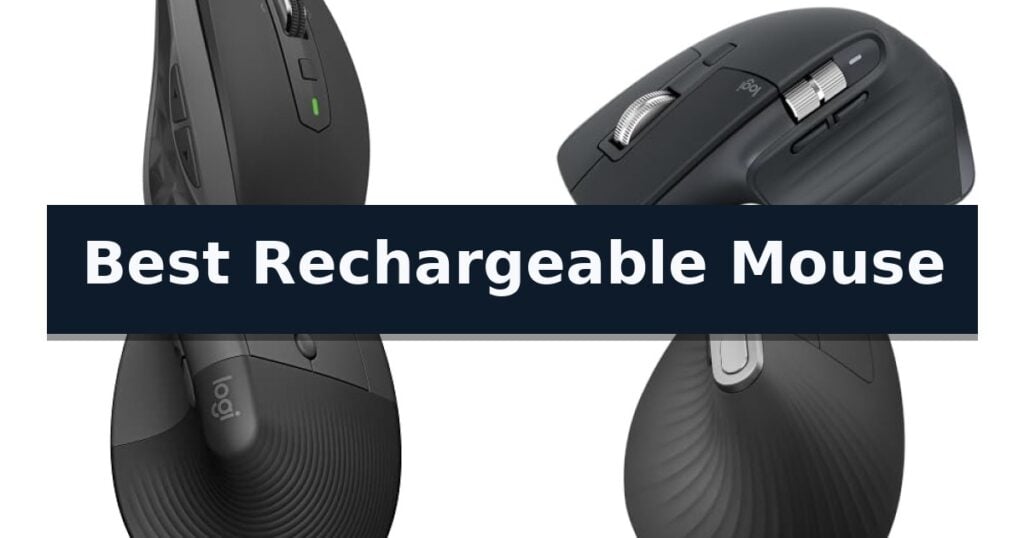
10 Best Rechargeable Mouse in 2026 Reviews
Quick Comparison
| Product | Best For | Key Strength | Score |
|---|---|---|---|
| Logitech MX Anywhere 2S Wireless Mouse | Best Overall | Darkfield sensor tracks accurately on glass and high-gloss surfaces. | 4.9 |
| Logitech MX Master 3S Wireless Mouse | Ultimate Precision and Comfort | 8K DPI sensor enables tracking on glass and other challenging surfaces. | 4.6 |
| Logitech Lift Vertical Ergonomic Mouse | Natural Posture for Daily Comfort | 57-degree vertical angle promotes a more natural wrist and forearm posture. | 4.4 |
| Logitech MX Vertical Wireless Mouse | Advanced Ergonomic Wrist Support | 57° vertical angle promotes a natural handshake position. | 4.6 |
| Lenovo Yoga Pro Wireless Mouse | Sleek Design with Dynamic Tracking | Ergonomic full-sized design with soft-touch materials and thumb rest. | 4.7 |
| TECKNET Wireless Rechargeable Mouse | Versatile Dual-Device Switching | Dual-device connectivity via Bluetooth and 2.4G USB | 4.5 |
| TECKNET Wireless Mouse with Jiggler | Prevents Sleep During Remote Work | Integrated mouse jiggler prevents screen sleep without software. | 4.4 |
| INPHIC Wireless Rechargeable Mouse | Visible Battery Level Indicator | Visible battery level indicator for proactive charging | 4.8 |
| hunart H6 Wireless Mouse | Ultra-Lightweight Everyday Control | Ultra-lightweight 49g build for reduced wrist strain. | 4.5 |
| Redragon M810 PRO Wireless Gaming Mouse | High-Performance Gaming Precision | 2.4Ghz wireless connectivity for a cable-free experience. | 4.7 |
How We Chose
Evaluating the best rechargeable mouse requires a focus on how these tools impact daily productivity and physical comfort. We analyze each model based on its sensor accuracy, the ergonomics of its chassis, and the reliability of its wireless connection, ensuring that the selected devices provide a consistent, high-performance experience for varied professional and personal use cases.
- Battery longevity and charging convenience
- Ergonomic design and hand-fit suitability
- Sensor precision and surface compatibility
- Connectivity options including Bluetooth and receiver support
- Customization features and software integration
1 Logitech MX Anywhere 2S Wireless Mouse — Compact Power for Mobile Work
Precision and portability define the Logitech MX Anywhere 2S Wireless Mouse, a compact peripheral engineered for users who require consistent tracking across diverse surfaces. Its integration of Darkfield high-precision sensor technology allows it to maintain accuracy on surfaces as challenging as glass, making it a versatile tool for mobile professionals.
Connectivity is handled through dual-mode Bluetooth and Radio Frequency technology, providing a stable wireless operating distance of up to 33 feet. This flexibility ensures reliable performance whether you are working in a crowded office or a home setup, with the ability to manage multiple devices seamlessly.
The device features a high 4000 DPI movement resolution, which can be adjusted to suit varying workflow speeds and screen configurations. Its ergonomic, low-profile design is built for portability, weighing only 0.4 pounds, ensuring it fits easily into laptop bags without adding significant bulk.
While this model excels in mobility, its compact form factor is specifically tailored for travel and tight workspaces. Users who prefer a larger, contoured palm-grip mouse for extended desktop sessions may find the smaller dimensions less suitable for long-term ergonomic comfort compared to full-sized alternatives.
Best for: Mobile professionals and travelers who need a high-precision mouse that tracks reliably on glass and multiple surfaces.
Skip if: Users who prefer a large, full-sized ergonomic mouse for extended daily desktop use may find the compact design less comfortable.
- Darkfield sensor tracks accurately on glass and high-gloss surfaces.
- Dual-mode connectivity via Bluetooth and RF for flexible device pairing.
- High 4000 DPI resolution for precise cursor control.
- Compact, lightweight design ideal for travel.
- Small form factor may not suit users with larger hands or those requiring a full palm grip.
2 Logitech MX Master 3S Wireless Mouse — Ultimate Precision and Comfort
The Logitech MX Master 3S Wireless Mouse distinguishes itself through its 8K DPI Any-surface tracking sensor, which maintains precision even when used directly on glass surfaces. This high-resolution sensor allows for customizable sensitivity, catering to users who require granular control over their cursor movement across various display setups.
Designed for professional workflows, the mouse features MagSpeed scrolling, an electromagnetic mechanism that enables near-silent, rapid navigation through long documents or spreadsheets. This system is engineered for both speed and precision, allowing users to move through lines of code or data with significant control.
Ergonomics remain a primary focus, with a silhouette specifically crafted to promote a more natural wrist posture. The inclusion of Quiet Clicks provides tactile feedback while reducing click noise by 90%, making it suitable for shared workspaces or quiet environments where auditory distraction is a concern.
Connectivity is handled exclusively via Bluetooth, supporting up to three devices simultaneously. Through the Logi Options+ app, users can leverage FLOW cross-computer control to transfer text, images, and files between Windows and macOS systems, effectively streamlining multi-device management without the need for additional hardware receivers.
Best for: Professionals and power users who require multi-device connectivity, ergonomic support, and high-precision tracking across diverse work surfaces.
Skip if: Users who prefer a lightweight, ambidextrous design or those who require a dedicated USB receiver for their specific connectivity environment.
- 8K DPI sensor enables tracking on glass and other challenging surfaces.
- MagSpeed electromagnetic scrolling offers both high-speed and precise navigation.
- Quiet Clicks technology significantly reduces operational noise.
- Multi-device support allows seamless switching between up to three Bluetooth-connected systems.
- Bluetooth-only connectivity means no included USB receiver or wired charging cable.
- Ergonomic right-handed silhouette is not suitable for left-handed users.
3 Logitech Lift Vertical Ergonomic Mouse — Natural Posture for Daily Comfort
The Logitech Lift Vertical Ergonomic Wireless Mouse features a distinct 57-degree vertical orientation designed to promote a more natural forearm posture during extended computer use. By shifting the hand into a handshake position, this device aims to reduce strain for users with small to medium-sized hands. This ergonomic shape is complemented by a softly textured grip and a dedicated thumb rest, which work together to provide a level of comfort that supports sustained productivity throughout the workday.
Beyond its physical form, the mouse is equipped with whisper-quiet clicks and a SmartWheel for seamless, efficient scrolling, ensuring a quiet workspace environment. The device includes six buttons, four of which are fully customizable to suit specific productivity workflows. This level of personalization allows users to map frequently used shortcuts directly to the mouse, streamlining tasks and reducing the need for repetitive keyboard inputs.
Connectivity is versatile, allowing users to pair the device via Bluetooth Low Energy or the included Logi Bolt USB-A receiver. It is compatible with a wide range of operating systems, including Windows, macOS, iPadOS, Chrome OS, and Linux, making it a flexible choice for various computing setups. Additionally, the device is designed for longevity, boasting a battery life rated for up to two years on a single charge.
The Logitech Lift Vertical Ergonomic Wireless Mouse incorporates sustainable design choices, with the graphite model constructed from 70% certified post-consumer recycled plastic. Developed in consultation with leading ergonomists, the device represents a thoughtful approach to office hardware. While the vertical orientation offers significant postural benefits, users accustomed to traditional low-profile mice should anticipate an adjustment period as they adapt to the unique vertical grip.
Best for: Users with small to medium-sized hands seeking a vertical ergonomic design to improve forearm posture and comfort during daily tasks.
Skip if: Users with large hands or those who prefer a traditional low-profile horizontal mouse design will find this vertical form factor less suitable.
- 57-degree vertical angle promotes a more natural wrist and forearm posture.
- Versatile connectivity options via Bluetooth or Logi Bolt USB receiver.
- Quiet click technology reduces noise in shared or focused work environments.
- Customizable buttons allow for personalized productivity shortcuts.
- Vertical form factor requires an adjustment period for users accustomed to standard mice.
- Size limitation specifically optimized for small to medium hands, potentially uncomfortable for larger users.
4 Logitech MX Vertical Wireless Mouse — Advanced Ergonomic Wrist Support
Maintaining a neutral wrist posture during extended computer use is a primary concern for those seeking to mitigate repetitive strain. The Logitech MX Vertical Wireless Mouse addresses this through a distinct 57° vertical angle, which promotes a natural handshake position designed to reduce muscular activity by 10 percent compared to a standard mouse.
Beyond its physical form, the device integrates a high-precision 4000 DPI optical sensor. This specification allows for significant cursor movement with minimal hand travel, effectively reducing fatigue during high-intensity tasks. Users can instantly adjust sensitivity via a dedicated cursor speed switch located on the top of the chassis.
The mouse features a textured rubber surface and a contoured shape intended to accommodate various hand sizes while maintaining a secure grip. It is engineered to be compatible with both Windows and Apple operating systems, supporting seamless content movement between up to three different computers.
As a rechargeable peripheral, the Logitech MX Vertical Wireless Mouse emphasizes ergonomic efficiency. Its design has been vetted against criteria established by leading ergonomists to ensure that the thumb rest and vertical orientation work in tandem to lower wrist pressure and improve overall hand posture.
Best for: Users seeking to reduce wrist pressure and muscle strain through an ergonomically optimized vertical orientation.
Skip if: Users who require a traditional low-profile mouse design or those who do not experience discomfort with standard horizontal mouse ergonomics.
- 57° vertical angle promotes a natural handshake position.
- 4000 DPI high-precision sensor reduces required hand movement.
- Rechargeable design eliminates the need for disposable batteries.
- Multi-computer support allows for content transfer between three devices.
- Non-traditional form factor requires an adjustment period for new users.
5 Lenovo Yoga Pro Wireless Mouse — Sleek Design with Dynamic Tracking
The Lenovo Yoga Pro Wireless Mouse distinguishes itself through a high-precision blue optical sensor capable of tracking on almost any surface, ensuring consistent performance for professional workflows. This full-sized peripheral is engineered with a focus on ergonomics, featuring a symmetrical shape, soft-touch side materials, and a dedicated thumb rest to promote comfort during extended use.
Designed for versatility, the mouse offers dynamic performance through six programmable buttons and a configurable two-way metal scroll wheel. Users can adjust the DPI on-the-fly across three stages, with software-enabled customization reaching up to 4000 DPI to match specific task requirements. The silent left and right buttons further contribute to a distraction-free environment.
Connectivity is managed via Bluetooth 5.1 and Bluetooth Low Energy, supporting dual-device pairing for quick transitions between workstations. The device is powered by a long-lasting rechargeable battery that requires less than two hours for a full charge, providing an operational lifespan of approximately two to three months between power cycles.
The Lenovo Yoga Pro Wireless Mouse balances its feature set with a practical design, including a bottom-mounted pairing button for seamless multi-device switching. It is backed by a one-year manufacturer warranty, offering a reliable solution for users seeking a balance of tactile comfort and technical adaptability.
Best for: Professionals who require a comfortable, ergonomic mouse with multi-device connectivity and high-precision tracking for varied work environments.
Skip if: Users who prefer a wired connection or those who require a specialized gaming mouse with a higher button count or extreme DPI settings beyond 4000.
- Ergonomic full-sized design with soft-touch materials and thumb rest.
- Dual-device Bluetooth 5.1 connectivity for seamless switching.
- Long-lasting battery providing 2-3 months of use on a single charge.
- Programmable buttons and adjustable DPI up to 4000.
- Limited to Bluetooth connectivity without a dedicated USB receiver option.
- No wired mode for continuous operation if the battery is depleted.
6 TECKNET Wireless Rechargeable Mouse — Versatile Dual-Device Switching
The TECKNET Wireless Rechargeable Mouse simplifies multi-device workflows by allowing users to toggle between two separate connections using either Bluetooth 5.0/3.0 or a 2.4G USB A receiver. This flexibility is managed by a physical switch, providing a reliable way to transition between a laptop and a desktop without needing to re-pair devices.
Engineered for quiet environments, this silent mouse features buttons designed to minimize noise during operation. It offers 6 adjustable DPI levels reaching up to 4800, which allows for sensitivity customization ranging from precise, slow movements to rapid cursor navigation. The device is specifically contoured to accommodate small to medium-sized hands.
Power management is handled by an internal battery that requires only 1.5 to 2 hours for a full charge. Once powered, the unit is rated for up to 3 months of use based on 2 hours of daily activity. A charging cable is included to facilitate this process, and the device provides a signal of unstable connection when the battery level is low.
Compatibility extends across major operating systems including Windows, macOS, Chrome, and Linux. While the mouse integrates well with these platforms, users should note that the side buttons are not functional when paired with macOS. The product is backed by a 36-month warranty upon registration.
Best for: Users with small to medium hands who need to switch between two different computers or tablets using a single, quiet peripheral.
Skip if: Users with large hands who prefer a full-sized ergonomic mouse or those who require full side-button functionality on macOS.
- Dual-device connectivity via Bluetooth and 2.4G USB
- Silent operation suitable for shared workspaces
- Fast-charging battery providing up to 3 months of use
- 6 adjustable DPI settings for varied cursor control
- Side buttons are incompatible with macOS systems
- Small form factor may be uncomfortable for users with large hands
7 TECKNET Wireless Mouse with Jiggler — Prevents Sleep During Remote Work
Maintaining an active computer status during long meetings or breaks is a common challenge for remote professionals, and the TECKNET Wireless Mouse with Jiggler offers a unique solution by integrating a hardware-based mouse mover directly into the device. By simply holding the DPI- button, users can trigger random cursor movements that prevent sleep mode without the need for external software or complex installations.
This rechargeable wireless mouse is equipped with an 800mAh battery that provides an estimated 2-3 months of usage on a single two-hour USB-C charge. Beyond its utility as a jiggler, it functions as a high-performance peripheral featuring 6 adjustable DPI levels ranging from 800 to 4800, allowing for precise sensitivity adjustments across various tasks like design work or general browsing.
Designed with ergonomics in mind, the mouse features contours suitable for S/M hand sizes to help minimize wrist fatigue during extended work sessions. The silent click mechanism is engineered to reduce noise by 90%, making it a practical choice for shared offices or quiet environments. Additionally, the device includes 14 RGB lighting modes for a customizable aesthetic.
Connectivity is handled via a 2.4G USB-A receiver stored conveniently within the mouse chassis. While the device is compatible with Windows, macOS, Chrome OS, and Linux, users should note that the side buttons are not functional on macOS. This plug-and-play peripheral ensures a straightforward setup for most modern computing environments.
Best for: Remote workers and office professionals who need to prevent their computer from entering sleep mode without installing third-party software.
Skip if: Users who require side-button functionality on macOS or those whose computers only feature USB-C ports without an adapter.
- Integrated mouse jiggler prevents screen sleep without software.
- Ultra-silent click design reduces noise by 90%.
- Long-lasting 800mAh rechargeable battery.
- 6 adjustable DPI levels for versatile sensitivity.
- Side buttons are not compatible with macOS.
- Requires a USB-A port for the included receiver.
8 INPHIC Wireless Rechargeable Mouse — Visible Battery Level Indicator
Monitoring your peripheral power levels is simplified with the INPHIC Wireless Rechargeable Mouse, which features an integrated visible battery indicator on the top surface. This design choice eliminates the guesswork often associated with cordless devices, ensuring you know exactly when it is time to recharge before your workflow is interrupted.
Beyond its power management, this device is engineered for comfort during extended use. It incorporates a wider thumb support area and an ergonomic shape tailored for right-handed users, intended to reduce tension in the hand and fingers. The inclusion of 6 efficient buttons and 4 adjustable DPI levels (800/1200/1600/2400) provides users with granular control over cursor speed to suit different tasks.
For environments requiring discretion, the mouse utilizes silent clicking technology for its primary buttons. This makes it a practical choice for shared workspaces, libraries, or dormitories where noise reduction is a priority. The device also includes an automatic sleep mode that activates after 5 minutes of inactivity to conserve the 400mAh battery, further extending the time between charges.
Connectivity is versatile, offering both a 2.4G USB receiver for broad compatibility with USB-enabled devices and Bluetooth 5.0 for modern systems including Windows, macOS, and Android. Whether you are working on a tablet or a desktop computer, the dual-connection capability ensures a reliable link across various hardware platforms.
Best for: Users who prioritize silent operation and require clear, real-time feedback on battery status for their daily office or academic tasks.
Skip if: Left-handed users, as the ergonomic thumb rest and button layout are specifically optimized for right-handed use.
- Visible battery level indicator for proactive charging
- Silent click buttons suitable for quiet environments
- Ergonomic design with widened thumb support
- Dual connectivity via 2.4G USB and Bluetooth 5.0
- Right-handed only ergonomic configuration
9 hunart H6 Wireless Mouse — Ultra-Lightweight Everyday Control
Navigating a workspace with a mouse that feels like a paperweight can quickly lead to fatigue, which is why the hunart H6 Wireless Mouse prioritizes a 49g lightweight design. This focus on minimal mass ensures that every movement across your desk is fluid and effortless, whether you are managing complex spreadsheets or navigating daily browser tasks.
Connectivity is handled through a versatile Bluetooth and 2.4GHz dual-mode system, allowing you to switch between devices without needing to re-pair constantly. For those who share their workspace or prefer a quiet environment, the integrated silent click buttons provide tactile feedback without the distracting noise associated with standard mechanical switches.
Power management is simplified by a rechargeable 500mAh polymer lithium battery that utilizes a modern USB-C charging port. This eliminates the need for disposable batteries, ensuring your workflow remains uninterrupted. You can further tailor your experience using the 3 adjustable DPI settings (800, 1200, and 1600), which allow you to toggle between precision and speed depending on your current task.
The ergonomic right-hand design is specifically shaped to support a natural grip, though its compact dimensions of 2.64 x 4.29 x 1.57 inches are best suited for those with small to medium-sized hands. With broad compatibility across Windows, macOS, ChromeOS, and Linux, this mouse is a practical, low-profile addition to any home or office setup.
Best for: Users with small to medium hands who need a lightweight, quiet, and rechargeable mouse for daily office or study tasks.
Skip if: Users with large hands who require a more substantial, full-sized ergonomic mouse for comfort.
- Ultra-lightweight 49g build for reduced wrist strain.
- Dual-mode connectivity via Bluetooth and 2.4GHz.
- Silent click switches for quiet operation in shared spaces.
- USB-C rechargeable battery for convenient power management.
- Compact size may be uncomfortable for users with large hands.
10 Redragon M810 PRO Wireless Gaming Mouse — High-Performance Gaming Precision
Maintaining a competitive edge during intense sessions requires gear that eliminates physical friction, starting with the Redragon M810 PRO Wireless Gaming Mouse. This device prioritizes a fluid, cable-free experience by utilizing a 2.4Ghz nano receiver to ensure minimal latency, allowing for precise tracking during rapid movements.
The mouse is built around the PAW3325 Optical Pixart sensor, which supports an adjustable DPI up to 10000. Users can toggle between five distinct on-board DPI levels, providing the flexibility to shift sensitivity on the fly. To further enhance utility, the unit features 8 programmable buttons, including a dedicated rapid-fire trigger and two side macro buttons that can be customized via the Redragon Pro driver.
Efficiency is central to its design, with an optimized power consumption profile that delivers up to 45 hours of battery life in eco-mode. The device operates with a 1000Hz polling rate in dual mode, maintaining consistent communication between the sensor and the computer. For aesthetic customization, the integrated RGB lighting offers various modes like breathing and dynamic streaming to match a workspace setup.
With a weight of approximately 0.55 pounds and an ergonomic body, the Redragon M810 PRO Wireless Gaming Mouse is engineered for extended comfort. While it provides robust wireless performance, users should note that the maximum battery duration is contingent upon the usage of lighting effects and power-saving settings.
Best for: Gamers seeking a customizable, wireless mouse with programmable macro buttons and adjustable DPI settings.
Skip if: Users who require an ultra-lightweight mouse for competitive esports or those who prefer a wired-only connection to avoid battery management.
- 2.4Ghz wireless connectivity for a cable-free experience.
- 8 programmable buttons for custom macro keybinds.
- Adjustable DPI up to 10000 with five on-board levels.
- Customizable RGB lighting via dedicated software.
- Battery life limited to 45 hours in eco-mode.
- Weight of 0.55 pounds may be heavier than some ultra-lightweight gaming mice.
Best Rechargeable Mouse Buying Guide
Ergonomics and Hand Posture
The physical shape of a mouse significantly influences comfort during extended work sessions. Vertical mice are specifically engineered to promote a more natural forearm posture, which can help reduce muscle strain compared to traditional, low-profile designs.
When choosing between a standard or vertical form factor, consider your typical usage duration. Users who spend eight or more hours at a desk may find the vertical orientation more sustainable, while those who prioritize portability often prefer the lower profile of compact models.
Sensor Precision and Tracking
Tracking technology determines how accurately your cursor responds to movement across different surfaces. High-DPI sensors allow for greater sensitivity, which is particularly beneficial for high-resolution displays or tasks requiring fine detail.
Advanced optical sensors, such as those capable of tracking on glass, offer versatility for mobile professionals. Ensure the mouse you select provides enough DPI adjustment to match your specific workflow requirements, whether you are browsing or performing precision editing.
Connectivity and Multi-Device Workflow
Modern rechargeable mice often support multiple connection methods, including Bluetooth and dedicated USB receivers. The ability to switch between multiple devices is essential for users who manage both a laptop and a desktop simultaneously.
Check for seamless switching capabilities, such as cross-computer control, which allows for file and text transfer between systems. This feature can drastically improve efficiency by eliminating the need to re-pair the device when moving between workstations.
Battery Life and Charging Efficiency
The primary advantage of a rechargeable mouse is the elimination of disposable batteries. Look for models that offer fast-charging capabilities via USB-C, as these can often provide a full day of use with only a few minutes of charging.
Battery life varies significantly based on usage intensity and lighting features. If you choose a model with RGB lighting or high-polling rates, be prepared for more frequent charging cycles compared to standard productivity-focused mice.
Silent Operation and Button Customization
Silent click switches are a valuable feature for shared environments, such as libraries or open-plan offices. These switches maintain tactile feedback while significantly reducing the audible noise produced during each click.
Programmable buttons allow you to map frequently used shortcuts to your mouse, streamlining repetitive tasks. Verify that the software accompanying your mouse is compatible with your operating system to ensure you can fully utilize these customization options.
Frequently Asked Questions
How often will I need to charge a rechargeable mouse?
Most modern rechargeable mice last several weeks to months on a single charge, depending on usage. Features like RGB lighting or high-polling rates will decrease this duration.
Can I use a rechargeable mouse while it is charging?
Yes, most rechargeable mice allow for wired operation via the charging cable, meaning you can continue working while the battery replenishes.
Are vertical mice better for everyone?
Vertical mice are designed to reduce wrist strain, but they require an adjustment period. They are most beneficial for users who experience discomfort with traditional mice.
Do I need special software to customize my mouse buttons?
While many mice work immediately via plug-and-play, you typically need the manufacturer's software to remap buttons, adjust DPI levels, or configure app-specific profiles.
What is the difference between Bluetooth and a USB receiver?
Bluetooth provides a cable-free connection directly to your device, while a USB receiver often offers a more stable, low-latency connection, especially in environments with high wireless interference.
Conclusion: Our Top Pick
Our top pick is Logitech MX Anywhere 2S Wireless Mouse. Choosing the right rechargeable mouse depends on your specific balance of portability, ergonomic support, and technical requirements. By focusing on sensor quality and connectivity, you can find a device that enhances your daily productivity.
Prioritize the features that directly impact your most frequent tasks. Whether you need the multi-device versatility of the MX series or the specific ergonomic benefits of a vertical design, the current market offers reliable options for every type of user.