The Logitech MX Vertical Wireless Mouse is our top recommendation for the Best Rechargeable Vertical Mouse thanks to its ergonomist-approved 57-degree angle that effectively reduces muscular strain during long work sessions.
For those with smaller hands, the Logitech Lift Vertical Ergonomic Mouse offers a more compact, comfortable fit without sacrificing essential ergonomic benefits. Meanwhile, the Lekvey Rechargeable Vertical Wireless Mouse provides a budget-friendly alternative that maintains reliable performance and long-lasting battery life for daily office tasks.
Selecting a vertical mouse requires balancing physical dimensions with your specific connectivity needs. Because these devices force a change in hand posture, the transition period is a critical factor for any buyer looking to alleviate wrist discomfort.
For those exploring general options, our guide to the Best Rechargeable Mouse provides a broader look at power-efficient peripherals for various desk setups.
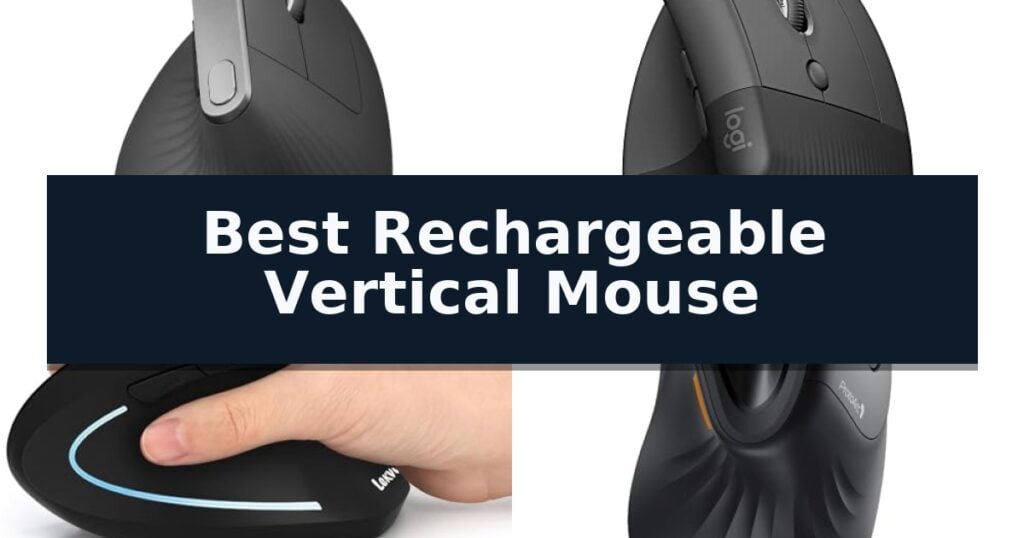
10 Best Rechargeable Vertical Mouse in 2026 Reviews
Quick Comparison
| Product | Best For | Key Strength | Score |
|---|---|---|---|
| Logitech MX Vertical Wireless Mouse | Best Overall | 57° vertical angle reduces wrist pressure and promotes a natural handshake position. | 4.9 |
| Logitech Lift Vertical Ergonomic Mouse | Compact Comfort for Smaller Hands | 57-degree vertical angle promotes a natural, ergonomic forearm posture. | 4.3 |
| Lekvey Rechargeable Vertical Wireless Mouse | Reliable Support for Wrist Strain | Ergonomic handshake design to reduce wrist strain | 4.8 |
| ProtoArc EM11 NL Vertical Mouse | Ideal Fit for Smaller Palms | 58-degree vertical design promotes a more natural wrist and forearm alignment. | 4.6 |
| ProtoArc EM11 Pro Vertical Mouse | Best for Large Hand Sizes | Ergonomic vertical design promotes a natural wrist position to reduce strain. | 4.4 |
| UGREEN Ergonomic Vertical Mouse | High-Precision Tracking for Large Hands | Natural vertical handshake-style design for improved hand positioning. | 4.6 |
| AOC Ergonomic Vertical Mouse | Visual Battery Status Display | 52° vertical angle promotes a natural handshake position. | 4.5 |
| Uineer Ergonomic Wireless Vertical Mouse | Vibrant RGB for Modern Setups | Tri-mode connectivity allows for seamless switching between three devices. | 4.4 |
| TECKNET Ergonomic Wireless Vertical Mouse | Extended Battery Life Performance | Multi-device connectivity via Bluetooth and 2.4GHz USB | 4.4 |
| seenda Ergonomic Vertical Mouse | Integrated Volume Control Knob | Integrated volume control knob for quick media adjustments. | 4.3 |
How We Chose
Evaluating the best rechargeable vertical mouse requires a focus on how physical design translates into long-term wrist health. We prioritize models that offer proven ergonomic angles, versatile connectivity for multi-device setups, and reliable battery life. Our review process centers on matching these specific hardware features to the diverse needs of office professionals and remote workers.
- Ergonomic geometry and vertical angle
- Hand size compatibility and physical dimensions
- Battery capacity and charging convenience
- Connectivity options including Bluetooth and USB receivers
- Button layout and customization features
1 Logitech MX Vertical Wireless Mouse — Ergonomist-Approved Natural Handshake Grip
The Logitech MX Vertical Wireless Mouse utilizes a unique 57° vertical angle designed to reduce wrist pressure and promote a more natural handshake position. By shifting the hand into this posture, the device is engineered to decrease muscular activity by 10 percent compared to a standard mouse, providing a specialized solution for those seeking to improve their workspace ergonomics.
Beyond its shape, the mouse features an advanced 4000 DPI high-precision sensor. This high sensitivity allows for 4x less hand movement than a traditional 1000 DPI sensor, which can help reduce fatigue during extended use. Users can instantly adjust cursor speed and accuracy using the dedicated switch located on the device.
The Logitech MX Vertical Wireless Mouse is built with a textured rubber surface to ensure a secure grip and a smooth-to-the-touch finish. It is designed to accommodate a variety of hand shapes and sizes, making it a versatile choice for different users. The unit is rechargeable and includes the capability to move content seamlessly between three different Windows or Apple computers.
This mouse is ergonomist-approved, having been developed and tested against specific criteria for posture improvement and muscle strain reduction. It ships in FSC-certified packaging and comes with a USB receiver, which is typically stored inside or alongside the unit for easy setup.
Best for: Users seeking an ergonomist-approved vertical design to reduce wrist pressure and muscle strain during long periods of computer use.
Skip if: Users who prefer a traditional low-profile mouse shape or those with very small hands who may find the vertical form factor difficult to grip comfortably.
- 57° vertical angle reduces wrist pressure and promotes a natural handshake position.
- 4000 DPI high-precision sensor minimizes the amount of hand movement required.
- Multi-device connectivity allows for seamless content transfer between three computers.
- Ergonomist-approved design specifically tested to lower muscle strain.
- Non-traditional vertical shape requires an adjustment period for those accustomed to standard mice.
2 Logitech Lift Vertical Ergonomic Mouse — Compact Comfort for Smaller Hands
Maintaining a natural forearm posture during long hours at the desk is a primary challenge for many professionals, and the Logitech Lift Vertical Ergonomic Mouse addresses this with its distinct 57-degree vertical tilt. By positioning the hand in a more natural handshake orientation, this device aims to reduce strain compared to traditional flat mice.
Designed specifically for small to medium-sized hands, the Logitech Lift Vertical Ergonomic Mouse features a soft-textured grip and a dedicated thumb rest to enhance comfort throughout the workday. The inclusion of whisper-quiet clicks and a SmartWheel ensures that navigation remains smooth and unobtrusive, allowing for focused productivity in shared or quiet environments.
Connectivity is handled through either Bluetooth Low Energy or the included Logi Bolt USB-A receiver, providing compatibility with Windows, macOS, iPadOS, Chrome OS, and Linux. The device is built with sustainability in mind, incorporating certified post-consumer recycled plastic—70% in the Graphite model—and offers an impressive battery life of up to two years.
Customization is a core component of this vertical mouse, with four of its six buttons being fully programmable to suit individual workflows. Having been designed and tested according to criteria set by leading ergonomists, it serves as a specialized tool for those looking to transition to a vertical form factor without sacrificing essential functionality.
Best for: Users with small to medium-sized hands seeking a more natural, ergonomic wrist posture during extended daily computer use.
Skip if: Users with large hands or those who require a high-performance gaming sensor with adjustable DPI settings.
- 57-degree vertical angle promotes a natural, ergonomic forearm posture.
- Whisper-quiet clicks and SmartWheel for seamless, silent navigation.
- Dual-mode connectivity via Bluetooth or Logi Bolt USB receiver.
- Customizable buttons allow for personalized workflow efficiency.
- Size constraints limit the comfort for users with larger hands.
- Non-rechargeable design relies on battery power rather than a built-in charging port.
3 Lekvey Rechargeable Vertical Wireless Mouse — Reliable Support for Wrist Strain
The Lekvey Rechargeable Vertical Wireless Mouse prioritizes a natural, neutral handshake position to help reduce wrist and arm strain during extended computer use. By shifting the orientation of the device, it encourages a more ergonomic posture compared to traditional flat mouse designs.
Equipped with a 600mAh rechargeable battery, this mouse eliminates the need for disposable batteries. A single charge provides up to 4 weeks of use based on an 8-hour daily schedule, or up to 3 months with lighter usage patterns. The device features an auto sleep mode to preserve power, and recharging is handled via the included USB-C cable.
Navigation is supported by three adjustable DPI levels (800, 1200, and 1600), allowing users to modify sensitivity to match their workflow. The mouse also includes dedicated Page Back and Page Forward buttons for efficient web browsing, which are compatible with Windows, Linux, and Mac OS environments.
Setup is designed for simplicity with a plug-and-play 2.4G wireless connection. The nano USB receiver is stored at the bottom of the mouse, requiring no additional drivers or complex Bluetooth pairing. Measuring 5.0" x 3.0" x 2.5", it is specifically recommended for users with medium to large hands.
Best for: Users with medium to large hands seeking to reduce wrist strain through a more neutral, ergonomic handshake grip.
Skip if: Users with smaller hands or those who require fully programmable buttons for specialized software tasks.
- Ergonomic handshake design to reduce wrist strain
- Long-lasting 600mAh rechargeable battery with USB-C charging
- Three adjustable DPI levels for sensitivity control
- Plug-and-play 2.4G wireless connectivity
- Non-programmable buttons limit customization options
- Size profile may be too large for users with small hands
4 ProtoArc EM11 NL Vertical Mouse — Ideal Fit for Smaller Palms
The ProtoArc EM11 NL Wireless Ergonomic Vertical Mouse is engineered with a distinct 58-degree vertical angle, specifically tailored to accommodate users with hand lengths under 7.5 inches. By promoting a more natural wrist posture, this device aims to reduce strain during extended periods of computer use, making it a specialized solution for those seeking a more ergonomic desktop experience.
Functionality is at the core of this mouse, which supports simultaneous connectivity for up to three devices via dual Bluetooth and 2.4G USB-A modes. Users can toggle between these connections to streamline their workflow across different operating systems, including Windows, Mac OS, and Android. The device is powered by a 500mAh internal battery, which is conveniently replenished using the provided USB-C charging cable.
Precision and navigation are handled by an adjustable optical sensor offering 1000, 1600, and 2400 DPI settings. While the left and right buttons are designed for quiet clicking to minimize ambient noise, the scroll wheel and navigation buttons maintain a standard tactile response. Please note that the forward and back buttons are not compatible with Mac OS systems, and none of the buttons on this model are programmable.
Adopting a vertical mouse often requires a period of adjustment for those accustomed to traditional flat designs. The manufacturer suggests a learning curve of one to two weeks to fully adapt to the grip. To ensure the best fit and comfort, it is recommended to verify hand dimensions before purchase, as the ergonomic benefits are optimized for small to medium-sized hands.
Best for: Users with small to medium-sized hands who require a multi-device, rechargeable ergonomic mouse to improve wrist posture.
Skip if: Users with hand lengths exceeding 7.5 inches or those who require fully programmable buttons for Mac OS workflows.
- 58-degree vertical design promotes a more natural wrist and forearm alignment.
- Multi-device connectivity supports up to three devices via Bluetooth and 2.4G USB-A.
- Quiet clicking on primary buttons helps maintain a focused work environment.
- Rechargeable 500mAh battery eliminates the need for disposable batteries.
- Non-programmable buttons limit customization options for power users.
- Mac OS incompatibility for the forward and back navigation buttons.
- Learning curve required to adjust to the vertical form factor.
5 ProtoArc EM11 Pro Vertical Mouse — Best for Large Hand Sizes
The ProtoArc EM11 Pro Vertical Mouse is engineered specifically for users with larger hands, featuring a contoured shape designed for hand lengths between 19.0 and 21.5 cm. By promoting a natural handshake position, this device helps reduce wrist and forearm strain during extended periods of office work, spreadsheets, or creative tasks.
A standout feature for productivity is the integrated side scroll wheel, which allows for efficient navigation of wide Excel sheets and video editing timelines without needing to drag on-screen scroll bars. Users can further optimize their workflow using the browser-based customization tool, which enables the configuration of six buttons and DPI adjustments up to 7200 without requiring additional software installations.
Connectivity is handled through a versatile multi-device system, supporting up to three simultaneous connections via two Bluetooth 5.0 channels and one 2.4 GHz USB-A receiver. This allows for seamless switching between a work laptop, personal computer, or tablet, making it a practical choice for hybrid office setups.
Power management is simplified by a built-in 500mAh rechargeable lithium-ion battery, which eliminates the need for disposable batteries. The device charges via an included USB Type-C cable, ensuring a cleaner desktop environment. As with many ergonomic peripherals, the manufacturer recommends a 1–2 week adaptation period for users to adjust to the vertical orientation and develop a comfortable, relaxed grip.
Best for: Individuals with large hands seeking an ergonomic, multi-device vertical mouse with dedicated side-scrolling capabilities for productivity.
Skip if: Users with hand lengths smaller than 7.5 inches, as the manufacturer recommends the EM11 NL model for a more appropriate fit.
- Ergonomic vertical design promotes a natural wrist position to reduce strain.
- Side scroll wheel enhances navigation efficiency for wide documents and timelines.
- Multi-device connectivity supports up to three devices via Bluetooth and 2.4 GHz.
- Browser-based customization allows button and DPI configuration without software.
- Large form factor may not be suitable for users with smaller hands.
- Adaptation period of 1–2 weeks is required to adjust to the vertical grip.
6 UGREEN Ergonomic Vertical Mouse — High-Precision Tracking for Large Hands
The UGREEN Ergonomic Vertical Mouse departs from traditional flat designs by utilizing a natural vertical handshake-style shape intended to align the hand in a more neutral position. This contouring, combined with a curved palm surface, aims to provide comfort during extended periods of computer use, whether for professional tasks or daily browsing.
Connectivity is a primary focus for this model, offering both 2.4G wireless and Bluetooth 5.4 options. It supports simultaneous connection to up to three devices, allowing users to switch between them without needing to re-pair. With a wireless range of up to 33 feet, it provides flexibility for various desk setups.
Power management is handled by an integrated 500mAh rechargeable battery, which is rated for up to 135 hours of continuous operation on a single charge. The device utilizes a USB-C interface for charging, reducing the reliance on disposable batteries.
Precision and control are managed through 5 adjustable DPI levels, ranging from 1000 to 4000 DPI. A dedicated button allows users to toggle between these settings, with a built-in indicator to confirm the current selection. The mouse features five functional buttons and a dedicated switch to toggle between Windows and Mac operating modes.
Best for: Users seeking an ergonomic, multi-device wireless mouse with high-DPI customization and rechargeable power.
Skip if: Users who prefer a traditional flat mouse profile or those requiring a wired-only connection for specific legacy hardware.
- Natural vertical handshake-style design for improved hand positioning.
- Multi-device support for up to three connected devices via Bluetooth or 2.4G.
- High-capacity 500mAh rechargeable battery offering up to 135 hours of use.
- Adjustable DPI settings up to 4000 for precise cursor control.
- Vertical form factor may require an adjustment period for users accustomed to standard mice.
7 AOC Ergonomic Vertical Mouse — Visual Battery Status Display
Maintaining a natural wrist position during long hours at a desk can be a challenge, but the AOC Ergonomic Vertical Mouse addresses this with a 52° vertical angle. This design encourages a "handshake" posture, which helps reduce forearm tension and wrist twisting compared to traditional flat mice.
For users who require precise movement, this mouse offers adjustable tracking with settings up to 4800 DPI. You can toggle between 1000, 1600, 2400, 3200, and 4800 DPI levels to suit specific tasks like coding or design. The device also features six programmable buttons that allow for custom shortcuts to streamline your workflow.
Connectivity is handled through a triple-mode system, supporting Bluetooth 5.4, a 2.4GHz wireless receiver, and a USB wired connection. The Bluetooth mode enables seamless switching between up to three devices. Additionally, the mouse is built for quiet environments, featuring whisper-quiet left and right clicks rated under 35dB.
Power management is simplified by an 800mAh rechargeable battery, which provides up to 200 hours of use without RGB lighting. A built-in LED status screen displays the remaining battery percentage, and the device supports use-while-charging via the Type-C port, ensuring you are not sidelined by a dead battery during critical tasks.
Best for: Professionals and designers with small to medium-sized hands who need a multi-device, ergonomic solution for quiet office environments.
Skip if: Users with large hands will find the physical dimensions of this mouse unsuitable for their grip.
- 52° vertical angle promotes a natural handshake position.
- Triple-mode connectivity allows for easy switching between three devices.
- LED battery display provides instant status updates.
- Whisper-quiet clicks under 35dB for noise-sensitive workspaces.
- Optimized for small to medium hands only; not recommended for large hands.
- Non-silent secondary buttons may produce noise during use.
8 Uineer Ergonomic Wireless Vertical Mouse — Vibrant RGB for Modern Setups
The Uineer Ergonomic Wireless Vertical Mouse is designed with a distinct vertical orientation to help maintain a neutral wrist and forearm position, aiming to reduce discomfort during long periods of computer use. Weighing 105 grams, it incorporates vibrant RGB ambient lighting and a side scroll wheel specifically for horizontal navigation, making it a functional addition to modern desktop setups.
Connectivity is a core feature, as this device offers tri-mode wireless support including Bluetooth 5.0, Bluetooth 4.0, and a 2.4GHz USB-A receiver. Users can switch between three different devices, such as a laptop, tablet, or desktop, to streamline multitasking. The mouse includes four adjustable DPI levels—800, 1600, 2400, and 3200—allowing for customized cursor sensitivity across various tasks from document processing to creative design.
For quiet environments, the mouse features silent left and right buttons to minimize clicking noise. It is powered by a built-in 500mAh rechargeable battery, which is rated to last for weeks on a single charge based on typical 8-hour daily use. A Type-C port facilitates recharging in approximately two hours, and a low-battery indicator helps prevent unexpected power loss during operation.
While the ergonomic shape is intended to promote comfort, it may require a 1-2 week adjustment period for those transitioning from a traditional mouse. The device is compatible with a range of operating systems, including Windows, Mac OS, Chrome OS, and Linux, and includes a smart sleep mode that activates after 10-30 minutes of inactivity to conserve power.
Best for: Office users and remote workers seeking a multi-device wireless mouse that encourages a more neutral wrist posture.
Skip if: Users who prefer the traditional flat grip of a standard mouse or those who are unwilling to commit to an adjustment period for ergonomic vertical designs.
- Tri-mode connectivity allows for seamless switching between three devices.
- Silent buttons reduce noise in shared workspaces or quiet environments.
- Adjustable DPI settings provide flexibility for different precision tasks.
- Rechargeable 500mAh battery eliminates the need for disposable batteries.
- Adjustment period of 1-2 weeks is typically required to adapt to the vertical ergonomic design.
9 TECKNET Ergonomic Wireless Vertical Mouse — Extended Battery Life Performance
Maintaining a natural wrist position during long work sessions is essential for comfort, and the TECKNET Ergonomic Wireless Vertical Mouse addresses this by promoting a more neutral arm posture. This device is specifically engineered for users with medium to large hands, providing a contoured shape that helps reduce muscle tension compared to traditional flat mice.
The mouse offers versatile connectivity, featuring Bluetooth 5.0, Bluetooth 3.0, and a 2.4GHz USB receiver. Users can easily switch between three different devices using a dedicated toggle button, making it a practical choice for those who frequently multitask across laptops, tablets, and desktops. Its 4800 DPI optical tracking provides adjustable sensitivity, allowing for precise cursor movement across various surfaces.
Designed for productivity, the unit includes forward and back buttons for quick web browsing and email navigation. While the left and right clicks are designed to be silent, the scroll wheel and side buttons provide tactile feedback. The device is rechargeable via a Type-C cable, with a single 1.5-hour charge providing enough power for up to two months of intensive use, supported by an auto-sleep function to conserve energy.
Compatibility is broad, supporting Windows, macOS, Linux, Android, and iOS systems. Note that while the mouse functions across these platforms, the side buttons are not compatible with macOS, and the buttons are not programmable. Its physical dimensions of 4.73 x 2.96 x 2.48 inches make it a substantial tool for those seeking a larger ergonomic footprint.
Best for: Users with medium to large hands looking for a multi-device, rechargeable vertical mouse to improve wrist posture.
Skip if: Users with small hands or those requiring fully programmable buttons on macOS will find this model less suitable.
- Multi-device connectivity via Bluetooth and 2.4GHz USB
- Adjustable DPI settings up to 4800 for precise tracking
- Long-lasting rechargeable battery with Type-C charging
- Ergonomic vertical design to reduce arm and wrist tension
- Side buttons are incompatible with macOS systems
- Non-programmable buttons limit customization options
10 seenda Ergonomic Vertical Mouse — Integrated Volume Control Knob
The seenda MOU-302 Wireless Bluetooth Ergonomic Vertical Mouse distinguishes itself with an integrated volume control knob, allowing users to adjust audio levels or manage media playback directly from the device. This functional addition is designed to streamline workflows for remote workers and multitaskers who frequently toggle between video calls and background media without needing to navigate back to their desktop interface.
Engineered to promote a natural handshake grip, this mouse positions the wrist and forearm in a neutral, straight line to help reduce pressure during extended computer use. The device features a 500mAh rechargeable battery that supports up to two months of operation on a single charge via USB-C, eliminating the need for disposable batteries.
Connectivity is a core strength, as the mouse supports 3-device multi-connectivity via 2.4G wireless or dual Bluetooth channels. Users can switch between a laptop, tablet, and desktop with a single click. The inclusion of silent, noiseless clicks ensures the device remains unobtrusive in shared environments like libraries or open-plan offices.
Performance is further customizable through adjustable DPI settings (1000/1600/2400), providing the flexibility to switch between precise tasks and faster cursor movement. Compatible with Windows, macOS, iOS, Android, and Chrome OS, this mouse offers a versatile, universal solution for diverse hardware setups.
Best for: Office workers and hybrid professionals who need to manage multiple devices and media volume from a single ergonomic interface.
Skip if: Users with large hands may find the small-to-medium form factor uncomfortable for long-term use.
- Integrated volume control knob for quick media adjustments.
- 3-device multi-connectivity via Bluetooth and 2.4G.
- Silent click switches for quiet operation in shared spaces.
- Rechargeable 500mAh battery with long-lasting performance.
- Small-to-medium hand sizing may limit comfort for larger users.
Best Rechargeable Vertical Mouse Buying Guide
Understanding Vertical Ergonomics
The primary goal of a vertical mouse is to place your hand in a neutral handshake position, which minimizes forearm twisting. This shift is designed to reduce the pressure on your wrist and lower muscle activity compared to using a traditional flat mouse.
When shopping, look for an angle that feels natural for your specific anatomy. While 57 degrees is a common standard, the overall shape and texture of the mouse play a significant role in how well your palm is supported during extended use.
Matching Size to Your Hand
Vertical mice are not one-size-fits-all. Models designed for large hands often feature a wider base and longer body to prevent your fingers from cramping, while compact versions are tailored for smaller palms to ensure all buttons remain easily reachable.
Always check the manufacturer's recommended hand size before purchasing. Using a mouse that is too large or too small can negate the ergonomic benefits and potentially increase discomfort over time.
Connectivity and Multi-Device Workflow
Modern vertical mice often support multiple connection methods, including Bluetooth and 2.4GHz USB receivers. This flexibility is essential for users who switch between a work laptop, a personal desktop, and a tablet throughout the day.
Look for models that allow you to toggle between devices with a single button press. This feature streamlines your workflow and keeps your desk clutter-free by eliminating the need for multiple peripherals.
Battery Life and Charging Efficiency
Since these mice are rechargeable, the battery capacity and charging port type are important considerations. Most current models use USB-C, which offers a convenient and fast way to top up your power during the workday.
Consider how often you are willing to charge your device. Some high-capacity models can last for months on a single charge, while others with advanced features like RGB lighting may require more frequent attention.
The Adjustment Period
Switching to a vertical mouse involves a learning curve. It is normal to feel less precise or slightly uncomfortable during the first week as your muscles adapt to the new grip and movement patterns.
We recommend maintaining consistent use for at least 1-2 weeks to allow your motor skills to adjust. Many users find that once this transition is complete, the reduction in wrist strain makes the change well worth the initial effort.
Frequently Asked Questions
How long does it take to get used to a vertical mouse?
Most users require 1 to 2 weeks of consistent use to adapt to the new grip and regain their previous level of cursor precision.
Are all vertical mice programmable?
No, button programmability varies by model. Some mice offer software-based customization, while others have fixed functions for their side buttons.
Can I use a vertical mouse for gaming?
While vertical mice are primarily designed for office productivity, many models feature adjustable DPI settings that can be used for casual gaming, though they may not match the specialized performance of dedicated gaming mice.
Do I need special software to use these mice?
Most vertical mice are plug-and-play via Bluetooth or a USB receiver. Optional software may be required only if you wish to customize button assignments or advanced settings.
What should I do if the mouse feels too large?
If a mouse feels too large, it is likely not the right fit for your hand size. We recommend choosing a model specifically labeled for small to medium hands to ensure proper support.
Conclusion: Our Top Pick
Our top pick is Logitech MX Vertical Wireless Mouse. Choosing the right vertical mouse is a personal decision that depends heavily on your hand size and daily workflow requirements. By prioritizing ergonomic design and reliable connectivity, you can significantly reduce wrist strain and improve your long-term comfort at the desk.
Take the time to measure your hand and consider how many devices you need to connect simultaneously. With the right fit, a rechargeable vertical mouse becomes an essential tool for maintaining productivity and health in any modern workspace.