Razer Ornata V3 Gaming Keyboard is our pick for the Best RGB Membrane Keyboards because its unique mecha-membrane switches provide a tactile, clicky feedback that mimics mechanical performance while maintaining the soft, cushioned feel of a membrane board.
For those prioritizing a silent environment, the SteelSeries Apex 3 Gaming Keyboard offers whisper-quiet switches and IP32 water resistance, making it a reliable choice for shared workspaces or late-night sessions. If you need a more compact footprint, the Corsair K55 Core TKL Gaming Keyboard delivers a space-saving tenkeyless layout without sacrificing essential media controls or vibrant lighting zones.
When selecting a membrane keyboard, consider how the switch construction affects your typing comfort and gaming responsiveness. While mechanical boards often dominate the conversation, membrane options offer distinct benefits in terms of noise reduction, spill resistance, and overall value for users who prefer a softer bottom-out feel during extended use.
If you are exploring the broader market beyond membrane options, our guide to the Best RGB Keyboards provides a comprehensive look at various switch technologies and form factors. For those specifically focused on gaming performance, we also cover the Best RGB Gaming Keyboards to help you compare features across different price points.
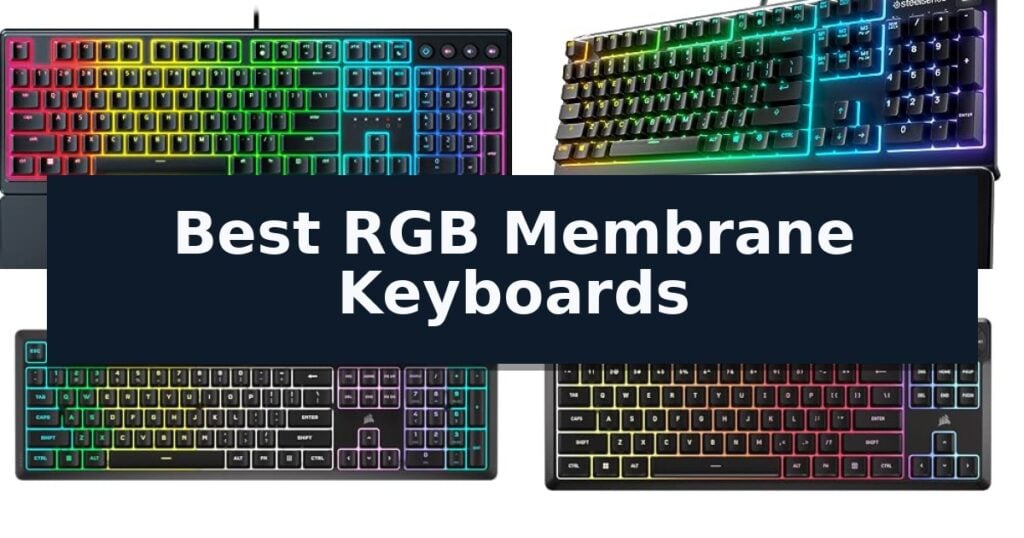
10 Best RGB Membrane Keyboards in 2026 Reviews
Quick Comparison
| Product | Best For | Key Strength | Score |
|---|---|---|---|
| Razer Ornata V3 Gaming Keyboard | Best Overall | Mecha-Membrane switches provide a unique hybrid of clicky feedback and membrane comfort. | 4.9 |
| SteelSeries Apex 3 Gaming Keyboard | Whisper-quiet spill-resistant design | IP32 water resistance prevents damage from accidental spills. | 4.8 |
| Corsair K55 Core Gaming Keyboard | Reliable spill-resistant performance | 300ml spill resistance helps protect internal components from accidental liquid damage. | 4.9 |
| Corsair K55 Core TKL Gaming Keyboard | Compact space-saving layout | Compact tenkeyless layout increases available desk space. | 4.3 |
| Razer Ornata V3 TKL Gaming Keyboard | Low-profile ergonomic comfort | Mecha-Membrane switches offer a unique hybrid of clicky feedback and membrane comfort. | 4.4 |
| Redragon K512 Gaming Keyboard | Macro keys without software | No software required for basic macro recording and lighting adjustments. | 4.5 |
| Redragon K511 Gaming Keyboard | Solid metal top construction | Solid metal top case for increased structural stability. | 4.9 |
| TeckNet Wired Gaming Keyboard | Ergonomic wrist support included | Spill-resistant construction with integrated drainage holes for enhanced longevity. | 4.4 |
| Geodmaer 65% Gaming Keyboard | Ultra-compact travel-friendly build | Ultra-compact 65% layout saves significant desk space. | 4.4 |
| Womier DK75 Wireless Gaming Keyboard | Tri-mode connectivity with screen | Triple-mode connectivity allows for flexible switching between wired and wireless devices. | 4.8 |
How We Chose
Selecting the best RGB membrane keyboards requires evaluating how these devices balance the tactile requirements of gaming with the comfort needed for daily typing. We focus on switch responsiveness, the depth of lighting customization, and the inclusion of practical features like dedicated media keys and ergonomic support to ensure each keyboard provides a reliable, high-performance experience.
- Switch tactile feedback and actuation feel
- Lighting zone customization and software integration
- Ergonomic support and wrist rest inclusion
- Build quality and spill resistance ratings
- Media control accessibility and macro functionality
1 Razer Ornata V3 Gaming Keyboard — Clicky hybrid switch feel
The Razer Ornata V3 Gaming Keyboard distinguishes itself by integrating Mecha-Membrane switches, which combine the tactile, clicky feedback characteristic of mechanical hardware with the familiar, cushioned feel of a traditional membrane keyboard. This hybrid approach aims to provide a precise typing experience while maintaining a lower profile that reduces strain during extended sessions.
Designed for long-term comfort, the keyboard features a low-profile design with slimmer keycaps and shorter switches. This layout encourages a more natural hand position, minimizing the reach required for keystrokes. The inclusion of a magnetic soft-touch wrist rest further supports this ergonomic focus, snapping securely to the base to provide essential cushioning for the wrists.
Durability and utility are addressed through the use of UV-coated keycaps, which are engineered to be more resistant to wear and tear than standard keycaps, helping to keep the legends legible over time. For media control, the unit includes backlit dedicated media keys, allowing users to manage playback, volume, and brightness settings directly from the board without interrupting their workflow.
The keyboard is illuminated by 10-zone RGB lighting, offering customizable visual flair. With a physical footprint of 17.46 inches by 5.68 inches and a height of 1.23 inches, it maintains a compact profile on the desk. The product is backed by a 2-year manufacturer warranty, providing coverage for the hardware under normal use conditions.
Best for: Users seeking a hybrid typing feel that combines the tactile feedback of mechanical switches with the cushioned, low-profile ergonomics of a membrane keyboard.
Skip if: Users who prefer the distinct, long-travel actuation of traditional mechanical switches or those who require a smaller tenkeyless form factor for limited desk space.
- Mecha-Membrane switches provide a unique hybrid of clicky feedback and membrane comfort.
- Low-profile design promotes natural hand positioning and reduces strain.
- UV-coated keycaps offer increased resistance to fading and surface wear.
- Magnetic soft-touch wrist rest enhances comfort during prolonged use.
- Full-size layout may be too large for users with restricted desk space.
2 SteelSeries Apex 3 Gaming Keyboard — Whisper-quiet spill-resistant design
The SteelSeries Apex 3 Gaming Keyboard prioritizes durability and quiet operation with its IP32 water resistant rating, which protects the internal components against accidental liquid spills. This membrane-based keyboard is engineered for users who prefer a tactile yet silent typing experience, utilizing whisper quiet gaming switches rated for 20 million low-friction keypresses.
Designed for visual customization, the keyboard features 10-zone RGB illumination, allowing for reactive effects and distinct color schemes across the deck. The layout includes dedicated multimedia controls located in the upper right corner, providing immediate access to volume adjustment and media playback settings without requiring software navigation.
Ergonomics are addressed through the inclusion of a premium magnetic wrist rest, which snaps securely to the base to provide full palm support during extended sessions. The keyboard maintains a standard full-size footprint, measuring approximately 17.52 inches in width, and connects via a wired interface to ensure consistent input across Windows, Mac OS X, and major gaming consoles including the Xbox Series S/X and PS4/PS5.
While the membrane switches offer a quieter alternative to mechanical options, they provide a different tactile feedback profile that may not suit users seeking the distinct click of mechanical hardware. The device is backed by a 1-year warranty, ensuring coverage for the hardware components under standard usage conditions.
Best for: Gamers and typists who prioritize a silent, spill-resistant workspace with customizable lighting.
Skip if: Users who prefer the distinct tactile feedback and actuation feel of mechanical switches.
- IP32 water resistance prevents damage from accidental spills.
- Whisper quiet switches ensure near-silent operation.
- Magnetic wrist rest provides ergonomic support.
- Dedicated multimedia controls allow for quick adjustments.
- Membrane switch design lacks the mechanical feedback some users prefer.
3 Corsair K55 Core Gaming Keyboard — Reliable spill-resistant performance
The CORSAIR K55 CORE RGB Membrane Wired Gaming Keyboard distinguishes itself with a 300ml spill-resistant design, providing a practical safeguard against accidental liquid exposure during intense gaming sessions. This membrane-based peripheral focuses on delivering a quiet and responsive typing experience, making it a suitable choice for environments where noise reduction is a priority.
Equipped with ten-zone RGB backlighting, the keyboard allows for extensive visual customization to match your desktop aesthetic. Functionality is further enhanced by four dedicated media buttons, which provide direct control over volume and playback, alongside specific keys for Win lock and brightness adjustments to ensure uninterrupted gameplay.
Performance is supported by 12-key rollover and a 1,000Hz polling rate, ensuring that complex inputs are registered accurately and without significant delay. The keyboard is compatible with iCUE software, allowing users to manage lighting effects and key assignments across PC and Mac platforms.
With a slim profile measuring approximately 1.38 inches in height, the unit maintains a low-profile footprint on your desk. The inclusion of a two-year manufacturer warranty provides long-term support for the hardware, reinforcing its role as a reliable entry point for users seeking a feature-rich membrane keyboard.
Best for: Gamers who prioritize spill protection, quiet operation, and customizable lighting in a full-sized membrane keyboard.
Skip if: Users who prefer the tactile feedback and distinct actuation points characteristic of mechanical switches.
- 300ml spill resistance helps protect internal components from accidental liquid damage.
- Ten-zone RGB backlighting offers significant visual customization options.
- Dedicated media keys allow for quick adjustments to volume and playback without exiting games.
- 1,000Hz polling rate ensures responsive input registration for gaming tasks.
- Membrane switch technology lacks the tactile click and durability associated with mechanical alternatives.
4 Corsair K55 Core TKL Gaming Keyboard — Compact space-saving layout
Optimizing desk space while maintaining essential gaming utility often leads players toward compact hardware solutions. The CORSAIR K55 CORE TKL RGB Gaming Keyboard addresses this by utilizing a tenkeyless form factor, which removes the number pad to provide more room for extensive mouse movements during intense sessions. This space-saving design is specifically engineered to accommodate users who prioritize desk real estate without sacrificing the core functionality required for competitive play.
Beyond its compact footprint, this keyboard integrates eight-zone RGB backlighting, allowing for personalized visual configurations that can be tailored to match a specific gaming setup. The hardware is built for durability in active environments, featuring 300ml spill resistance to protect against accidental liquid exposure during daily use. This design choice provides a layer of practical security for users who keep beverages near their workstation.
Functionality is prioritized through four dedicated media buttons, which offer immediate control over volume, playback, Windows lock, and brightness levels. These controls ensure that critical adjustments can be made without interrupting gameplay or minimizing active windows, keeping the user focused on the screen. The inclusion of these physical buttons streamlines the user experience by removing the need for software-based toggles during high-pressure moments.
Performance is supported by a 1,000Hz polling rate and 12-key rollover, ensuring that rapid inputs are captured accurately even during complex command sequences. This combination of responsive keypress detection, spill-resistant construction, and a streamlined tenkeyless layout makes it a practical choice for users seeking a reliable, efficient gaming interface that maximizes available workspace.
Best for: Gamers who require a compact, spill-resistant keyboard to maximize desk space for mouse movement.
Skip if: Users who rely heavily on a dedicated number pad for data entry or productivity tasks.
- Compact tenkeyless layout increases available desk space.
- 300ml spill resistance offers protection against accidental liquid damage.
- Dedicated media controls allow for quick adjustments without exiting games.
- 1,000Hz polling rate ensures responsive input detection.
- Tenkeyless design lacks a dedicated number pad.
5 Razer Ornata V3 TKL Gaming Keyboard — Low-profile ergonomic comfort
The Razer Ornata V3 TKL Gaming Keyboard distinguishes itself through its unique Mecha-Membrane switches, which combine the tactile, clicky feedback of mechanical hardware with the cushioned feel of a conventional membrane keyboard. This hybrid approach aims to provide a satisfying typing experience while maintaining a lower profile that reduces wrist strain during extended sessions.
Designed with ergonomics in mind, the keyboard features a slim form factor and a magnetic soft-touch wrist rest that snaps securely into place. The keycaps are UV-coated to enhance durability against frequent use, ensuring that legends remain legible over time. For media control, the unit includes backlit dedicated media keys, allowing for quick adjustments to volume and playback without navigating through software menus.
Customization is handled via 8-zone Razer Chroma RGB lighting, which offers access to 16.8 million colors and integration with numerous games for dynamic visual effects. Advanced users can utilize Razer Snap Tap through Razer Synapse 4, a feature that prioritizes the latest input between assigned keys to improve responsiveness during rapid movement in-game.
While the keyboard offers a spill-resistant design for added peace of mind, its low-profile nature is a specific design choice that prioritizes comfort over the deep travel distance found in traditional mechanical boards. This makes it a practical option for users who prefer a lighter, more compact typing surface for both gaming and daily productivity.
Best for: Users who prefer the tactile feedback of mechanical switches but want the lower profile and cushioned feel of a membrane keyboard.
Skip if: Users who require the deep travel distance and distinct actuation points of traditional mechanical switches for competitive precision.
- Mecha-Membrane switches offer a unique hybrid of clicky feedback and membrane comfort.
- Low-profile design promotes natural hand positioning to reduce strain.
- UV-coated keycaps provide increased resistance to wear and legend fading.
- Magnetic soft-touch wrist rest ensures ergonomic support during long sessions.
- Low-profile key travel may not satisfy users accustomed to traditional mechanical switches.
- 8-zone lighting is less granular than per-key RGB customization.
6 Redragon K512 Gaming Keyboard — Macro keys without software
The Redragon K512 Gaming Keyboard simplifies complex inputs by offering 6 onboard macro keys that function without the need for drivers or software installation. This design choice allows users to record and reassign shortcuts or in-game combos directly on the hardware, providing an immediate solution for those who want to streamline their workflow or gaming performance without managing background applications.
Beyond its macro capabilities, the keyboard features 26 anti-ghosting keys, ensuring that multiple simultaneous inputs are registered accurately during intense use. The inclusion of dedicated media controls allows for quick adjustments to audio playback, such as pausing or skipping tracks, without requiring the user to minimize active windows or leave their current task.
Aesthetics and comfort are addressed through True RGB lighting with 13 distinct modes, including 7 presets and 6 customizable slots. The brightness can be adjusted to suit different environments, from vivid illumination to complete darkness. For extended sessions, the detachable magnetic wrist rest provides ergonomic support, while the double-shot injection molded keycaps are engineered to resist fading over years of daily use.
While the keyboard is designed for plug-and-play simplicity, it remains flexible for advanced users. An optional companion software package is available for those who prefer deeper macro configuration or more intricate backlight effects, ensuring the device scales with the user's needs. The unit measures 18.3 inches in length and features a standard 104-key layout, balancing a full-sized profile with functional utility.
Best for: Users who require dedicated macro keys and media controls without the overhead of mandatory software installation.
Skip if: Users who prefer the tactile feedback and specific actuation characteristics of mechanical switches over a membrane-based design.
- No software required for basic macro recording and lighting adjustments.
- Double-shot injection molded keycaps for long-term durability.
- Detachable magnetic wrist rest included for ergonomic comfort.
- Dedicated media controls for efficient audio management.
- Membrane switch architecture may not satisfy users seeking mechanical switch feedback.
- Large footprint at 18.3 inches may limit space on smaller desks.
7 Redragon K511 Gaming Keyboard — Solid metal top construction
Selecting a keyboard that balances responsiveness with aesthetic flair often leads to the Redragon K511 Gaming Keyboard, a full-size peripheral defined by its solid metal top case. This construction provides a distinct, rigid feel that sets it apart from standard plastic alternatives, offering a stable foundation for both typing and gaming sessions.
The Redragon K511 Gaming Keyboard utilizes mechanical-like membrane switches, which are engineered to deliver a linear and smooth keystroke. This design choice aims to provide the tactile feedback associated with mechanical boards while maintaining the quieter, softer operation typical of membrane technology. It is a practical choice for those who prefer a consistent, predictable feel during extended use.
Functionality is enhanced through 5 programmable onboard G keys, which allow for macro execution without the need for background software. Users can manage media playback directly via four dedicated media keys located at the top right of the chassis. For gaming, the board supports 26 anti-ghosting keys, ensuring that complex combinations are registered accurately during fast-paced play.
Visual customization is handled by true RGB backlighting, which includes six preset modes and an onboard customizable setting. While the keyboard functions out of the box, users can also utilize optional pro software to further refine lighting effects and macro configurations. With its 104-key layout and two-year warranty, it serves as a straightforward, feature-rich option for entry-level setups.
Best for: Entry-level gamers who want a full-size layout with dedicated macro keys and a durable metal-top build.
Skip if: Users who require genuine mechanical switches or a compact, tenkeyless footprint for limited desk space.
- Solid metal top case for increased structural stability.
- 5 programmable onboard G keys for macro management without software.
- Dedicated media controls for quick access to playback functions.
- 26 anti-ghosting keys to support simultaneous inputs.
- Membrane-based switches may not satisfy users seeking authentic mechanical tactile feedback.
- Full-size 104-key layout occupies significant desk real estate.
8 TeckNet Wired Gaming Keyboard — Ergonomic wrist support included
The TECKNET Wired RGB Gaming Keyboard distinguishes itself with a spill-resistant design featuring three integrated drainage holes, providing a practical layer of protection against accidental liquid exposure during intense gaming sessions. This focus on durability is paired with a durable membrane switch mechanism that maintains reliable input performance for daily tasks and competitive play.
Designed for long-term comfort, the keyboard incorporates an ergonomic wrist rest and an 8° folding leg system that allows users to adjust the typing angle to their preference. The inclusion of step keys further promotes a more natural hand position, which helps reduce strain during extended periods of use.
Visual customization is managed through 13 vibrant RGB lighting modes, which can be adjusted across 8 brightness levels and 6 speed settings. This allows for a tailored aesthetic that matches various desktop environments without requiring complex software configurations.
Functionality is centered on a plug-and-play approach, ensuring broad compatibility with Windows and Mac OS systems. The unit also features 26-key anti-conflict technology, ensuring that multiple simultaneous key presses are registered accurately during fast-paced sequences, alongside a convenient integrated phone holder for added utility.
Best for: Users seeking an ergonomic, spill-resistant keyboard with customizable lighting for both gaming and general productivity.
Skip if: Users who prefer the tactile feedback and distinct actuation points of mechanical switches will find this membrane-based model less suitable.
- Spill-resistant construction with integrated drainage holes for enhanced longevity.
- Ergonomic design including a built-in wrist rest and adjustable 8° tilt legs.
- 26-key anti-ghosting support for reliable input during complex gaming maneuvers.
- Customizable RGB lighting with multiple brightness and speed settings.
- Membrane switch technology lacks the tactile response preferred by some mechanical keyboard enthusiasts.
- Wired-only connection limits placement flexibility compared to wireless alternatives.
9 Geodmaer 65% Gaming Keyboard — Ultra-compact travel-friendly build
Maximizing desk real estate while maintaining full utility is the primary objective of the GEODMAER 65% Gaming Keyboard. This ultra-compact peripheral strips away the traditional number pad to provide a streamlined 68-key layout that fits easily into a backpack, making it a practical choice for users who frequently transition between gaming setups and mobile workstations.
The keyboard utilizes a detachable Type-C cable to ensure a stable connection with minimal input latency. For gaming performance, it features 26-key anti-ghosting technology, ensuring that complex inputs are registered accurately during intense sessions. A dedicated FN+Win lock function is included to prevent accidental interruptions by disabling the Windows key during gameplay.
Designed with an emphasis on longevity, the switches are rated for over 10,000,000 keystrokes, with keycaps treated with a UV coating to resist fading over time. The board incorporates 11 media buttons accessible via function layers, ensuring that the reduced footprint does not sacrifice essential control over volume and playback.
Visual customization is provided through integrated LED backlighting with adjustable brightness and breathing frequency settings. The two-color injection molded keycaps allow light to pass through the characters, ensuring visibility in low-light environments. The board is engineered with an ergonomic height profile to support wrist comfort during extended use, while the membrane technology provides a quiet typing experience that mimics the feel of mechanical switches.
Best for: Gamers and professionals who need a space-saving, portable keyboard that retains essential media controls and a mechanical-like typing feel.
Skip if: Users who require a dedicated number pad for data entry or those who prefer the distinct tactile and audible feedback of genuine mechanical switches.
- Ultra-compact 65% layout saves significant desk space.
- Detachable Type-C cable for easy transport and stable connectivity.
- 26-key anti-ghosting prevents input conflicts during gaming.
- UV-coated keycaps designed to resist fading over a 10-million keystroke lifespan.
- No dedicated number pad may limit productivity for spreadsheet-heavy tasks.
- Membrane-based switches do not offer the same tactile precision as true mechanical hardware.
10 Womier DK75 Wireless Gaming Keyboard — Tri-mode connectivity with screen
The Womier DK75 Wireless Gaming Keyboard distinguishes itself by integrating a functional OLED screen and a dedicated rotary knob directly into a 75% compact layout. This design choice provides immediate visual feedback on battery and connection status while offering tactile control over volume and lighting without requiring external software.
Engineered with silent membrane switches, this keyboard prioritizes a quiet typing experience suitable for shared environments. The internal structure is paired with an ergonomic tilt-angle design to promote a natural hand position during extended use. Its aesthetic is further customizable through 15 dynamic RGB effects and seven distinct colors, all manageable via simple key combinations.
Versatility is a core component of the Womier DK75 Wireless Gaming Keyboard, which supports triple-mode connectivity. Users can switch between Bluetooth 5.0, 2.4GHz wireless, and USB-C wired modes to accommodate different devices, including Mac, Windows, tablets, and laptops. The inclusion of a 4000mAh rechargeable battery ensures extended operation, supported by an auto-sleep function to preserve power.
Durability is addressed through the use of high-quality PBT keycaps. Unlike standard ABS alternatives, these keycaps are designed to resist oil and wear, maintaining their texture and appearance over time. This combination of a space-saving form factor, silent operation, and robust build materials makes it a practical choice for those seeking a feature-rich, quiet input device.
Best for: Users who require a quiet, compact keyboard with advanced media controls and multi-device wireless connectivity.
Skip if: Users who specifically prefer the tactile feedback and distinct actuation of mechanical switches over a membrane-based design.
- Triple-mode connectivity allows for flexible switching between wired and wireless devices.
- Integrated OLED screen and rotary knob provide convenient status monitoring and media control.
- Silent membrane switches offer a quiet typing experience ideal for shared spaces.
- Oil-resistant PBT keycaps ensure long-term durability and a consistent typing feel.
- Membrane switch architecture may not satisfy users seeking the specific tactile response of mechanical keyboards.
Best RGB Membrane Keyboards Buying Guide
Understanding Mecha-Membrane Technology
Mecha-membrane switches are designed to bridge the gap between traditional rubber-dome keyboards and mechanical switches. By incorporating a mechanical click mechanism into a membrane structure, these boards provide the satisfying tactile bump and audible feedback that many gamers prefer without the higher cost or noise levels associated with full mechanical builds.
This hybrid approach is particularly beneficial for users who find standard mechanical switches too loud or physically demanding. The shorter actuation distance often found in these designs can also lead to faster input registration, which is a significant advantage during fast-paced gaming sessions where every millisecond counts.
Lighting and Customization Features
RGB lighting is more than just an aesthetic choice; it serves as a functional tool for identifying key clusters in low-light environments. When comparing models, look for the number of lighting zones available. Some keyboards offer per-key lighting, while others use zones, which may limit your ability to create highly intricate, individual key-color patterns.
Software integration is equally important for managing your lighting profiles. Keyboards that support robust companion software allow you to sync your lighting effects with other peripherals or specific game events. If you prefer a simpler setup, look for boards that offer onboard lighting controls, allowing you to cycle through presets without installing additional software.
Ergonomics and Long-Term Comfort
The physical design of a keyboard plays a critical role in preventing wrist strain during long hours of use. Many gaming-focused membrane keyboards include magnetic or detachable wrist rests that provide essential palm support. These accessories are designed to keep your wrists in a neutral position, reducing the risk of fatigue.
Low-profile designs are another ergonomic consideration. By reducing the height of the keycaps and the overall chassis, these keyboards encourage a more natural hand position. This is especially helpful for users who switch between typing and gaming frequently, as it minimizes the distance your fingers need to travel to reach the keys.
Durability and Spill Resistance
Accidental spills are a common hazard for any desktop setup. Many modern membrane keyboards feature integrated drainage holes or sealed circuitry designed to withstand liquid exposure. While this does not make a keyboard waterproof, it provides a layer of protection that can prevent a minor accident from becoming a total hardware failure.
Keycap durability is another factor to consider, especially for high-traffic keys. UV-coated or double-shot injection molded keycaps are significantly more resistant to fading and wear than standard printed caps. These materials ensure that your key legends remain legible even after years of heavy use, maintaining both the aesthetic and functional integrity of the board.
Layouts and Connectivity
Choosing between a full-size layout and a tenkeyless (TKL) or compact design depends on your available desk space and specific needs. A full-size keyboard includes a dedicated number pad, which is useful for productivity tasks, while a TKL or 65% design frees up valuable space for larger mouse movements, which is often preferred by competitive gamers.
Connectivity options have also evolved, with some membrane keyboards now offering wireless capabilities alongside traditional wired connections. If you choose a wireless model, ensure it supports low-latency modes like 2.4GHz to avoid input lag. Wired models, however, remain the standard for reliability and zero-latency performance, as they do not require battery management.
Frequently Asked Questions
Are membrane keyboards better than mechanical keyboards for gaming?
Membrane keyboards are generally quieter and often more affordable than mechanical options. While mechanical switches offer more variety in feel, modern mecha-membrane switches provide a competitive experience that is more than sufficient for most gamers.
Do I need software to control the RGB lighting?
Many membrane keyboards offer onboard lighting controls via function keys, allowing you to switch colors and patterns without software. However, dedicated software is usually required for advanced customization, such as syncing lighting with game events or creating unique per-zone profiles.
What does spill resistance actually mean?
Spill resistance typically means the keyboard has internal drainage channels or a membrane seal that prevents liquid from reaching the sensitive electronic components immediately. It is intended to help you survive accidental splashes, not full submersion.
Are low-profile keyboards more ergonomic?
Low-profile keyboards can be more ergonomic because they require less wrist extension to reach the keys. This can lead to less strain during long typing or gaming sessions, especially when paired with a proper wrist rest.
Can I use a gaming keyboard for office work?
Yes, gaming keyboards are excellent for office work. Their durable construction, comfortable key feel, and backlighting features make them highly effective for productivity, provided you choose a switch type that fits your noise tolerance for an office environment.
Conclusion: Our Top Pick
Our top pick is Razer Ornata V3 Gaming Keyboard. The best membrane keyboard for your setup depends on your specific balance of desk space, noise preference, and need for tactile feedback. Models like the Razer Ornata V3 offer a unique hybrid feel, while options like the Corsair K55 Core TKL provide a streamlined, space-saving solution for competitive play.
By prioritizing features like spill resistance, ergonomic wrist support, and customizable lighting, you can find a keyboard that enhances your daily computing experience. Whether you are a casual gamer or a dedicated typist, these membrane boards offer a reliable, high-performance alternative to traditional mechanical switches.