EDJO Large Print Retro Keyboard earns our recommendation for the Best Round Key Keyboards thanks to its high-contrast, oversized lettering that significantly improves visibility for users who require clearer key identification. This wired model balances a classic typewriter aesthetic with practical accessibility features, making it a standout choice for those prioritizing legibility alongside a nostalgic design.
When selecting a typewriter-style keyboard, the primary considerations involve balancing the distinct tactile feedback of round keycaps with the ergonomic requirements of daily typing. While some models prioritize a mechanical click for gaming performance, others focus on quiet membrane switches suitable for shared office environments or home use.
Beyond the visual appeal, buyers should evaluate connectivity preferences and layout features. Wireless options offer a cleaner desk setup, while wired versions eliminate the need for battery management. Integrated features like multimedia hotkeys, adjustable backlighting, and wrist rests further define the utility of these keyboards for long-term productivity.
If you are interested in the tactile benefits of mechanical switches, you may also want to explore Best RGB Mechanical Keyboards for more high-performance options. For those who prefer a quieter typing experience, our guide on Best RGB Membrane Keyboards provides excellent alternatives to mechanical models.
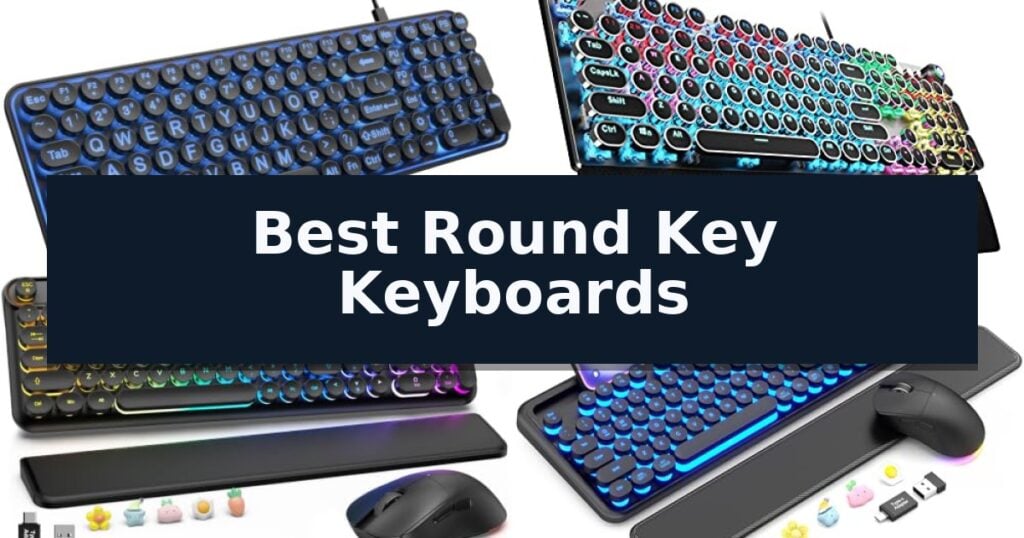
10 Best Round Key Keyboards in 2026 Reviews
Quick Comparison
| Product | Best For | Key Strength | Score |
|---|---|---|---|
| EDJO Large Print Retro Keyboard | Best Overall | 4X larger font size for improved readability | 4.9 |
| AULA F2088 Mechanical Keyboard | Tactile Blue Switch Performance | Mechanical blue switches provide crisp, tactile feedback. | 4.3 |
| SABLUTE CK33 Pro Wireless Keyboard | Rechargeable Backlit Productivity | USB-C rechargeable batteries for both keyboard and mouse | 4.8 |
| SABLUTE CK13Pro Wireless Keyboard | Integrated Phone Holder Design | Integrated phone holder for improved multitasking visibility. | 4.5 |
| YSCP Mechanical Gaming Keyboard | Customizable RGB Lighting Effects | Mechanical blue switches provide satisfying tactile feedback and audible clicks. | 4.5 |
| GUKJOB Wireless Keyboard Combo | Long-Range Stable Connection | Long-range 2.4GHz wireless connection up to 30 meters. | 4.7 |
| KNOWSQT Wireless Keyboard Combo | Easy-Clean Floating Key Design | Detachable keycaps allow for thorough cleaning and maintenance. | 4.6 |
| EDJO Colorful Wireless Keyboard | Vibrant Aesthetic Desk Upgrade | Retro-inspired round keycaps with fade-resistant craftsmanship. | 4.8 |
| STIVIC Wireless Keyboard Combo | Full-Size Layout Convenience | Vintage-inspired design with rounded keycaps for a unique aesthetic. | 4.7 |
| MOFII Wireless Keyboard Combo | Reliable Plug-and-Play Setup | Retro typewriter design with colorful round keycaps for a distinct aesthetic. | 4.3 |
How We Chose
Evaluating the best round key keyboards requires a focus on how vintage-inspired aesthetics interact with modern typing demands. We assess each model based on its switch responsiveness, the stability of the keycaps, and the inclusion of productivity-enhancing features like multimedia shortcuts and ergonomic support to ensure a balance between form and function.
- Switch mechanism type and typing noise levels
- Keycap shape and spacing for ergonomic comfort
- Connectivity reliability and battery management
- Backlighting options and brightness adjustability
- Layout completeness including dedicated number pads
1 EDJO Large Print Retro Keyboard — Best for Improved Visibility
The EDJO Large Print Retro Keyboard is engineered for users who prioritize visual accessibility, featuring 4X larger font size than standard keyboards to assist those with visual impairments or anyone seeking enhanced clarity. Beyond its high-visibility keys, the device offers a distinct aesthetic by blending a vintage typewriter-inspired design with modern computer functionality. Its round keycaps are specifically arranged to provide a tactile, ergonomic typing experience that aims to reduce wrist fatigue during extended sessions.
Functionality is bolstered by 7-color LED backlighting that includes three adjustable brightness levels, allowing for clear visibility in low-light environments. The keyboard also simplifies navigation through 12 dedicated multimedia hotkeys, which provide immediate access to essential controls like volume, email, and music playback. This layout is designed to streamline daily tasks without requiring complex software configurations.
As a plug-and-play wired USB device, this keyboard eliminates the need for driver installations, battery maintenance, or charging cycles. The internal mechanism is built for silent operation, making it a suitable choice for shared workspaces or home offices where noise reduction is a priority. The unit is broadly compatible with Windows and Mac operating systems, supporting seamless integration with laptops, desktops, and Chromebooks.
To provide long-term support, the manufacturer includes a 24-month after-sales service policy. This ensures that users have a direct channel for technical assistance beyond standard retail return windows. While the wired connection ensures a consistent, latency-free link to the host computer, it does require users to manage a physical cable on their desk, which is a trade-off for the convenience of never needing to manage batteries.
Best for: Users who require high-visibility, large-print keys and prefer a vintage typewriter aesthetic for their workspace.
Skip if: Users who require a wireless connection or a low-profile, flat-key design for their specific typing preferences.
- 4X larger font size for improved readability
- 7-color LED backlighting with adjustable brightness
- Plug-and-play wired USB connectivity
- 12 dedicated multimedia hotkeys for efficient control
- Wired connection only, which may limit desk cable management
- Retro round key design may require an adjustment period for those used to standard rectangular keys
2 AULA F2088 Mechanical Keyboard — Tactile Blue Switch Performance
The AULA F2088 Mechanical Keyboard distinguishes itself with a vintage-inspired aesthetic, featuring retro typewriter style round keycaps that offer a distinct tactile experience. Designed for both gaming and office productivity, this wired keyboard utilizes mechanical blue switches to provide a crisp, audible click and precise feedback with every keystroke.
Beyond its visual appeal, the keyboard is built with a durable aluminum alloy metal panel that provides a sturdy, scratch-resistant foundation. The inclusion of a magnetic wrist rest adds an ergonomic touch, helping to alleviate wrist pressure during extended typing or gaming sessions. The floating keycap design is specifically engineered to fit fingertips, which helps reduce fatigue and minimize errors.
Functionality is centralized through a versatile multimedia and backlight control knob. Users can toggle between media controls and lighting adjustments with a simple long press, allowing for quick access to volume, play/pause, and 19 distinct lighting effects. The keyboard supports anti-ghosting technology, ensuring that simultaneous key presses are registered accurately, which is essential for high-speed gaming performance.
This device is designed for convenience with its plug and play USB connection, requiring no additional drivers or software. It is compatible with a wide range of operating systems, including Windows, Linux, and Mac OS, making it a versatile tool for various desktop setups. The package also includes a keycap puller, simplifying the maintenance process for keeping the keys clean.
Best for: Users who prefer a tactile, clicky typing experience combined with a vintage aesthetic and dedicated media controls.
Skip if: Users who require a silent typing environment or those who prefer low-profile, flat membrane keys.
- Mechanical blue switches provide crisp, tactile feedback.
- Dedicated multimedia and backlight control knob for easy adjustments.
- Durable aluminum alloy panel and magnetic wrist rest.
- Anti-ghosting technology for reliable multi-key input.
- Wired-only connection limits desk placement flexibility.
- Clicky switch sound may be too loud for shared office environments.
3 SABLUTE CK33 Pro Wireless Keyboard — Rechargeable Backlit Productivity
The SABLUTE CK33 Pro Wireless Keyboard brings a distinct aesthetic to the workspace with its retro-inspired round typewriter-style keys. This peripheral set combines a full-sized layout, including a dedicated number pad, with a space-saving design that allows for more ergonomic mouse placement during extended work sessions.
Designed for versatility, the keyboard features 7 solid backlight colors and 3 dynamic RGB effects, allowing users to adjust brightness or disable lighting entirely. The unit includes a soft PU leather wrist rest that can be repositioned or removed, alongside flip-out feet that provide customizable typing angles to suit individual comfort preferences.
Connectivity is handled by a single 2.4 GHz USB-A receiver that pairs both the keyboard and mouse, with an included USB-C adapter for modern device compatibility. Both devices are USB-C rechargeable, featuring a 3000mAh battery in the keyboard and a 700mAh battery in the mouse, supporting long-term use between charges.
The set is engineered for quiet operation, utilizing low-noise membrane keys and silent mouse clicks, making it suitable for shared environments. The included mouse offers three adjustable DPI levels (1000/1600/2400) and side buttons for navigation, ensuring the combo functions as a comprehensive productivity solution.
Best for: Users seeking a retro-styled, quiet, and rechargeable keyboard and mouse combo that includes a number pad for data-heavy tasks.
Skip if: Users who require Bluetooth connectivity or native macOS-specific key mapping, as this device is designed primarily for Windows via a 2.4 GHz receiver.
- USB-C rechargeable batteries for both keyboard and mouse
- Quiet membrane keys and silent mouse clicks for shared spaces
- Compact layout that retains a full number pad
- Customizable lighting with 7 solid colors and RGB effects
- No Bluetooth connectivity; relies exclusively on a 2.4 GHz USB receiver
- Windows-focused design with limited functionality on macOS
4 SABLUTE CK13Pro Wireless Keyboard — Integrated Phone Holder Design
The SABLUTE CK13Pro Wireless Keyboard distinguishes itself with a built-in phone holder integrated directly into the chassis. This design choice allows users to keep mobile devices upright and visible, facilitating easier multitasking and notification monitoring without needing to reach for a phone during work sessions. By consolidating communication devices with the primary input interface, the keyboard helps maintain a cleaner, more organized desk environment.
This wireless keyboard and mouse set utilizes a 2.4GHz connection via a single USB receiver, providing a stable wireless range of up to 33 feet. The keyboard features 7-color backlighting to assist with visibility in low-light conditions, while the included mouse offers 11 switchable lighting modes to coordinate with a workspace aesthetic. Both devices are powered by USB-C rechargeable batteries and include an auto-sleep function to conserve energy, eliminating the need for disposable batteries.
Ergonomics are addressed through a soft magnetic wrist rest featuring sponge padding and a skin-friendly surface. The wrist rest is easily detachable, allowing for simple cleaning or removal based on user preference. The keyboard utilizes round typewriter-style keycaps housed within a spill-resistant body, offering a distinct tactile aesthetic suitable for professional or home office environments.
The system is compatible with Windows, macOS, Linux, and Chrome OS, featuring dual-system layouts to accommodate specific operating system shortcuts. While the round keycaps provide a unique look, they may require an adjustment period for those accustomed to traditional flat keys. Additionally, the system relies exclusively on a 2.4GHz USB receiver, which is a consideration for users who prefer Bluetooth connectivity.
Best for: Users seeking a retro-inspired, space-saving desktop setup with integrated mobile device management.
Skip if: Users who require a mechanical switch feel, Bluetooth connectivity, or a full-sized wired connection for zero-latency gaming applications.
- Integrated phone holder for improved multitasking visibility.
- Rechargeable USB-C power eliminates the need for disposable batteries.
- Magnetic wrist rest provides ergonomic support and is easily removable.
- Dual-system layout supports seamless switching between Mac and Windows.
- 2.4GHz wireless only, lacking Bluetooth connectivity options.
- Typewriter-style round keys may require an adjustment period for touch typists.
5 YSCP Mechanical Gaming Keyboard — Customizable RGB Lighting Effects
The YSCP Typewriter Style Mechanical Gaming Keyboard brings a distinct aesthetic to the desktop by combining vintage-inspired round keycaps with modern mechanical blue switches. This wired peripheral is designed for users who prioritize tactile feedback and a classic typing feel, offering medium resistance and audible clicks for every keystroke.
Built for both gaming and general productivity, this keyboard features a 104-key layout with advanced anti-ghosting technology. The 26-key anti-ghosting capability ensures that simultaneous inputs are registered accurately during fast-paced tasks. The stepped, ergonomic design and concave keycaps are engineered to provide a comfortable typing angle, reducing strain during extended use.
Customization is a central component of this model, which includes multi-mode RGB backlighting and adjustable sidelights. Users can modify brightness and speed to suit their environment. The keyboard is constructed with dual-color injection-molded keycaps, and the design allows for the interchangeability of keycaps if a different aesthetic or standard layout is preferred.
As a plug-and-play device, the YSCP Mechanical Gaming Keyboard connects via a standard USB port and maintains broad compatibility across Windows, Mac, Linux, and Android operating systems. Its durable build and responsive mechanical switches make it a functional choice for those seeking a balance between retro design and contemporary gaming performance.
Best for: Users who want a vintage typewriter aesthetic combined with the tactile performance of mechanical blue switches for gaming or typing.
Skip if: Users who require a silent typing experience or those who prefer a low-profile, membrane-style keyboard layout.
- Mechanical blue switches provide satisfying tactile feedback and audible clicks.
- 26-key anti-ghosting ensures reliable input registration during intense use.
- Customizable RGB lighting with adjustable modes and sidelights.
- Ergonomic stepped layout with concave keycaps for improved comfort.
- Wired-only connection limits placement flexibility compared to wireless models.
- Audible click sound may be disruptive in quiet office environments.
6 GUKJOB Wireless Keyboard Combo — Long-Range Stable Connection
The GUKJOB Wireless Keyboard Combo features a distinctive retro-inspired design with concave, round keycaps that mimic the tactile experience of a vintage typewriter. This aesthetic choice is paired with a noise-reduction mechanism and a square support structure under each key to improve stability and ensure a quick, consistent rebound during extended typing sessions.
Connectivity is handled via a single 2.4GHz USB receiver, which provides a wireless range of up to 30 meters (98 feet) for both the keyboard and the mouse. This plug-and-play system requires no additional drivers, helping to maintain a clean workspace by eliminating cable clutter. The keyboard includes a dedicated numeric keypad and multimedia hotkeys for direct access to volume, email, and music controls.
Designed for power efficiency, the device incorporates an auto-sleep function that triggers after five minutes of inactivity. This feature supports a battery life of up to 36 months, requiring one AAA battery for the keyboard and one AA battery for the mouse. The combo is compatible with a wide range of systems, including PC, Mac, desktops, and laptops, making it a versatile choice for both corporate and personal office environments.
While the retro styling offers a unique tactile feel, the reliance on a single USB receiver means users must ensure the dongle is kept secure, as the keyboard and mouse share this connection point. The compact layout manages to include a full numeric keypad, balancing space-saving requirements with the functional needs of data entry tasks.
Best for: Users seeking a retro typewriter aesthetic combined with modern wireless convenience and long-range connectivity for office or home desktop setups.
Skip if: Users who require Bluetooth connectivity or those who prefer low-profile, flat-key laptop-style keyboards over the tactile, concave round keycap design.
- Long-range 2.4GHz wireless connection up to 30 meters.
- Retro round keycaps designed for fingertip comfort and reduced fatigue.
- Extended battery life of up to 36 months with auto-sleep functionality.
- Multimedia hotkeys and integrated numeric keypad for increased productivity.
- Requires separate batteries (one AAA and one AA) which are not included.
- Shared USB receiver necessitates keeping track of a single dongle for both devices.
7 KNOWSQT Wireless Keyboard Combo — Easy-Clean Floating Key Design
The KNOWSQT Wireless Keyboard Combo features a distinctive typewriter-inspired aesthetic with detachable, floating round keycaps that allow for easy maintenance. This full-sized 104-key layout provides a tactile, soft-touch typing experience while offering a unique visual update to standard desktop peripherals.
Connectivity is managed via a 2.4 GHz wireless nano receiver, which supports a stable working range of up to 35 feet. This plug-and-play system eliminates the need for additional software drivers, allowing the keyboard and mouse to function immediately upon connection to a USB 2.0 port. The setup is designed to keep desk surfaces tidy by reducing cable clutter.
To maximize battery longevity, the device integrates an automatic power-saving function. If the keyboard remains inactive for more than one minute, it enters sleep mode, waking within two seconds upon a key press. A dedicated low-battery indicator provides a visual alert when it is time to replace the power source, ensuring consistent operation.
The hardware is built for versatility, maintaining compatibility with Windows, Mac, and various PC-based systems, including Smart TVs. The floating button design is specifically engineered to be disassembled, allowing users to remove individual keys for cleaning with water or the included brush, a practical feature for maintaining hygiene in high-use office environments.
Best for: Users seeking a retro typewriter-style aesthetic for office or home desktop setups who prioritize easy-to-clean, modular key components.
Skip if: Users who require Bluetooth connectivity or native USB-C integration without the use of external adapters.
- Detachable keycaps allow for thorough cleaning and maintenance.
- 2.4 GHz wireless technology provides a reliable 35-foot range with simple plug-and-play functionality.
- Automatic power-saving mode extends battery life by entering sleep mode during inactivity.
- Full-sized 104-key layout offers a familiar typing experience with a distinct aesthetic.
- Requires USB-C adapters for modern devices lacking standard USB 2.0 ports.
- Battery-powered operation necessitates periodic manual replacement of batteries.
8 EDJO Colorful Wireless Keyboard — Vibrant Aesthetic Desk Upgrade
The EDJO Colorful Wireless Keyboard introduces a distinct retro aesthetic to the workspace by pairing a vibrant, multi-colored chassis with classic round keycaps. This design choice aims to blend industrial-inspired visuals with a compact footprint, making it a notable option for those looking to add personality to their desktop setup without sacrificing functionality.
Functionality is centered around a 2.4GHz wireless connection that utilizes a single USB receiver to link both the keyboard and mouse simultaneously. This plug-and-play system eliminates the need for additional drivers, providing a reliable wireless range of up to 33 feet. The keyboard layout includes a dedicated numeric keypad and 12 multimedia keys for quick access to volume and email applications, enhancing utility for office or home tasks.
To manage power efficiency, the unit incorporates an auto sleep mode that engages after 15 minutes of inactivity, requiring only a double-click on any key to resume operation. The mouse features three adjustable DPI levels—800, 1200, and 1600—allowing for varied cursor sensitivity based on user preference. The hardware is compatible with Windows, Linux, Chrome, and Mac operating systems, though users should note that multimedia key functionality may vary on Mac platforms.
Constructed with upgraded materials to prevent color fading, this combo is designed for daily use. The setup requires two AAA batteries for the keyboard and one AA battery for the mouse, which are not included. The manufacturer provides a 12-month after-sales service policy to address technical concerns beyond the standard return window.
Best for: Home or office users seeking a compact, retro-styled wireless input solution with a dedicated numeric keypad.
Skip if: Users who require full multimedia key compatibility with Mac OS or those who prefer a wired connection to avoid battery maintenance.
- Retro-inspired round keycaps with fade-resistant craftsmanship.
- Plug-and-play 2.4GHz wireless connectivity for both devices.
- Adjustable DPI mouse settings for precise cursor control.
- Integrated numeric keypad in a compact form factor.
- Batteries not included for either the keyboard or mouse.
- Limited multimedia key compatibility when used with Mac OS.
9 STIVIC Wireless Keyboard Combo — Full-Size Layout Convenience
The STIVIC Wireless Keyboard Combo brings a distinct vintage aesthetic to the modern workspace by utilizing rounded keycaps inspired by classic typewriter designs. This full-size 104-key layout provides a complete typing experience, while the included mini optical mouse features adjustable DPI settings of 800, 1200, and 1600 to suit various navigation preferences.
Connectivity is handled by a single 2.4GHz Nano USB receiver that pairs both devices, maintaining a stable signal at distances up to 28 feet. The system is designed for efficiency, incorporating 13 dedicated function keys that allow for quick access to multimedia controls, web browsing, and email management. All keys are non-conflict, ensuring reliable input during intensive use.
Power management is automated through a built-in power-save mode that engages when the devices are idle. Both the keyboard and mouse operate on AA batteries, and a low-battery indicator light on the keyboard provides a visual alert when it is time for a replacement. The unit is designed for simple plug-and-play functionality across standard desktop and laptop environments.
This combo is supported by a 12-month service policy, allowing for replacements or refunds if issues arise within the first year of ownership. Its combination of retro-inspired styling and standard full-size utility makes it a functional addition to any office setup that prioritizes both visual flair and reliable wireless performance.
Best for: Users seeking a retro typewriter aesthetic combined with the convenience of a full-size wireless keyboard and adjustable DPI mouse.
Skip if: Users who require a compact or low-profile keyboard, or those who prefer mechanical switches over the membrane-style feel of this retro-themed unit.
- Vintage-inspired design with rounded keycaps for a unique aesthetic.
- Full-size 104-key layout including 13 dedicated multimedia function keys.
- Stable 2.4GHz wireless connection with a range of up to 28 feet.
- Adjustable DPI mouse settings for customized cursor sensitivity.
- Requires AA batteries for both the keyboard and mouse.
- Full-size footprint may take up significant desk space compared to compact alternatives.
10 MOFII Wireless Keyboard Combo — Reliable Plug-and-Play Setup
The MOFII Wireless Keyboard and Mouse Combo brings a distinct aesthetic to the desktop with its retro-inspired typewriter design and vibrant, colorful round keycaps. This full-size 104-key layout integrates a numeric keypad and dedicated multi-media hot keys, providing a balance between nostalgic visual appeal and modern functional requirements for home or office environments.
Connectivity is handled through a single USB receiver, utilizing 2.4G wireless technology to maintain a stable link up to 33 feet away. The setup process is straightforward, requiring no additional drivers or software, which supports a quick transition between different workstations. The included precision mouse is color-matched to the keyboard, creating a cohesive look across the peripheral set.
Compatibility is broad, supporting a wide range of operating systems including Windows 98 through Windows 10 and current macOS versions. Measuring 17.5 inches in length, the keyboard maintains a standard footprint while offering a slim profile of 1.38 inches in height. This design is intended for users who prioritize a specific visual theme without sacrificing the utility of a full-sized input device.
While the rounded keycaps offer a unique tactile experience, they are specifically styled for those who prefer the typewriter aesthetic. The unit is powered by a shared receiver, ensuring that only one USB port is occupied on your computer, which is a practical consideration for laptops with limited connectivity options.
Best for: Users seeking a retro-styled, full-size keyboard and mouse set that offers a simple plug-and-play wireless connection for general home or office productivity.
Skip if: Users who require mechanical switches, specialized ergonomic wrist support, or a compact tenkeyless layout for limited desk space.
- Retro typewriter design with colorful round keycaps for a distinct aesthetic.
- Plug-and-play connectivity using a single USB receiver for both devices.
- Full-size layout including a numeric keypad and dedicated multi-media hot keys.
- Wide compatibility across various Windows and macOS operating systems.
- Full-size footprint may be too large for users with limited desk space.
- Fixed keycap shape may not suit users accustomed to traditional flat or sculpted chiclet keys.
Best Round Key Keyboards Buying Guide
Switch Mechanisms and Typing Feel
The typing experience on round key keyboards varies significantly between mechanical and membrane switches. Mechanical switches, often found in gaming-oriented models, provide a distinct tactile bump and audible click that mimics traditional typewriters, offering precise feedback for fast typists.
Conversely, membrane-based round key keyboards typically offer a quieter, softer keystroke. These are generally better suited for office settings where noise reduction is a priority, though they may lack the crisp, satisfying travel distance found in mechanical counterparts.
Ergonomics and Wrist Support
Because round keycaps have a different surface area than standard square keys, the spacing and layout are critical for reducing finger fatigue. Look for keyboards that feature a slight concave shape on the keycaps, which helps center the finger during rapid typing.
Many modern retro-style keyboards include detachable wrist rests to compensate for the elevated profile of the keys. Using a wrist rest can help maintain a neutral wrist position, which is essential for preventing discomfort during extended work sessions.
Connectivity and Power Management
Choosing between wired and wireless connectivity depends on your desk setup and mobility needs. Wired keyboards offer a consistent, lag-free connection and never require charging, making them reliable for stationary workstations.
Wireless models provide a clutter-free environment but require attention to battery life. Rechargeable options with USB-C ports are generally more convenient than those relying on disposable batteries, as they allow for continuous use while charging.
Visibility and Backlighting
Backlighting is not just an aesthetic choice; it is a functional necessity for low-light environments. Keyboards with adjustable brightness levels allow you to customize the intensity to match your surroundings, ensuring that the characters on the keys remain legible.
For users with visual impairments, high-contrast legends or oversized fonts are vital. Some retro keyboards prioritize design over readability, so it is important to verify that the font style and size meet your specific visibility requirements.
Layout and Productivity Features
A full-sized layout including a numeric keypad is often necessary for data entry and spreadsheet work. While compact layouts save desk space, they may require using function keys to access common commands, which can slow down workflow.
Multimedia hotkeys are another essential feature for productivity. Dedicated buttons for volume control, email, and media playback allow for quick adjustments without interrupting your typing rhythm, effectively streamlining your daily digital tasks.
Frequently Asked Questions
Are round key keyboards harder to type on than standard ones?
Most users find the transition to round keys intuitive after a short adjustment period. The concave shape of the keys is designed to guide your fingertips to the center, which can actually improve accuracy for many typists.
Can I use a mechanical round key keyboard in an office?
Mechanical keyboards with blue-style switches are quite loud. If you work in a shared office, a membrane-based retro keyboard or one with silent switches would be a more considerate choice.
Do these keyboards work with both Mac and Windows?
Most modern wireless and wired keyboards are compatible with both operating systems. However, some media keys may function differently, so check the product specifications for specific OS support.
How do I clean round keycaps?
Many retro keyboards feature removable keycaps, which makes cleaning easy. You can use a keycap puller to remove them and wipe the surface with a damp cloth or use a soft brush to remove debris from the base.
What is the benefit of a 2.4GHz wireless connection?
A 2.4GHz connection using a USB receiver typically offers a more stable and lag-free experience compared to some Bluetooth implementations, making it ideal for consistent, reliable typing performance.
Conclusion: Our Top Pick
Our top pick is EDJO Large Print Retro Keyboard. Selecting the right round key keyboard involves balancing your preference for tactile feedback with the practical needs of your workspace. Whether you prioritize the high-visibility design of the EDJO Large Print or the mechanical performance of a gaming-focused model, these keyboards offer a unique way to personalize your desk.
By focusing on switch type, connectivity, and ergonomic features, you can find a model that enhances both your productivity and your typing comfort. Consider your specific environment and usage habits to choose a keyboard that serves as both a functional tool and a stylish centerpiece.