Samsung Odyssey G9 (G95SD) Gaming Monitor is our pick for the Best Samsung 49-Inch Monitors because its combination of a 240Hz refresh rate and 0.03ms response time provides industry-leading motion clarity for high-stakes gaming.
Selecting a 49-inch ultrawide display requires balancing screen real estate with panel technology. For gamers, the priority is minimizing input lag and ghosting, while professionals often look for connectivity hubs and color accuracy. Samsung’s lineup spans from high-speed OLED panels to productivity-focused models with integrated docking features.
Understanding the trade-offs between OLED and Mini-LED is essential for this category. While OLED offers superior contrast and near-instant response times, Mini-LED panels typically provide higher peak brightness for bright-room environments. Choosing the right model depends on whether your primary use case is competitive gaming, creative design, or multitasking across multiple windows.
If you are specifically looking for the latest display technology, our guide on Best QD-OLED Gaming Monitors provides deeper insights into panel performance. For users focused on productivity, our analysis of Best Professional Ultrawide Monitors explains how to optimize your workspace for efficiency.
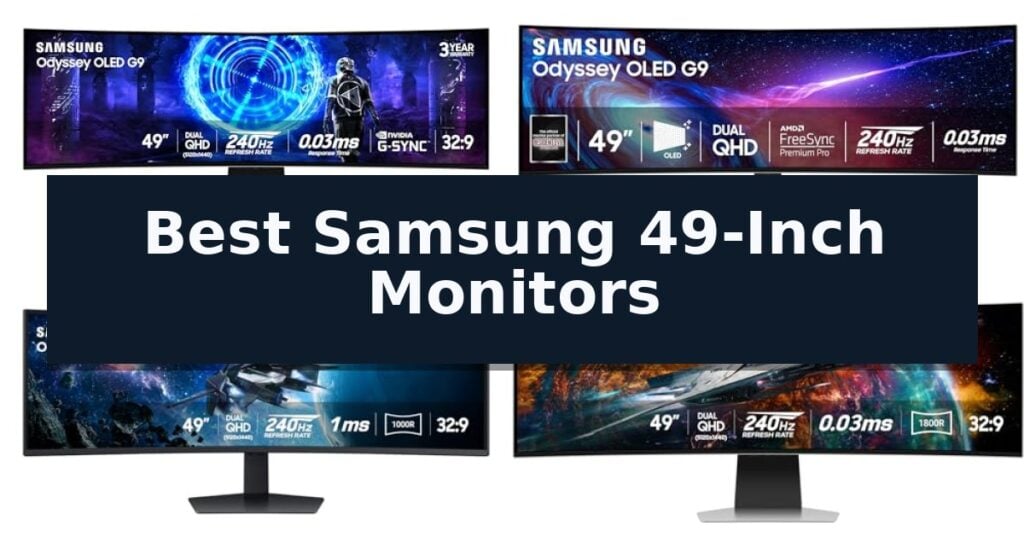
9 Best Samsung 49-Inch Monitors in 2026 Reviews
Quick Comparison
| Product | Best For | Key Strength | Score |
|---|---|---|---|
| Samsung Odyssey G9 (G95SD) Gaming Monitor | Best Overall | QD-OLED panel provides superior color vibrancy and deep black levels. | 4.9 |
| Samsung Odyssey G9 (G93SC) Gaming Monitor | Fastest OLED response times | 0.03ms (GTG) response time for near-instant reaction. | 4.5 |
| Samsung Odyssey G9 (G95SC) Gaming Monitor | High-speed 240Hz competitive edge | 1000R curvature for deep immersion and peripheral coverage | 4.5 |
| Samsung Odyssey OLED G9 Gaming Monitor | Smart features meet OLED visuals | 0.03ms response time for near-instant visual feedback. | 4.8 |
| Samsung 49" Odyssey OLED G9 (G91SD) Dual QHD QD-OLED Curved Gaming Monitor | Advanced burn-in protection tech | Advanced Thermal Modulation System for heat management | 4.5 |
| Samsung Odyssey Neo G9 Gaming Monitor | Mini-LED brightness and contrast | Mini LED Quantum Matrix technology for superior contrast and brightness. | 4.8 |
| Samsung Odyssey G9 Gaming Monitor | Immersive 1000R curved display | 1000R curvature provides an immersive, panoramic field of view. | 4.4 |
| Samsung Business Curved Ultrawide Monitor | Productivity hub with 90W charging | 90W USB-C charging simplifies cable management by powering connected devices directly. | 4.8 |
| Samsung Odyssey G9 QLED Gaming Monitor | Vibrant QLED color accuracy | 32:9 super ultra-wide screen eliminates bezel gaps. | 4.6 |
How We Chose
Evaluating the best Samsung 49-inch monitors requires a focus on how display technology impacts both visual fidelity and workflow efficiency. We analyze technical specifications like response times, brightness levels, and connectivity options to determine which models offer the most practical utility for gamers and professionals alike, ensuring each recommendation serves a distinct user need.
- Panel Technology: Evaluating the performance differences between QD-OLED and Mini-LED for contrast and brightness.
- Refresh Rate and Response Time: Assessing the capability of the display to handle fast-motion content without ghosting.
- Connectivity and Hub Features: Reviewing the availability of HDMI 2.1, DisplayPort, and USB-C power delivery for streamlined desk setups.
- Ergonomics and Mounting: Checking the flexibility of the included stand and VESA compatibility for custom arm configurations.
- Multitasking Capabilities: Analyzing Picture-by-Picture and Picture-in-Picture modes for managing multiple input sources simultaneously.
1 Samsung Odyssey G9 (G95SD) Gaming Monitor — Top-tier OLED gaming performance
The Samsung 49-Inch Odyssey G9 (G95SD) Series QD-OLED monitor redefines desktop immersion by combining a massive 32:9 aspect ratio with cutting-edge QD-OLED technology. This panel delivers a vibrant color spectrum and deep, true black levels that minimize pixel light bleed, ensuring that high-contrast gaming scenes maintain exceptional depth and clarity.
Engineered for competitive play, the display features a rapid 0.03ms response time (GtG) and a 240Hz refresh rate. These specifications, supported by HDMI 2.1 and DisplayPort connectivity, work in tandem with G-Sync compatibility and AMD FreeSync Premium Pro to eliminate screen tearing and lag during fast-paced action sequences.
The monitor addresses common environmental challenges with Glare Free technology, which maintains image integrity even in brightly lit rooms. To manage the thermal output of such a high-performance panel, Samsung integrated a Thermal Modulation System that uses predictive algorithms to automatically adjust brightness, ensuring consistent performance and longevity.
Beyond raw display power, the Samsung 49-Inch Odyssey G9 (G95SD) Series QD-OLED includes functional extras like the Gaming Hub for direct access to streaming platforms and consoles. The CoreSync & Core Lighting+ system projects on-screen colors into the surrounding environment, while SmartThings integration allows users to monitor smart home devices directly from the display interface.
Best for: Gamers and power users who require an ultra-wide, high-refresh-rate display with superior contrast and color accuracy.
Skip if: Users with limited desk space or those who prefer a traditional 16:9 aspect ratio for standard productivity tasks.
- QD-OLED panel provides superior color vibrancy and deep black levels.
- 0.03ms response time and 240Hz refresh rate for fluid motion.
- Glare Free technology reduces external light interference.
- Thermal Modulation System manages heat automatically for consistent brightness.
- Massive 49-inch footprint requires significant desk real estate.
- 32:9 aspect ratio may not be supported by all software or older games.
2 Samsung Odyssey G9 (G93SC) Gaming Monitor — Fastest OLED response times
The Samsung Odyssey G9 (G93SC) Gaming Monitor is defined by its high-performance QD-OLED panel, which achieves a rapid 0.03ms (GTG) response time. This display technology delivers deep contrast and vibrant color reproduction, further enhanced by DisplayHDR True Black 400 for precise dark-tone expression without pixel light bleed. By pairing this panel with a 240Hz refresh rate via HDMI 2.1 and DisplayPort connections, the monitor ensures motion remains fluid during high-intensity gaming sessions.
Designed for expansive visual engagement, the monitor features an 1800R curvature across its 49-inch ultrawide screen. This configuration offers a dual-quad high-definition workspace, which can be managed via Picture-by-Picture functionality to display two separate inputs at their native resolutions simultaneously. This allows users to effectively treat the single panel as two distinct monitors, providing a practical solution for multitasking or streaming setups without the visual break of a physical bezel.
To ensure fluid motion, the unit is G-Sync compatible and features FreeSync Premium Pro, which synchronizes the GPU and panel to minimize screen tearing and lag. The physical design emphasizes a modern aesthetic with a premium metal finish, measuring just 4.5mm at its thinnest point. Practical utility is further supported by Auto Source Switch+, which automatically detects and selects active input signals, and an integrated USB Hub for streamlined peripheral connectivity.
While the 49-inch footprint offers an immersive experience, it requires significant desk surface area, making it a substantial commitment for smaller workstations. The 1800R curvature is specifically engineered to wrap around the user's field of vision, which is highly effective for gaming but may present a trade-off for professional workflows requiring perfectly flat horizontal lines for precision design or drafting tasks.
Best for: Gamers and professionals requiring an expansive, high-refresh-rate ultrawide display with the color accuracy and response speed of QD-OLED technology.
Skip if: Users with limited desk space or those who prefer a traditional flat monitor layout rather than a deep 1800R curved display.
- 0.03ms (GTG) response time for near-instant reaction.
- 240Hz refresh rate paired with G-Sync and FreeSync Premium Pro.
- QD-OLED technology providing infinite contrast and deep blacks.
- Picture-by-Picture mode for efficient multi-source multitasking.
- 1800R curvature may not suit all non-gaming workflows.
- Large 49-inch footprint requires significant desk surface area.
3 Samsung Odyssey G9 (G95SC) Gaming Monitor — High-speed 240Hz competitive edge
The Samsung Odyssey G9 (G95SC) Gaming Monitor utilizes a massive 49-inch 1000R curved screen to wrap content around your field of view, providing a level of immersion that standard flat displays cannot replicate. This ultrawide form factor is designed to provide full peripheral vision, making it a distinct choice for users seeking to eliminate bezels in a multi-monitor setup.
Performance is driven by a rapid 240Hz refresh rate and a 1ms(GtG) response time, which work together to minimize ghosting and motion blur during fast-paced sequences. The integration of AMD FreeSync Premium Pro ensures that high-frame-rate gaming remains fluid and free from stuttering, while the Dual QHD resolution maintains sharp image clarity across the expansive panel.
Visual depth is enhanced by VESA DisplayHDR 1000 certification and a 1,000,000:1 contrast ratio, allowing the monitor to render bright highlights and deep shadows with high precision. For added atmosphere, the CoreSync technology projects on-screen colors into your physical environment, while Core Lighting plus provides customizable ambient illumination.
Usability features include Picture-by-Picture (PBP) and Picture-in-Picture (PIP), which allow for simultaneous input from two different sources. The Auto Source Switch plus functionality detects active devices instantly, reducing the need for manual input toggling. For long-term use, the monitor incorporates TÜV-certified eye comfort technology to reduce blue light and screen flicker, alongside an Adaptive Picture sensor that adjusts brightness based on ambient lighting conditions.
Ergonomics are managed through a versatile Hexa stand that supports height, tilt, and swivel adjustments. The chassis is also compatible with VESA standard monitor arms, offering flexible mounting options for various desk configurations.
Best for: Gamers and professionals who require a massive, immersive ultrawide workspace with high-refresh-rate performance.
Skip if: Users with limited desk space or those who prefer a traditional multi-monitor setup with distinct, separate screens.
- 1000R curvature for deep immersion and peripheral coverage
- 240Hz refresh rate with 1ms response time for fluid motion
- VESA DisplayHDR 1000 for high contrast and brightness
- PBP and PIP modes for efficient multitasking across two sources
- Large physical footprint requires significant desk space
- Ultrawide aspect ratio may not be supported by all software or games
4 Samsung Odyssey OLED G9 Gaming Monitor — Smart features meet OLED visuals
The Samsung Odyssey OLED G9 Gaming Monitor distinguishes itself through its expansive 49-inch QD-OLED panel, which utilizes an 1800R curvature to provide an immersive, ultrawide field of view equivalent to two side-by-side quad high-definition displays. This monitor is engineered for high-performance environments, leveraging the Neo Quantum Processor Pro to optimize contrast, color, and shade accuracy in real-time.
Designed for competitive gaming, the display features a rapid 240Hz refresh rate and a 0.03ms (GtG) response time. To ensure visual fluidity, it incorporates AMD FreeSync Premium Pro and is G-Sync compatible, effectively minimizing screen tearing, lag, and stuttering during fast-paced sequences. Connectivity is handled via HDMI 2.1 and DisplayPort, supporting a streamlined integration with high-end hardware.
Beyond its gaming capabilities, the monitor includes a built-in Game Bar, allowing users to adjust settings like screen ratio, HDR, and FPS without exiting their active session. The inclusion of integrated speakers helps reduce desktop clutter, while the built-in Smart TV experience enables access to streaming content via Wi-Fi, providing versatility for users who transition between gaming and media consumption.
The physical design emphasizes both aesthetics and utility, featuring an aluminum silver finish and a comprehensive USB hub for peripheral management. With its combination of advanced panel technology and smart features, this monitor serves as a centralized hub for both entertainment and high-intensity gaming tasks.
Best for: Gamers and power users who require a massive, high-refresh-rate ultrawide display with integrated smart TV functionality.
Skip if: Users with limited desk space or those who prefer a traditional multi-monitor setup with distinct, separate screens.
- 0.03ms response time for near-instant visual feedback.
- 240Hz refresh rate ensures smooth motion in fast-action scenes.
- QD-OLED panel provides superior contrast and true black levels.
- Integrated Smart TV features allow for streaming without a PC.
- Large physical footprint requires significant desk space.
- 1800R curvature may not be preferred for professional graphic design work.
5 Samsung 49" Odyssey OLED G9 (G91SD) Dual QHD QD-OLED Curved Gaming Monitor — Advanced burn-in protection tech
The Samsung 49" Odyssey OLED G9 (G91SD) Dual QHD QD-OLED Curved Gaming Monitor distinguishes itself through an advanced Thermal Modulation System that utilizes internal algorithms to predict surface temperatures and adjust brightness, effectively managing heat output during extended gaming sessions.
This monitor features a massive 32:9 aspect ratio with a Dual QHD (5120 x 1440) resolution, providing a wide workspace that functions as a seamless alternative to dual-monitor setups. The QD-OLED technology ensures deep, infinite black levels and a vibrant color spectrum, while the 110 pixels per inch density maintains image clarity across the expansive 49-inch curved panel.
Performance is prioritized with a 0.03ms response time and a 144Hz refresh rate, designed to minimize motion blur and input lag. Compatibility with G-Sync and AMD FreeSync Premium Pro further stabilizes the visual output by synchronizing the GPU and panel to prevent screen tearing and choppiness during high-frame-rate action.
To address the longevity concerns common with OLED displays, the monitor includes dedicated Logo & Taskbar Detection that automatically dims static elements to mitigate burn-in risks. A built-in Screen Saver function also triggers after 10 minutes of inactivity, ensuring the panel remains protected when not in active use.
The integrated Picture-in-Picture functionality allows for efficient multitasking, enabling users to view secondary content alongside their primary game. The included Ergonomic Stand provides necessary flexibility, allowing for tilt adjustments to achieve optimal viewing angles for different desk configurations.
Best for: Gamers and professionals who require a massive, ultra-wide display with high-speed performance and integrated burn-in protection features.
Skip if: Users with limited desk space or those who prefer a traditional 16:9 aspect ratio for their primary monitor setup.
- Advanced Thermal Modulation System for heat management
- 0.03ms response time for high-speed gaming
- Logo & Taskbar Detection to prevent burn-in
- Dual QHD resolution on a 32:9 ultra-wide screen
- Large physical footprint requires significant desk space
- OLED technology necessitates active burn-in prevention features
6 Samsung Odyssey Neo G9 Gaming Monitor — Mini-LED brightness and contrast
The Samsung Odyssey Neo G9 Gaming Monitor utilizes Mini LED Quantum Matrix technology to achieve a significant increase in dimming zones and luminance, providing deep blacks and bright whites for a highly detailed visual experience. Designed to match the curve of the human eye, this 49-inch display offers an expansive 32:9 aspect ratio that effectively replaces a dual-monitor setup while minimizing eye strain during extended use.
Performance is driven by a rapid 240Hz refresh rate and a 1ms (GTG) response time, ensuring fluid motion and immediate feedback for competitive gaming. The monitor integrates both NVIDIA G-SYNC and AMD FreeSync Premium Pro support to synchronize frame rates with your graphics card, reducing screen tearing and stuttering during intensive gameplay.
For visual fidelity, the display features Quantum HDR2000, which provides high levels of brightness to reveal intricate details in dark and light scenes. The unit is built for versatility, featuring height, swivel, and tilt adjustments, alongside VESA mounting compatibility to suit various desktop configurations.
Connectivity options include two USB ports and HDMI 2.1, supporting modern hardware requirements. The monitor also incorporates Infinity Core lighting for a distinct aesthetic, while the 178-degree viewing angle ensures consistent image quality from various positions.
Best for: Gamers and professionals seeking an ultra-wide, high-refresh-rate display with advanced HDR capabilities and deep contrast for immersive tasks.
Skip if: Users with limited desk space or those who prefer a traditional flat-panel display will find the extreme 49-inch curvature and large footprint impractical.
- Mini LED Quantum Matrix technology for superior contrast and brightness.
- 240Hz refresh rate and 1ms response time for fluid motion.
- 32:9 ultra-wide aspect ratio provides massive screen real estate.
- Comprehensive ergonomic adjustments including height, swivel, and tilt.
- Large physical footprint requires significant desk space.
- Extreme curvature may not be suitable for all professional design workflows.
7 Samsung Odyssey G9 Gaming Monitor — Immersive 1000R curved display
Achieving a truly immersive workstation or gaming setup often requires maximizing screen real estate without the clutter of multiple bezels. The Samsung Odyssey G9 Gaming Monitor addresses this by utilizing a massive 49-inch, 1000R curved display that provides a panoramic 32:9 aspect ratio, effectively replacing a dual-monitor configuration.
This monitor is engineered for high-performance visual clarity and fluid motion. It features a 144Hz refresh rate and a 1ms response time, which work in tandem to minimize lag during fast-paced sequences. To further enhance visual fidelity, the unit supports DisplayHDR 600, providing deeper contrast and more distinct detail in both bright and shadowed areas of the screen.
For users who prioritize multitasking, the Samsung Odyssey G9 Gaming Monitor includes integrated software features like Picture-in-Picture, allowing for simultaneous content management without needing an external display. The Auto Source Switch+ technology adds convenience by automatically detecting and connecting to active devices as soon as they are powered on, streamlining the transition between different inputs.
The physical design emphasizes both utility and comfort. The monitor is equipped with an ergonomic stand that allows for tilt adjustments, ensuring the screen can be positioned for optimal viewing angles. While the ultra-wide format offers significant benefits for productivity and gaming, users should ensure their desk space can accommodate the 45.18-inch width of this unit before installation.
Best for: Gamers and professionals who require an expansive, ultra-wide workspace to replace multiple monitors with a single, seamless curved display.
Skip if: Users with limited desk width or those who prefer a standard 16:9 aspect ratio for their primary computing tasks.
- 1000R curvature provides an immersive, panoramic field of view.
- 144Hz refresh rate and 1ms response time ensure smooth motion.
- DisplayHDR 600 enhances contrast and shadow detail.
- Picture-in-Picture functionality enables efficient multitasking.
- Large 45.18-inch width requires significant desk space.
- Ultra-wide 32:9 aspect ratio may not be supported by all software applications.
8 Samsung Business Curved Ultrawide Monitor — Productivity hub with 90W charging
The Samsung Business Curved Ultrawide Monitor (LS49C954UANXZA) functions as both a expansive display and a centralized docking station, designed to streamline complex workflows. Its 49-inch 1000R curved panel features a 32:9 aspect ratio, providing a wide field of view that mimics natural sightlines to reduce eye strain during extended work sessions.
Connectivity is a primary focus for this model, which includes a USB Type-C port capable of 90W charging, alongside DisplayPort and dual HDMI inputs. By acting as a hub, it allows users to reduce cable clutter on their desks while maintaining a high-bandwidth connection to peripherals and workstations.
For tasks requiring fluid motion, the monitor offers a 120Hz refresh rate, which minimizes lag during scrolling and provides smoother visual transitions. The inclusion of VESA DisplayHDR 400 support ensures refined contrast, allowing for distinct separation between deep blacks and bright whites, which is beneficial for design and video editing projects.
The integrated speakers eliminate the need for external audio peripherals, further contributing to a minimalist workspace. The unit is supported by a height-adjustable stand, allowing for ergonomic positioning to match individual desk setups.
Best for: Professionals who require a massive, immersive workspace and a built-in docking hub to minimize desk clutter.
Skip if: Users who prefer a multi-monitor setup with physical bezels between screens or those with limited desk space for a 45-inch wide display.
- 90W USB-C charging simplifies cable management by powering connected devices directly.
- 1000R curvature provides an immersive, wide-angle view that matches the human field of vision.
- 120Hz refresh rate ensures smooth scrolling and responsive visual performance.
- Built-in speakers reduce the need for extra peripheral clutter on the desk.
- Large physical footprint requires significant desk space due to its 45.18-inch width.
- Integrated audio may not match the fidelity of dedicated external sound systems.
9 Samsung Odyssey G9 QLED Gaming Monitor — Vibrant QLED color accuracy
Maximizing screen real estate for professional multitasking or immersive gaming is simplified with the Samsung Odyssey G9 QLED Gaming Monitor, which features a massive 49-inch display with a 32:9 super ultra-wide aspect ratio. This expansive panel effectively replaces the need for a dual-monitor setup, providing a seamless, uninterrupted workspace that supports complex workflows and wide-field gaming environments.
Visual fidelity is driven by Dual QHD resolution and QLED technology, which enables the display to cover up to 125% of the sRGB color space and 95% of the DCI spectrum. With support for 1.07 billion colors, the monitor produces vivid, accurate imagery, while HDR 1000 and a peak brightness of 1000 nits ensure high contrast between light and dark scenes for enhanced depth.
Performance-focused users benefit from a 240Hz refresh rate and a 1ms response time, which work in tandem with G-Sync compatibility to minimize motion blur and input lag. These specifications ensure fluid motion during fast-paced content, maintaining clarity even in dynamic scenarios.
Designed for sustained use, the monitor features a curved screen that helps maintain focus and reduces eye strain by keeping content within a comfortable viewing distance. The package includes a fully adjustable desk mount, allowing for precise positioning to suit various ergonomic preferences and desk configurations.
Best for: Users who require an expansive, ultra-wide display for seamless multitasking or high-refresh-rate gaming without the bezel gap of dual-monitor setups.
Skip if: Users with limited desk depth or width, as the 49-inch curved form factor requires significant surface area for proper placement and viewing distance.
- 32:9 super ultra-wide screen eliminates bezel gaps.
- 240Hz refresh rate and 1ms response time for fluid visuals.
- QLED technology provides a wide color gamut and 1.07 billion colors.
- Included adjustable desk mount for versatile ergonomic positioning.
- Large physical footprint requires substantial desk space.
- Curved design may not be ideal for tasks requiring perfectly straight lines across the entire display.
Best Samsung 49-Inch Monitors Buying Guide
OLED vs. Mini-LED Performance
OLED technology, found in models like the Odyssey G9 (G95SD), provides self-emissive pixels that produce true blacks and infinite contrast ratios. This is ideal for dark-room gaming and media consumption where depth and color accuracy are paramount.
Mini-LED displays, such as the Odyssey Neo G9, utilize thousands of dimming zones to achieve significantly higher peak brightness. These monitors are better suited for well-lit offices or rooms with significant ambient light, as they can overcome glare more effectively.
Refresh Rates for Competitive Play
A 240Hz refresh rate is the current standard for high-end gaming monitors, ensuring that fast-moving objects remain sharp and fluid. This high frame rate is critical for competitive titles where every millisecond of reaction time matters.
For users who prioritize productivity over high-speed gaming, a 120Hz or 144Hz refresh rate is often sufficient. These lower refresh rates still provide a smooth desktop experience while allowing manufacturers to focus on other features like color depth and port variety.
Connectivity and Desk Management
Modern 49-inch ultrawide monitors often act as a central hub for your workspace. Look for models that include USB-C with power delivery, which allows you to charge a laptop and transmit video signals through a single cable.
HDMI 2.1 and DisplayPort are essential for gamers wanting to utilize the full bandwidth of their graphics cards. Ensure your chosen model has the specific port versions required to support the monitor's native resolution and maximum refresh rate.
Ergonomics and Setup Considerations
Given the sheer width of these displays, the included stand must be robust. Most Samsung 49-inch models offer height, tilt, and swivel adjustments to help you find a comfortable viewing angle that reduces neck strain.
If you prefer a cleaner desk, check for VESA mounting compatibility. Because these monitors are heavy and wide, you will need a heavy-duty monitor arm specifically rated for the weight and curvature of a 49-inch ultrawide screen.
Multitasking and Screen Real Estate
The 32:9 aspect ratio is equivalent to two 27-inch monitors side-by-side without the central bezel. This layout is perfect for managing multiple applications, such as video editing timelines or complex spreadsheets.
Picture-by-Picture (PBP) and Picture-in-Picture (PIP) features allow you to connect two different devices to the same monitor. This is useful for users who need to monitor a secondary system or console while working on their primary computer.
Frequently Asked Questions
Do I need a special monitor arm for a 49-inch monitor?
Yes, standard monitor arms are often not strong enough to support the weight and extreme curvature of 49-inch ultrawide displays. You must use a heavy-duty arm specifically rated for the weight of your model.
Can I use a 49-inch monitor for office work?
Absolutely. The 32:9 aspect ratio provides massive screen real estate, which is excellent for multitasking, managing multiple windows, and viewing wide timelines in creative software.
Is burn-in a concern for OLED 49-inch monitors?
OLED panels are susceptible to burn-in if static images are displayed for long periods. Many Samsung models include built-in features like logo detection and automatic screen dimming to mitigate this risk.
What is the difference between Dual QHD and standard resolutions?
Dual QHD (5120 x 1440) provides the resolution of two 1440p monitors combined. It offers high pixel density, ensuring that text and images remain sharp across the entire width of the screen.
Do these monitors work with game consoles?
Yes, but consoles may not support the full 32:9 aspect ratio, which can result in black bars on the sides. You should check if your specific console supports ultrawide output before purchasing.
Conclusion: Our Top Pick
Our top pick is Samsung Odyssey G9 (G95SD) Gaming Monitor. Choosing the right 49-inch monitor comes down to your specific environment and primary usage. If you are a competitive gamer, the near-instant response times of the OLED models offer a clear advantage. For those working in bright offices, the high-brightness capabilities of Mini-LED options are often more practical.
Regardless of the panel type, ensure your desk setup can accommodate the physical footprint of these wide displays. By prioritizing connectivity and ergonomic support, you can create a highly efficient and immersive workstation that serves both your professional and entertainment needs.