Samsung Odyssey Neo G9 Gaming Monitor is our pick for the Best Samsung LED Monitor because it utilizes advanced Quantum Matrix technology to deliver exceptional contrast and brightness through its massive dual-UHD display.
Selecting a monitor requires balancing your primary use case, whether that involves high-speed competitive gaming or professional-grade color accuracy. Samsung offers a diverse range of panels, from ultra-wide curved screens designed for immersion to flat, high-resolution displays built for office productivity.
When evaluating these displays, consider how factors like refresh rate, panel type, and connectivity impact your daily workflow. An experienced buyer should prioritize screen real estate and ergonomic flexibility to ensure long-term comfort during extended sessions.
If you are specifically looking for gaming-focused hardware, our guide to the Best Samsung Gaming Monitors provides a detailed breakdown of high-refresh-rate options. For users who prioritize screen size above all else, the Best Samsung 49-Inch Monitors guide covers our top recommendations for ultra-wide setups.
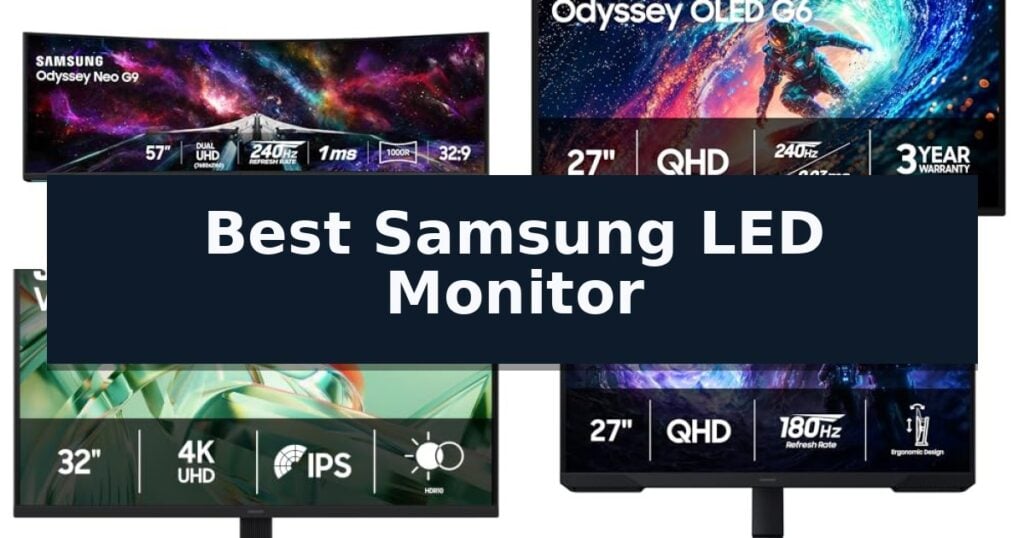
10 Best Samsung LED Monitor in 2026 Reviews
Quick Comparison
| Product | Best For | Key Strength | Score |
|---|---|---|---|
| Samsung Odyssey Neo G9 Gaming Monitor | Best Overall | Dual UHD resolution provides a massive, seamless workspace. | 4.9 |
| Samsung Odyssey OLED G6 Gaming Monitor | Precision Speed for Competitive Play | 0.03ms response time for high-speed gaming precision. | 4.9 |
| Samsung ViewFinity S7 4K Monitor | Professional Clarity and Detail | 4K UHD resolution provides high pixel density for detailed professional work. | 4.9 |
| Samsung Odyssey G5 Gaming Monitor | Smooth QHD Action | 180Hz refresh rate and 1ms response time for smooth motion. | 4.8 |
| Samsung S32B304 Flat Monitor | Expansive Borderless Workspace | Three-sided borderless design for seamless multi-monitor setups. | 4.4 |
| Samsung Essential S3 Curved Monitor | Immersive Viewing Comfort | 1800R curved design for enhanced immersion and depth perception. | 4.8 |
| Samsung Essential G3 Gaming Monitor | Fast Response for Daily Gaming | 144Hz refresh rate and 1ms response time for smooth motion. | 4.3 |
| Samsung S3 Series FHD Monitor | Vivid Colors for Everyday Tasks | 120Hz refresh rate for smooth motion and reduced blur. | 4.9 |
| Samsung S30GD Business Essential Monitor | Sleek Design for Modern Offices | 100Hz refresh rate for smoother motion and reduced lag. | 4.7 |
| Samsung S30GD Essential Monitor | Compact Productivity Solution | IPS panel provides consistent color and wide viewing angles. | 4.7 |
How We Chose
Evaluating the best Samsung LED monitor requires a focus on how specific panel technologies translate into real-world performance. We examine technical specifications like refresh rates and dimming zones to determine which displays provide the most consistent, high-quality output for gaming, creative work, or general office tasks.
- Display resolution and pixel density for visual clarity
- Refresh rate and response time for motion smoothness
- Panel technology and color accuracy for content fidelity
- Ergonomic adjustments including height, tilt, and swivel
- Connectivity options such as HDMI 2.1 and DisplayPort 2.1
1 Samsung Odyssey Neo G9 Gaming Monitor — Ultimate Ultra-Wide Immersion
The Samsung 57" Odyssey Neo G9 (G95NC) redefines desktop immersion by introducing the world's first Dual UHD monitor resolution. This massive 57-inch display effectively replaces a dual-monitor setup with a single, seamless 1000R curved panel, providing a wide field of view that wraps around the user for a more intense visual experience.
Engineered for high-performance gaming, the monitor features a 240Hz refresh rate and a 1ms (GTG) response time, supported by DisplayPort 2.1 connectivity to ensure high-bandwidth data transmission. The integration of AMD FreeSync Premium Pro works to eliminate stuttering and tearing during fast-paced sequences, maintaining visual clarity even in complex scenes.
Picture quality is driven by Quantum Matrix Technology, which utilizes Quantum Mini LEDs across 2,392 local dimming zones. This architecture, paired with VESA DisplayHDR 1000 certification, delivers a 1,000,000:1 contrast ratio and 1,000 nits of peak brightness, allowing for deep black levels and precise highlight control. The display also includes CoreSync and Core Lighting plus, which synchronize on-screen colors with the ambient lighting behind the monitor.
Designed for versatility, the monitor includes an ergonomic stand that supports height, tilt, and swivel adjustments, while maintaining compatibility with VESA-standard arms. Users can manage multiple inputs via Picture-by-Picture (PBP) and Picture-in-Picture (PIP) modes, allowing for simultaneous viewing from two distinct sources without sacrificing native resolution.
Best for: Hardcore gamers and power users who require a massive, high-resolution, ultra-wide workspace for immersive gaming or multi-source multitasking.
Skip if: Users with limited desk space or those who prefer a standard flat-panel display will find the 57-inch curved form factor and significant physical footprint impractical.
- Dual UHD resolution provides a massive, seamless workspace.
- 240Hz refresh rate and 1ms response time for competitive gaming.
- Quantum Matrix Technology with 2,392 local dimming zones for superior contrast.
- DisplayPort 2.1 support for high-bandwidth connectivity.
- Large physical footprint requires significant desk space.
- 1000R curvature may not suit professional tasks requiring strict geometric accuracy.
2 Samsung Odyssey OLED G6 Gaming Monitor — Precision Speed for Competitive Play
The Samsung Odyssey OLED G6 Gaming Monitor prioritizes visual fidelity and responsiveness for competitive gaming through its advanced QD-OLED display technology. By integrating a high-speed 240Hz refresh rate with an ultra-fast 0.03ms response time, this 27-inch monitor is engineered to minimize motion blur and input lag during fast-paced gameplay.
To maintain image quality over time, the monitor includes OLED Safeguard technology, which utilizes a thermal modulation system to actively manage heat and prevent burn-in. The screen is also Pantone Validated, ensuring accurate reproduction of over 2,100 colors and 110 skin tones, while HDR10 support enhances depth by providing nuanced shadows and brighter highlights.
Usability is addressed through a highly adjustable ergonomic stand that allows for pivoting, tilting, and swiveling to suit various desk setups. The display also features Glare-Free Technology, which is specifically designed to maintain screen clarity by reducing reflections from external light sources, ensuring consistent visibility in different lighting environments.
For connectivity and smooth performance, the monitor incorporates AMD FreeSync Premium to synchronize the display with your hardware, effectively reducing screen tearing and choppiness. This combination of high-end panel technology and practical ergonomic design makes it a specialized tool for users who require both color accuracy and high-speed motion handling.
Best for: Competitive gamers who require ultra-low latency and high color accuracy in a 27-inch form factor.
Skip if: Users who require a larger screen size or a 4K resolution for professional video editing or productivity tasks.
- 0.03ms response time for high-speed gaming precision.
- OLED Safeguard technology to help prevent burn-in.
- Glare-Free Technology for improved visibility in bright rooms.
- Pantone Validated color accuracy for lifelike visuals.
- QHD resolution may not meet the needs of users requiring 4K clarity.
3 Samsung ViewFinity S7 4K Monitor — Professional Clarity and Detail
Achieving precise visual clarity for professional workflows often requires a display that balances high resolution with color accuracy. The Samsung 32" ViewFinity S7 (S71H) 4K UHD IPS HDR10 High Resolution Monitor addresses this by providing a 3840 x 2160 resolution that delivers significant screen space for managing complex diagrams, intricate designs, and multi-window multitasking.
This monitor utilizes an IPS panel paired with HDR10 technology, which optimizes contrast to produce a wide gamut of over 1 billion colors. By rendering deeper blacks and more vibrant highlights, the display ensures that visual content maintains high fidelity, making it a functional choice for those who prioritize color representation in their daily tasks.
Connectivity is streamlined through dedicated HDMI and DP ports, allowing for a straightforward integration into existing professional setups. Beyond its display capabilities, the monitor includes Eye Saver Mode, which is certified by TÜV to minimize blue light and reduce screen flickering, aiming to alleviate visual fatigue during extended periods of use.
For those who shift between professional applications and entertainment, the inclusion of Game Mode provides a quick adjustment to color and contrast settings. This feature enhances scene clarity, ensuring that details remain visible even during dynamic content playback, rounding out a versatile tool for varied digital environments.
Best for: Professionals and creators who require a high-resolution 4K workspace with color-accurate HDR10 support for detailed design and multitasking.
Skip if: Users who require specialized ergonomic stands with height-adjustable or pivot capabilities, as this model focuses on standard panel performance.
- 4K UHD resolution provides high pixel density for detailed professional work.
- HDR10 support delivers a wide gamut of over 1 billion accurate colors.
- Eye Saver Mode is TÜV certified to reduce eye strain and flickering.
- IPS panel technology ensures consistent color representation across the display.
- Limited ergonomic adjustment information suggests a focus on fixed-position desktop use.
- No integrated speakers mentioned in the feature set, requiring external audio solutions.
4 Samsung Odyssey G5 Gaming Monitor — Smooth QHD Action
The Samsung 27" Odyssey G5 (G51F) Series QHD Gaming Monitor prioritizes visual clarity and fluid motion for competitive gaming environments. By utilizing a QHD resolution (2560 x 1440), it delivers 1.7 times the pixel density of standard Full HD displays, ensuring that textures and fine details remain sharp during intense gameplay.
Performance is anchored by a high 180Hz refresh rate and a rapid 1ms response time, which work in tandem to minimize motion blur and input lag. To further stabilize the visual output, the monitor integrates AMD FreeSync technology, effectively reducing screen tearing and stuttering during fast-paced, complex in-game sequences.
For users who require specific visibility adjustments, the Black Equalizer feature allows for manual tuning of dark areas, helping to reveal hidden details in shadows. The inclusion of HDR10 support enhances the overall depth of the image by providing a wider contrast range, resulting in more vivid highlights and nuanced shadows.
The physical design emphasizes user comfort through an ergonomic stand that supports tilt, pivot, and height adjustments. Additionally, the Auto Source Switch+ functionality streamlines connectivity by automatically detecting and switching to active input devices, reducing the need for manual menu navigation.
Best for: Gamers who require high refresh rates and sharp QHD resolution for fast-paced, competitive titles.
Skip if: Users who require a 4K resolution display or a larger screen size for professional creative work.
- 180Hz refresh rate and 1ms response time for smooth motion.
- QHD resolution provides high pixel density for detailed imagery.
- Ergonomic stand allows for versatile height, tilt, and pivot adjustments.
- Black Equalizer improves visibility in dark game environments.
- Limited to 27-inch size, which may not suit users needing larger workspace real estate.
5 Samsung S32B304 Flat Monitor — Expansive Borderless Workspace
The Samsung S32B304 Flat Monitor prioritizes a clean, modern workspace through its three-sided borderless design. This aesthetic choice allows for a virtually gapless transition when using multiple displays, minimizing visual distractions during extended work sessions.
Engineered for fluid motion, the monitor features a 75Hz refresh rate that facilitates smooth frame transitions, effectively reducing lag during presentations or casual gaming. To further enhance visual clarity, AMD FreeSync technology synchronizes the display with your graphics card to eliminate image tearing and stuttering.
Gamers can utilize the integrated Game Mode, which optimizes contrast and color settings to improve visibility in darker environments. This feature ensures that details remain sharp, providing a clearer view of on-screen action without requiring manual calibration.
Prioritizing user comfort, the device includes Advanced Eye Care technology. This suite consists of Flicker Free engineering to remove screen oscillation and an Eye Saver Mode designed to minimize blue light emissions, helping to reduce eye strain during long periods of use.
Connectivity is handled via HDMI and DisplayPort inputs, ensuring compatibility with a wide range of hardware. With its 32-inch screen, this monitor balances an expansive viewing area with a functional design suitable for professional and personal computing tasks.
Best for: Users seeking an expansive, borderless display for multi-monitor productivity and casual gaming with integrated eye-comfort features.
Skip if: Users who require a high-refresh-rate panel above 75Hz for competitive gaming or those with limited desk space who cannot accommodate a 32-inch footprint.
- Three-sided borderless design for seamless multi-monitor setups.
- 75Hz refresh rate provides smoother motion than standard 60Hz panels.
- AMD FreeSync support reduces screen tearing.
- Advanced Eye Care features including flicker-free and blue light reduction.
- 32-inch size may be too large for compact workspaces.
- 75Hz refresh rate is not optimized for high-end competitive gaming.
6 Samsung Essential S3 Curved Monitor — Immersive Viewing Comfort
The Samsung 27" Essential S3 (S36GD) Series FHD 1800R Curved Computer Monitor is engineered to provide an immersive workspace through its 1800R curvature, a design choice that mimics the natural arc of the human eye. By wrapping the display around your field of vision, this monitor enhances depth perception and helps minimize peripheral distractions, making it a practical solution for users who need to maintain focus during long periods of creative work or general productivity.
Performance is anchored by a 100Hz refresh rate, which offers a smoother visual experience compared to standard 60Hz panels. This higher refresh rate is particularly beneficial for reducing motion blur and lag during fast-paced video playback or gaming sessions. To further support gamers, the monitor includes a dedicated Game Mode that allows users to optimize color and image contrast, helping to reveal hidden details in darker scenes that might otherwise be missed.
Prioritizing user well-being, the display incorporates Advanced Eye Comfort technology. This feature is TÜV-certified to minimize blue light emissions and reduce screen flicker, which can help mitigate eye fatigue during extended computing sessions. The monitor's physical footprint, measuring 24.5 inches in width and 18.4 inches in height, provides a balanced size that fits well on most standard desks without overwhelming the workspace.
Connectivity is managed via integrated HDMI and D-sub ports, offering direct compatibility with a variety of hardware setups. While this selection supports standard connectivity needs, users with complex multi-device configurations may find the port variety more limited compared to professional-grade monitors that include additional USB or DisplayPort options. This trade-off is important to consider if your workflow requires multiple high-speed data connections simultaneously.
Best for: Users seeking an immersive, curved display for a mix of gaming, creative work, and general productivity.
Skip if: Users requiring ultra-high resolution or professional-grade color accuracy for specialized graphic design work.
- 1800R curved design for enhanced immersion and depth perception.
- 100Hz refresh rate for smoother motion in games and videos.
- TÜV-certified eye comfort features to reduce strain.
- Dedicated Game Mode for improved contrast and visibility.
- Limited port selection compared to high-end professional monitors.
7 Samsung Essential G3 Gaming Monitor — Fast Response for Daily Gaming
The Samsung 27" Essential G3 (G31H) FHD 144Hz Monitor leverages an IPS panel to deliver consistent color accuracy and brightness across the entire display, regardless of your viewing angle. This design choice ensures that users experience sharp, clear visuals whether they are working on detailed projects or engaging in entertainment.
Engineered for fluid movement, the monitor features a 144Hz refresh rate paired with a 1ms response time (MPRT). These specifications work in tandem to minimize motion blur and lag, providing a responsive experience during fast-paced screen activity. To further refine performance, the inclusion of AMD FreeSync and Variable Refresh Rate (VRR) technology synchronizes the panel with your GPU to eliminate screen tearing and choppiness.
Usability is prioritized through integrated features like Eye Saver Mode and Less Screen Flickering, which are designed to reduce blue light emissions and minimize visual fatigue during extended sessions. The Game Mode allows for quick, on-the-fly adjustments to contrast and color settings, ensuring the display adapts to specific content requirements.
Connectivity is streamlined via dedicated HDMI and DP ports, facilitating an easy setup for various peripherals. With dimensions of approximately 24.09 inches in width and 18.2 inches in height, the monitor offers a balanced footprint for most desk configurations, supported by a one-year manufacturer warranty.
Best for: Gamers and professionals seeking a responsive, high-refresh-rate display with consistent color reproduction across wide viewing angles.
Skip if: Users requiring higher than 1080p resolution or specialized color-accurate displays for professional-grade graphic design work.
- 144Hz refresh rate and 1ms response time for smooth motion.
- IPS panel technology ensures consistent color and clarity.
- AMD FreeSync support reduces image tearing and stuttering.
- Eye Saver Mode helps minimize eye strain.
- FHD resolution may not satisfy users requiring 4K or higher pixel density.
- Limited ergonomic adjustments compared to premium professional-grade stands.
8 Samsung S3 Series FHD Monitor — Vivid Colors for Everyday Tasks
The Samsung 27" S3 (S32GF) Series FHD High Resolution Monitor distinguishes itself with a high 120Hz refresh rate, designed to minimize lag and motion blur during fast-paced gaming or creative workflows. This display prioritizes visual clarity through an IPS panel that maintains consistent color accuracy and brightness even when viewed from off-center angles.
Beyond its performance capabilities, the monitor incorporates Eye Saver Mode and flicker-free technology to reduce visual strain during extended usage. These features are complemented by optimized game settings, which allow users to adjust contrast and image settings on the fly to improve visibility in dark scenes or ensure content fills the screen correctly.
Aesthetically, the monitor features a super slim design with ultra-thin bezels, offering a modern look that integrates easily into various desk setups. Its lightweight construction makes it a versatile addition to any workspace, while the integrated connectivity options allow users to plug devices directly into the monitor for a more streamlined environment.
For those seeking a balance between utility and visual performance, this model offers a practical solution for daily computing tasks. By combining high-refresh-rate fluidity with eye-comfort features, it addresses the needs of users who transition frequently between professional projects and entertainment.
Best for: Users who require a smooth visual experience for a mix of gaming, video consumption, and creative work in a modern, space-conscious setup.
Skip if: Users who require a higher resolution than 1080p (FHD) for professional-grade photo editing or high-density text work.
- 120Hz refresh rate for smooth motion and reduced blur.
- IPS panel technology ensures vivid colors and wide viewing angles.
- Eye Saver Mode and flicker-free technology for reduced eye fatigue.
- Ultra-thin bezels provide a sleek, modern aesthetic.
- FHD (1080p) resolution may be insufficient for users needing high pixel density on a 27-inch screen.
9 Samsung S30GD Business Essential Monitor — Sleek Design for Modern Offices
The Samsung S30GD Business Essential Monitor prioritizes workflow efficiency through its integrated 100Hz refresh rate, which significantly reduces motion blur and lag compared to standard 60Hz displays. This 27-inch monitor is engineered for professional environments where clarity and smooth performance are essential for daily productivity.
Equipped with an IPS Panel, this display ensures consistent color accuracy and wide viewing angles, minimizing color washing during collaborative tasks. The ultra-thin border bezels maximize the active screen area, contributing to a clean, modern aesthetic that fits well in minimalist office setups.
For users who spend extended periods at their desks, the Eye Saver Mode is a critical inclusion. It actively reduces blue light emissions and screen flicker to help maintain visual comfort throughout the workday. Additionally, the monitor features a dedicated Game Picture Mode that allows for instant adjustments to color and image contrast, providing versatility beyond standard business applications.
Connectivity is streamlined through multiple ports, allowing users to plug in various devices directly to the monitor without complex cable management. The super-slim, ergonomic design ensures the unit occupies minimal desk space while maintaining a professional appearance suitable for any modern workspace.
Best for: Professionals and office users seeking a high-refresh-rate display that balances productivity features with eye-comfort technology.
Skip if: Users requiring specialized color-critical professional editing or those needing a higher resolution than standard 1080p for detailed graphic design work.
- 100Hz refresh rate for smoother motion and reduced lag.
- IPS Panel technology provides wide viewing angles and vivid color reproduction.
- Eye Saver Mode reduces blue light and flicker for long-term comfort.
- Ultra-thin bezels maximize screen real estate and offer a modern look.
- Standard resolution may not satisfy users requiring 4K or higher pixel density.
- Limited ergonomic adjustments compared to premium professional-grade stands.
10 Samsung S30GD Essential Monitor — Compact Productivity Solution
Achieving a clean, modern workspace often starts with the display, and the Samsung S30GD Essential Monitor offers a streamlined solution for those prioritizing a clutter-free desk. With its super-slim design and ultra-thin border bezels, this 22-inch display is built to integrate into compact environments while providing a professional aesthetic.
Beyond its physical profile, the monitor utilizes an IPS panel to ensure consistent color representation across the screen, even when viewed from varying angles. This technology helps maintain brightness and clarity, reducing the color washing often found in standard displays. For users who switch between work tasks and entertainment, the 100Hz refresh rate provides smoother motion, effectively reducing lag and blur during video playback or creative projects.
The Samsung S30GD Essential Monitor includes integrated features designed for extended use, such as Advanced Eye Care technology. By reducing screen flicker and blue light, it aims to support comfort during long sessions. Additionally, the inclusion of Game Mode allows users to instantly adjust image contrast and color settings to enhance visibility in various scenes.
Connectivity and setup are straightforward, allowing users to plug devices directly into the monitor for increased flexibility. While the unit features a tilt-only stand, its lightweight construction makes it a practical addition to a variety of desk setups where space is at a premium.
Best for: Users seeking a compact, modern display for general productivity and light gaming who prioritize a slim, bezel-less aesthetic.
Skip if: Users who require advanced ergonomic adjustments like height, swivel, or pivot, or those needing a larger screen size for professional design work.
- IPS panel provides consistent color and wide viewing angles.
- 100Hz refresh rate offers smoother motion than standard 60Hz monitors.
- Super-slim design with thin bezels saves desk space.
- Advanced Eye Care features reduce flicker and blue light.
- Tilt-only stand lacks height, swivel, or pivot adjustments.
- 22-inch size may be too small for users requiring extensive multitasking screen real estate.
Best Samsung LED Monitor Buying Guide
Understanding Panel Technology
Samsung utilizes several panel types, including IPS, VA, and QD-OLED, each offering distinct advantages. IPS panels are generally favored for consistent color reproduction and wide viewing angles, making them ideal for design work.
Conversely, VA panels often provide superior contrast ratios, which benefit dark-room gaming and media consumption. Choosing the right panel depends on whether your priority is color precision or deep, immersive black levels.
Refresh Rates and Motion Clarity
For gamers, the refresh rate is a critical metric that dictates how fluidly on-screen action appears. Higher refresh rates, such as 240Hz, significantly reduce motion blur and input lag during fast-paced competitive titles.
If your usage is primarily office-based or involves static content, a standard 75Hz or 100Hz refresh rate is sufficient. These lower rates provide smooth navigation without the hardware demands of high-performance gaming monitors.
Resolution and Screen Real Estate
Resolution determines the amount of detail and workspace available on your monitor. A 4K UHD display offers high pixel density for sharp text and intricate imagery, which is beneficial for professional multitasking.
For those who prefer ultra-wide setups, dual-UHD or QHD resolutions provide expansive horizontal space. This allows you to manage multiple windows or applications simultaneously without the need for a secondary monitor.
Ergonomics and Workspace Setup
An ergonomic stand is essential for maintaining comfort during long periods of use. Look for monitors that offer height, tilt, and swivel adjustments to align the screen perfectly with your line of sight.
If you have limited desk space, consider monitors with thin bezels or VESA compatibility. This allows you to mount the display on an arm, freeing up valuable surface area while maintaining a clean, modern aesthetic.
Connectivity and Compatibility
Ensure your monitor has the necessary ports to support your devices, such as HDMI 2.1 or DisplayPort 2.1 for high-bandwidth applications. These connections are vital for achieving maximum resolution and refresh rates.
Additional features like built-in USB hubs can simplify your cable management by allowing you to connect peripherals directly to the monitor. Always verify that your computer's graphics output matches the monitor's input capabilities.
Frequently Asked Questions
What is the difference between an IPS and a VA panel?
IPS panels typically offer better color accuracy and wider viewing angles, while VA panels are known for higher contrast ratios and deeper blacks.
Do I need a high refresh rate for office work?
No, a standard 60Hz to 100Hz refresh rate is perfectly adequate for office productivity and general web browsing.
How does resolution affect my computer's performance?
Higher resolutions like 4K require more graphical processing power, which may impact frame rates in demanding games or professional software.
Are curved monitors better than flat ones?
Curved monitors can provide a more immersive experience by matching the natural curvature of the human eye, but flat monitors are often preferred for precise design and editing work.
What is the benefit of AMD FreeSync?
AMD FreeSync synchronizes the monitor's refresh rate with your graphics card to eliminate screen tearing and stuttering during gameplay.
Conclusion: Our Top Pick
Our top pick is Samsung Odyssey Neo G9 Gaming Monitor. Selecting the right Samsung LED monitor depends on balancing your specific performance needs with your available workspace. Whether you require the expansive immersion of a dual-UHD gaming display or the sharp, reliable clarity of a 4K office monitor, Samsung provides options tailored to these distinct requirements.
Always verify the connectivity options and ergonomic features of your chosen model to ensure it integrates seamlessly into your setup. By focusing on resolution, refresh rate, and panel type, you can find a display that enhances your productivity or gaming experience for years to come.