Prechen 23.8 Inch Stacked Dual Monitor is our pick for the Best Secondary Vertical Monitors because its integrated dual-screen design eliminates the need for complex multi-arm setups while providing a cohesive, ergonomic vertical workspace. For those prioritizing mobility, the SMISEACOW 15.6 Inch Laptop Screen Extender offers a lightweight, clamp-on solution that maintains a natural eye-level view during travel. Alternatively, the KOGODA 12.3 Inch Stretched Bar Monitor serves as a specialized, ultra-compact status display that fits neatly under primary screens for monitoring system metrics or chat feeds.
Selecting a secondary vertical monitor requires balancing desk footprint with screen real estate. While full-sized stacked units provide the most workspace for deep work, portable extenders offer flexibility for hybrid professionals who move between offices. Understanding how these displays integrate with your existing hardware—specifically regarding port availability and driver requirements—is essential for a seamless transition to a vertical workflow.
For those exploring broader display options, our guide on Best Secondary Monitors provides additional context on balancing screen sizes and resolutions for multi-display setups.
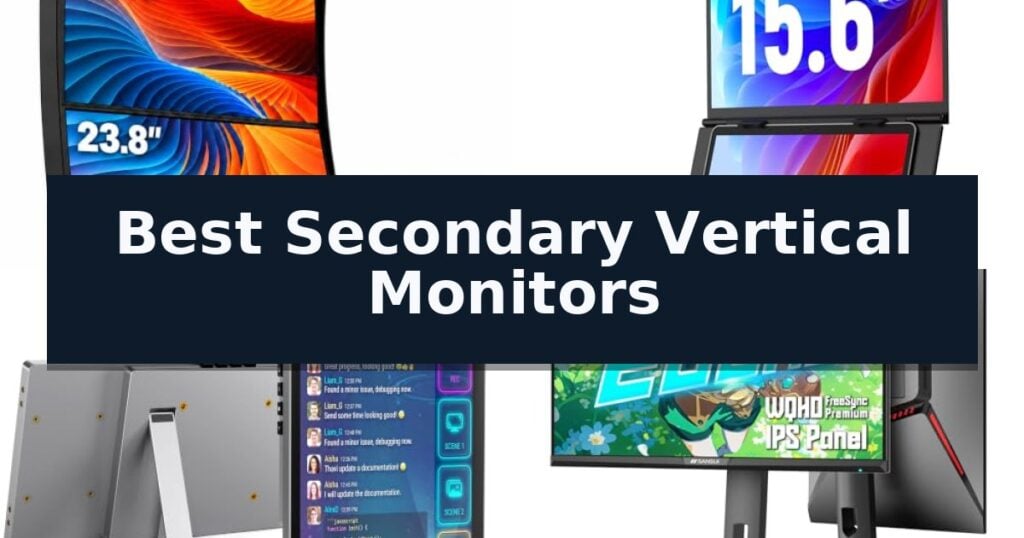
10 Best Secondary Vertical Monitors in 2026 Reviews
Quick Comparison
| Product | Best For | Key Strength | Score |
|---|---|---|---|
| Prechen 23.8 Inch Stacked Dual Monitor | Best Overall | Stacked vertical layout saves significant horizontal desk space. | 4.9 |
| SMISEACOW 15.6 Inch Laptop Screen Extender | Ergonomic over-laptop vertical view | Vertical stacking design reduces neck strain and desk footprint. | 4.9 |
| KOGODA 12.3 Inch Stretched Bar Monitor | Compact side-panel for status data | One-cable USB-C connectivity for simplified desk management. | 4.9 |
| SANSUI 27 Inch 1440P Gaming Monitor | High-refresh vertical productivity | Full-range ergonomic stand with -90° to +90° pivot capability. | 4.9 |
| KTC 24 Inch 1440P Gaming Monitor | Sharp resolution for portrait mode | High-resolution 1440p QHD display provides sharp text and image clarity. | 4.9 |
| Thinlerain 23.8 Inch Computer Monitor | Versatile portrait-ready desktop display | Multi-function stand allows for 90-degree rotation, height, and swivel adjustments. | 4.3 |
| ZUMWALT 16.1 Inch Portable Monitor | Flexible rotation for mobile workflows | 360° rotating magnetic stand for seamless portrait or landscape orientation. | 4.9 |
| BKVOO 16 Inch Portable Monitor | Vibrant colors for vertical tasks | 16:10 aspect ratio provides extra vertical space for documents and code. | 4.9 |
| ARZOPA 16.1 Inch Portable Gaming Monitor | Smooth motion for secondary screens | 144Hz refresh rate for smooth motion and reduced input latency. | 4.3 |
| Hemudu Vertical Dual Monitor Stand | Stack any two screens vertically | Space-saving vertical design reduces desktop footprint. | 4.9 |
How We Chose
When evaluating the best secondary vertical monitors, we prioritize practical integration and ergonomic utility. An experienced reviewer assesses how these displays handle vertical content, such as code or long documents, while ensuring the hardware remains stable and compatible with standard desktop or laptop setups. We focus on connectivity, resolution, and physical flexibility to ensure each model provides a tangible productivity gain.
- Ergonomic adjustability, including height, pivot, and tilt capabilities.
- Display panel quality, focusing on resolution, color accuracy, and viewing angles.
- Connectivity options, prioritizing USB-C DP Alt Mode and HDMI versatility.
- Form factor suitability for specific desk configurations or mobile use cases.
- Ease of setup, including driver requirements and mounting compatibility.
1 Prechen 23.8 Inch Stacked Dual Monitor — Space-saving vertical screen layout
Maximizing desk efficiency often requires rethinking traditional horizontal setups, and the Prechen 23.8 Inch Stacked Dual Monitor offers a vertical orientation that significantly reduces the need for constant head-turning. By stacking two 23.8-inch Full HD screens, this unit provides a streamlined workspace ideal for managing complex spreadsheets, coding environments, or multiple video calls simultaneously.
Each screen features a 1920×1080 IPS panel with 99% sRGB color coverage and a 75Hz refresh rate, ensuring that text remains sharp and scrolling feels fluid. The integrated fully adjustable ergonomic stand allows for height, pivot, swivel, and tilt modifications, which helps maintain a comfortable viewing angle and reduces neck strain during extended work sessions.
Connectivity is handled through two USB-C ports—which support DP Alt Mode—and two HDMI inputs, providing flexibility for various laptop and desktop configurations. Setup is facilitated by DisplayLink technology, requiring a one-time driver installation via the included USB drive to enable extended or mirrored display modes across Windows, macOS, and Linux systems.
Beyond its display capabilities, the monitor includes built-in speakers for audio output and rear RGB ambient lighting for a modern aesthetic. Because the RGB lighting cannot be toggled off, the unit maintains a consistent visual presence on the desk, making it a functional and stylistic addition to a professional home office.
Best for: Professionals and coders who need to maximize vertical screen real estate while minimizing desk width.
Skip if: Users who prefer a traditional side-by-side monitor layout or those who require the ability to disable all ambient lighting features.
- Stacked vertical layout saves significant horizontal desk space.
- 75Hz refresh rate provides smoother motion than standard 60Hz displays.
- High color accuracy with 99% sRGB coverage for consistent visuals.
- Fully adjustable ergonomic stand supports height, pivot, swivel, and tilt.
- RGB lighting is permanent and cannot be turned off.
- Requires DisplayLink driver installation for full functionality.
2 SMISEACOW 15.6 Inch Laptop Screen Extender — Ergonomic over-laptop vertical view
Maximizing desk real estate while maintaining an ergonomic posture often requires moving beyond traditional side-by-side monitor setups. The SMISEACOW 15.6 Inch Laptop Screen Extender addresses this by utilizing a vertical dual-screen design, positioning the secondary display directly above your laptop to minimize neck strain and reduce the need for constant head turning.
Engineered for portability, this 15.6'' FHD IPS display features a 1920×1080 resolution, 300 nits of brightness, and 100% sRGB color accuracy. Its ultra-slim 0.17-inch profile and lightweight 2.2-pound aluminum alloy construction allow it to fold flat, making it a viable addition for remote workers or professionals who frequently travel.
Installation is simplified through an adjustable clamp-on setup that accommodates laptops ranging from 13 to 17.3 inches without requiring specialized tools. The device supports broad compatibility across Windows, macOS, ChromeOS, Linux, and Android, offering plug-and-play connectivity via USB-C or HDMI ports.
This monitor extender is designed to function as an extension or mirror of your primary display, aiming to boost multitasking efficiency for coding, data analysis, and creative workflows. By stacking the screens vertically, it provides a functional dual-monitor workstation that occupies a significantly smaller footprint than traditional external monitor stands.
Best for: Professionals and students who need a portable, ergonomic dual-screen setup that saves desk space by stacking displays vertically.
Skip if: Users who prefer a traditional side-by-side horizontal viewing experience or those whose laptop hinges cannot support the weight of a clamp-on accessory.
- Vertical stacking design reduces neck strain and desk footprint.
- 100% sRGB color accuracy and 1080p resolution provide sharp visuals.
- Tool-free clamp-on installation fits a wide range of laptop sizes.
- Ultra-slim and lightweight build is optimized for travel.
- Clamp-on mounting may not be compatible with all laptop hinge designs or lid thicknesses.
- Vertical orientation requires a specific workflow adjustment compared to standard horizontal monitors.
3 KOGODA 12.3 Inch Stretched Bar Monitor — Compact side-panel for status data
Maximizing desk real estate often requires thinking vertically, and the KOGODA 12.3 Inch Stretched Bar Monitor provides a specialized solution for users who need a secondary display without sacrificing workspace. This ultra-wide, stretched LCD features a 1920 x 720 resolution, designed to fit neatly under or beside a primary monitor, making it an effective tool for monitoring system stats, Discord chats, or stream deck controls.
The hardware is built with a durable anodized aluminum body that resists fingerprints and scratches, ensuring it maintains a clean aesthetic on a busy desk. A standout design choice is the hideaway magnetic stand, which rotates 85 degrees to allow for quick transitions between landscape and portrait orientations. When not in use, the stand retracts into the chassis for a flush, low-profile look.
Connectivity is streamlined through a full-function USB-C port that supports DisplayPort Alt Mode, enabling video, touch data, and power transmission through a single cable. For users with diverse setups, the monitor also includes HDMI and GPIO inputs, ensuring compatibility with Raspberry Pi, Windows, Linux, and Android systems. The Class A IPS panel offers 400 nits of brightness and 178-degree viewing angles, while the 5-point touchscreen allows for precise interaction.
To address the common challenge of cursor management on multi-monitor setups, the manufacturer provides an optional cursor-return utility for Windows. This software automatically snaps the cursor back to the primary screen once a touch interaction concludes, preventing it from getting lost on the secondary bar display. With built-in dual 1W speakers and a 3.5mm AUX jack, this compact unit functions as a comprehensive, all-in-one information hub.
Best for: Users needing a compact, secondary touchscreen for system monitoring, chat windows, or custom stream deck functionality.
Skip if: Users requiring a high-resolution primary display for color-critical work or those who prefer a standard 16:9 aspect ratio for traditional media consumption.
- One-cable USB-C connectivity for simplified desk management.
- Durable anodized aluminum construction with a space-saving magnetic stand.
- Versatile mounting options including support for VESA, PC cases, and Raspberry Pi.
- 5-point touchscreen functionality for interactive dashboard control.
- Non-standard 1920×720 resolution may require specific software configuration for optimal scaling.
- Integrated 1W speakers are limited in volume and audio fidelity compared to external solutions.
4 SANSUI 27 Inch 1440P Gaming Monitor — High-refresh vertical productivity
Maximizing desk real estate while maintaining a high-performance workflow often requires a display that can pivot into a portrait orientation. The SANSUI 27 Inch 1440P Gaming Monitor is built with an ergonomic stand that supports a full -90° to +90° pivot, making it a functional choice for users who need to view long lines of code, extensive documents, or vertical content feeds.
Beyond its orientation flexibility, the monitor features a 27-inch WQHD (2560 x 1440) Fast IPS panel that delivers a high refresh rate of up to 200Hz via DisplayPort. This combination of resolution and speed ensures that text remains sharp and motion fluid, whether you are utilizing the screen for secondary productivity tasks or high-fidelity gaming.
Color accuracy is a significant focus for this model, which offers DCI-P3 95% and sRGB 130% color gamut coverage. The inclusion of HDR support and a 178° viewing angle ensures consistent image quality even when the monitor is rotated or viewed from off-center positions, which is common in multi-monitor setups.
Connectivity options include two DisplayPort 1.4 ports and two HDMI 2.0 ports, allowing for multiple device inputs. The stand also provides 0-130mm height adjustment and tilt functionality, ensuring you can align the screen perfectly with your primary display. For those with limited desk space, the unit is VESA compatible (100x100mm) for wall or arm mounting.
Best for: Users who require a high-refresh, color-accurate display that can easily rotate into portrait mode for coding, document editing, or vertical content consumption.
Skip if: Users who need integrated speakers or USB-C power delivery, as this monitor relies on DisplayPort/HDMI and lacks these specific connectivity features.
- Full-range ergonomic stand with -90° to +90° pivot capability.
- High-refresh 200Hz performance for fluid motion and responsiveness.
- Wide color gamut with 95% DCI-P3 coverage for accurate visuals.
- Versatile connectivity with dual DisplayPort and HDMI inputs.
- No built-in speakers or USB-C video/power delivery.
- HDMI refresh rate limited to 144Hz compared to the 200Hz DisplayPort maximum.
5 KTC 24 Inch 1440P Gaming Monitor — Sharp resolution for portrait mode
Achieving a productive workspace often requires more than just a primary display, and the KTC 24 Inch 1440P Gaming Monitor offers a specialized solution for those needing a high-resolution vertical orientation. Its 24-inch QHD 2560×1440 panel provides sharp, detailed visuals that are particularly effective when rotated into portrait mode for coding, document editing, or social media feeds.
Beyond its resolution, this monitor features a Fast IPS panel that supports up to 185Hz refresh rates when using the DisplayPort 1.4 connection. This high-speed performance, combined with Adaptive Sync compatibility, ensures that motion remains fluid, whether you are utilizing the screen for intensive multitasking or gaming during downtime.
The physical design prioritizes ergonomic flexibility, which is essential for a secondary vertical setup. The stand allows for 90-degree pivot adjustment, making it simple to switch between landscape and portrait orientations. Additionally, the 110mm height adjustment and -5 to 20-degree tilt range help align the screen comfortably with your primary display.
Visual fidelity is maintained through 99% sRGB color gamut coverage and HDR400 certification, ensuring that colors appear rich and lifelike. Connectivity is handled via two HDMI 2.0 ports and a single DisplayPort 1.4, providing the necessary bandwidth to support the monitor's high-resolution and high-refresh-rate capabilities.
Best for: Users who require a sharp, high-refresh-rate secondary display that can easily pivot into a vertical orientation for productivity tasks.
Skip if: Users who need a larger screen size or a 4K resolution panel for professional-grade color-critical design work.
- High-resolution 1440p QHD display provides sharp text and image clarity.
- Fast IPS panel supports up to 185Hz refresh rate for smooth motion.
- Ergonomic stand allows for full 90-degree pivot, height, and tilt adjustments.
- HDR400 and 99% sRGB coverage deliver vibrant, accurate color reproduction.
- 24-inch screen size may feel small for users accustomed to larger primary monitors.
- HDMI 2.0 limitations cap refresh rates at 144Hz compared to the 185Hz available via DisplayPort.
6 Thinlerain 23.8 Inch Computer Monitor — Versatile portrait-ready desktop display
Optimizing a workspace for complex tasks often requires more than a single display, and the Thinlerain 23.8 Inch Computer Monitor offers a dedicated solution for those needing a vertical orientation. Unlike standard monitors that remain fixed in landscape, this unit features a multi-function stand that supports a 90-degree rotation, allowing users to transition easily into portrait mode for coding, document editing, or creative workflows.
The display itself is built around a 23.8-inch FHD screen with a 1920×1080 resolution, providing a 178-degree viewing angle and 100% sRGB color coverage. With a 60Hz refresh rate and a 5ms response time, it balances visual clarity with the responsiveness required for daily office tasks. The design incorporates ultra-thin 3-sided bezels, which helps minimize distractions when used as part of a multi-monitor setup.
Connectivity is a primary strength of this model, as it includes a wide array of ports such as HDMI, VGA, BNC, USB, and AV inputs. This versatility allows it to function with various devices, including PCs, laptops, and even Raspberry Pi or CCTV systems. The inclusion of a remote control and built-in speakers further simplifies operation, particularly when the monitor is used in specialized environments like surveillance or home media stations.
Ergonomics are addressed through the adjustable stand, which provides 45-degree swivel, height adjustment, and upward tilt capabilities. It is important to note that the monitor does not auto-rotate; the screen orientation must be managed through the connected device's display settings. This ensures that the user maintains full control over how their workspace is configured, provided their hardware supports portrait output.
Best for: Professionals and coders who require a dedicated vertical display for document management, multitasking, or specialized media setups.
Skip if: Users whose source devices do not support screen rotation or those who require a high-refresh-rate panel for competitive gaming.
- Multi-function stand allows for 90-degree rotation, height, and swivel adjustments.
- Extensive connectivity including HDMI, VGA, BNC, and USB ports.
- Ultra-thin 3-sided bezels for a cleaner look in multi-monitor configurations.
- Integrated remote control for convenient setting adjustments.
- No auto-rotate feature, requiring manual configuration via the connected PC.
- Standard 60Hz refresh rate may not meet the needs of high-performance gaming.
7 ZUMWALT 16.1 Inch Portable Monitor — Flexible rotation for mobile workflows
Maximizing desk real estate while maintaining a high-resolution workflow often requires a specialized display orientation. The ZUMWALT 16.1 Inch Portable Monitor addresses this need by incorporating a 360° rotating detachable magnetic stand, allowing users to instantly switch between landscape and portrait modes without the need for additional mounting hardware. This flexibility is essential for professionals who frequently toggle between coding, document review, and side-by-side spreadsheet analysis.
This monitor features a 16-inch 1920×1200 FHD IPS display with a 16:10 aspect ratio, providing 20% more vertical workspace than traditional 14-inch panels. With 300 nits brightness and a 1000:1 contrast ratio, it delivers clear visuals suitable for detailed tasks. The 178° wide viewing angle ensures color consistency, which is a significant advantage when the screen is rotated into a vertical orientation for long-form reading or data management.
Designed for mobility, the device maintains an ultra-slim 0.31-inch profile and weighs only 1.48 lbs, making it a practical addition to a travel bag. The inclusion of a PU leather cover serves a dual purpose, protecting the screen during transit and functioning as a mouse pad when deployed. This lightweight build allows for a consistent dual-monitor setup in coffee shops, classrooms, or temporary mobile workstations.
Connectivity is streamlined through a plug-and-play interface that supports a single USB-C cable for both power and video transmission, reducing cable clutter on small desks. For devices lacking full-featured USB-C ports, an HDMI connection is also provided, ensuring compatibility across Windows, macOS, Android, and gaming consoles. This dual-input capability provides a necessary trade-off for users with older hardware who still require a high-resolution secondary display.
Best for: Remote workers and professionals who require a lightweight, rotating secondary screen for vertical document viewing or side-by-side multitasking.
Skip if: Users who require a high-refresh-rate gaming monitor or a larger desktop-integrated display with VESA mounting capabilities.
- 360° rotating magnetic stand for seamless portrait or landscape orientation.
- 16:10 aspect ratio provides extra vertical screen real estate.
- Single-cable USB-C connectivity simplifies workspace cable management.
- Ultra-slim 0.31-inch profile and lightweight build for easy transport.
- Limited to 300 nits brightness, which may be less effective in extremely bright environments.
- No VESA mount support, restricting the monitor to its included stand.
8 BKVOO 16 Inch Portable Monitor — Vibrant colors for vertical tasks
Expanding your digital workspace requires a display that adapts to your specific workflow, whether you are coding, editing, or managing multiple windows. The BKVOO 16 Inch Portable Monitor offers a high-resolution 1920×1200 FHD display with a 16:10 aspect ratio, providing more vertical screen real estate than standard 16:9 panels. This makes it a compelling choice for those seeking the Best Secondary Vertical Monitors to improve their daily productivity.
Designed for versatility, this monitor features an adjustable stand that allows for quick transitions between landscape and portrait orientations. While the device does not support auto-rotation, users can manually configure the display orientation through their computer's system settings. The inclusion of a 100% sRGB color gamut ensures accurate color reproduction, which is essential for creative tasks and detailed document review.
Connectivity is handled through a plug-and-play interface, supporting devices with fully functional Type-C ports—including Thunderbolt 3.0/4.0—as well as HDMI and USB-A connections. Weighing just 1.6 lbs with an ultra-slim profile, the monitor is built for portability, easily fitting into a laptop bag. It also includes integrated speakers, providing a convenient audio solution for video conferences or casual media consumption without the need for external peripherals.
To ensure consistent performance, the manufacturer recommends connecting an external power source if you experience flickering or power-related issues. This monitor is backed by a 12-month quality warranty, offering support for professionals and students who need a reliable, lightweight secondary screen that can be deployed in any environment.
Best for: Professionals and students who require a lightweight, high-resolution secondary screen that can easily switch between portrait and landscape modes for improved multitasking.
Skip if: Users who require automatic screen rotation or those whose host devices lack a fully functional Type-C, HDMI, or USB-A port configuration.
- 16:10 aspect ratio provides extra vertical space for documents and code.
- 100% sRGB color gamut for accurate visual representation.
- Ultra-slim and lightweight design at only 1.6 lbs for easy transport.
- Versatile connectivity via Type-C, HDMI, and USB-A.
- No auto-rotation support, requiring manual system setting adjustments.
- External power required for some setups to prevent flickering or power issues.
9 ARZOPA 16.1 Inch Portable Gaming Monitor — Smooth motion for secondary screens
Expanding your digital workspace requires a display that balances high-performance visuals with flexible deployment options. The ARZOPA 16.1 Inch Portable Gaming Monitor distinguishes itself with a 144Hz ultra-high refresh rate, providing the fluid motion clarity necessary for demanding tasks and high-frame-rate media consumption without the need for complex software installations.
Designed for versatility, this 16.1-inch display features a 106% sRGB color gamut and 1080P FHD resolution, ensuring crisp detail and vibrant color reproduction. The inclusion of a built-in kickstand allows for precise tilt adjustments, making it a practical choice for users who need to switch between horizontal and vertical orientations to optimize their workflow or gaming setup.
Connectivity is streamlined through two fully functional USB Type-C ports and a Mini HDMI port, enabling a true plug-and-play experience across laptops, consoles, and mobile devices. This monitor eliminates the need for external drivers, supporting immediate integration into existing multi-monitor environments.
While the high refresh rate enhances visual smoothness, it is important to note that this model does not include adaptive sync or FreeSync technology. The unit is engineered for portability, weighing approximately 3.13 pounds, which balances the need for a larger screen size with the requirements of a mobile workstation.
Best for: Users who require a high-refresh-rate secondary display that integrates seamlessly with laptops and gaming consoles via plug-and-play connectivity.
Skip if: Users who specifically require adaptive sync or FreeSync technology for variable refresh rate gaming, as this model does not support those features.
- 144Hz refresh rate for smooth motion and reduced input latency.
- 106% sRGB color gamut provides high-quality, vibrant imagery.
- Built-in kickstand allows for easy, adjustable viewing angles.
- Plug-and-play compatibility with USB-C and Mini HDMI inputs.
- No adaptive sync or FreeSync support.
- Fixed refresh rate may not suit all specialized gaming requirements.
10 Hemudu Vertical Dual Monitor Stand — Stack any two screens vertically
Maximizing desk real estate often requires moving beyond standard side-by-side configurations, and the Hemudu Vertical Dual Monitor Stand offers a robust solution for stacking screens to improve sightlines. By utilizing a single, sturdy base, this mount eliminates the need for multiple monitor stands, effectively reclaiming valuable workspace while positioning displays in a vertical orientation.
Engineered for versatility, the stand supports two monitors ranging from 13 to 34 inches in size, with a weight capacity of up to 44 lbs per screen. The center pole features 12 levels of height adjustment, allowing users to align their displays for optimal ergonomic comfort, which can help reduce neck and shoulder strain during long work sessions.
Adjustability is central to the design, as the mounting brackets provide +50° to -50° swivel and +10° to -15° tilt capabilities. This range of motion ensures that users can angle their secondary monitor to suit their specific viewing preferences, whether for data analysis, creative workflows, or multitasking.
Installation is streamlined through the use of removable VESA plates, which are compatible with standard 50x50mm, 75x75mm, and 100x100mm mounting patterns. To maintain a clean, professional aesthetic, the unit includes integrated cable management to keep cords organized and out of the way.
Best for: Users looking to save desk space by stacking two monitors vertically while maintaining ergonomic adjustability.
Skip if: Users whose monitors exceed the 44-pound weight limit per screen or those who require a side-by-side display configuration.
- Space-saving vertical design reduces desktop footprint.
- Supports a wide range of monitor sizes from 13 to 34 inches.
- 12-level height adjustment for customized ergonomic positioning.
- Includes integrated cable management for a clutter-free workspace.
- Weight limit of 44 lbs per monitor must be strictly observed.
- Vertical stacking may not be suitable for all desk heights or user preferences.
Best Secondary Vertical Monitors Buying Guide
Ergonomics and Viewing Angles
A vertical monitor is only as effective as its physical placement. Models that offer height, tilt, and pivot adjustments allow you to align the screen with your primary display, which is critical for reducing neck strain during extended work sessions.
When choosing a display, verify that the panel utilizes IPS technology. This ensures that colors remain consistent and the image stays clear even when you are viewing the screen from the slightly off-center angles common in multi-monitor configurations.
Connectivity and Power Management
Modern secondary monitors often rely on USB-C with DisplayPort Alt Mode to carry video, data, and power over a single cable. This simplifies cable management, but you must ensure your computer's port supports these protocols to avoid performance issues.
For setups requiring multiple inputs, look for monitors that include HDMI ports alongside USB-C. This provides a fallback for older hardware or devices that do not support single-cable video transmission, ensuring your monitor remains functional across different systems.
Resolution and Aspect Ratio
The resolution of your secondary monitor should ideally match or complement your primary screen to prevent jarring visual shifts when moving your cursor between displays. A 1080p resolution is standard for most 24-inch monitors, offering sharp text for documents and code.
Consider the aspect ratio carefully, as stretched bar monitors or 16:10 portable displays provide different vertical space than traditional 16:9 panels. A taller aspect ratio is often better for reading long-form content, while a wider bar display is optimized for system status monitoring.
Setup and Driver Requirements
Some vertical monitors use DisplayLink technology to function, which requires a one-time driver installation on your computer. While this allows for high-performance data transfer, it is important to confirm compatibility with your specific operating system before purchase.
Plug-and-play models are generally easier to deploy in office environments where software installation might be restricted. Always check the manufacturer's documentation to see if your preferred device requires specific software to enable rotation or touch functionality.
Desk Space and Mounting
Vertical monitors are designed to save horizontal desk space, but they still require a stable base or mounting solution. If your desk is limited in depth, a monitor with a small footprint or VESA compatibility for a wall mount is a significant advantage.
For users who frequently change their workspace, portable monitors with integrated kickstands offer a flexible alternative to fixed stands. These models can be easily packed away, making them ideal for professionals who need to maintain a consistent workflow in different locations.
Frequently Asked Questions
Do I need special software to use a monitor in vertical mode?
Most modern operating systems, including Windows and macOS, allow you to change the display orientation to portrait in the system settings. However, some specific hardware, like DisplayLink-enabled monitors, may require a driver to function correctly.
Can I use any monitor as a vertical monitor?
You can rotate most monitors if they have a VESA mount that supports a third-party arm, but monitors with built-in stands that do not pivot will require an additional mount to be used vertically.
What is the benefit of a stacked monitor setup?
A stacked setup reduces the need to turn your head side-to-side, which can be more ergonomic for some users. It also saves significant horizontal desk space compared to placing two monitors side-by-side.
Will a vertical monitor affect my gaming performance?
Using a secondary vertical monitor generally does not impact gaming performance on your primary display, provided your graphics card has enough ports and processing power to handle the additional output.
How do I prevent my mouse from getting lost between screens?
You can adjust the relative positions of your monitors in your computer's display settings to match their physical arrangement. Some third-party utilities also offer features to help manage cursor movement across multiple displays.
Conclusion: Our Top Pick
Our top pick is Prechen 23.8 Inch Stacked Dual Monitor. Choosing the right vertical monitor depends on your specific workflow, whether you need a permanent, high-resolution stacked display for coding or a portable, lightweight option for travel. Prioritizing ergonomic adjustments and reliable connectivity will ensure your chosen display integrates smoothly into your existing setup.
By focusing on these core criteria, you can effectively reduce neck strain and maximize your screen real estate. Evaluate your desk space and port availability to find the model that best supports your daily tasks and long-term productivity goals.