Acer 4K Webcam is our top choice for the Best Security Webcams for Mac because its all-metal unibody design and secure wired USB-C connection provide a robust, privacy-focused solution for professional environments.
The UGREEN 4K Webcam follows as a strong alternative for users who prioritize integrated lighting controls, while the Anker PowerConf C200 offers a versatile, compact form factor ideal for those needing flexible framing options in shared workspaces.
Selecting a reliable camera for macOS requires balancing hardware-level privacy features with seamless plug-and-play compatibility. These options focus on physical lens protection and stable data transmission to ensure your workspace remains secure during every video session.
When setting up your workspace, you may also want to explore options for Best PC Webcams for Video Conferencing to ensure your audio and video setup is fully optimized for professional calls. If you require superior voice clarity beyond the built-in arrays, consider reviewing Best PC Webcams with Microphone for models that prioritize advanced noise-cancellation technology.
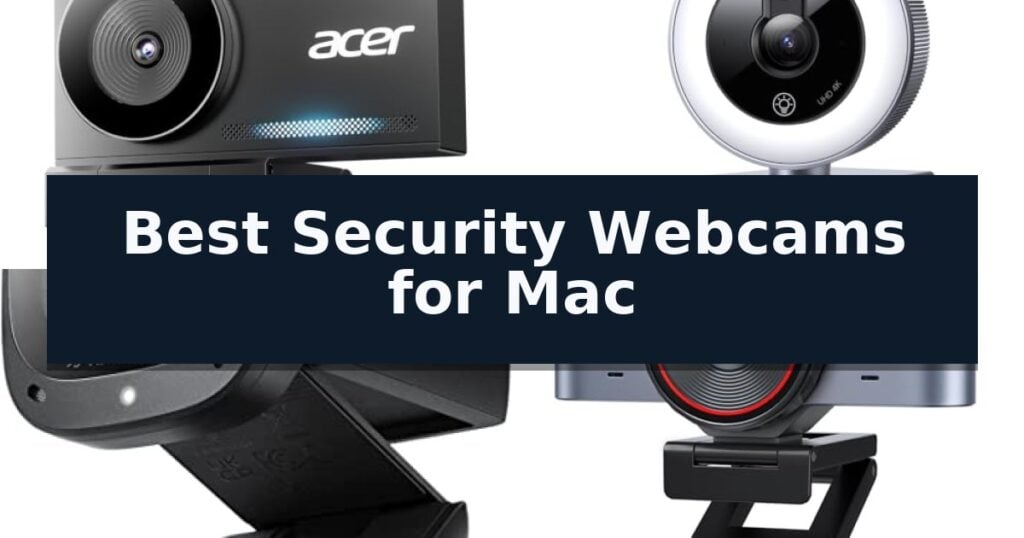
10 Best Security Webcams for Mac in 2026 Reviews
Quick Comparison
| Product | Best For | Key Strength | Score |
|---|---|---|---|
| Acer 4K Webcam | Best Overall | Aerospace-grade aluminum unibody for superior heat dissipation and durability. | 4.9 |
| UGREEN 4K Webcam | Instant Physical Lens Blocking | Integrated physical privacy cover for immediate lens blocking. | 4.6 |
| Anker PowerConf C200 Webcam | Integrated Privacy Shutter | Integrated privacy shutter for manual security. | 4.7 |
| EMEET C960 Ultra 4K Webcam | Rotating Privacy Lens Cover | Large 1/1.5'' sensor for superior low-light performance and dynamic range. | 4.6 |
| FWV 2K Webcam | Detachable Privacy Shield | Detachable privacy cover provides a physical security barrier. | 4.6 |
| Arducam 1080P Day Night Webcam | Dedicated Surveillance Hardware | Automatic IR-CUT switching for seamless day and night operation. | 4.4 |
| Shcngqio 1080P HD Webcam | Simple Sliding Privacy Shield | Integrated privacy shield for physical security | 4.4 |
| UGREEN 2K Webcam | Reliable Manual Privacy Cover | 2K resolution support for high-definition video clarity. | 4.9 |
| Elelink 4K Webcam | Built-in Lens Privacy Cover | True 4K UHD resolution with a high-quality 1/2-inch sensor. | 4.9 |
| Arducam 1080P HDR USB Camera | Durable Metal Security Build | Durable full-metal housing for improved heat dissipation and stability. | 4.9 |
How We Chose
Evaluating the best security webcams for Mac requires a focus on hardware-level privacy and reliable, driver-free connectivity. An experienced reviewer prioritizes physical lens covers and stable wired interfaces over software-based solutions, ensuring that the camera remains completely disconnected from the system when not in active use, while also verifying that image sensors provide consistent clarity across various lighting conditions.
- Physical privacy shutter mechanism effectiveness
- Wired connection stability and data security
- Sensor resolution and low-light performance
- Native macOS compatibility and driver-free operation
- Build quality and heat dissipation for long-term use
1 Acer 4K Webcam — Secure Wired Connection
Achieving a professional-grade video setup requires hardware that prioritizes both image fidelity and physical security. The Acer 4K Webcam distinguishes itself through a precision-machined, aerospace-grade aluminum unibody that provides robust heat dissipation for consistent performance during extended streaming or conferencing sessions.
At the core of its imaging capability is a large Sony 1/2" CMOS sensor paired with UHD 4K resolution, which ensures detailed, balanced visuals even in challenging lighting conditions. To maintain focus on the subject, the device utilizes Phase Detection Autofocus (PDAF), a technology that offers faster and more stable tracking than standard contrast-based autofocus systems, effectively eliminating blur during movement.
For users concerned with digital privacy, this webcam features a magnetic privacy cover equipped with 12 powerful magnets that snap securely over the lens. Furthermore, the device operates as a plug-and-play unit via a USB-C to A connection, relying on a hardwired interface rather than wireless protocols to mitigate potential signal interception risks.
Designed for portability, the unit weighs only 57 grams and includes dual high-sensitivity digital microphones capable of filtering ambient noise like keyboard clicks from up to 2.5 meters away. Its universal compatibility ensures seamless integration with macOS, Windows, and ChromeOS across major platforms like Zoom, Teams, and FaceTime.
Best for: Professionals and creators who require high-resolution 4K video, secure wired connectivity, and a durable, portable form factor.
Skip if: Users who require a wireless camera or those who prefer a plastic-bodied, budget-oriented webcam without advanced phase-detection autofocus.
- Aerospace-grade aluminum unibody for superior heat dissipation and durability.
- Sony 1/2" CMOS sensor providing high-fidelity 4K image quality.
- Phase Detection Autofocus (PDAF) for rapid and stable subject tracking.
- Magnetic privacy cover for secure physical lens blocking.
- Hardwired USB-C connectivity to eliminate wireless security risks.
- Higher weight and density compared to standard plastic-cased webcams.
- Wired-only operation limits placement flexibility compared to wireless alternatives.
2 UGREEN 4K Webcam — Instant Physical Lens Blocking
Maintaining visual privacy during video conferences is a primary concern for many users, and the UGREEN 4K Webcam addresses this with an integrated physical sliding cover. This design choice ensures the lens is completely blocked when not in use, providing an immediate, mechanical safeguard against unauthorized access.
Beyond security, this camera is engineered for high-fidelity streaming, offering 4K@30fps resolution and backward compatibility with 1080p@60fps. The inclusion of 0.3s Phase Detection Auto Focus (PDAF) allows for rapid subject tracking, which is significantly faster than standard autofocus systems, ensuring fluid motion during calls or broadcasts.
For environments with challenging lighting, the built-in ring fill light provides six distinct levels of illumination. Users can toggle between cold, warm, and natural mixed light modes to minimize low-light grain and improve image clarity. The device also features a noise-canceling microphone designed to suppress ambient background sounds like typing or room echo.
Setup is straightforward with its driver-free plug-and-play connectivity, making it compatible with macOS, Windows, and Chrome OS without requiring additional software. The package includes a USB-C adapter, allowing for versatile connection options to modern laptops and desktop workstations.
Best for: Users requiring a high-resolution camera with integrated physical privacy protection and adjustable lighting for professional video conferencing.
Skip if: Users who require a camera with advanced software-based background replacement or high-end optical zoom capabilities.
- Integrated physical privacy cover for immediate lens blocking.
- 0.3s PDAF autofocus for fast and stable subject tracking.
- Adjustable ring light with six brightness and temperature settings.
- Plug-and-play compatibility across major operating systems.
- Lighting effects are intended for facial illumination only and cannot replace primary room lighting.
3 Anker PowerConf C200 Webcam — Integrated Privacy Shutter
Maintaining personal privacy during virtual meetings is a primary concern for many users, and the Anker PowerConf C200 Webcam addresses this with an integrated privacy shutter that slides over the lens when not in use. This design choice ensures that your camera remains physically blocked between calls, providing a simple, manual security solution for your home office or workspace.
Beyond its security features, this webcam delivers 2K Ultra-Clear Resolution for detailed video output. It is engineered for versatility, offering customizable viewing angles of 65°, 78°, or 95° that can be adjusted via software to suit your specific framing needs. The device is also optimized for challenging environments, featuring superior low-light performance that maintains image clarity even in dim settings without requiring additional lighting equipment.
Audio quality is managed through dual microphones equipped with AI noise cancellation, which works to isolate voices and reduce background interference during conferences. The Anker PowerConf C200 Webcam is designed for broad compatibility, connecting seamlessly with macOS 10.11 or later, making it a straightforward upgrade for Mac users seeking a dedicated, high-resolution video solution.
While this model offers significant improvements over standard integrated laptop cameras, users should note its compact, desktop-focused form factor. Measuring approximately 2.17 inches in height, it is designed to sit securely on a monitor or stand, though it lacks the integrated ring light or advanced mounting versatility found in larger, specialized streaming hardware.
Best for: Mac users who require a high-resolution webcam with a physical privacy shutter and AI-enhanced audio for professional video conferencing.
Skip if: Users who require advanced features like built-in ring lighting or specialized mounting hardware for complex streaming setups.
- Integrated privacy shutter for manual security.
- 2K Ultra-Clear Resolution for sharp video quality.
- AI noise cancellation for improved audio clarity.
- Customizable viewing angles via software settings.
- Superior low-light performance for dim environments.
- Compact design lacks integrated lighting features.
- Software-dependent adjustments for viewing angles.
4 EMEET C960 Ultra 4K Webcam — Rotating Privacy Lens Cover
The EMEET C960 Ultra 4K Webcam distinguishes itself with a significantly larger 1/1.5'' sensor, designed to capture more light for improved low-light clarity and a wider dynamic range compared to standard 4K webcams. This hardware-focused approach provides a robust foundation for professional-grade imaging during video calls, streaming, and content creation.
Engineered for seamless integration, this webcam is optimized for Mac environments, offering plug-and-play connectivity via USB-C with an included C-to-A adapter. The device eliminates the need for additional drivers, addressing common compatibility and connection stability issues often encountered with external cameras on macOS. Its minimalist, all-metal body not only complements Mac aesthetics but also aids in heat dissipation to ensure stable performance during extended use.
Beyond its imaging capabilities, the unit features a versatile whiteboard mode supported by EMEET STUDIO, which enables auto-recognition and perspective correction for presentations. The inclusion of a dual-mic array enhances audio pickup, while the integrated rotating privacy cover provides a physical safeguard for users in shared or home workspaces. A standard 1/4" thread on the split-base structure allows for flexible mounting on tripods or desktop stands.
With its 0.2s ultra-fast autofocus and DRC optimization, the camera maintains sharp, balanced visuals across various lighting conditions. The combination of high-resolution output and durable construction makes it a reliable tool for professional workflows, including remote collaboration, online teaching, and high-quality streaming.
Best for: Mac users seeking a high-resolution, plug-and-play camera with professional-grade sensor performance for meetings and streaming.
Skip if: Users who require a built-in mounting clamp for thin laptop bezels or those who prefer a lightweight plastic design for maximum portability.
- Large 1/1.5'' sensor for superior low-light performance and dynamic range.
- All-metal body construction ensures durability and effective heat dissipation.
- Mac-optimized plug-and-play setup with no drivers required.
- Integrated rotating privacy cover for enhanced security.
- Split-base structure may require additional desk space compared to integrated clip-on models.
- Tripods and stands must be purchased separately to utilize the 1/4" thread mount.
5 FWV 2K Webcam — Detachable Privacy Shield
Maintaining digital privacy while working or streaming is a priority for many, and the FWV 2K Webcam provides a straightforward solution with its integrated hardware-based security features. This device is designed to offer high-resolution video capture while ensuring that your lens remains physically blocked when not in use.
The FWV 2K Webcam features an adjustable 2K HD-Definition sensor, which provides 1.78x more pixels than standard 1080P cameras. This increased pixel density is engineered to capture fine details and textures, reducing blur during video calls or content creation. To maintain visual clarity in challenging environments, the camera utilizes dual noise reduction technology, combining hardware infrared filters with AI-powered software to minimize ambient light interference and pixel noise.
A primary security feature is the detachable privacy cover, which acts as a physical barrier against unauthorized surveillance. This cover also serves a practical purpose by shielding the lens from dust, scratches, and smudges that could otherwise degrade image quality over time. The unit is built for plug-and-play convenience, requiring no additional drivers for operation on Mac or PC systems.
Versatility is a key design goal, as the camera is compatible with laptops, desktops, tablets, and smart TVs. Whether used for professional meetings, online classes, or gaming, the FWV 2K Webcam adapts to various lighting conditions to keep footage pristine. Its lightweight build, weighing approximately 0.22 pounds, ensures it remains stable on most monitor mounts.
Best for: Users who prioritize physical privacy and high-resolution video for professional or personal streaming.
Skip if: Users who require advanced software-based tracking features or integrated autofocus motors, as this model focuses on fixed-focus clarity and manual privacy control.
- Detachable privacy cover provides a physical security barrier.
- 2K HD-Definition resolution offers higher pixel density than standard 1080P.
- Dual noise reduction technology improves image quality in low-light conditions.
- Plug-and-play compatibility ensures easy setup across multiple device types.
- Manual privacy cover requires physical interaction to open or close.
- Fixed-focus design lacks the mechanical adjustment found in high-end autofocus webcams.
6 Arducam 1080P Day Night Webcam — Dedicated Surveillance Hardware
The Arducam 1080P Day & Night Vision USB Camera distinguishes itself as a specialized surveillance tool by integrating an automatic IR-CUT filter that shifts between visible light and infrared sensitivity based on ambient lighting conditions. This 2MP camera board is engineered for versatility, allowing users to capture high-definition imagery in both bright daylight and complete darkness when utilizing its 850 IR LEDs.
Designed for technical integration, this UVC-compliant device offers a true plug-and-play experience across various operating systems including macOS, Windows, Linux, and Android. Because it requires no additional driver installation, it is a practical choice for custom surveillance setups, wildlife photography, or specialized monitoring tasks where a compact, board-level camera is required.
The camera features a 1920*1080 maximum resolution powered by the OV2710 sensor, ensuring sharp image quality for security applications. Its high-speed USB 2.0 interface supports multiple frame rates depending on the resolution, providing flexibility for different monitoring requirements, from high-speed capture at lower resolutions to detailed 1080p recording.
Measuring just 38mm x 38mm, the Arducam 1080P Day & Night Webcam is built to be installed in narrow or hidden positions. While it lacks the protective housing of a standard consumer webcam, its form factor is ideal for users building custom security systems or embedded projects that demand a small footprint without sacrificing night vision capabilities.
Best for: Users building custom, embedded, or hidden surveillance systems who require a compact camera with automatic day-to-night IR switching.
Skip if: Users seeking a traditional, plug-and-play desktop webcam with a built-in microphone, protective housing, and a mounting stand for standard video conferencing.
- Automatic IR-CUT switching for seamless day and night operation.
- Compact 38mm x 38mm board design ideal for hidden or narrow installations.
- UVC-compliant plug-and-play compatibility with macOS and other major platforms.
- High-definition 2MP sensor capable of 1080p resolution.
- No protective housing or mounting stand included for desktop use.
- Lacks an integrated microphone, requiring external audio hardware for full surveillance coverage.
7 Shcngqio 1080P HD Webcam — Simple Sliding Privacy Shield
The Shcngqio 1080P HD Webcam provides a straightforward approach to desktop video with its integrated privacy shield, allowing users to physically cover the lens when not in use. This design choice offers a tangible layer of security for those concerned about unauthorized camera access during their daily workflow on Mac or PC.
Equipped with a wide-angle lens, this device captures video at 1080p resolution and a smooth 30 frames per second. The inclusion of automatic light correction technology helps maintain image quality by dynamically adjusting brightness and color balance, which is particularly useful in varying indoor lighting conditions ranging from dim rooms to bright office spaces.
Audio input is handled by a noise-reducing built-in microphone, engineered to clarify voice transmission by minimizing background interference. This makes the unit suitable for professional video calls, webinars, and live streaming where clear communication is a priority.
Installation is simplified through a plug-and-play USB interface that supports USB 2.0, 3.0, and 3.1 connections. Because it requires no additional drivers, the webcam functions immediately upon connection, and the included 5ft USB cable provides sufficient reach for most desktop or laptop setups.
Best for: Users seeking a simple, plug-and-play 1080p webcam with a physical privacy cover for basic video conferencing and streaming needs.
Skip if: Users who require advanced features like high-frame-rate recording, autofocus, or specialized mounting hardware for professional production environments.
- Integrated privacy shield for physical security
- Automatic light correction for consistent image quality
- Noise-reducing microphone to minimize background distractions
- Plug-and-play compatibility with no driver installation required
- Fixed-focus lens lacks advanced optical adjustments
- Limited mounting options compared to professional-grade cameras
8 UGREEN 2K Webcam — Reliable Manual Privacy Cover
The UGREEN 2K Webcam distinguishes itself with a 4 MP ultra-high sensitivity CMOS sensor that supports up to 2K resolution at 30FPS, providing a sharp visual upgrade for users seeking clearer video communication. This device is designed for seamless integration, offering a plug-and-play experience that eliminates the need for complex driver installations on Mac and PC systems.
Equipped with dual high-quality integrated microphones, this webcam is engineered to capture audio while actively minimizing background noise. The 95° field of view provides a wide perspective suitable for group meetings or displaying physical objects, though users should note that the fixed-focus technology requires a distance of at least 50 cm for optimal image clarity.
For users prioritizing privacy, the unit includes a physical privacy cover that blocks the lens when the camera is not in use. The hardware supports 360° rotation, allowing for flexible positioning on monitors, laptops, or tripods to achieve the desired viewing angle during calls or recordings.
The camera features automatic light correction, which adjusts color temperature and brightness to maintain a consistent appearance in varying lighting conditions. Its broad compatibility with major operating systems and conferencing software makes it a versatile tool for professional and personal video environments.
Best for: Users who need a simple, plug-and-play 2K video solution with integrated privacy features for conferencing and streaming.
Skip if: Users who require precise manual focus control or digital zoom capabilities, as this model utilizes fixed-focus technology.
- 2K resolution support for high-definition video clarity.
- Dual integrated microphones with noise reduction.
- Physical privacy cover for enhanced security.
- Plug-and-play driver-free installation.
- Fixed-focus lens lacks manual adjustment or digital zoom.
- Resolution performance is dependent on host hardware and software bandwidth.
9 Elelink 4K Webcam — Built-in Lens Privacy Cover
The Elelink 4K Webcam is engineered for high-fidelity visual capture, utilizing a large 1/2-inch sensor and 8MP resolution to deliver four times the pixel density of standard 1080p cameras. This hardware foundation ensures significant clarity for professional video conferencing and content creation, providing a sharp, detailed image that holds up even on larger displays.
Versatility is central to the design, featuring Fast PDAF Autofocus that maintains focus on subjects as they move or when demonstrating products in close proximity. The 72° field of view is specifically tuned for a focused, professional framing that minimizes background distractions, making it well-suited for individual office settings where you want to keep the viewer's attention on the speaker rather than the surroundings.
Audio performance is supported by dual noise-reducing microphones designed to suppress ambient room noise, which helps improve speech intelligibility during remote meetings. For challenging lighting environments, the camera integrates Smart HDR and auto light correction, which automatically balances exposure when working in dim or backlit conditions, ensuring your face remains clearly visible without manual adjustments.
Setup is streamlined through USB plug-and-play functionality, requiring no additional drivers for Mac or PC systems. The unit includes a detachable cable and a USB-A to USB-C adapter for broad connectivity, while a built-in privacy cover provides a physical barrier to the lens when the device is not in use, offering a simple, effective security measure for peace of mind.
Best for: Users requiring high-resolution 4K video and quick autofocus for professional meetings and product demonstrations.
Skip if: Users who require a wider field of view for group settings or those who prefer integrated software-based background replacement features.
- True 4K UHD resolution with a high-quality 1/2-inch sensor.
- Fast PDAF autofocus for sharp imagery during movement.
- Built-in privacy cover for enhanced security.
- Plug and play compatibility with included USB-C adapter.
- 72° field of view may be too narrow for wide-angle group shots.
10 Arducam 1080P HDR USB Camera — Durable Metal Security Build
The Arducam 30fps@1080P HDR USB Camera Module is engineered for specialized tasks where standard consumer webcams often fall short. Its defining feature is a robust, full-metal housing that provides superior heat dissipation and structural stability, making it a reliable choice for long-term monitoring in demanding environments like 3D printer enclosures or laser alignment setups.
Equipped with 1080P HDR (High Dynamic Range) imaging, this camera maintains visual clarity by balancing color and contrast in varied lighting conditions. It operates at a smooth 30fps and includes an autofocus system, which ensures that subjects remain sharp without requiring manual intervention. This combination of high-definition output and automated focus makes it a precise tool for machine vision and technical monitoring projects.
Integration is designed to be seamless for developers and makers. The camera utilizes a Plug & Play USB 2.0 interface that is UVC-compliant, meaning it functions immediately across macOS, Windows, Linux, and Android systems without the need for proprietary drivers. This broad compatibility allows it to work effortlessly with industry-standard software such as OBS, OpenCV, and Amcap.
While its industrial-grade build provides durability, the design prioritizes function over the aesthetic or ergonomic features found in typical desktop webcams. Users should note that this unit lacks an integrated microphone and does not include standard mounting clips, which may necessitate custom mounting solutions depending on the intended application.
Best for: Makers, developers, and industrial users who require a durable, compact, and high-clarity camera for embedded projects, robotics, or specialized monitoring.
Skip if: Users seeking a traditional consumer webcam with integrated mounting clips, privacy shutters, or built-in microphones for standard video conferencing.
- Durable full-metal housing for improved heat dissipation and stability.
- HDR support for enhanced color and contrast in varied lighting.
- Plug & Play UVC compatibility across multiple operating systems.
- Autofocus functionality for consistent image clarity.
- Lacks integrated microphone and mounting accessories typical of consumer webcams.
- Industrial-focused design may require custom mounting for standard desktop use.
Best Security Webcams for Mac Buying Guide
Physical Privacy Protection
The most effective security feature for any webcam is a physical barrier that blocks the lens. Models featuring sliding or magnetic covers provide an immediate, visual confirmation that the camera is disabled, which is superior to software-based mute buttons that can be bypassed by system-level exploits.
When choosing a device, ensure the cover is durable and fits securely over the lens housing. A loose or flimsy shutter may degrade over time or fail to block light completely, undermining the primary purpose of the security hardware.
Wired Connectivity and Data Security
For maximum security, prioritize wired USB connections over wireless alternatives. A direct, physical link between the camera and your Mac eliminates the risks associated with unauthorized wireless signal interception or Bluetooth pairing vulnerabilities.
Look for webcams that support standard UVC (USB Video Class) protocols. This ensures the device functions as a plug-and-play peripheral without requiring proprietary software or drivers, which reduces the attack surface for potential malware or unauthorized data access.
Sensor Quality and Low-Light Performance
A high-resolution sensor is essential for professional clarity, but the physical size of the sensor often matters more than the pixel count. Larger sensors capture more light, which reduces digital noise and graininess in dimly lit home offices or conference rooms.
Consider models that feature advanced autofocus systems like Phase Detection Autofocus (PDAF). These systems track movement more accurately than standard contrast-based autofocus, ensuring that your image remains sharp even if you adjust your seating position during a call.
Build Quality and Thermal Management
Webcams used for extended daily meetings or streaming sessions generate heat, which can affect performance and longevity. Devices constructed from aluminum or other metal alloys offer better heat dissipation compared to plastic housings, preventing overheating that might lead to video lag or sensor degradation.
A robust, all-metal build also provides a more stable base for the camera. This is particularly important if you frequently adjust the angle or position of the device, as it prevents the mount from shifting or losing its grip on your monitor.
Microphone Integration and Noise Cancellation
Integrated microphones should be evaluated for their ability to isolate your voice from ambient background noise. Dual-microphone arrays with built-in noise reduction are standard in high-quality models and are necessary for maintaining clear communication in shared or noisy environments.
While a dedicated external microphone is often preferred for professional audio, a reliable built-in array is a critical convenience. Ensure the webcam's audio processing is handled at the hardware level to maintain low latency and compatibility with macOS audio settings.
Frequently Asked Questions
Do I need to install special software to use these webcams on a Mac?
No, all the recommended models are UVC-compliant, meaning they function as plug-and-play devices on macOS without requiring any drivers or third-party applications.
How do I know if my webcam is actually secure?
The most reliable indicator is a physical privacy cover that completely obscures the lens. If the cover is closed, the camera cannot capture any visual data, regardless of the software state.
Are these webcams compatible with all video conferencing platforms?
Yes, because they function as standard system cameras, they are compatible with any application that supports external video input, including Zoom, Microsoft Teams, FaceTime, and OBS Studio.
Why is a wired connection better for security?
Wired connections prevent the possibility of unauthorized remote access via wireless protocols like Bluetooth or Wi-Fi, keeping your video feed contained within your local hardware environment.
Can I use these webcams with a monitor that has a thick bezel?
Most of these webcams feature adjustable mounting clips or standard tripod threads, allowing them to be positioned securely on a wide variety of monitor thicknesses and desktop setups.
Conclusion: Our Top Pick
Our top pick is Acer 4K Webcam. Selecting the right security webcam for your Mac involves prioritizing physical privacy controls and stable, wired connectivity. By focusing on models with integrated lens covers and robust build materials, you can ensure your video conferencing setup remains both high-performing and secure.
Whether you need a compact solution for travel or a durable metal-bodied camera for a permanent office desk, the options highlighted provide the necessary features to protect your privacy while delivering clear, professional-grade video.