The Sceptre E225W-FW144 Gaming Monitor is our top choice for the Best Side Monitors for Gaming, offering a nearly bezel-free design that facilitates seamless dual-screen alignment. The KYY Portable Gaming Monitor serves as an ideal secondary display for mobile setups, while the msi PRO MP275PG E14 Gaming Monitor provides the necessary height and pivot adjustments for those requiring a vertical orientation.
Selecting a secondary display requires balancing physical footprint with visual consistency. An effective side monitor should complement your primary screen without introducing distracting frame gaps or color shifts that break immersion during intense gameplay or productivity tasks.
For those seeking a dedicated secondary screen, our guide to the Best Side Monitor explores how to integrate smaller displays into your existing setup. If you are specifically working with mobile hardware, our analysis of the Best Side-by-Side Gaming Monitors for Laptops provides recommendations for portable and lightweight configurations.
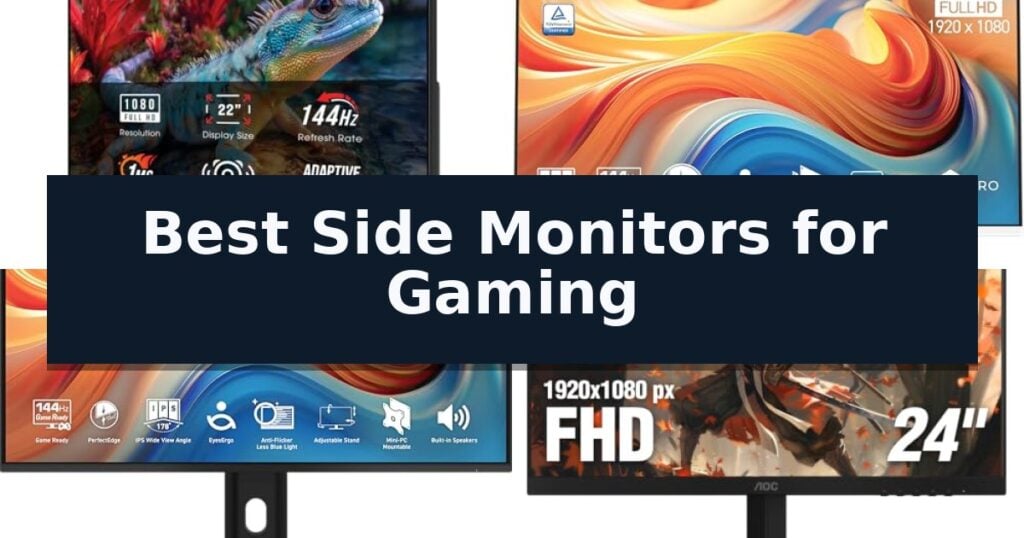
10 Best Side Monitors for Gaming in 2026 Reviews
Quick Comparison
| Product | Best For | Key Strength | Score |
|---|---|---|---|
| Sceptre E225W-FW144 Gaming Monitor | Best Overall | Nearly bezel-free design facilitates seamless multi-monitor arrangements. | 4.9 |
| msi PRO MP243W E14 Gaming Monitor | Slim Bezel for Multi-Display Setups | 144Hz high refresh rate for fluid motion. | 4.7 |
| msi PRO MP275PG E14 Gaming Monitor | Fully Adjustable for Portrait Orientation | Fully adjustable stand supports pivot, swivel, and height changes for portrait or landscape use. | 4.8 |
| AOC 24G42HE Gaming Monitor | Frameless Design for Immersive Arrays | 200Hz refresh rate for fluid motion | 4.5 |
| Sceptre C275B-FW180T Gaming Monitor | Curved Screen for Peripheral Focus | 180Hz refresh rate for smooth motion in gaming | 4.6 |
| ArcticPro AD22ZFA Gaming Monitor | Compact Footprint for Tight Desks | 144Hz refresh rate for smooth dynamic visuals | 4.6 |
| ArcticPro AD22AF1 Gaming Monitor | Space-Saving Ultra Slim Profile | 144Hz refresh rate provides smooth motion for gaming and daily scrolling. | 4.3 |
| KYY Portable Gaming Monitor | Flexible On-the-Go Screen Extension | Ultra-slim 0.3-inch profile for easy transport. | 4.9 |
| Acer Nitro KG271U Z2 Gaming Monitor | Zero-Frame Design Maximizes Screen Space | 275Hz refresh rate for ultra-smooth motion. | 4.9 |
| Samsung Odyssey G5 Gaming Monitor | Ergonomic Stand for Custom Positioning | 180Hz refresh rate for ultra-smooth motion. | 4.6 |
How We Chose
Evaluating the best side monitors for gaming requires a focus on physical integration and visual performance. We prioritize displays that minimize bezel distraction and offer flexible mounting options, ensuring that secondary screens provide a cohesive extension of your primary gaming environment without compromising desk space or visual fluidity.
- Bezel thickness and frame design for multi-monitor continuity
- Refresh rate compatibility with primary gaming displays
- Ergonomic adjustment options including tilt, pivot, and height
- Connectivity versatility for diverse PC and console setups
- Panel type and viewing angles for color accuracy
1 Sceptre E225W-FW144 Gaming Monitor — Seamless Dual Monitor Alignment
Achieving a streamlined workspace for competitive play often requires optimizing desk real estate, and the Sceptre E225W-FW144 Gaming Monitor is built specifically to address this with its nearly bezel-free design. This 22-inch display is engineered to minimize visual distractions, allowing for a seamless transition when positioned alongside other screens in a multi-monitor setup.
Performance-focused features include a high refresh rate of up to 144Hz, which provides fluid motion for fast-paced gaming environments. The monitor also prioritizes user comfort during extended sessions by incorporating Blue-Light Shift technology, a feature designed to reduce harmful blue light emissions and help alleviate eye strain.
Connectivity and audio integration are handled through built-in speakers, which help maintain a tidy desk by eliminating the need for external sound hardware. The unit supports both HDMI and DisplayPort inputs, ensuring compatibility with standard gaming hardware configurations.
While the compact 22-inch form factor is ideal for tight spaces, users should consider their specific resolution requirements, as this model operates at FHD 1080p. The inclusion of a minimal bezel makes it a practical choice for those looking to expand their field of view without sacrificing significant desk space.
Best for: Gamers looking to build a compact, multi-monitor setup with a seamless, distraction-free visual experience.
Skip if: Users who require a larger screen size or higher resolution than 1080p for professional-grade creative work or immersive 4K gaming.
- Nearly bezel-free design facilitates seamless multi-monitor arrangements.
- Up to 144Hz refresh rate supports smooth gameplay.
- Blue-Light Shift technology helps reduce eye strain during long sessions.
- Integrated speakers contribute to a clutter-free desk environment.
- 22-inch screen size may be too small for users preferring larger displays.
- FHD 1080p resolution is standard and may not meet the needs of 4K-focused gamers.
2 msi PRO MP243W E14 Gaming Monitor — Slim Bezel for Multi-Display Setups
Expanding your digital workspace requires hardware that balances visual clarity with ergonomic flexibility, and the msi PRO MP243W E14 Gaming Monitor addresses this with a 4-side slim bezel design that minimizes distractions in multi-monitor configurations. This 24-inch Full HD IPS display is engineered to maintain color accuracy and consistent imagery across wide 178° viewing angles, ensuring that your side monitors remain as legible as your primary screen.
For those prioritizing fluid motion, the monitor features a 144Hz high refresh rate, which provides significantly smoother tracking compared to standard 60Hz or 75Hz panels. To further enhance visual stability, it incorporates Adaptive Sync (FreeSync compatible) technology, which dynamically aligns the refresh rate with your GPU output to eliminate screen tearing and stuttering during high-intensity gaming sessions.
The display is built with long-term comfort in mind, featuring TÜV Rheinland certified Flicker Free and Low Blue Light technology to mitigate eye strain. Users can also utilize the integrated Eye-Q Check tool to assess and optimize their display settings. The physical design includes a tilt-adjustable stand (-5°~20°) and VESA 100x100mm mounting capability, allowing for seamless integration into various desk setups or custom monitor arm arrays.
Connectivity is handled through HDMI 1.4b and DisplayPort 1.2a inputs, providing the necessary bandwidth for high-refresh-rate gaming. Additionally, the monitor supports firmware updates, ensuring that the device remains compatible with future performance optimizations and feature enhancements throughout its service life.
Best for: Gamers and professionals seeking a high-refresh-rate side monitor with a slim bezel design for multi-display setups.
Skip if: Users requiring a higher resolution than 1080p or those who prefer a curved display panel for their peripheral monitors.
- 144Hz high refresh rate for fluid motion.
- 4-side slim bezel ideal for multi-monitor arrays.
- TÜV Rheinland certified eye-care technologies.
- Adaptive Sync support to prevent screen tearing.
- 1080p resolution may lack the pixel density of larger or higher-resolution displays.
- Tilt-only stand lacks height or swivel adjustment.
3 msi PRO MP275PG E14 Gaming Monitor — Fully Adjustable for Portrait Orientation
Optimizing a multi-monitor setup for productivity or immersive gaming often requires a display that balances screen real estate with ergonomic flexibility. The msi PRO MP275PG E14 Gaming Monitor addresses this by offering a 27-inch Full HD IPS panel designed for both high-speed gaming and extended office use, featuring a 144Hz refresh rate to ensure fluid motion.
The monitor is built with a 1500:1 contrast ratio and 178° viewing angles, which is essential for side-mounted displays where the screen is often viewed from an angle. To support long-term comfort, it includes TUV Rheinland certified Flicker Free and Low Blue Light technologies, alongside an integrated Eye-Q Check tool that assists users in maintaining healthy viewing habits during long sessions.
Versatility is a core strength of this model, as it features a fully adjustable stand capable of tilt, swivel, pivot, and height adjustments. This allows the monitor to be positioned in portrait or landscape orientation, making it a functional choice for users who need a secondary vertical screen for chat, code, or document management. VESA 100x100mm compatibility further expands mounting options for those using dedicated monitor arms.
Connectivity is handled through HDMI 2.0, DisplayPort 1.2a, and a legacy VGA port, ensuring compatibility across a wide range of hardware. The inclusion of FreeSync technology helps maintain smooth visuals by matching the refresh rate to the GPU output, reducing screen tearing and input lag during fast-paced gaming.
Best for: Users who require a highly adjustable, secondary display that can switch between portrait and landscape orientations for multitasking or gaming.
Skip if: Users who prioritize 4K resolution or ultra-wide aspect ratios, as this monitor is limited to a 1920×1080 Full HD resolution.
- Fully adjustable stand supports pivot, swivel, and height changes for portrait or landscape use.
- 144Hz refresh rate provides smooth motion for gaming and responsive navigation.
- TUV Rheinland certified eye-care features reduce flicker and blue light exposure.
- Versatile connectivity including HDMI, DisplayPort, and VGA for modern and legacy devices.
- 1080p resolution may appear less sharp on a 27-inch screen compared to higher resolution alternatives.
- Limited to Full HD output, which may not satisfy users seeking high-density pixel counts for detailed design work.
4 AOC 24G42HE Gaming Monitor — Frameless Design for Immersive Arrays
The AOC 24G42HE Gaming Monitor is built for high-speed performance, featuring a 200Hz refresh rate and a 0.3ms response time that minimizes motion blur during intense gameplay. Its 3-sided frameless design is specifically engineered for multi-monitor arrays, allowing for a more cohesive visual experience when placing displays side-by-side.
Beyond its speed, this monitor supports Adaptive-Sync technology to reduce screen tearing and stuttering. The 116% sRGB wide color gamut and HDR ready capabilities provide a vivid visual output, while the low input lag mode is designed to keep interactions responsive, particularly when paired with consoles that support up to 120Hz frame rates.
The display offers a 23.8-inch viewable area in Full HD (1920×1080) resolution, making it a compact choice for tight desk setups. It includes an integrated audio earphone out port for direct sound routing and is VESA mount compatible for users who prefer custom arm configurations over the included stand.
While the monitor excels in high-refresh-rate gaming, its 1080p resolution is best suited for 24-inch sizing to maintain pixel density. The focus on speed and bezel-less aesthetics makes it a specialized tool for competitive players looking to expand their field of view without significant frame distractions.
Best for: Competitive gamers seeking a high-refresh-rate display for seamless multi-monitor setups.
Skip if: Users requiring 4K resolution or larger screen real estate for professional creative workflows.
- 200Hz refresh rate for fluid motion
- 3-sided frameless design ideal for multi-monitor configurations
- 116% sRGB color gamut for vibrant visuals
- Low input lag mode optimized for console and PC gaming
- 1080p resolution may lack sharpness compared to higher-density displays
- 24-inch size is smaller than standard enthusiast gaming monitors
5 Sceptre C275B-FW180T Gaming Monitor — Curved Screen for Peripheral Focus
Optimizing a multi-display workstation requires hardware that balances a compact physical footprint with high-performance visual capabilities. The Sceptre C275B-FW180T Gaming Monitor utilizes a sleek minimal bezel design to facilitate seamless dual-monitor configurations, effectively reducing the visual gap between screens to minimize distractions during intense gaming or multitasking sessions.
The 27-inch display features a 1500R curvature, which is engineered to maintain a consistent viewing distance across the entire panel, helping to keep the edges of the screen within the user's natural field of view. To support fast-paced gaming, the monitor offers an overclocked 180Hz refresh rate paired with a 1ms Blur Reduction response time. These specifications are critical for reducing motion blur and ensuring that fast-moving objects remain clear during gameplay.
Connectivity is handled by two HDMI ports and two DisplayPort inputs, providing the versatility needed to integrate multiple consoles or PC rigs simultaneously. For users aiming to declutter their desk, the monitor includes integrated speakers, which offer audio output without requiring external peripherals. Additionally, the Blue-Light Shift technology is designed to mitigate eye strain, a practical consideration for users who spend extended periods in front of their screens.
Visual fidelity is supported by 100% sRGB color gamut performance, which ensures accurate and vibrant color reproduction for both creative tasks and gaming environments. While the curved panel design is highly effective for immersive gaming and peripheral focus, it represents a trade-off for users who require perfectly flat surfaces for specific professional design workflows or technical drafting.
Best for: Gamers and professionals seeking a high-refresh-rate display with a minimal bezel for seamless multi-monitor setups.
Skip if: Users who require professional-grade color accuracy for high-end print production or those who prefer flat panels over curved displays.
- 180Hz refresh rate for smooth motion in gaming
- Minimal bezel design ideal for dual-monitor arrangements
- 100% sRGB color gamut for vibrant visuals
- Integrated speakers reduce desk clutter
- Curved panel may not suit all professional design workflows
- Integrated audio may lack the fidelity of dedicated external speakers
6 ArcticPro AD22ZFA Gaming Monitor — Compact Footprint for Tight Desks
Maximizing desk real estate while maintaining a multi-screen setup requires hardware that balances performance with physical footprint. The ArcticPro AD22ZFA Gaming Monitor addresses this by offering a compact 22-inch display that fits easily into secondary positions, ensuring your peripheral vision remains clear without overwhelming your workspace.
Engineered for fluid motion, the monitor features a 144Hz refresh rate and a rapid response time, which helps minimize motion blur and ghosting during fast-paced gaming sessions. The 1920x1080p Full HD resolution provides sharp detail, while the VA panel technology supports consistent image quality across 178° horizontal and vertical viewing angles, making it a reliable choice for side-angle viewing.
Design-wise, the unit utilizes a 3-sided frameless aesthetic that reduces visual distractions when paired with a primary monitor. It includes a tilt-adjustable stand with a range of -5° to 15°, allowing for precise alignment with your main display. For those preferring a cleaner desk, the 75x75mm VESA wall mount compatibility provides flexible installation options.
The monitor incorporates Anti-Blue light technology to support eye comfort during extended use. Connectivity is handled through standard HDMI 1.4 and VGA inputs, ensuring compatibility with a variety of graphics cards and secondary systems. While it lacks built-in speakers, its focus remains on delivering a stable, high-refresh visual experience for secondary display needs.
Best for: Gamers and professionals looking for a compact, high-refresh-rate secondary display to complete a multi-monitor setup.
Skip if: Users requiring built-in audio or those who need a larger screen size for primary gaming or high-resolution creative work.
- 144Hz refresh rate for smooth dynamic visuals
- Compact 22-inch footprint ideal for side-monitor placement
- 3-sided frameless design for seamless multi-monitor integration
- VESA mountable for flexible desk or wall configurations
- No built-in speakers requiring external audio solutions
- Limited to HDMI 1.4 and VGA connectivity
7 ArcticPro AD22AF1 Gaming Monitor — Space-Saving Ultra Slim Profile
Maximizing desk real estate while maintaining high-performance visuals is a common challenge for multi-monitor setups. The ArcticPro AD22AF1 Gaming Monitor addresses this by combining a compact 22-inch footprint with a 144Hz refresh rate, ensuring fluid motion for secondary tasks or competitive gaming without overwhelming your workspace.
Engineered for clarity, this monitor features a 1920x1080p FHD resolution paired with a 4000:1 contrast ratio and 99% sRGB color gamut. These specifications provide detailed imagery, while the 3-sided frameless design minimizes visual distractions, making it a practical choice for seamless dual-monitor configurations.
Usability is enhanced through integrated eye care technology, which utilizes low blue light filtering to reduce strain during extended sessions. The display offers 178° horizontal and vertical viewing angles, ensuring consistent color reproduction even when positioned at an angle as a side screen. Users can further optimize their setup using the -5°±2°/15°±2° tilt adjustment or by utilizing the 75x75mm VESA mount to clear additional desk space.
Connectivity is handled via standard HDMI and VGA inputs, providing compatibility with various PCs, laptops, and gaming consoles. With a 3-year manufacture warranty, this monitor balances technical performance with the physical constraints of smaller home offices or student environments.
Best for: Users needing a compact, high-refresh-rate secondary display for dual-monitor setups or limited desk spaces.
Skip if: Users requiring a larger screen size, higher than 1080p resolution, or specialized connectivity beyond HDMI and VGA.
- 144Hz refresh rate provides smooth motion for gaming and daily scrolling.
- 3-sided frameless design is ideal for multi-monitor arrangements.
- 4000:1 contrast ratio delivers deep, detailed visuals.
- VESA mount compatibility allows for flexible desk or wall mounting.
- Limited connectivity options restricted to HDMI and VGA only.
- 22-inch screen size may be too small for primary use in professional creative work.
8 KYY Portable Gaming Monitor — Flexible On-the-Go Screen Extension
The KYY Portable Gaming Monitor offers a versatile 15.6-inch FHD 1080P IPS display that brings high-definition visuals to a mobile form factor. Designed for users who need a secondary screen on the go, this monitor features a 178-degree wide viewing angle and HDR technology to ensure consistent color rendering across various lighting conditions.
Connectivity is streamlined through two Full Function Type-C ports and a Mini-HDMI port, allowing for a single-cable setup with devices that support Thunderbolt 3 or USB-C 3.1. The unit is built for portability, weighing only 1.7 pounds with a 0.3-inch ultra-slim profile, making it a practical choice for extending a laptop or smartphone workspace during travel.
Usability is enhanced by the included scratch-proof smart cover made of durable PU leather, which doubles as a stand with two adjustable viewing angles. The monitor also integrates two built-in stereo speakers and a 3.5mm audio input, providing an all-in-one entertainment solution without requiring external sound hardware.
For those who prioritize ergonomics, the device supports both landscape and portrait orientations, managed via a friendly menu control wheel. It is designed to reduce blue light radiation and eliminate flickering, helping to maintain visual comfort during extended gaming or multimedia sessions.
Best for: Travelers and gamers who require a lightweight, portable secondary display that connects easily via USB-C or HDMI.
Skip if: Users who require a high-refresh-rate gaming panel or a larger screen size for stationary desktop setups.
- Ultra-slim 0.3-inch profile for easy transport.
- Single-cable connectivity via USB-C for compatible devices.
- Integrated stereo speakers and 3.5mm audio jack.
- Durable PU leather smart cover that functions as a stand.
- Limited screen size of 15.6 inches may not suit all professional multitasking needs.
- Requires external power or a host device with sufficient output for full functionality.
9 Acer Nitro KG271U Z2 Gaming Monitor — Zero-Frame Design Maximizes Screen Space
The Acer Nitro KG271U Z2 Gaming Monitor utilizes a zero-frame design to minimize bezel thickness, effectively maximizing your available screen space for a more immersive multi-monitor setup. This 27-inch IPS display offers a WQHD resolution of 2560 x 1440, providing sharp detail that benefits both gaming and color-critical tasks.
Performance is driven by a rapid 275Hz refresh rate when connected via DisplayPort, which significantly reduces input lag and improves motion clarity during fast-paced sequences. To further enhance visual fluidity, the monitor integrates AMD FreeSync Premium technology, which synchronizes the display's frame rate with your graphics card to eliminate screen tearing and stuttering.
For gamers sensitive to motion blur, the 0.5ms GTG response time ensures that rapid transitions are rendered without ghosting or smearing. The panel also supports HDR 10 and covers 90% of the DCI-P3 color gamut, making it a versatile choice for users who transition between high-intensity gaming and creative work like photo or film editing.
The monitor includes practical ergonomic features such as a -5° to 25° tilt adjustment and is VESA mountable (100 x 100mm), allowing for flexible positioning on a desk or wall mount. Connectivity options include one DisplayPort 1.4, two HDMI 2.0 ports, and an audio out jack, with necessary cables included in the box.
Best for: Gamers and creative professionals who require a high-refresh-rate display with accurate color reproduction and a space-saving thin-bezel design.
Skip if: Users who require 4K resolution or those who do not have a graphics card capable of supporting high-refresh-rate output via DisplayPort.
- 275Hz refresh rate for ultra-smooth motion.
- 0.5ms GTG response time minimizes ghosting.
- 90% DCI-P3 color gamut for accurate color-critical work.
- Zero-frame design ideal for multi-monitor configurations.
- 144Hz limit when using HDMI connections.
- 250 nits brightness may be limited in brightly lit rooms.
10 Samsung Odyssey G5 Gaming Monitor — Ergonomic Stand for Custom Positioning
The Samsung 27" Odyssey G5 (G51F) Series QHD Gaming Monitor is built for users who require high-speed visual fidelity in a secondary display. Its 180Hz refresh rate and 1ms response time are engineered to minimize lag, ensuring that fast-paced action remains smooth and responsive during intensive gaming sessions.
Visual clarity is a primary focus for this model, featuring a QHD resolution of 2560 x 1440. This provides 1.7 times the pixel density of standard Full HD, resulting in sharper images. The inclusion of HDR10 support enhances the display by providing brighter highlights and deeper shadows, which adds significant depth to game environments.
For competitive players, the monitor includes a Black Equalizer, which allows for manual adjustment of dark areas to help locate hidden targets. Additionally, the integrated Virtual Aim Point feature provides a persistent crosshair on the screen. AMD FreeSync technology is also present to reduce screen tearing and stuttering during complex gameplay sequences.
The physical design prioritizes user comfort through an ergonomic stand that supports tilt, pivot, and height adjustments. This flexibility allows the monitor to be positioned effectively as a side screen, accommodating various desk setups. The Auto Source Switch+ feature further simplifies connectivity by automatically detecting and switching to active input sources.
Best for: Gamers seeking a high-refresh-rate secondary monitor with ergonomic adjustments and enhanced visual clarity for competitive play.
Skip if: Users who require a 4K resolution display or those with limited desk space who would benefit from a smaller form factor.
- 180Hz refresh rate for ultra-smooth motion.
- QHD resolution provides high pixel density for sharp detail.
- Ergonomic stand allows for versatile height, tilt, and pivot adjustments.
- Black Equalizer improves visibility in dark in-game environments.
- 1440p resolution may be overkill for some secondary monitor use cases.
- Physical footprint requires significant desk space due to the 27-inch size.
Best Side Monitors for Gaming Buying Guide
The Importance of Bezel Design
When configuring a multi-monitor setup, the thickness of the monitor frame is a primary consideration. A thin, three-sided frameless design allows two screens to sit closer together, reducing the visual gap that can disrupt your peripheral vision.
Monitors marketed with minimal bezels are specifically engineered to bridge the space between displays. This physical continuity is essential for maintaining focus, especially when spanning a single game or workspace across multiple panels.
Refresh Rate and Motion Clarity
While a side monitor may not always handle the primary game action, matching its refresh rate to your main display can prevent jarring transitions when moving windows or cursors between screens. High-refresh-rate panels ensure that motion remains fluid across your entire desk.
Look for monitors that support at least 144Hz to ensure that your secondary screen keeps pace with modern gaming hardware. This prevents the stuttering effect often seen when dragging high-frame-rate content onto a slower 60Hz display.
Ergonomics and Orientation
The ability to adjust your monitor's position is critical for long-term comfort. A monitor with a height-adjustable or pivoting stand allows you to align the screen perfectly with your primary display, reducing neck strain.
For users who prefer a vertical orientation for chat windows or system monitoring, a stand that supports 90-degree rotation is invaluable. Ensure your chosen model includes VESA mounting holes if you plan to use a dedicated monitor arm for more precise positioning.
Connectivity for Multi-Device Setups
A versatile side monitor should offer multiple input options, such as HDMI and DisplayPort, to accommodate various source devices. This flexibility is vital if you intend to switch between a gaming PC, a console, or a work laptop.
Some modern displays also include built-in speakers or audio-out jacks, which can help declutter your desk by reducing the number of cables running to your main system. Always verify that the ports provided match the outputs available on your graphics card.
Panel Technology and Viewing Angles
IPS panels are generally preferred for side monitors due to their wide 178-degree viewing angles. Since a side monitor is often positioned at an angle relative to your eyes, an IPS display maintains color accuracy and contrast better than other panel types.
Consistent color reproduction across all your screens prevents the distracting experience of having one monitor look washed out compared to another. Prioritizing high-quality panels ensures that your entire setup looks uniform, regardless of the viewing angle.
Frequently Asked Questions
Do I need the same refresh rate for my side monitor as my primary one?
While not strictly required, matching refresh rates provides a smoother experience when moving windows between screens and prevents visual stuttering during high-speed tasks.
What is the benefit of a vertical side monitor?
A vertical orientation is excellent for reading long documents, viewing chat feeds, or monitoring system performance metrics, as it maximizes vertical screen real estate.
Can I use a portable monitor as a side display?
Yes, portable monitors are excellent for side setups, especially in space-constrained environments or for users who need a display that can be easily packed away.
How do I ensure my side monitor aligns with my main screen?
Look for monitors with thin bezels and adjustable stands. Using a VESA-compatible monitor arm provides the most precise control over alignment and height.
Does the panel type matter for a side monitor?
Yes, IPS panels are recommended because they offer superior viewing angles, which is crucial when the monitor is positioned at an angle to your primary line of sight.
Conclusion: Our Top Pick
Our top pick is Sceptre E225W-FW144 Gaming Monitor. Choosing the right side monitor involves balancing physical design with functional requirements. By prioritizing thin bezels, ergonomic flexibility, and consistent panel quality, you can create a cohesive and efficient gaming environment.
Consider your specific desk layout and whether you require a vertical orientation or a portable solution. Selecting a model that integrates well with your existing hardware will enhance both your gaming immersion and your overall productivity.