Eizo ColorEdge CG2700X Monitor is our pick for the Best Professional Monitors for Video Editing because it offers a sustained, high-resolution 4K workspace designed to minimize screen degradation and ensure long-term color reliability.
For editors prioritizing expansive timelines, the LG UltraWide 34-inch WQHD Monitor provides a curved, ultrawide canvas that streamlines multitasking, while the BenQ SW272QN 2K Monitor serves those who require precise Adobe RGB coverage for specialized print and video workflows.
Selecting a display for professional video work requires balancing color gamut coverage with practical connectivity. Professionals should prioritize monitors that provide factory-calibrated color accuracy and robust power delivery to maintain a clean, efficient desk setup.
For those who require deeper technical specifications for design projects, our guide on Best Professional Graphics Monitors provides additional context on panel uniformity and color depth. If you are working within the Apple ecosystem, our analysis of the Best Professional Monitors for Mac highlights models with optimized connectivity for macOS workflows.
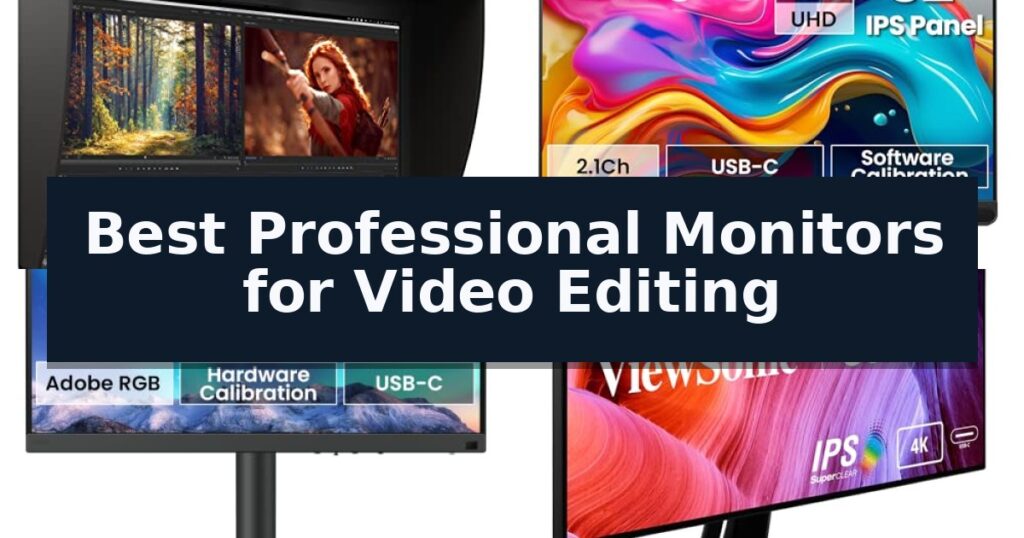
10 Best Professional Monitors for Video Editing in 2026 Reviews
Quick Comparison
| Product | Best For | Key Strength | Score |
|---|---|---|---|
| Eizo ColorEdge CG2700X Monitor | Best Overall | 4K UHD resolution provides exceptional detail for precise editing. | 4.9 |
| BenQ PV3200U 4K Monitor | Precise Color for Video Creators | Factory-calibrated with Delta E ≤ 2 for immediate professional use. | 4.5 |
| BenQ SW272QN 2K Monitor | Adobe RGB Coverage for Editors | High color accuracy with 99% Adobe RGB and 99% DCI-P3 coverage. | 4.7 |
| ViewSonic ColorPro VP2766-4K Monitor | Pantone Validated for Reliable Output | 120Hz refresh rate provides smooth motion for video editing and animation. | 4.6 |
| ViewSonic ColorPro VP2766-2K Monitor | High Refresh Rate for Smooth Editing | 120Hz refresh rate for smooth video playback | 4.7 |
| INNOCN 34-inch 5K Ultrawide Monitor | Expansive Canvas for Complex Timelines | High-resolution 5K (5120 x 2160) display for maximum timeline visibility. | 4.6 |
| LG UltraWide 34-inch WQHD Monitor | Multitasking Power for Creative Work | Spacious 21:9 WQHD display provides significantly more workspace than standard monitors. | 4.9 |
| CUNPU 27-inch 4K Monitor | Sharp Detail for Color Grading | Delta E < 2 factory calibration for professional color accuracy. | 4.9 |
| CUNPU 24-inch 4K USB-C Monitor | Compact Precision for Desktop Editing | 185 PPI pixel density provides exceptional sharpness for detailed work. | 4.4 |
| UPERFECT 15.6-inch 4K Portable Monitor | Professional Color on the Go | 100% AdobeRGB color gamut for professional-grade color accuracy. | 4.3 |
How We Chose
Evaluating the Best Professional Monitors for Video Editing requires a focus on color fidelity and workflow efficiency. We assess these displays by examining their factory-calibrated color standards, resolution capabilities, and the practical utility of their connectivity ports, ensuring each model supports the demanding technical requirements of modern video production environments.
- Color Gamut Coverage (Rec.709, DCI-P3, Adobe RGB)
- Factory Calibration and Delta E Accuracy
- Resolution and Pixel Density for Sharp Grading
- Connectivity Options (USB-C Power Delivery and Data)
- Ergonomic Adjustability and Build Quality
1 Eizo ColorEdge CG2700X Monitor — Professional Standard for Color Accuracy
Precision is the cornerstone of professional color grading, and the Eizo ColorEdge CG2700X Monitor is engineered specifically to meet these rigorous standards. With a 26.9-inch 4K UHD display offering over 8 million pixels, this monitor provides the expansive workspace necessary for detailed video editing and high-resolution content creation.
The display is built for longevity and consistent performance, utilizing LED backlight technology that ensures visual brilliance while maintaining efficiency. To combat the common issue of image retention, the panel is designed to be long-lasting with reduced screen burning, ensuring that your workspace remains clear and accurate throughout long editing sessions.
Connectivity is streamlined via USB Type-C, which facilitates high-speed data transmission, simplifying your workflow by reducing cable clutter. The monitor also features a 500 Nit brightness rating, allowing for clear content visibility even in well-lit professional environments, while the 13 ms GTG response time ensures that video playback remains flicker-free and smooth.
With a 60 Hz refresh rate, the monitor minimizes blurring, which is essential for maintaining productivity during frame-by-frame color correction. The 16:9 widescreen resolution provides a standard aspect ratio that is ideal for professional video workflows, ensuring that your final output matches the intended viewing experience.
Best for: Professional video editors and colorists who require high-resolution, color-accurate displays with reliable, long-term performance.
Skip if: Users who prioritize ultra-high refresh rates for competitive gaming or those with limited desk space who require a smaller form factor.
- 4K UHD resolution provides exceptional detail for precise editing.
- Reduced screen burning ensures long-term panel reliability.
- USB Type-C connectivity enables fast data transfer.
- 500 Nit brightness allows for clear viewing in bright rooms.
- Large physical footprint may not suit compact workstations.
2 BenQ PV3200U 4K Monitor — Precise Color for Video Creators
Achieving precise color fidelity is the primary challenge for any digital artist, and the BenQ PV3200U 4K Monitor addresses this with factory-calibrated color accuracy. Featuring 100% Rec.709, 100% sRGB, and 95% DCI-P3 color space coverage, this display ensures that the colors you see during the editing process remain consistent from the timeline to the final upload.
Beyond its visual capabilities, the monitor simplifies the creative workflow through the Wireless Hotkey Puck and Display Pilot 2 software. These tools allow for rapid adjustments to brightness, color modes, and audio settings without the need to navigate complex on-screen menus, minimizing disruptions during intensive editing sessions.
The hardware is designed for an integrated workspace, offering a 65W USB-C single-cable solution that handles display, data, and power delivery simultaneously. For audio monitoring, the 2.1ch speaker system includes a dedicated woofer, providing a balanced sound profile that helps editors hear music and effects with greater clarity.
To maintain consistency across devices, the monitor includes ICCSync technology, which auto-matches color profiles between a connected MacBook and the display. The ergonomic stand supports full tilt, swivel, pivot, and height adjustments, ensuring that long hours in the studio are supported by a comfortable viewing position.
Best for: Professional video editors who require high color accuracy and a streamlined, single-cable workspace.
Skip if: Users who do not require professional-grade color space coverage or those who prefer a smaller display footprint.
- Factory-calibrated with Delta E ≤ 2 for immediate professional use.
- 65W USB-C connectivity simplifies cable management.
- Wireless Hotkey Puck allows for fast, intuitive setting adjustments.
- 2.1ch audio with a dedicated woofer for improved sound monitoring.
- Large 32-inch form factor may be too bulky for smaller desk setups.
3 BenQ SW272QN 2K Monitor — Adobe RGB Coverage for Editors
Achieving precise color accuracy in a digital workspace requires hardware that minimizes variables, and the BenQ SW272QN 27” 2K 99% Adobe RGB 90W USB-C Monitor for Photo & Video Editing addresses this through its integrated total-field uniformity control. By managing color consistency across the entire panel, this display provides a stable foundation for professional color grading and photo retouching.
The monitor is built for technical precision, offering 99% Adobe RGB, 99% DCI-P3, and 100% sRGB coverage. With a Delta E ≤ 1.5 rating and support for 3D LUTs, it ensures that the colors you see on screen are representative of your source files. The inclusion of Nano Matte Black technology further aids in this by reducing highlight diffusion and stabilizing black levels, which helps maintain predictable contrast during long editing sessions.
Workflow efficiency is a primary design focus, evidenced by the wireless Hotkey Puck that allows for intuitive OSD control without navigating complex menus. Connectivity is streamlined via a 90W USB-C port, which handles data transfer and power delivery through a single cable. Additionally, the monitor features a built-in card reader for rapid file access and supports Paper Color Sync to simulate print previews, bridging the gap between digital editing and physical output.
Hardware calibration is handled through a fast, simplified process, allowing users to maintain color accuracy without deep technical complexity. While the monitor provides a robust feature set for color-critical work, it is important to note that it utilizes a 2K resolution, which may be a consideration for those specifically requiring 4K pixel density for high-resolution video workflows.
Best for: Professional photographers and video editors who require high color-gamut coverage and hardware-calibrated accuracy for print and digital delivery.
Skip if: Users who specifically require 4K resolution for ultra-high-definition video editing or those with limited desk space who do not need the specialized color-management tools.
- High color accuracy with 99% Adobe RGB and 99% DCI-P3 coverage.
- Simplified hardware calibration for consistent, professional results.
- Efficient connectivity featuring 90W USB-C power delivery and a built-in card reader.
- Nano Matte Black screen technology for improved contrast stability.
- 2K resolution may not meet the needs of editors requiring 4K native pixel density.
4 ViewSonic ColorPro VP2766-4K Monitor — Pantone Validated for Reliable Output
Achieving precise color accuracy in a high-speed production environment requires hardware that keeps pace with demanding creative workflows. The ViewSonic ColorPro VP2766-4K is a 27-inch 4K UHD monitor engineered specifically for video editing, graphic design, and animation, featuring a high-performance 120Hz IPS panel that ensures fluidity during fast-moving video playback.
This display is factory hardware calibrated to provide 100% sRGB coverage and holds Pantone Validated certification, ensuring that on-screen visuals translate accurately to final print and digital outputs. The integration of a 90W USB-C connection simplifies workstation clutter by delivering video, data, and power through a single cable, which is sufficient to charge and operate most modern laptops including MacBook Pro models.
Designed for long-term comfort, the monitor includes an ergonomic stand with tilt, swivel, and 90-degree pivot capabilities, alongside flicker-free technology and a low blue light filter to mitigate eye fatigue. For expanded connectivity, the unit features an HDMI 2.1 port capable of supporting 120Hz refresh rates for secondary devices, as well as a comprehensive suite of USB-C, USB-A, and audio output ports.
The ViewSonic ColorPro VP2766-4K balances professional-grade color fidelity with the high refresh rates necessary for modern video production. While it provides robust connectivity and ergonomic flexibility, users should verify their workspace dimensions to accommodate the 27-inch footprint and ensure their hardware supports the 90W power delivery requirements for optimal single-cable integration.
Best for: Professional video editors and graphic designers who require high color accuracy combined with a 120Hz refresh rate for smooth motion playback.
Skip if: Users who require a larger screen real estate or higher than 4K resolution for specialized cinematic post-production workflows.
- 120Hz refresh rate provides smooth motion for video editing and animation.
- Pantone Validated and factory calibrated for reliable color reproduction.
- 90W USB-C power delivery enables single-cable laptop charging and data transfer.
- Ergonomic stand supports full tilt, swivel, and portrait orientation adjustments.
- 27-inch screen size may be limiting for editors who prefer ultra-wide or larger displays.
- Standard 4K resolution may not meet the needs of users requiring 5K or higher pixel density.
5 ViewSonic ColorPro VP2766-2K Monitor — High Refresh Rate for Smooth Editing
Achieving precise color accuracy and fluid motion in video production requires hardware that bridges the gap between high-resolution detail and refresh rate performance. The ViewSonic ColorPro VP2766-2K Monitor addresses this demand by pairing a 27-inch QHD (2560 x 1440) IPS panel with a 120Hz refresh rate, ensuring that fast-moving footage remains smooth while providing 1.77 times the detail of standard Full HD displays.
For professional color-critical workflows, this monitor arrives factory hardware calibrated with 100% sRGB coverage and Pantone Validated certification. This ensures that the colors rendered on-screen align with final output requirements, eliminating the need for immediate external calibration. The inclusion of a 90W USB-C connection simplifies workstation clutter by providing video, data, and charging power to compatible laptops through a single cable.
The design prioritizes long-term usability with an ergonomic stand that supports tilt, swivel, 90-degree pivot, and 130mm of height adjustment. Eye comfort is managed through flicker-free technology and a low blue light filter, which are essential for extended editing sessions. Connectivity is further expanded by an HDMI 2.1 port, allowing for high-refresh-rate input from secondary devices.
Built for versatility, the unit includes dual 3W stereo speakers and a robust selection of ports, including four USB-C connections and one USB-A port. It is also VESA-compatible for mounting on standard arms, making it a flexible choice for various studio configurations.
Best for: Video editors and graphic designers who require high color accuracy combined with a 120Hz refresh rate for smooth playback.
Skip if: Users who require a 4K resolution display for ultra-high-definition editing or those who do not need a high refresh rate.
- 120Hz refresh rate for smooth video playback
- Pantone Validated and factory calibrated for color accuracy
- 90W USB-C power delivery for single-cable laptop connectivity
- Fully ergonomic stand with pivot and height adjustment
- QHD resolution may be insufficient for users specifically requiring 4K workflows
6 INNOCN 34-inch 5K Ultrawide Monitor — Expansive Canvas for Complex Timelines
The INNOCN 34-inch 5K Ultrawide Monitor provides a expansive 5120 x 2160 resolution across a 21:9 aspect ratio, offering a high-density workspace that allows editors to view long timelines without constant scrolling. This monitor utilizes a VA panel to achieve a 3000:1 contrast ratio, ensuring deep blacks and distinct separation in high-contrast video content.
Designed for color-sensitive workflows, the display comes factory pre-calibrated with a DeltaE < 2, ensuring consistent color accuracy right out of the box. It covers 135% of the sRGB color gamut and 106% of the DCI-P3 space, providing the necessary color depth for professional-grade video production and design tasks.
Connectivity is streamlined through a versatile interface array, including dual HDMI 2.1 ports, DisplayPort 1.4, and a 65W USB-C 3.1 port. The USB-C integration functions as a single-cable docking solution, capable of delivering power to connected laptops while simultaneously handling data and video signals, which helps maintain a clean, efficient desk setup.
The physical design emphasizes ergonomic utility with a height, swivel, and tilt-adjustable metal stand. The monitor also supports advanced multitasking features such as Picture-in-Picture (PIP) and Picture-by-Picture (PBP), allowing users to manage multiple input sources on a single screen, further optimizing complex editing workflows.
Best for: Video editors and creative professionals who require a high-resolution, color-accurate ultrawide workspace for managing complex timelines and multitasking.
Skip if: Users who require an IPS panel for specific wide-angle viewing requirements or those whose desk space cannot accommodate a 34-inch ultrawide form factor.
- High-resolution 5K (5120 x 2160) display for maximum timeline visibility.
- Factory pre-calibrated color accuracy with DeltaE < 2.
- 65W USB-C power delivery for single-cable laptop connectivity.
- Advanced multitasking via built-in PIP/PBP screen splitting.
- VA panel technology may not suit users requiring the specific viewing angles of IPS alternatives.
- Large 34-inch footprint requires significant desk space.
7 LG UltraWide 34-inch WQHD Monitor — Multitasking Power for Creative Work
Efficient video editing requires a workspace that minimizes window switching and maximizes timeline visibility, which is exactly why the LG UltraWide 34-inch WQHD Monitor is a compelling choice for creative professionals. By offering a 34-inch 21:9 aspect ratio with a 3440 x 1440 resolution, this display provides approximately 33% more screen real estate than standard QHD monitors, allowing editors to spread out complex project timelines and toolbars across a single, seamless panel.
The monitor is built for color-critical tasks, featuring HDR10 support and 99% sRGB color coverage to ensure accurate reproduction of your media. Its 1800R curvature is designed to enhance immersion and reduce eye strain during long editing sessions, while the 144Hz refresh rate paired with AMD FreeSync Premium technology ensures that playback and navigation remain fluid without distracting screen tearing.
Usability is further enhanced by an integrated KVM switch, which enables users to control two different computers using a single keyboard and mouse setup. This is complemented by LG Switch software for advanced window management, helping you organize your workspace for maximum efficiency. Connectivity is flexible, featuring multiple HDMI and DisplayPort inputs to accommodate various workstation configurations.
This bundle comes ready to use with a 2-meter HDMI cable, a dedicated Plasma/LCD cleaning kit, and a 6-pack of hook-and-loop straps for cable management. Whether you are managing complex video projects, handling CAD designs, or performing financial analysis, this monitor provides the necessary tools to streamline your professional workflow.
Best for: Video editors and creative professionals who need an expansive, color-accurate workspace to manage complex timelines and multiple applications simultaneously.
Skip if: Users who require a 4K resolution display or those with limited desk space who cannot accommodate a 34-inch ultrawide form factor.
- Spacious 21:9 WQHD display provides significantly more workspace than standard monitors.
- Integrated KVM switch allows for seamless control of two computers with one peripheral set.
- 99% sRGB color coverage and HDR10 support ensure reliable visual accuracy.
- 144Hz refresh rate and AMD FreeSync Premium provide smooth, responsive motion.
- Large 34-inch footprint requires substantial desk space.
- Ultrawide aspect ratio may not be optimal for software that does not support non-standard resolutions.
8 CUNPU 27-inch 4K Monitor — Sharp Detail for Color Grading
Achieving precise color accuracy is the primary challenge for any creative professional, and the CUNPU 27-inch 4K Monitor addresses this with a factory-calibrated IPS panel featuring a Delta E < 2 rating. This ensures that the colors you see on screen are consistent with professional standards, supported by 100% DCI-P3 color gamut coverage and 1.07 billion colors for smooth, professional-grade gradients.
Beyond color fidelity, this monitor is built for efficient workflows. It includes Picture-in-Picture (PIP) and Picture-by-Picture (PBP) functionality, allowing you to manage multiple inputs simultaneously across its 2x DisplayPort 1.4 and 1x HDMI 2.0 ports. The 70Hz refresh rate provides a slightly smoother motion experience than standard 60Hz panels, which can reduce eye strain during long editing sessions.
The physical design prioritizes a clean workspace with an ultra-slim 3-sided bezel, which is particularly useful for multi-monitor configurations where you want to minimize visual gaps. The matte anti-glare screen and 178-degree wide viewing angles ensure that your work remains visible and accurate even when viewed from the side, making it a practical choice for collaborative review sessions.
With a high 163 PPI pixel density, the CUNPU 27-inch 4K Monitor delivers sharp text and fine detail necessary for high-resolution photo retouching and video grading. It is a dedicated tool for creators who require reliable, out-of-the-box color performance without the immediate need for external calibration hardware.
Best for: Professional video editors and photographers who require high color accuracy and multi-source multitasking capabilities.
Skip if: Users who require high-refresh-rate gaming performance or specialized connectivity like USB-C Power Delivery for laptop charging.
- Delta E < 2 factory calibration for professional color accuracy.
- 100% DCI-P3 coverage ensures wide color gamut support.
- PIP/PBP multitasking allows for efficient multi-device workflows.
- Ultra-slim bezel design minimizes distractions in dual-monitor setups.
- 70Hz refresh rate is only a marginal improvement over standard 60Hz monitors.
- Limited port selection lacks modern USB-C or Thunderbolt connectivity.
9 CUNPU 24-inch 4K USB-C Monitor — Compact Precision for Desktop Editing
Achieving high-fidelity visuals in a compact footprint is a primary challenge for creative professionals working in limited desk spaces. The CUNPU 24-inch 4K USB-C Monitor addresses this by packing an impressive 185 PPI pixel density into a 24-inch panel, ensuring that text and intricate design elements remain razor-sharp for detailed editing tasks.
Designed for color-critical workflows, this monitor provides 100% coverage of sRGB, Adobe RGB, and DCI-P3 color spaces. With a delta E value of less than 2, it is engineered to maintain consistent color accuracy, which is essential for photography and digital content creation. The inclusion of a premium IPS panel further supports professional reliability during extended work sessions.
Connectivity is streamlined through a single USB-C cable, which handles video, data, and 15W power delivery for compatible laptops. This setup reduces cable clutter while enabling advanced productivity features like Picture-by-Picture (PBP) and Picture-in-Picture (PIP) for multi-device workflows. The stand is fully adjustable, supporting height, pivot, tilt, and swivel movements, including a portrait mode for coding or document review.
For those requiring an all-in-one solution, the monitor includes integrated dual speakers to handle basic multimedia output without external hardware. While it is built for demanding professional use, the 15W power delivery is best suited for maintaining charge rather than high-performance laptop charging, making it a specialized choice for users prioritizing screen real estate and color precision.
Best for: Creative professionals and editors who require high pixel density and accurate color reproduction in a space-saving 24-inch form factor.
Skip if: Users who need high-wattage power delivery to charge power-hungry workstations or those who prefer larger screen sizes for extensive multi-track video timelines.
- 185 PPI pixel density provides exceptional sharpness for detailed work.
- 100% coverage of DCI-P3, Adobe RGB, and sRGB ensures professional-grade color accuracy.
- Fully adjustable stand supports portrait orientation and ergonomic positioning.
- One-cable USB-C connectivity simplifies desk setup for laptops.
- 15W power delivery is insufficient for charging high-performance laptops.
- 24-inch screen size may feel restrictive for complex multi-window video editing workflows.
10 UPERFECT 15.6-inch 4K Portable Monitor — Professional Color on the Go
Achieving color-accurate workflows in mobile environments requires hardware that balances high resolution with precise color reproduction. The UPERFECT 15.6-inch 4K Portable Monitor addresses this by utilizing a QLED panel that delivers a 3840×2400 resolution, providing four times the pixel density of a standard FHD display for sharp, detailed video editing.
Designed for professional color-critical tasks, this monitor covers 100% of the AdobeRGB color gamut, ensuring that greens and blues are rendered with greater range than typical sRGB-limited panels. With a peak brightness of 600 nits and a 2000:1 contrast ratio, it maintains consistent image quality even in varied lighting conditions, while the 178-degree viewing angle ensures color stability across the entire screen.
The physical construction features a curved aluminum chassis processed with CNC metal wire drawing for durability and temperature resistance between -20 and 60°C. Despite its robust metal build, the monitor remains highly portable, weighing only 1.5 lbs with a 0.15-inch slim profile and a 3-sided borderless design that minimizes distractions during intensive editing sessions.
For connectivity, the unit supports USB-C and Mini HDMI inputs. Users should note that for optimal performance, a fully functional USB 3.0 or higher Type-C cable is required, and an external power source is recommended to maintain peak brightness and stable operation during extended professional use.
Best for: Professional video editors and graphic designers who require a high-resolution, color-accurate display for mobile, color-critical workflows.
Skip if: Users who require a desktop-integrated monitor with built-in battery power or those who cannot provide an external power source for consistent high-brightness operation.
- 100% AdobeRGB color gamut for professional-grade color accuracy.
- True 4K QLED panel technology for superior sharpness and wide viewing angles.
- Durable CNC aluminum body that is both lightweight and temperature-resistant.
- 600 nits peak brightness for clear visibility in various environments.
- Requires external power source for best performance and maximum brightness.
- Connectivity dependent on high-speed USB 3.0 or higher Type-C cables.
Best Professional Monitors for Video Editing Buying Guide
Color Accuracy Standards
Professional video editing demands absolute color precision to ensure consistency from the timeline to the final export. Look for monitors that explicitly state coverage for industry-standard color spaces like Rec.709 and DCI-P3, which are essential for digital cinema and broadcast output.
Factory calibration is a critical feature that saves time during setup. Models that provide a Delta E value of less than 2 indicate a high degree of color accuracy out of the box, reducing the immediate need for external hardware calibration tools.
Resolution and Display Real Estate
The choice between 4K UHD and 2K QHD depends on your specific editing needs and screen size. A 4K resolution provides the pixel density necessary for sharp, detailed viewing of high-bitrate footage, allowing you to see fine textures and focus errors that might be missed on lower-resolution panels.
For editors who manage complex timelines, an ultrawide aspect ratio can be more beneficial than pure vertical resolution. These monitors provide extra horizontal space, allowing you to keep your project bins, effects panels, and timeline open simultaneously without constant window switching.
Connectivity and Workflow Integration
Modern professional monitors should act as a central hub for your workstation. USB-C connectivity is highly recommended, as it allows for a single-cable solution that handles video signal, data transfer, and power delivery to your laptop simultaneously.
Check for additional ports like HDMI 2.1 or DisplayPort 1.4 if you need to connect multiple devices or high-refresh-rate sources. Integrated KVM switches are another valuable feature, enabling you to control two different computers with a single keyboard and mouse set.
Ergonomics and Physical Design
Video editing often involves long hours in front of the screen, making ergonomic adjustments a necessity rather than a luxury. A monitor stand that offers height, tilt, swivel, and pivot adjustments allows you to maintain a healthy posture throughout the workday.
Consider the bezel design and overall build quality. Thin, three-sided bezels are ideal for dual-monitor configurations, as they minimize the gap between screens and keep your focus on the content rather than the hardware frame.
Panel Technology and Uniformity
IPS panels are generally preferred for video editing due to their wide viewing angles and consistent color reproduction. This ensures that the image remains accurate even if you are not sitting perfectly centered in front of the display.
Uniformity control is another technical aspect to consider, as it prevents brightness or color shifts across different areas of the screen. High-end monitors often include built-in features to maintain consistent luminance, which is vital for accurate color grading.
Frequently Asked Questions
Do I need a 4K monitor for video editing?
While 4K is not strictly required for all projects, it is highly recommended for 4K video editing. It allows you to view your footage at native resolution, which is essential for checking focus and fine detail.
What is Delta E and why does it matter?
Delta E measures the difference between the color displayed on the monitor and the intended color. A lower number indicates higher accuracy, which is crucial for professional color grading.
Can I use a gaming monitor for video editing?
Some gaming monitors offer high refresh rates, but they may lack the color accuracy and gamut coverage required for professional video work. Always verify that the monitor covers the necessary color spaces like Rec.709.
What is the benefit of USB-C power delivery?
USB-C power delivery allows you to charge your laptop directly through the monitor cable. This reduces desk clutter and simplifies your workstation setup by eliminating the need for a separate power brick.
Is an ultrawide monitor better than two separate monitors?
Ultrawide monitors offer a seamless workspace without a bezel gap in the middle, which is excellent for long timelines. However, two separate monitors can provide more total screen area and greater flexibility for window management.
Conclusion: Our Top Pick
Our top pick is Eizo ColorEdge CG2700X Monitor. Selecting the right monitor for video editing involves balancing technical color requirements with the physical needs of your workflow. Whether you prioritize the absolute color precision of a dedicated professional display or the expansive real estate of an ultrawide panel, the best choice is one that integrates seamlessly with your existing hardware.
By focusing on factory calibration, connectivity options like USB-C, and ergonomic flexibility, you can build a reliable editing environment. Evaluate your specific project needs to determine which features will provide the most significant boost to your daily productivity and output quality.