Apple Studio Display is our top choice for the Best Professional Monitors for Mac, offering a high-resolution 5K Retina panel that integrates natively with macOS for superior color reproduction and system-level control.
Selecting a display for a Mac requires balancing screen resolution and color gamut coverage with the specific connectivity standards that Apple hardware demands. Experienced users prioritize monitors that support high-bandwidth data transfer and power delivery to ensure a single-cable setup remains functional for demanding creative tasks.
Beyond raw resolution, the physical design and software compatibility play a significant role in daily productivity. We evaluate how well each display handles color-critical workloads and whether it provides the necessary ergonomic adjustments to maintain comfort during long hours of professional use.
For those focusing specifically on color-sensitive tasks, our guide to Best Professional Graphics Monitors provides further insight into specialized display panels. If you are specifically looking for high-dynamic-range performance, check our recommendations for Best Professional HDR 4K Monitors to see how they compare for video production.
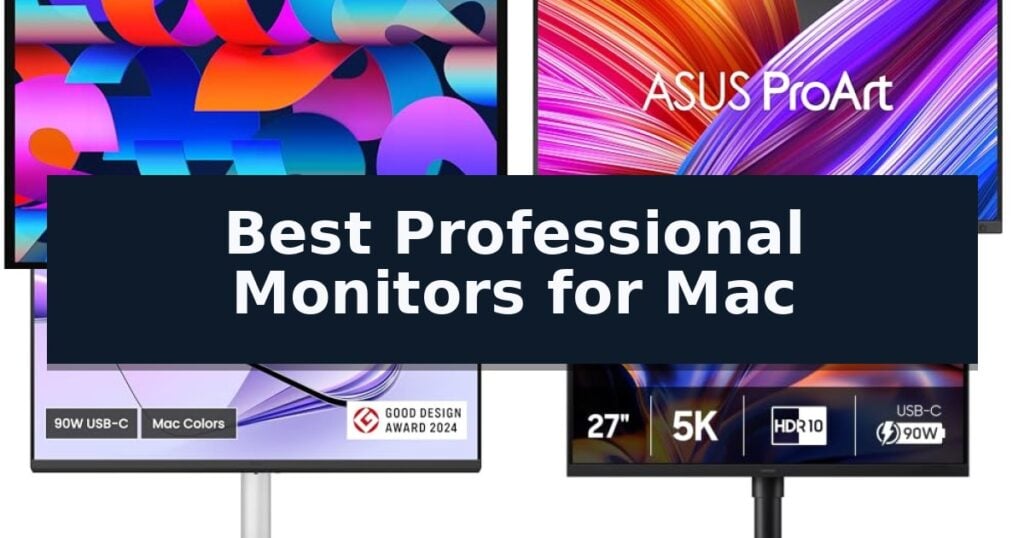
9 Best Professional Monitors for Mac in 2026 Reviews
Quick Comparison
| Product | Best For | Key Strength | Score |
|---|---|---|---|
| Apple Studio Display | Best Overall | 27-inch 5K Retina display provides high pixel density and color accuracy. | 4.9 |
| ASUS ProArt PA279CRV Monitor | Professional Color Precision | Factory-calibrated color accuracy with Delta E < 2. | 4.8 |
| BenQ MA320U Monitor | Mac Color Matching | Mac-specific color calibration for P3 wide color gamut accuracy. | 4.6 |
| Samsung ViewFinity S8 Monitor | High Density 5K Clarity | 5K resolution with 218 PPI for exceptional image clarity. | 4.8 |
| ViewSonic VP2488-4K Monitor | Thunderbolt 4 Creative Workflow | Thunderbolt 4 integration with 100W power delivery. | 4.8 |
| INNOCN 27-Inch 4K Monitor | HDR400 Professional Editing | High color accuracy with DeltaE < 2 and 1.07 billion colors. | 4.8 |
| LG 27US500-W UltraFine Monitor | Vivid 4K Creative Detail | 4K UHD resolution for sharp, detailed imagery. | 4.8 |
| Dell 27 Monitor S2725QC | Smooth 4K USB-C Connectivity | USB-C connectivity with 65W power delivery simplifies cable management. | 4.9 |
| Dell 27 Plus QHD Monitor | Fluid 144Hz Creative Performance | 144Hz refresh rate for fluid motion and navigation. | 4.9 |
How We Chose
Evaluating professional monitors for Mac requires a focus on how well a display translates color-critical work while maintaining the seamless connectivity expected in an Apple ecosystem. We analyze each model based on its ability to handle high-resolution workflows, color precision, and the practical utility of its integrated ports, ensuring that your hardware supports your creative output without unnecessary complexity.
- Color accuracy and gamut coverage (DCI-P3 and Adobe RGB support)
- Display resolution and pixel density (PPI) for macOS scaling
- Connectivity standards (Thunderbolt 4/5 or USB-C Power Delivery)
- Ergonomic adjustability (height, tilt, swivel, and pivot)
- Integration with macOS features (brightness and volume control)
1 Apple Studio Display — Perfect Partner for Mac
The Apple Studio Display centers on a high-resolution 27-inch 5K Retina display that delivers 14.7 million pixels for precise visual work. Designed as a dedicated companion for Mac users, it integrates a 12MP Center Stage camera with Desk View, a studio-quality three-mic array, and a six-speaker sound system capable of Spatial Audio.
Visual performance is driven by 600 nits of brightness and P3 wide color support, ensuring accurate color reproduction across 1 billion colors. The unit comes standard with an anti-reflective coating to manage ambient light, while a nano-texture glass option is available to further scatter light in challenging environments.
Connectivity is handled by two Thunderbolt 5 ports, which support daisy-chaining up to four displays and provide power for fast-charging Mac laptops. Additionally, two USB-C ports are included for connecting peripherals or charging mobile devices, streamlining your workspace setup.
The display includes a tilt-adjustable stand, with options for a tilt- and height-adjustable stand or a VESA mount adapter to suit different ergonomic requirements. Its aluminum enclosure houses four force-cancelling woofers and two high-performance tweeters to provide a comprehensive audio experience without requiring external speakers.
Best for: Creative professionals and Mac users seeking a high-resolution, integrated display solution with built-in advanced camera and audio hardware.
Skip if: Users who require a display with a higher refresh rate for gaming or those who prefer a matte screen finish without opting for the specific nano-texture glass configuration.
- 27-inch 5K Retina display provides high pixel density and color accuracy.
- Integrated 12MP Center Stage camera and studio-quality microphone array.
- Thunderbolt 5 connectivity allows for high-speed data transfer and laptop charging.
- Six-speaker sound system with Spatial Audio support.
- Limited stand adjustment on the base model, with height-adjustable options sold separately.
- Fixed resolution and size may not meet the needs of users requiring ultra-wide or higher refresh rate panels.
2 ASUS ProArt PA279CRV Monitor — Professional Color Precision
Achieving precise color reproduction for creative workflows requires a display that balances resolution with reliable calibration. The ASUS ProArt PA279CRV 27 Inch 4K UHD USB-C HDR Professional Monitor for Mac addresses this need with a factory-calibrated panel that is Calman Verified to ensure a Delta E < 2 color accuracy, providing professionals with the confidence that their on-screen output matches their intended design.
This 27-inch display features a 4K UHD (3840 x 2160) resolution on an IPS panel with wide 178-degree viewing angles. It is engineered for color-critical work, offering 99% DCI-P3 and 99% Adobe RGB color gamut coverage. The inclusion of DisplayPort daisy-chain support allows users to connect multiple monitors through a single cable, streamlining complex desktop setups.
Connectivity is centered around a versatile USB-C port that supports 96-watt Power Delivery, enabling users to charge their Mac while simultaneously transferring data and video signals. The monitor includes an ergonomic stand that provides tilt, swivel, pivot, and height adjustment, ensuring comfort during long editing sessions.
To support long-term professional use, the unit includes an extended 5-year warranty (3 years plus 2 years upon registration) and a complimentary 3-month Adobe Creative Cloud subscription. The design is built for utility, featuring a built-in USB hub to reduce cable clutter on the workspace.
Best for: Professional graphic designers, photographers, and video editors who require high color accuracy and single-cable connectivity for their Mac workstations.
Skip if: Users who require a high-refresh-rate display for competitive gaming or those who need a larger screen size beyond 27 inches for their specific layout.
- Factory-calibrated color accuracy with Delta E < 2.
- 96W USB-C Power Delivery for efficient Mac charging.
- Daisy-chain capability for multi-monitor workflows.
- Comprehensive 5-year extended warranty coverage.
- Fixed 27-inch size may not suit those needing larger screen real estate.
- Standard 60Hz refresh rate is optimized for creative work rather than high-speed gaming.
3 BenQ MA320U Monitor — Mac Color Matching
Achieving a seamless workflow between a laptop and a desktop display requires more than just a cable; it demands hardware that understands the specific color science and interface needs of macOS. The BenQ MA320U Monitor addresses this by offering factory-calibrated color tuning specifically designed to match the P3 wide color gamut found on MacBook Pro and MacBook Air models, ensuring visual consistency from your laptop screen to your primary workspace.
Beyond color accuracy, this 32-inch 4K display simplifies desk management through its dual USB-C connectivity. A single cable handles both the video signal and 90W power delivery, keeping your MacBook charged without extra adapters. The monitor also functions as a hub, providing additional power to peripherals like iPhones or iPads, while its integration allows you to adjust volume and brightness directly from your MacBook keyboard.
The physical design prioritizes ergonomic flexibility, featuring a stand that supports height, tilt, swivel, and pivot adjustments. This range of motion ensures that the display can be positioned to suit various desk setups and viewing angles, which is essential for long-duration professional tasks.
While the BenQ MA320U Monitor is tailored for the Mac ecosystem, it remains a versatile tool for any high-resolution workflow. Its combination of 4K resolution, integrated Mac-specific controls, and robust power delivery makes it a practical choice for professionals who require a reliable, color-accurate secondary display that functions as an extension of their portable hardware.
Best for: Creative professionals and office users who require seamless color matching and integrated control for their MacBook Pro or Air.
Skip if: Users who require a display with higher refresh rates for gaming or those who do not use a USB-C equipped Mac.
- Mac-specific color calibration for P3 wide color gamut accuracy.
- 90W power delivery via USB-C for single-cable charging.
- Integrated keyboard controls for brightness and volume.
- Highly adjustable stand for height, tilt, swivel, and pivot.
- Large 32-inch footprint may be too substantial for smaller desk spaces.
4 Samsung ViewFinity S8 Monitor — High Density 5K Clarity
Achieving high-fidelity color accuracy and screen real estate is essential for creative workflows, and the Samsung 27" ViewFinity S8 (S80HF) Series High-Resolution Monitor addresses this with a high pixel density of 218 PPI. By utilizing a 5K resolution of 5120×2880, this display provides a significantly sharper workspace compared to standard monitors, allowing professionals to manage complex projects with greater precision.
The monitor is built for connectivity and efficiency, featuring a USB-C port that supports simultaneous 90W charging and data transfer. It also integrates a built-in LAN port for stable Ethernet connectivity and a KVM switch, which simplifies the management of multiple devices within a single desk setup. The inclusion of PIP (Picture-in-Picture) and PBP (Picture-by-Picture) modes further enhances multitasking capabilities for demanding users.
Visual performance is supported by HDR10+ technology, which works to optimize contrast and deliver a wider gamut of accurate colors. For long-term comfort, the display includes Eye Saver Mode technology certified by TÜV, designed to minimize blue light and prevent screen flickering during extended work sessions. The Samsung Display Manager software provides a centralized interface for users to adjust brightness, calibrate the screen, and manage split-screen configurations.
Designed with ergonomics in mind, the monitor offers enhanced viewing angles to suit various workspace environments. The hardware is complemented by a robust feature set that prioritizes both productivity and visual clarity, making it a specialized tool for those who require high-resolution output for their professional tasks.
Best for: Creative professionals and power users who require 5K resolution and integrated USB-C connectivity for a streamlined, high-density workspace.
Skip if: Users who require a larger screen size beyond 27 inches or those who do not need 5K resolution for their specific professional applications.
- 5K resolution with 218 PPI for exceptional image clarity.
- USB-C connectivity with 90W power delivery and built-in LAN.
- Integrated KVM switch for efficient multi-device control.
- TÜV-certified Eye Saver Mode to reduce visual fatigue.
- Fixed 27-inch screen size may not suit all professional workspace requirements.
5 ViewSonic VP2488-4K Monitor — Thunderbolt 4 Creative Workflow
The ViewSonic VP2488-4K Monitor serves as a specialized hub for creative professionals, utilizing Thunderbolt 4 connectivity to streamline complex workstations. By consolidating high-speed data, 4K video, and 100W power delivery through a single cable, it minimizes desk clutter while maintaining the bandwidth necessary for high-resolution workflows.
Designed for color-critical tasks, this 24-inch display features 98% DCI-P3 and 100% sRGB color coverage. With a Delta E under 2 accuracy rating, it provides the precise color reproduction required for graphic design, photo editing, and professional content creation. The panel supports VESA HDR400 and reaches 500-nit brightness, ensuring high-contrast visibility for detailed editing projects.
The monitor enhances productivity through its dual 4K daisy chain capability, allowing users to expand their workspace across multiple displays using the Thunderbolt 4 downstream port. Connectivity is further bolstered by HDMI 2.1, DisplayPort 1.4, and integrated USB-A ports, providing flexibility for various peripherals and legacy hardware.
Ergonomics and audio are integrated directly into the chassis, featuring built-in 5W speakers and a fully adjustable stand that supports height, swivel, tilt, and pivot movements. This design choice allows for customized viewing angles during long creative sessions, while the compact 24-inch form factor remains suitable for space-constrained professional environments.
Best for: Creative professionals who require high color accuracy and a single-cable Thunderbolt 4 workstation solution.
Skip if: Users who prefer a larger screen real estate or ultrawide aspect ratio for their primary editing workspace.
- Thunderbolt 4 integration with 100W power delivery.
- Professional-grade color accuracy with Delta E < 2.
- Dual 4K daisy chain support for multi-monitor setups.
- Fully adjustable ergonomic stand.
- 24-inch display size may be limiting for users requiring expansive screen real estate.
6 INNOCN 27-Inch 4K Monitor — HDR400 Professional Editing
Achieving precise color accuracy and high-resolution detail is essential for creative workflows, and the INNOCN 27-Inch 4K Monitor addresses this with a professional-grade IPS panel featuring 3840 x 2160 resolution. This display is engineered for color-critical tasks, boasting a DeltaE < 2 rating and support for 1.07 billion colors, ensuring that your visual output remains consistent and vibrant.
Connectivity is streamlined through a versatile USB-C interface, which allows for a direct, single-cable connection to your MacBook or Mac mini. The monitor also includes DisplayPort and HDMI inputs, providing the flexibility to integrate with various peripherals. By removing legacy ports, the design prioritizes modern, high-bandwidth connections that support efficient data and video transmission.
Designed for long-term ergonomic comfort, the INNOCN 27-Inch 4K Monitor features a highly adjustable stand. Users can perform pivot, swivel, and height adjustments, allowing the screen to be oriented in portrait or landscape modes to suit specific editing or layout requirements. The VESA 75×75 mountable design further enhances workspace versatility for those using custom monitor arms.
The integration of HDR400 technology enhances the contrast and dynamic range of your media, delivering improved depth in shadows and highlights. While the monitor includes built-in speakers for basic audio needs, its primary focus remains on providing a reliable, color-accurate workspace for photo and video editing, office productivity, and high-definition content consumption.
Best for: Creative professionals and office users requiring high color accuracy and a single-cable USB-C connection for their Mac setup.
Skip if: Users who require specialized high-refresh-rate gaming features or a larger screen real estate beyond the 27-inch form factor.
- High color accuracy with DeltaE < 2 and 1.07 billion colors.
- USB-C connectivity for simplified, single-cable integration with Mac devices.
- Ergonomic stand with full pivot, swivel, and height adjustment capabilities.
- HDR400 support for improved contrast and visual depth.
- Limited audio performance from built-in speakers compared to external solutions.
- Standard 60Hz refresh rate may not satisfy users seeking high-motion gaming performance.
7 LG 27US500-W UltraFine Monitor — Vivid 4K Creative Detail
Precision in digital workflows often hinges on the display's ability to render accurate color and sharp detail, which is why the LG 27US500-W UltraFine Monitor is a notable option for creative professionals. This 27-inch display utilizes a 4K UHD resolution (3840×2160) to ensure that high-resolution assets appear crisp, while the 1000:1 contrast ratio provides the depth necessary for distinguishing subtle shadows and highlights in complex design projects.
For color-critical tasks, the monitor supports HDR10 and covers 90% of the DCI-P3 color gamut. This expanded color spectrum allows designers to view content with greater vibrancy and accuracy, ensuring that digital imagery aligns more closely with intended output. The inclusion of an IPS panel further supports this by maintaining consistent color and clarity across wide viewing angles, preventing the color shifting often found in lower-tier display technologies.
Practical usability is addressed through the Onscreen Control software, which simplifies workspace management by allowing users to split the screen or adjust settings directly from their computer. This integration reduces the need to fumble with physical buttons, streamlining the workflow during intense editing sessions. The included ergonomic stand also allows for tilt adjustments, helping users maintain a comfortable posture during extended periods of use.
Connectivity is handled via standard HDMI and DisplayPort inputs, providing a straightforward link to most professional workstations. The borderless design serves a dual purpose: it reduces visual clutter for a more immersive experience and facilitates a cleaner look when using multiple monitors side-by-side. While it lacks advanced features like integrated USB-C power delivery, the monitor focuses on delivering core visual performance for those who prioritize screen quality over peripheral connectivity.
Best for: Creative professionals and designers who require 4K resolution and wide color gamut support for detailed visual work.
Skip if: Users who require integrated USB-C power delivery or high-speed data transfer ports for their Mac setup.
- 4K UHD resolution for sharp, detailed imagery.
- 90% DCI-P3 color gamut coverage for accurate color expression.
- Onscreen Control software for efficient workspace management.
- Ergonomic stand with adjustable tilt for viewing comfort.
- Limited connectivity options compared to premium docking monitors.
- Standard 60Hz refresh rate may not suit users requiring high-motion fluidity.
8 Dell 27 Monitor S2725QC — Smooth 4K USB-C Connectivity
Achieving a streamlined workspace requires hardware that balances high-resolution clarity with efficient cable management. The Dell 27 Monitor S2725QC addresses this by integrating USB-C connectivity, which provides up to 65W power delivery to your Mac, effectively reducing desk clutter by consolidating power and data into a single cable.
Visual performance is anchored by a 4K UHD IPS panel that delivers sharp, detailed imagery. With 99% sRGB color coverage and a 1500:1 contrast ratio, this monitor is well-suited for color-accurate professional tasks. The inclusion of HDR readiness further enhances depth, ensuring that both creative projects and media consumption benefit from a wide, vibrant color gamut.
For those who balance productivity with leisure, the monitor features a 120Hz refresh rate paired with AMD FreeSync Premium. This combination provides a smooth, tear-free visual experience during motion-heavy tasks. The ultra-low 0.03ms response time ensures that inputs remain responsive, making it a versatile tool for both demanding professional workflows and high-frame-rate entertainment.
Ergonomics and long-term usability are prioritized through integrated ComfortView Plus technology, which limits harmful blue light emissions to ≤35% without compromising color accuracy. Additionally, the monitor features re-engineered sound quality with improved frequency response and decibel range, providing a more robust audio output than previous iterations for a complete desktop experience.
Best for: Professionals and creatives seeking a high-resolution 4K display with single-cable USB-C power delivery for a clean, efficient Mac workstation.
Skip if: Users who require specialized professional color spaces beyond sRGB or those needing a larger screen size for complex multi-window layouts may find this 27-inch display limiting.
- USB-C connectivity with 65W power delivery simplifies cable management.
- 4K UHD resolution with 99% sRGB coverage ensures sharp, accurate visuals.
- 120Hz refresh rate and AMD FreeSync Premium provide smooth motion.
- ComfortView Plus reduces blue light while maintaining color fidelity.
- 65W power delivery may be insufficient for high-performance Mac models under heavy load.
- Fixed 27-inch size may not accommodate all professional multitasking requirements.
9 Dell 27 Plus QHD Monitor — Fluid 144Hz Creative Performance
Achieving a fluid, responsive workflow on a Mac requires a display that balances high resolution with smooth motion. The Dell 27 Plus QHD Monitor – S2725DSM addresses this by pairing a sharp QHD resolution with a 144Hz refresh rate, ensuring that both creative tasks and general navigation remain fluid and clear.
This 27-inch display utilizes a 1500:1 contrast ratio to provide depth, while the 1ms Moving Picture Response Time (MPRT) minimizes ghosting during fast-paced movement. For those who prioritize visual health, the monitor is 4-star TÜV-certified, specifically engineered to reduce harmful blue light emissions without sacrificing color accuracy.
Integration with the Mac workspace is supported by versatile connectivity, including HDMI and DisplayPort 1.4. The hardware design emphasizes physical ergonomics, offering height, tilt, pivot, and swivel adjustability to match individual desk setups. Additionally, the monitor features integrated dual 3W speakers, providing an all-in-one audio solution for standard media playback.
To streamline management, the monitor is compatible with the Dell Display and Peripheral Manager application, which allows users to optimize display performance directly. With its Ash White finish and flexible mounting options, this unit serves as a functional, high-refresh-rate centerpiece for professional environments.
Best for: Professionals seeking a high-refresh-rate QHD display with integrated ergonomic adjustments and blue-light reduction for extended work sessions.
Skip if: Users requiring 4K resolution for pixel-perfect detail or those who need integrated USB-C power delivery for single-cable Mac connectivity.
- 144Hz refresh rate for fluid motion and navigation.
- TÜV-certified eye comfort features to reduce blue light.
- Full ergonomic adjustability including pivot, swivel, and height.
- Integrated 3W speakers for convenient audio output.
- Lacks USB-C connectivity for single-cable Mac integration.
- QHD resolution may not satisfy users requiring 4K clarity.
Best Professional Monitors for Mac Buying Guide
Color Accuracy for Creative Work
Professional creative work demands high color fidelity to ensure that what you see on screen matches the final output. Monitors with high DCI-P3 and Adobe RGB coverage are essential for photographers and video editors who require precise color reproduction.
Look for factory-calibrated displays that specify a Delta E value of less than 2. This metric indicates that the monitor is capable of high color accuracy right out of the box, reducing the need for frequent manual calibration.
Connectivity and Power Delivery
A primary advantage of modern professional monitors is the ability to act as a docking station. Thunderbolt or high-wattage USB-C connections allow you to transmit video, data, and power to your Mac through a single cable.
Check the power delivery rating of the monitor to ensure it can charge your specific MacBook model at full speed. A monitor that provides 90W or more is generally sufficient for even the most powerful MacBook Pro configurations.
Resolution and macOS Scaling
macOS is optimized for high-pixel-density displays, making 4K or 5K resolutions the standard for professional work. A higher pixel density ensures that text and UI elements appear sharp, preventing the pixelated look that can occur on lower-resolution screens.
When choosing a monitor, consider the physical screen size in relation to its resolution. A 27-inch 4K display offers a high pixel density that aligns well with standard macOS scaling settings, providing a balance between screen real estate and clarity.
Ergonomics and Workspace Comfort
Professional workflows often involve long hours at a desk, making ergonomics a non-negotiable factor. A monitor with a fully adjustable stand allows you to modify the height, tilt, swivel, and pivot to match your eye level and posture.
If you frequently work with portrait-oriented content, such as long documents or vertical video, a monitor that supports pivot functionality is highly beneficial. Ensure the stand is stable and provides enough range of motion to suit your specific desk setup.
Integration and Peripheral Support
Some monitors offer specialized integration with macOS, such as the ability to control display brightness and volume directly from your Mac keyboard. This feature simplifies your workflow by removing the need to reach for physical monitor buttons.
Consider the inclusion of additional USB ports for connecting peripherals like external drives, drawing tablets, or audio interfaces. A built-in USB hub can significantly reduce cable clutter on your desk, keeping your workspace organized.
Frequently Asked Questions
Do I need a Thunderbolt monitor for my Mac?
While Thunderbolt monitors offer the highest bandwidth for data and video, many high-quality USB-C monitors are sufficient for most professional workflows. Check your Mac's port specifications to ensure compatibility.
What is the benefit of a 5K display over 4K?
A 5K display provides a higher pixel density, which allows macOS to render text and images with greater sharpness at standard scaling settings, closely matching the experience of Apple's built-in displays.
Can I use a non-Apple monitor with a Mac?
Yes, most modern monitors are fully compatible with macOS. You may need a USB-C to DisplayPort or HDMI cable depending on the monitor's inputs, and some features like keyboard brightness control may vary.
How much power delivery do I need for my MacBook?
For a MacBook Air, 65W is typically sufficient. For a 14-inch or 16-inch MacBook Pro, look for a monitor that provides at least 90W to 100W to ensure the laptop charges while under heavy load.
Is factory calibration necessary?
Factory calibration is highly recommended for professional work as it ensures the monitor meets specific color standards out of the box, saving you time and the cost of purchasing a separate calibration tool.
Conclusion: Our Top Pick
Our top pick is Apple Studio Display. Choosing the right monitor for your Mac depends on balancing your specific creative needs with your budget. Whether you prioritize the seamless integration of an Apple-designed display or the versatile connectivity of a third-party professional monitor, there are excellent options available to elevate your workspace.
By focusing on color accuracy, resolution, and ergonomic flexibility, you can create a reliable setup that supports your professional output for years to come. Assess your desk space and connectivity requirements to find the display that best complements your Mac.