Logitech MX Master 3S Wireless Mouse is our pick for the Best Rechargeable Wireless Mouse because it combines high-precision 8K DPI tracking with a refined ergonomic shape that supports natural wrist posture during extended use.
Selecting a reliable pointing device requires balancing your specific workflow needs against physical comfort and connectivity requirements. For users who frequently switch between multiple computers, models that support seamless cross-device control or quick-toggle Bluetooth pairing offer significant efficiency gains.
Beyond connectivity, consider the physical design and sensor capabilities. Whether you prioritize silent clicking for shared office environments or specialized buttons for software-specific shortcuts, the right mouse should align with your daily tasks rather than just your desk aesthetic.
If you require specialized hardware for high-intensity tasks, our guide on the Best Rechargeable Gaming Mouse provides additional insights into low-latency performance and high-polling rates. For those specifically looking to reduce wrist strain through unique form factors, we also cover the Best Rechargeable Vertical Mouse to help you find a more natural grip.
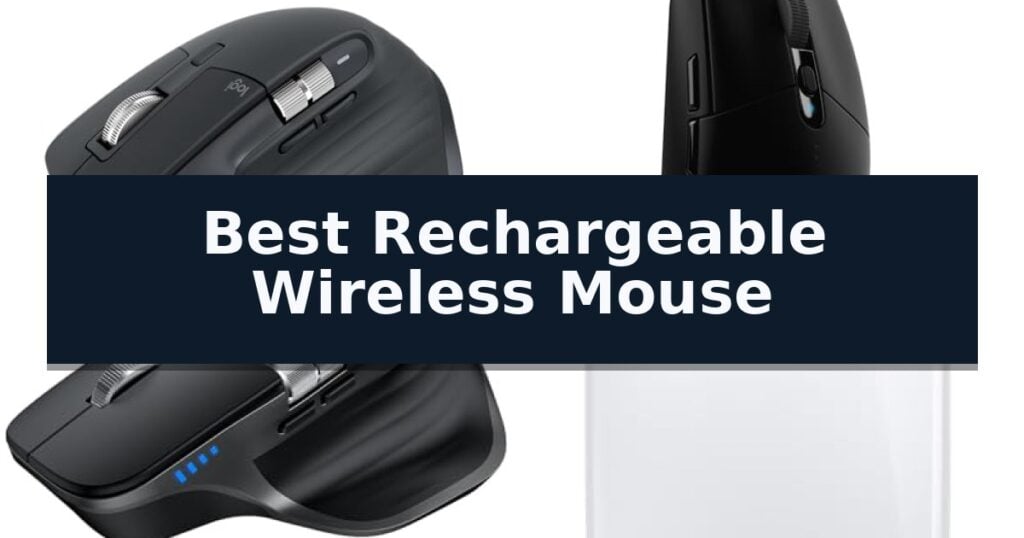
10 Best Rechargeable Wireless Mouse in 2026 Reviews
Quick Comparison
| Product | Best For | Key Strength | Score |
|---|---|---|---|
| Logitech MX Master 3S Wireless Mouse | Best Overall | 8K DPI sensor for tracking on any surface including glass | 4.9 |
| Logitech G305 LIGHTSPEED Wireless Mouse | Lag-Free Gaming Performance | LIGHTSPEED wireless technology provides a 1 ms report rate for lag-free performance. | 4.7 |
| TECKNET Wireless Mouse | Multi-Device Productivity Specialist | Seamless 3-device switching between Bluetooth and 2.4GHz modes | 4.7 |
| Apple Magic Mouse | Seamless Gesture-Based Control | Multi-Touch surface supports intuitive gesture control. | 4.7 |
| Logitech M720 Triathlon Wireless Mouse | Versatile Multi-Computer Workflow | Multi-device connectivity allows pairing and switching between up to three computers. | 4.6 |
| Lenovo Yoga Pro Wireless Mouse | Balanced Design for Daily Tasks | Long-lasting rechargeable battery providing 2-3 months of use on a single charge. | 4.8 |
| TECKNET Wireless Mouse with Jiggler | Prevents Sleep Mode Automatically | Integrated 2-in-1 mouse and jiggler functionality | 4.3 |
| INPHIC Wireless Mouse | Visible Battery Level Monitoring | Visible battery indicator for real-time power monitoring. | 4.6 |
| CORSAIR SCIMITAR ELITE Wireless Mouse | Customizable Buttons for MMO Gaming | 16 programmable buttons with an adjustable key slider for ergonomic customization. | 4.4 |
| Logitech MX Anywhere 2S Wireless Mouse | Compact Tracking on Any Surface | Darkfield sensor enables tracking on glass and high-gloss surfaces. | 4.3 |
How We Chose
Evaluating the best rechargeable wireless mouse requires a focus on how well the hardware integrates into a professional or creative environment. We examine sensor accuracy, the tactile quality of buttons, and the reliability of wireless connections across different operating systems to ensure each model provides consistent, lag-free performance throughout the workday.
- Sensor precision and surface compatibility
- Ergonomic design and button placement
- Battery longevity and charging convenience
- Multi-device connectivity and software integration
- Click noise levels and build quality
1 Logitech MX Master 3S Wireless Mouse — Premium Ergonomics for Power Users
The Logitech MX Master 3S Wireless Mouse distinguishes itself through its 8K DPI sensor, which enables precise tracking on virtually any surface, including glass. This high-resolution sensor allows for granular control, making it a capable tool for users who require accuracy across diverse workspaces.
Designed with a focus on ergonomics, the mouse features a silhouette crafted to promote a more natural wrist posture. It incorporates quiet-click switches that reduce click noise by 90% compared to traditional models, while maintaining a tactile, satisfying feel. The integrated MagSpeed scrolling mechanism provides both speed and precision, allowing for near-silent navigation through long documents or spreadsheets.
Workflow efficiency is enhanced through the Logi Options+ app, which supports app-specific profiles and button customization. The device also includes FLOW technology, enabling seamless control and file transfer between multiple computers running Windows or macOS. With multi-device connectivity, users can pair the mouse with up to three devices simultaneously via Bluetooth.
This model is a Bluetooth-only peripheral and does not include a USB receiver or charging cable in the box. It is constructed with certified post-consumer recycled plastic, reflecting a focus on material sourcing. Its multi-OS compatibility ensures it functions across Windows, macOS, Chrome OS, and Linux environments.
Best for: Power users who require multi-device workflow integration and high-precision tracking on varied surfaces.
Skip if: Users who prefer a wired connection or require a dedicated USB receiver for their specific computing setup.
- 8K DPI sensor for tracking on any surface including glass
- Quiet Clicks technology reduces noise by 90%
- MagSpeed scrolling for rapid and precise navigation
- Multi-device connectivity via Bluetooth for up to 3 devices
- No USB receiver or charging cable included
- Bluetooth-only connectivity limits hardware options
2 Logitech G305 LIGHTSPEED Wireless Mouse — Lag-Free Gaming Performance
Reliability in a wireless peripheral often comes down to signal stability, and the Logitech G305 LIGHTSPEED Wireless Mouse addresses this with proprietary LIGHTSPEED technology. By maintaining a 1 ms report rate, this device provides the responsiveness required for competitive use without the tether of a cable.
At the heart of its performance is the HERO sensor, which offers up to 12,000 DPI and 400 IPS precision. This sensor is engineered for power efficiency, allowing the mouse to operate for up to 250 hours of continuous gameplay on a single AA battery. Users can further optimize this lifespan by switching to Endurance mode via the Logitech G HUB software, which can extend battery life to as much as 9 months.
Despite housing a battery and wireless hardware, the mouse maintains a lightweight profile of 3.4 oz. The design includes 6 programmable buttons and on-board memory, allowing for custom configurations that travel with the device. For those who move between workstations, the integrated nano receiver storage ensures the component remains secure during transport.
The Logitech G305 LIGHTSPEED Wireless Mouse balances high-performance tracking with a compact, durable build. While it relies on a standard AA battery rather than an internal rechargeable cell, the efficiency of the HERO sensor minimizes the frequency of replacements, making it a practical choice for both gaming and mobile productivity.
Best for: Gamers and professionals who require a lag-free wireless connection and high-precision tracking in a portable, lightweight form factor.
Skip if: Users who prefer an integrated, rechargeable battery system rather than replacing AA batteries will find this model less convenient.
- LIGHTSPEED wireless technology provides a 1 ms report rate for lag-free performance.
- HERO optical sensor delivers high precision up to 12,000 DPI.
- Efficient power management allows for up to 250 hours of gameplay on one AA battery.
- Lightweight 3.4 oz design enhances maneuverability during use.
- Requires AA battery replacement rather than featuring a built-in rechargeable battery.
3 TECKNET Wireless Mouse — Multi-Device Productivity Specialist
Managing multiple devices simultaneously often requires a peripheral that can keep up with a fast-paced workflow. The TECKNET Wireless Mouse addresses this by offering seamless 3-device switching, allowing users to toggle between two Bluetooth connections and a 2.4GHz USB-A receiver with the press of a single button.
Designed for precision and comfort, this mouse features a precision metal scroll wheel that provides a distinct tactile sensation and enhanced durability. For tasks requiring horizontal navigation, such as managing large spreadsheets or design canvases, the integrated side scroll wheel offers an efficient alternative to standard clicking and dragging.
The device is built for versatility, boasting 6-level DPI control that ranges from 800 to 4800 DPI, adjustable via a high-performance chip. Users can easily monitor their current setting through a convenient LED indicator. To ensure a quiet environment, the mouse is engineered with silent clicks, making it suitable for shared workspaces or libraries.
Power management is handled through a rechargeable battery that reaches a full charge in 1.5 to 2 hours, providing up to 3 months of use based on 2 hours of daily activity. The unit also includes an auto-sleep function that activates after 10 minutes of inactivity to preserve energy, waking instantly upon the next click.
Best for: Professionals and multitaskers who need to switch between three different devices using a single, quiet, and highly adjustable peripheral.
Skip if: Users who require programmable buttons for custom macros, as all seven buttons on this model are non-programmable.
- Seamless 3-device switching between Bluetooth and 2.4GHz modes
- Side scroll wheel for efficient horizontal navigation
- 6-level adjustable DPI up to 4800 for varied precision needs
- Silent click mechanism for quiet operation
- Rechargeable battery with long-lasting performance
- Non-programmable buttons limit custom functionality
- Side buttons are not supported on macOS
4 Apple Magic Mouse — Seamless Gesture-Based Control
Navigating a workspace requires tools that minimize friction, and the Apple Magic Mouse addresses this with an optimised foot design engineered to glide effortlessly across desk surfaces. This peripheral removes the clutter of traditional wired connections by utilizing a wireless, rechargeable architecture that ensures a clean, minimalist aesthetic for any workstation.
The standout feature of this device is its Multi-Touch surface, which enables intuitive navigation through simple gestures. Users can fluidly swipe between web pages or scroll through lengthy documents without needing physical buttons or wheels. This touch-sensitive interface provides a seamless interaction layer that integrates directly with macOS environments.
Power management is handled by an internal rechargeable battery designed to last for approximately a month or more between charges. When power levels run low, the included woven USB-C Charge Cable allows for a direct connection to a Mac, enabling both charging and pairing simultaneously. The device is ready for immediate use straight out of the box, featuring automatic pairing capabilities.
Measuring 5.12 inches in length and 2.91 inches in width, the mouse maintains a low-profile form factor. While its sleek, unified design offers a distinct look, users should consider the ergonomic implications of its flat, touch-based construction compared to traditional contoured mice.
Best for: Mac users who prioritize a minimalist aesthetic and gesture-based navigation for daily productivity.
Skip if: Users who require a highly contoured, ergonomic mouse shape for long-duration comfort or tactile physical buttons.
- Multi-Touch surface supports intuitive gesture control.
- Optimised foot design ensures smooth gliding across surfaces.
- Long-lasting battery provides a month or more of use per charge.
- Automatic pairing with Mac systems for immediate setup.
- Low-profile design may not suit all hand grip preferences.
- Touch-only interface lacks the tactile feedback of physical scroll wheels.
5 Logitech M720 Triathlon Wireless Mouse — Versatile Multi-Computer Workflow
Managing multiple devices across a workspace requires a tool that adapts to your environment rather than forcing you to adjust your habits. The Logitech M720 Triathlon Wireless Mouse addresses this by offering seamless switching between three distinct computers or laptops with the simple touch of a button.
Designed for long-term comfort, this full-sized wireless PC mouse features a sculpted, ergonomic shape with a rubberized grip tailored for right-handed users. Its versatility is further enhanced by dual connectivity options, allowing you to pair via Bluetooth or the included wireless Logitech Unifying receiver. The latter is particularly useful for streamlining your desk, as it supports connecting up to six compatible Logitech peripherals through a single USB port.
Productivity is at the core of its design, highlighted by the Logitech FLOW technology, which enables you to move your cursor, text, and files across multiple computers effortlessly. For those handling dense information, the hyper-fast scrolling wheel allows for rapid navigation through long documents and web pages, complete with an instant-stop feature and a secondary click-to-click mode for precision.
Customization and longevity are key components of the Logitech M720 Triathlon Wireless Mouse. Users can assign specific shortcuts to the 6 customizable buttons using Logitech’s dedicated software to tailor the experience to their workflow. Furthermore, the device is engineered for endurance, boasting a 24-month battery life to minimize maintenance interruptions.
Best for: Professionals and students who frequently switch between multiple computers, tablets, or laptops throughout the day.
Skip if: Users who prefer an ambidextrous design or a smaller, ultra-portable mouse for travel will find the full-sized, right-hand-specific shape less suitable.
- Multi-device connectivity allows pairing and switching between up to three computers.
- Logitech FLOW enables seamless file and text transfer across different systems.
- Hyper-fast scrolling wheel provides efficient navigation through long documents.
- 24-month battery life ensures long-term reliability with minimal maintenance.
- Right-handed ergonomic design makes it unsuitable for left-handed users.
- Full-sized dimensions may be bulky for users prioritizing ultra-compact travel gear.
6 Lenovo Yoga Pro Wireless Mouse — Balanced Design for Daily Tasks
The Lenovo Yoga Pro Wireless Mouse distinguishes itself through a focus on ergonomic balance, featuring a full-sized, symmetrical chassis with soft-touch side materials and a dedicated thumb rest. This design choice prioritizes long-term comfort for right-handed users, ensuring a stable grip during extended periods of computer use.
Performance is driven by a versatile blue optical sensor capable of tracking on a wide variety of surfaces. Users can toggle between three DPI stages, with software-adjustable sensitivity reaching up to 4000 DPI. The device includes a 2-way metal scroll wheel and programmable buttons on the top and sides, allowing for a customized workflow that adapts to specific task requirements.
Connectivity is managed via Bluetooth 5.1, supporting dual-device pairing for seamless switching between hosts. The integrated rechargeable battery is designed for efficiency, requiring less than two hours for a full charge, which provides an operational lifespan of two to three months. Silent left and right buttons further minimize noise during operation.
This mouse offers a practical solution for those needing a balance of portability and desktop comfort. While it provides significant flexibility through its programmable interface and multi-surface tracking, users should note that it relies exclusively on Bluetooth connectivity, making it best suited for environments where wireless pairing is the primary interface method.
Best for: Users seeking a comfortable, rechargeable, and programmable mouse for multi-device workflows on various surfaces.
Skip if: Users who require a dedicated USB receiver or prefer a wired connection for their primary input device.
- Long-lasting rechargeable battery providing 2-3 months of use on a single charge.
- Dual-mode Bluetooth 5.1 for seamless switching between two devices.
- Programmable buttons and configurable scroll wheel for workflow customization.
- Multi-surface tracking via high-precision blue optical sensor.
- Bluetooth-only connectivity lacks a traditional USB dongle option.
7 TECKNET Wireless Mouse with Jiggler — Prevents Sleep Mode Automatically
Maintaining an active computer status during meetings or breaks is simplified with the TECKNET Wireless Mouse with Jiggler, a device that integrates a functional mouse mover directly into its hardware. By holding the DPI- button for three to five seconds, users can activate a jiggler mode that produces undetectable, random cursor movements to prevent sleep mode without requiring external software.
This rechargeable wireless mouse is powered by an 800mAh battery, offering an estimated usage time of two to three months on a single two-hour charge via USB-C. The device features 6 adjustable DPI levels ranging from 800 to 4800, allowing for sensitivity adjustments suitable for various tasks, from precise design work to general browsing.
Designed for shared environments, the mouse utilizes ultra-silent click technology, which is engineered to reduce clicking noise by 90%. The ergonomic contouring is specifically tailored for small to medium hand sizes to assist with comfort during extended use, while the 14 RGB lighting modes provide a customizable visual aesthetic.
Compatibility is broad, supporting Windows, macOS, Chrome OS, and Linux through a plug-and-play USB-A receiver. The jiggler function is designed to resume automatically after a brief pause in manual movement, providing a seamless transition between active work and automated idle periods.
Best for: Remote workers and office professionals who need to prevent their computer from entering sleep mode during breaks or meetings.
Skip if: Users who require side-button functionality on macOS or those who only have access to USB-C ports, as the receiver is exclusively USB-A compatible.
- Integrated 2-in-1 mouse and jiggler functionality
- Ultra-silent clicks for quiet environments
- Long-lasting 800mAh rechargeable battery
- 6 adjustable DPI levels for sensitivity control
- Side buttons are not compatible with macOS
- Requires USB-A port for the receiver
8 INPHIC Wireless Mouse — Visible Battery Level Monitoring
Managing power levels during long work sessions is simplified with the INPHIC Wireless Mouse, which features a prominent, top-mounted visible battery indicator. This design choice allows users to monitor remaining power at a glance, effectively eliminating the uncertainty often associated with rechargeable peripherals.
Beyond its power management, the device is engineered with an upgraded wider thumb support area to promote better palm and finger positioning. This ergonomic focus aims to reduce tension during extended use, while the silent clicking mechanism for the left and right buttons ensures the mouse remains unobtrusive in shared environments like offices or libraries.
The mouse offers versatile connectivity, supporting both Bluetooth 5.0 and a 2.4G USB receiver for broad compatibility across Windows, macOS, and Android systems. Users can tailor their cursor control using four adjustable DPI levels (800/1200/1600/2400), which are easily toggled via the six-button interface.
To maximize the efficiency of the 400mAh rechargeable battery, the device includes an automatic sleep mode that activates after five minutes of inactivity. This power-saving feature helps extend usage time between charges, requiring only a simple button click to wake the unit for immediate operation.
Best for: Right-handed users who require a silent, ergonomic mouse with clear visual battery status for office or public workspace environments.
Skip if: Left-handed users or those who prefer a symmetrical, ambidextrous mouse design, as this model is specifically contoured for right-hand use.
- Visible battery indicator for real-time power monitoring.
- Silent click buttons suitable for quiet environments.
- Ergonomic design with a wide thumb rest to reduce hand strain.
- Dual connectivity options via Bluetooth 5.0 and 2.4G USB receiver.
- Right-handed ergonomic contour limits usability for left-handed users.
- Initial charge requirement of one hour is necessary before first use.
9 CORSAIR SCIMITAR ELITE Wireless Mouse — Customizable Buttons for MMO Gaming
The CORSAIR SCIMITAR ELITE Wireless Mouse distinguishes itself through its highly adaptable design, featuring 16 programmable buttons and an adjustable key slider that allows users to reposition the side button panel to fit their specific grip style. This level of customization ensures that complex macros and in-game commands are always within reach, making it a specialized tool for demanding gaming environments.
Engineered for performance, the mouse utilizes the MARKSMAN S 33k DPI optical sensor to provide high-precision tracking and improved power efficiency. Connectivity is handled via SLIPSTREAM WIRELESS technology, which maintains a low-latency 1,000Hz polling rate for responsive input, while Bluetooth and USB options offer additional flexibility for different setups.
Integration with the Elgato Stream Deck ecosystem serves as a significant productivity feature. Users can map specific Stream Deck functions directly to the mouse buttons, or utilize the Elgato Virtual Stream Deck to build dedicated profiles for streaming, content creation, or general productivity tasks, effectively turning the peripheral into a multi-functional control hub.
Designed for long-term use, the device supports up to 150 hours of battery life, reducing the frequency of charging interruptions. When power runs low, the mouse supports fast charging via USB, allowing for continued operation while connected.
Best for: Gamers and content creators who require extensive macro customization and deep integration with Elgato streaming software.
Skip if: Users who prefer a lightweight, minimalist mouse design without the complexity of a multi-button side panel.
- 16 programmable buttons with an adjustable key slider for ergonomic customization.
- Native Elgato Stream Deck integration for advanced control mapping.
- High-precision MARKSMAN S 33k DPI sensor for accurate tracking.
- Low-latency SLIPSTREAM WIRELESS connectivity with up to 150 hours of battery life.
- Complex button layout may require a learning curve for users accustomed to standard mice.
10 Logitech MX Anywhere 2S Wireless Mouse — Compact Tracking on Any Surface
The Logitech MX Anywhere 2S Wireless Mouse is engineered for high-performance portability, utilizing advanced Darkfield high-precision tracking that allows the sensor to function accurately on virtually any surface, including glass. This capability ensures that mobile professionals can maintain a consistent workflow regardless of their environment, whether working from a glass desk or a textured cafe table.
Connectivity is managed via Bluetooth or a Radio Frequency connection, providing a reliable wireless operating distance of up to 33 feet. With a movement resolution of 4000 DPI, the device offers granular cursor control, which is essential for navigating high-resolution displays or managing detailed tasks across multiple monitors with precision.
Designed for multi-device environments, the mouse supports seamless integration with up to three different computers. This allows users to switch between Apple Mac and Windows systems efficiently, making it a practical choice for power users who manage complex setups. Its compact footprint ensures it fits easily into travel bags, prioritizing mobility for those who frequently work on the go.
While the device excels in tracking and multi-device management, it is important to consider its physical design. The mouse is built for a compact, travel-oriented form factor rather than providing full-sized ergonomic palm support. This is a common trade-off in portable peripherals, as the smaller profile sacrifices some long-term comfort for the benefit of easy transport.
Best for: Mobile professionals and power users who need a high-precision, multi-device mouse that works on difficult surfaces like glass.
Skip if: Users who prefer a full-sized, ergonomic mouse for long-duration desktop use may find the compact profile of this model less comfortable.
- Darkfield sensor enables tracking on glass and high-gloss surfaces.
- Multi-device connectivity allows switching between three computers.
- Compact, portable design ideal for travel.
- High 4000 DPI resolution for precise cursor control.
- Compact form factor may lack the ergonomic support of larger desktop mice.
Best Rechargeable Wireless Mouse Buying Guide
Ergonomics and Hand Support
The physical shape of a mouse dictates how much strain your wrist and forearm experience over time. Full-sized mice with sculpted thumb rests generally offer better support for long-term use compared to low-profile or travel-oriented designs.
When choosing, look for materials that provide a secure grip and a weight distribution that feels balanced. A mouse that fits your hand size prevents the cramping often associated with smaller, less contoured devices.
Connectivity and Multi-Device Workflow
Modern wireless mice often support both Bluetooth and dedicated USB receivers. Bluetooth is ideal for maintaining a clean desk without occupying ports, while USB receivers can provide a more stable connection in environments with heavy wireless interference.
If you work across multiple machines, prioritize models that allow you to switch between devices with a single button press. Some advanced mice even enable file and text transfer between computers, which can significantly streamline complex workflows.
Sensor Performance and DPI
DPI (dots per inch) determines how sensitive the cursor is to your physical movements. While higher DPI is often marketed for gaming, it is also useful for high-resolution displays where you need to traverse large screen areas with minimal hand movement.
Look for sensors that track accurately on various surfaces, including glass or polished wood. This versatility ensures your mouse remains functional regardless of your workspace setup or the lack of a dedicated mousepad.
Battery Life and Charging
Rechargeable mice eliminate the need for disposable batteries, but they differ in how they manage power. Some models offer months of usage on a single charge, while others require more frequent attention.
Check for clear battery level indicators or software alerts that notify you before power runs low. Fast-charging capabilities are a valuable feature, allowing you to get back to work quickly even if you forget to charge the device overnight.
Customization and Programmability
Programmable buttons allow you to map frequently used shortcuts or macros directly to your mouse. This is particularly beneficial for creative professionals or those who perform repetitive tasks in specific software applications.
Ensure the accompanying software is compatible with your operating system. While some mice offer plug-and-play functionality, deeper customization usually requires a stable driver or control app to unlock the full potential of the hardware.
Frequently Asked Questions
How do I know if a mouse will work on my desk surface?
Look for optical or laser sensors specifically rated for multi-surface tracking. High-DPI sensors, such as those found in premium Logitech models, are typically designed to track accurately on difficult surfaces like glass.
Can I use a rechargeable mouse while it is charging?
Most modern rechargeable wireless mice allow you to continue using them while plugged into a charging cable. However, check the specific model's documentation to confirm if the cable functions for both data and power.
What is the benefit of a silent click mouse?
Silent click mice use specialized switches to reduce the audible noise of button presses by up to 90%. They are ideal for quiet environments like libraries, open-plan offices, or shared living spaces.
Do I need special software to use the programmable buttons?
Yes, most programmable mice require manufacturer-specific software to assign custom functions to buttons. Without this software, the buttons will usually function as standard inputs or remain inactive.
How long do rechargeable mouse batteries typically last?
Battery life varies significantly based on usage intensity, polling rate, and lighting features. Many office-focused mice last several months on a single charge, while high-performance gaming mice may require charging every few weeks.
Conclusion: Our Top Pick
Our top pick is Logitech MX Master 3S Wireless Mouse. Choosing the right rechargeable wireless mouse depends on balancing your need for ergonomic support against the specific connectivity and customization features required for your tasks. Prioritizing a comfortable shape and reliable multi-device switching will yield the greatest long-term benefits for your daily productivity.
By evaluating how a mouse handles power management and surface tracking, you can ensure your selection remains a dependable tool for years to come. Focus on the features that directly address your most frequent pain points to find the best fit for your workspace.